
1. Sarrera
This instruction manual provides essential information for the safe and efficient use of the Generic 6ES7137-6AA00-0BA0 SIMATIC ET 200SP PTP Communication Module. It covers product overview, installation, operation, maintenance, and troubleshooting. Please read this manual thoroughly before installing or operating the module and retain it for future reference.
2. Segurtasun informazioa
Observe all safety precautions and warnings to prevent injury, damage to the module, or other equipment. This module is designed for industrial use only and should be installed inside a cabinet with an IP54 rating, conforming to EN60079-15 standards for Zone 2 environments.
- Pertsonal kualifikatua: Instalazioa, funtzionamendua eta mantentze-lanak langile kualifikatuek bakarrik egin behar dituzte.
- Potentzia deskonexioa: Ensure all power is disconnected before performing any installation or maintenance tasks.
- Ingurumen-baldintzak: The module is intended for indoor use only and industrial environments.
- EMC betetzea: Use appropriate EMC cable specifications as indicated on the product packaging to ensure electromagnetic compatibility.
- liburukiatage Balorazioak: The module operates with 24V DC. Ensure correct voltage supply to prevent damage.
3. Produktua amaitu daview
The Generic 6ES7137-6AA00-0BA0 is a SIMATIC ET 200SP cm PTP (Point-to-Point) Communication Module. It is a key component for Programmable Logic Controller (PLC) systems, facilitating communication within industrial automation setups. This module is designed for robust performance in demanding industrial environments.
3.1. Paketearen edukia
Upon unpacking, verify that all components are present and undamaged. The package typically contains:
- 1 x Generic 6ES7137-6AA00-0BA0 SIMATIC ET 200SP PTP Communication Module
- Argibide eskuliburua (dokumentu hau)
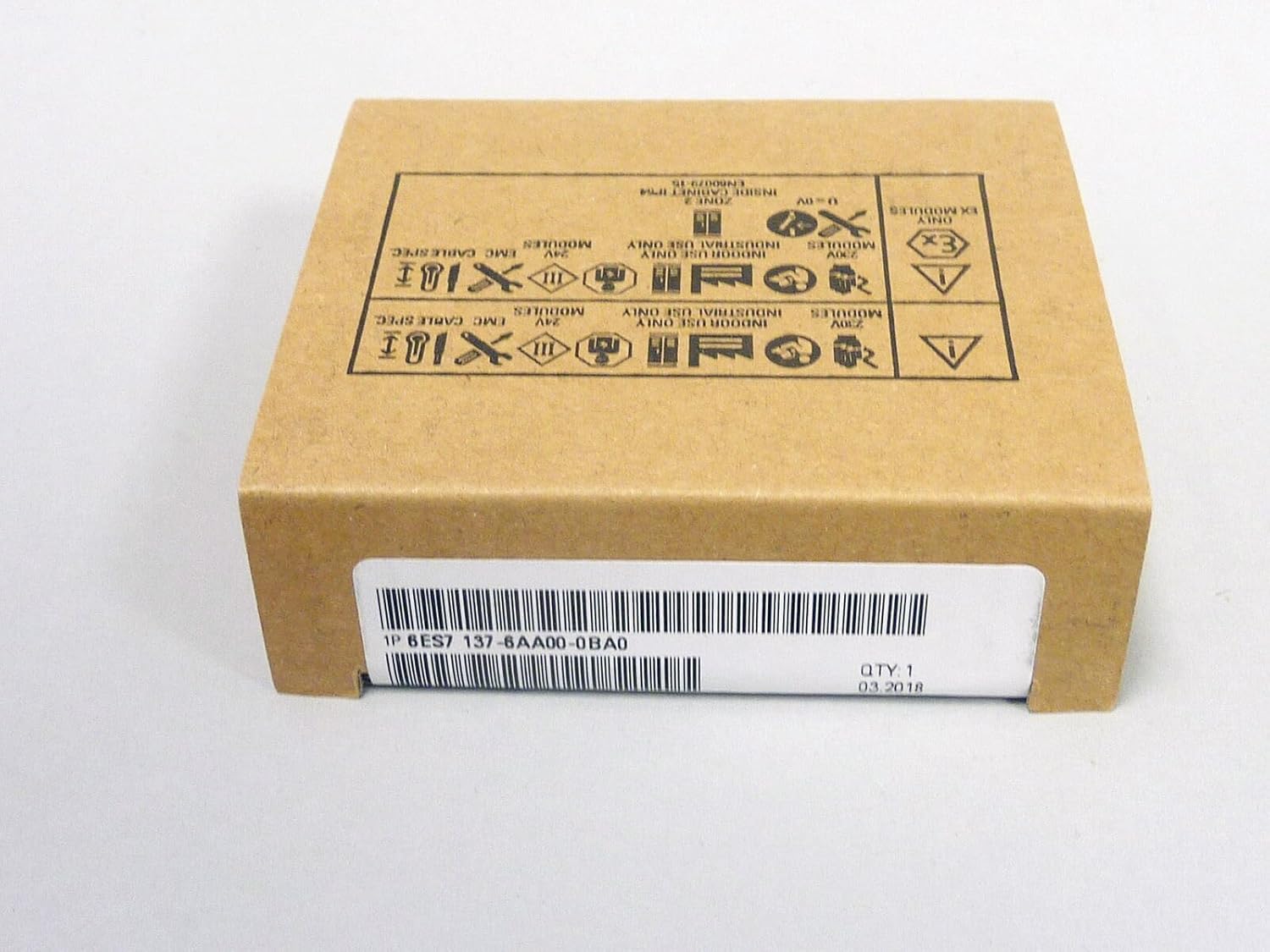
Figure 1: Product Packaging. This image displays the brown cardboard packaging for the communication module. The label on the front shows '1P 6ES7 137-6AA00-0BA0' and 'QTY: 1, 03.2018'. Various industrial safety and usage symbols are printed on the top surface of the box, indicating indoor use only, industrial use only, and EMC cable specifications.
4. Konfigurazioa
Follow these steps for proper installation of the communication module into your SIMATIC ET 200SP system.
- Itzali: Ensure the power supply to the SIMATIC ET 200SP system is completely disconnected before beginning installation.
- Muntaketa: Insert the 6ES7137-6AA00-0BA0 module into an available slot on the ET 200SP base unit. Ensure it clicks securely into place.
- Kableatua: Connect the necessary communication cables to the module. Refer to your system's wiring diagrams for specific connections. Ensure EMC cable specifications are met.
- Piztu: Once the module is securely mounted and wired, restore power to the SIMATIC ET 200SP system.
- Konfigurazioa: Configure the module using the appropriate Siemens engineering software (e.g., TIA Portal). Refer to the software documentation for detailed configuration steps.
5. Funtzionamendu-argibideak
After successful installation and configuration, the 6ES7137-6AA00-0BA0 module will function as a PTP communication interface within your industrial automation system. Its operation is primarily controlled through the PLC program and the engineering software.
- Egoeraren Adierazleak: Monitor the LED indicators on the module for operational status. Consult the SIMATIC ET 200SP system manual for specific LED meanings.
- Datu-trukea: The module facilitates point-to-point data exchange as programmed in the PLC.
- Diagnostiko funtzioak: Utilize the diagnostic features within the engineering software to monitor module performance and identify potential issues.
6. Mantentzea
The 6ES7137-6AA00-0BA0 communication module is designed for minimal maintenance. However, periodic checks are recommended to ensure optimal performance and longevity.
- Ikus-ikuskapena: Aldian-aldian ikuskatu modulua kalte fisikorik, konexio solterik edo hauts gehiegi pilatzen den ikusteko.
- Garbiketa: If necessary, gently clean the module's exterior with a soft, dry cloth. Do not use liquid cleaners or solvents. Ensure power is off before cleaning.
- Firmware eguneraketak: Kontsultatu fabrikatzailearen website or documentation for any available firmware updates for the module. Follow update procedures carefully.
7. Arazoak
This section provides basic troubleshooting steps for common issues. For more complex problems, consult the SIMATIC ET 200SP system documentation or contact technical support.
- Modulua ez da detektatu:
- Check if the module is correctly seated in the base unit.
- Verify that the ET 200SP system is powered on.
- Ensure the module is properly configured in the engineering software.
- Komunikazio akatsak:
- Inspect communication cables for damage or loose connections.
- Verify communication settings in the engineering software match the connected devices.
- Check for external interference or noise affecting communication lines.
- LED Indicators Abnormal:
- Refer to the SIMATIC ET 200SP system manual for detailed LED status interpretations.
- A red LED often indicates a fault; try power cycling the system (after ensuring safety).
8. Zehaztapenak
| Modelo zenbakia | 6ES7137-6AA00-0BA0 |
| Mota | Communication Module (cm PTP) |
| Seriea | SIMATIC ET 200SP |
| Fabrikatzailea | Generikoa |
| Elikatze Hornidura | 24V DC |
| Ingurumenaren Balorazioa | Indoor Use Only, Industrial Use Only, Inside Cabinet IP54 (Zone 2, EN60079-15) |
| EMC betetzea | Requires specific EMC cable specifications |
9. Bermea eta Laguntza
The Generic 6ES7137-6AA00-0BA0 SIMATIC ET 200SP PTP Communication Module comes with a 1 urteko bermea erosketa-datatik aurrera. Berme honek ohiko erabileran materialen eta eskulanen akatsak estaltzen ditu.
For technical support, warranty claims, or further assistance, please contact your supplier or the manufacturer. Ensure you have your model number (6ES7137-6AA00-0BA0) and purchase details available when seeking support.
Note: HuashengAutomation, as a seller, focuses on automation products and offers professional services experience in the field of industrial automation, including high-quality products, excellent pre-sales and after-sales services.