
ROBOTIME LK506
ROBOTIME LK506 Open Closed Sign 3D Puzzle Instruction Manual
Model: LK506 | Brand: ROBOTIME
Sarrera
This manual provides detailed instructions for assembling and operating your ROBOTIME LK506 Open Closed Sign 3D Puzzle. Designed for beginners, this mechanical wooden model offers an enjoyable and educational building experience, culminating in a functional and aesthetic decor piece. It is suitable for ages 14 and up.

Figure 1: The completed ROBOTIME LK506 Open Closed Sign 3D Puzzle.
Zer sartzen da
Your ROBOTIME LK506 package contains all the necessary components for assembly. Please verify that all items are present before beginning the assembly process.
- Argibide Liburua
- Laser Cut Wood Pieces (52 pieces)
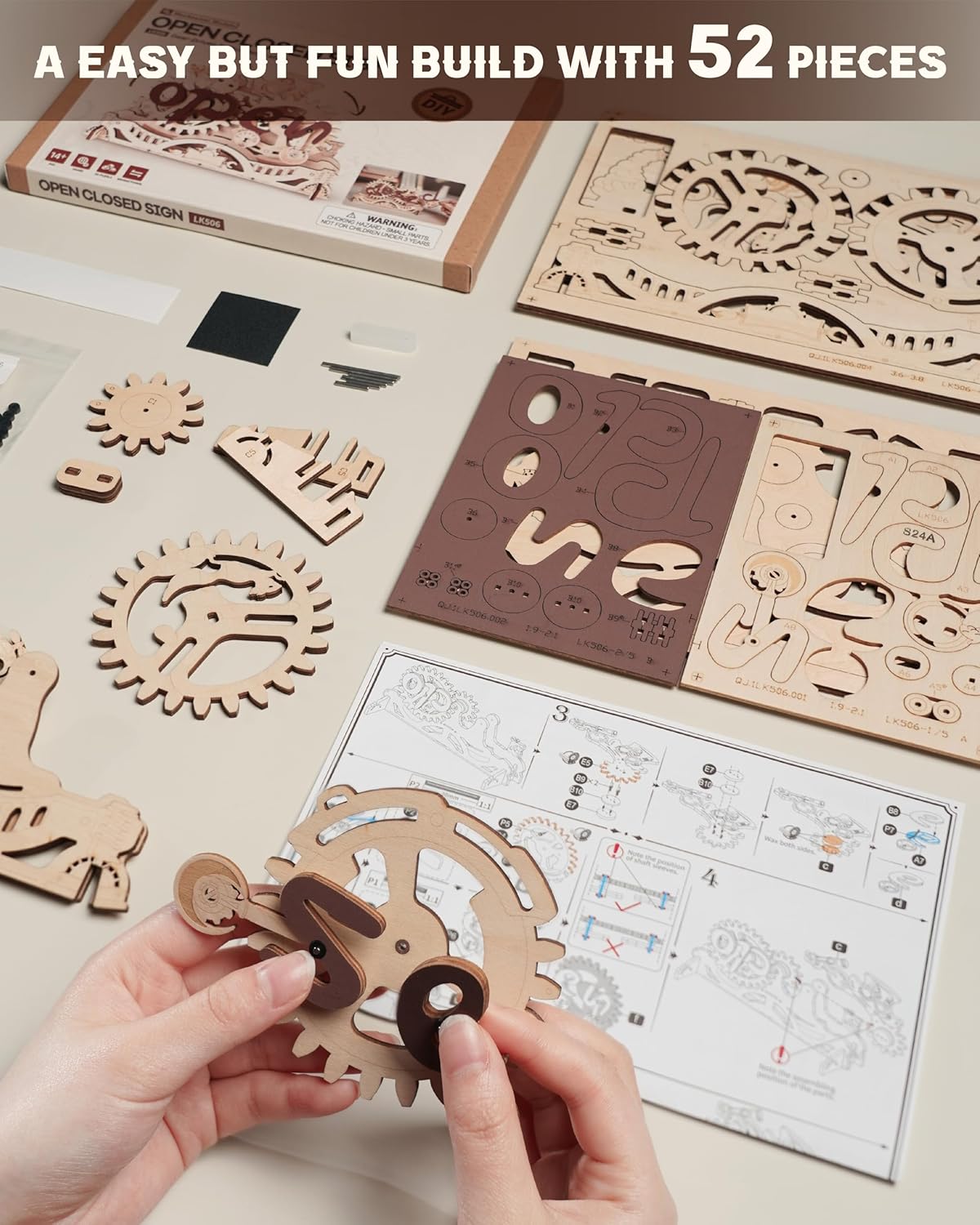
Figure 2: Unpacked components of the LK506 kit, showing the laser-cut wooden sheets and the instruction manual.
Muntatzeko jarraibideak
The assembly process for the LK506 model is designed to be straightforward for beginners, with an estimated completion time of approximately 1 hour. Follow the detailed steps provided in the included instruction book. Handle all wooden pieces with care to prevent breakage.
1. urratsa: Piezak prestatu
Carefully detach all laser-cut wooden pieces from their sheets. Use a small tool or your fingers to gently push them out. Organize the pieces by their designated numbers or shapes as indicated in the instruction book.

Figure 3: Organized wooden pieces and tools on a workspace, ready for assembly.
Step 2: Follow the Instruction Book
The included instruction book provides step-by-step diagrams and guidance for connecting each piece. Pay close attention to the orientation and connection points. Some joints may require gentle pressure to fit securely.

Figure 4: A close-up of hands assembling a wooden component, demonstrating the precision required.
Step 3: Assemble the Gear Mechanism
The core of the LK506 is its gear-driven mechanism. Ensure all gears are aligned correctly and rotate smoothly as you assemble them. This is crucial for the proper functioning of the "Open" and "Closed" display.

Figure 5: Detailed diagram illustrating the internal gear mechanism and how it transitions between "Open" and "Closed" states.
Step 4: Final Assembly and Testing
Once all pieces are connected, perform a final check to ensure stability and smooth operation of the mechanism. Gently rotate the handle to confirm the "Open" and "Closed" signs transition correctly.
Funtzionamendu-argibideak
The ROBOTIME LK506 Open Closed Sign is simple to operate. Once assembled, place the model on a flat, stable surface.
- To switch the sign, locate the designated handle on the side of the model.
- Gently rotate the handle. The internal gears will engage, causing the display to smoothly transition from "Open" to "Closed" or vice versa.
- Ensure the handle is rotated fully to lock the sign into either the "Open" or "Closed" position.

Figure 6: A hand demonstrating the rotation of the handle to switch the sign's display.
Mantentzea
To ensure the longevity and smooth operation of your ROBOTIME LK506 sign, follow these simple maintenance guidelines:
- Garbiketa: Dust the model regularly with a soft, dry cloth. Avoid using abrasive cleaners or excessive moisture, which can damage the wood.
- Biltegiratzea: Store the model in a dry environment, away from direct sunlight or extreme temperature fluctuations, to prevent warping or cracking of the wood.
- Joint Stability: While the kit includes adhesive, some users may find additional wood glue beneficial for long-term stability of certain joints, especially if the sign is frequently handled. Apply sparingly to connection points if needed.
- Mekanismoaren zaintza: If the gear mechanism feels stiff over time, a very small amount of dry lubricant (e.g., graphite powder) can be applied to the gear teeth, but this is rarely necessary for this model.
Arazoak konpontzea
Muntaketa edo funtzionamenduan arazorik izanez gero, kontuan hartu ohiko irtenbide hauek:
| Arazoa | Balizko Kausa / Irtenbidea |
|---|---|
| Piezak ez dira bat egiten | Ensure you are using the correct pieces as indicated in the instruction book. Check for any burrs on the laser-cut edges that might prevent a smooth fit; these can often be gently removed. |
| Mechanism is stiff or not moving smoothly | Verify that all gears are correctly aligned and seated. Ensure no pieces are rubbing against each other unnecessarily. Re-check the assembly steps for the gear mechanism. |
| Sign does not fully switch between "Open" and "Closed" | Confirm that the handle is rotated completely. Check for any obstructions in the gear path or if any pieces are loose, preventing full rotation. |
| Pieces break during assembly | Wooden pieces, especially thin ones, can be fragile. Apply gentle, even pressure when assembling. If a piece breaks, contact ROBOTIME support for possible replacements. |
Zehaztapenak
| Ezaugarri | Xehetasuna |
|---|---|
| Produktuaren neurriak | 9 x 6 x 0.04 hazbete |
| Elementuaren pisua | 8.8 ontza |
| Elementuaren eredu-zenbakia | RBT-LK506 |
| Fabrikatzaileak Gomendatutako Adina | 14 urtetik gora |
| Aurreikusitako muntaketa-denbora | 1 ordu |
| Pieza kopurua | 52 |
| Jatorrizko Herrialdea | Txina |
| Fabrikatzailea | ROBOTIME |
Bermea eta Laguntza
ROBOTIME is committed to providing high-quality products and comprehensive customer support. If you encounter any challenges during the assembly process, have questions about your product, or require assistance with missing or broken parts, please do not hesitate to contact ROBOTIME customer service. Your satisfaction is our utmost priority.
For support, please visit the official ROBOTIME webgunea edo kontsultatu zure produktuaren ontzian emandako harremanetarako informazioa.
Ask a question about this manual
Ask about setup, troubleshooting, compatibility, parts, safety, or missing instructions. Manuals+ will review the question and use this page’s manual context to help answer it.