
Sarrera
This manual provides detailed instructions for setting up and operating your Majority Frameo Snap10 WiFi Digital Picture Frame. This 10.1-inch digital frame allows you to display photos and videos shared via the Frameo app, offering a convenient way to share memories with family and friends. It features a touchscreen, 32GB of internal storage, auto-rotate functionality, and a motion sensor for efficient use.

The Majority Frameo Snap10 Digital Picture Frame, showcasing a family photo on its 10.1-inch screen.
Kutxan dagoena
Mesedez, egiaztatu paketearen edukia elementu guztiak daudela ziurtatzeko:
- Majority Frameo Snap10 Digital Picture Frame
- Kickstand
- Elikatze-moldagailua
- Urruneko Kontrola
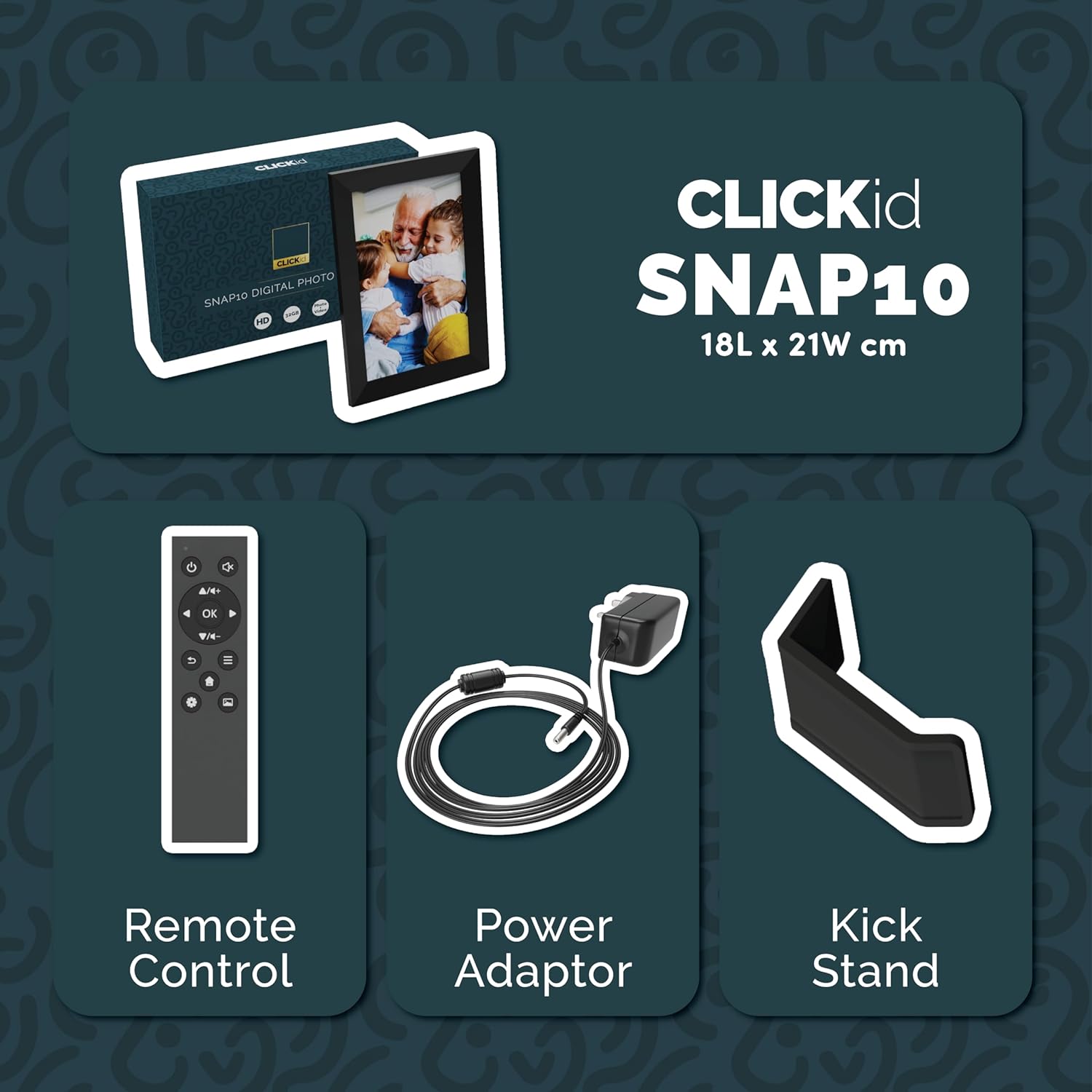
Included accessories: Remote Control, Power Adapter, and Kickstand.
Konfigurazio Gida
- Deskonprimitu markoa: Kontu handiz atera argazki-marko digitala eta osagarri guztiak paketetik.
- Attach the Kickstand: Insert the kickstand into the designated slot on the back of the frame. The frame supports both horizontal and vertical orientations.
- Konektatu energia: Plug the power adapter into the DC port on the back of the frame, then connect it to a power outlet. The frame will automatically power on.
- Hasierako konfigurazioa: Jarraitu pantailan agertzen diren argibideei zure hizkuntza, ordu-eremua eta Wi-Fi sare batera konektatzeko.
- Install Frameo App: Download the "Frameo" app from your smartphone's app store (available for iOS and Android).
- Connect Frame to App: Open the Frameo app and create an account. On your digital frame, tap "Add Friend" to get a unique code. Enter this code into the Frameo app on your smartphone to link the devices.

The back of the frame features essential ports for power, USB, and Micro SD card.
Funtzionamendu-argibideak
Argazkiak eta bideoak bidaltzea
Once your frame is connected to the Frameo app, you can easily send photos and short videos from your smartphone.
- Ireki Frameo aplikazioa zure telefonoan.
- Hautatu bidali nahi dituzun argazkiak edo bideoak.
- Choose the connected digital frame as the recipient.
- Add a caption if desired, then tap "Send."

The Frameo app simplifies photo and video uploads from your smartphone.
Ukipen-pantaila erabiliz
The 10.1-inch LCD touchscreen allows for intuitive navigation. Swipe left or right to browse photos, tap to view options, and pinch to zoom.
Urruneko Kontrol Funtzioak
The included remote control provides convenient access to various frame functions from a distance.
- Nabigazioa: Use arrow keys to move through menus and photos.
- Ados/Sartu: Berretsi hautaketak.
- Itzuli: Itzuli aurreko pantailara.
- Erreproduzitu/Pausatu: Control slideshows or video playback.
- Bolumena: Adjust audio for videos.

The included remote control for convenient operation.
Mugimendu-sentsorea
The integrated motion sensor can be enabled to automatically turn the display on when movement is detected and off when the area is vacant, conserving energy. This setting can be adjusted in the frame's system settings.
Auto-biratu funtzioa
The frame automatically adjusts the photo orientation (portrait or landscape) based on how the frame is positioned. Ensure the auto-rotate feature is enabled in the settings for optimal display.

The auto-rotate feature adjusts display based on frame orientation.
Ezaugarriak amaitu diraview
- 10.1 hazbeteko LCD ukipen-pantaila: Provides a clear display and interactive control.
- 32 GB-ko barne biltegiratzea: Ample space to store thousands of photos and videos.
- Wi-Fi konexioa: Enables seamless photo and video sharing from anywhere via the Frameo app.
- Frameo aplikazioaren integrazioa: Manage your frame, send media, and invite friends/family to share their moments.
- Mugimendu-sentsorea: Automatically turns the screen on/off to save energy.
- Biratu automatikoa: Adjusts photo orientation automatically.
- Weather and Calendar Display: Integrated widgets provide current weather and calendar information.
- Memoria txartelaren zirrikitua: Supports Micro SD cards for additional storage or direct media import.
Mantentzea
- Garbiketa: Erabili zapi leun eta lehor bat pantaila eta markoa garbitzeko. Saihestu garbitzaile urratzaileak edo pantailan zuzenean ihinztagailuak erabiltzea.
- Software eguneraketak: The frame may receive automatic software updates via Wi-Fi. Ensure your frame is connected to the internet to receive the latest features and improvements.
- Biltegiratze kudeaketa: Aldian behin berriroview your stored photos and videos. You can delete unwanted media directly from the frame or through the Frameo app to free up space.
Arazoak konpontzea
- Markoa ez da pizten:
- Ziurtatu korronte-egokitzailea ondo konektatuta dagoela bai markoari bai funtzionatzen duen korronte-entxufe bati.
- Ezin da wifira konektatu:
- Verify your Wi-Fi password. Ensure the frame is within range of your Wi-Fi router. Try restarting your router and the frame.
- Photos not appearing on the frame:
- Confirm that the frame is connected to Wi-Fi and linked to your Frameo app account. Check the Frameo app to ensure photos were successfully sent. Allow some time for photos to download, especially large batches.
- Frame is stuck on a white screen with a loading bar:
- This may indicate a software issue. Try performing a soft reset by disconnecting the power for 30 seconds and then reconnecting. If the issue persists, a factory reset might be necessary (refer to the frame's settings for this option, noting it will erase all data).
- Urruneko kontrola ez dabil:
- Check if the batteries in the remote control need replacement. Ensure there are no obstructions between the remote and the frame's IR receiver.
Zehaztapenak
| Marka | Gehiengoa |
| Modelo zenbakia | Snap10 |
| Kolorea | Beltza |
| Pantailaren tamaina | 10.1 hazbete |
| Ebazpena | 800*1280 |
| Aspektu-erlazioa | 2.10:1 |
| Memoria Biltegiratzeko Ahalmena | 32 GB |
| Konektibitate Teknologia | Wi-Fi |
| Kontrol-metodoa | App, Touchscreen, Remote |
| Energia iturria | Kable elektrikoa |
| Elementuaren pisua | 491 gramo |
| Elementuaren neurriak (L x W) | 7.08 cm-ko luzera x 8.26 cm-ko zabalera |
Bermea eta Laguntza
The Majority Frameo Snap10 Digital Picture Frame comes with a 2 urteko bermea luzatua. Registration is required to activate the extended warranty. Please refer to the product packaging or the manufacturer's website for details on how to register your product.
For technical support, troubleshooting assistance, or warranty claims, please contact Majority customer service through their official webgunea edo zure produktuaren dokumentazioan emandako harremanetarako informazioa.
Produktuen Bideoa
This video demonstrates the ease of sharing photos and videos with the Frameo app and viewing them on the digital picture frame, highlighting its use for connecting family members.