
1. Sarrera
Thank you for choosing the GoveeLife Wireless Smart Pool Thermometer B5109. This device provides accurate, real-time water temperature monitoring for various aquatic environments, including pools, spas, aquariums, and bathtubs. With its IPX7 waterproof rating, app connectivity, and remote monitoring capabilities, you can easily keep track of water conditions from anywhere. This manual will guide you through the setup, operation, and maintenance of your new thermometer.
2. Segurtasun informazioa
- Irakurri arretaz argibide guztiak gailua erabili aurretik.
- Mantendu gailua haurren eskura.
- Ensure the battery compartment is securely sealed before placing the thermometer in water to maintain its IPX7 waterproof rating.
- Do not expose the Wi-Fi gateway to water or extreme humidity. It is designed for indoor use.
- Use only specified AAA batteries. Do not mix old and new batteries or different types of batteries.
- Bota bateriak tokiko araudiaren arabera.
- Avoid disassembling or modifying the device, as this will void the warranty and may cause damage.
3. Paketearen edukia
Mesedez, egiaztatu osagai guztiak daudela:
- 1 x GoveeLife Wireless Smart Pool Thermometer
- 1 x Wi-Fi Gateway
- 2 x Rubber Rings (one pre-installed, one spare)
- 1 x Soka
- 1 x AAA Battery (for thermometer)
- 1 x Erabiltzailearen eskuliburua (dokumentu hau)
4. Produktua amaitu daview
The GoveeLife B5109 system consists of a floating wireless thermometer and a Wi-Fi gateway. The thermometer measures water temperature and transmits data to the gateway, which then sends it to the Govee Home app on your smartphone.

Figure 4.1: GoveeLife Wireless Smart Pool Thermometer in use.
Ezaugarri nagusiak:
- IPX7 iragazgaitza: Designed to withstand immersion in water, ensuring accurate readings without damage.
- Zehaztasun handia: Measures temperatures from -4°F to 158°F (-20°C to 70°C) with an accuracy of ±0.9°F (±0.5°C).
- Freskatze-tasa azkarra: Temperature updates every 2 seconds for near real-time monitoring.
- Urruneko monitorizazioa: Connects to the Govee Home app via a Wi-Fi gateway, allowing you to check water temperature from anywhere.
- Sistema zabalgarria: The Wi-Fi gateway can support up to 10 sensors, expanding your monitoring capabilities.
- Datuen biltegiratzea eta esportazioa: View 20-day data charts online and export up to 2 years of historical data.
- Erabilera polifazetikoa: Suitable for swimming pools, spas, hot tubs, aquariums, fish ponds, and baby baths.
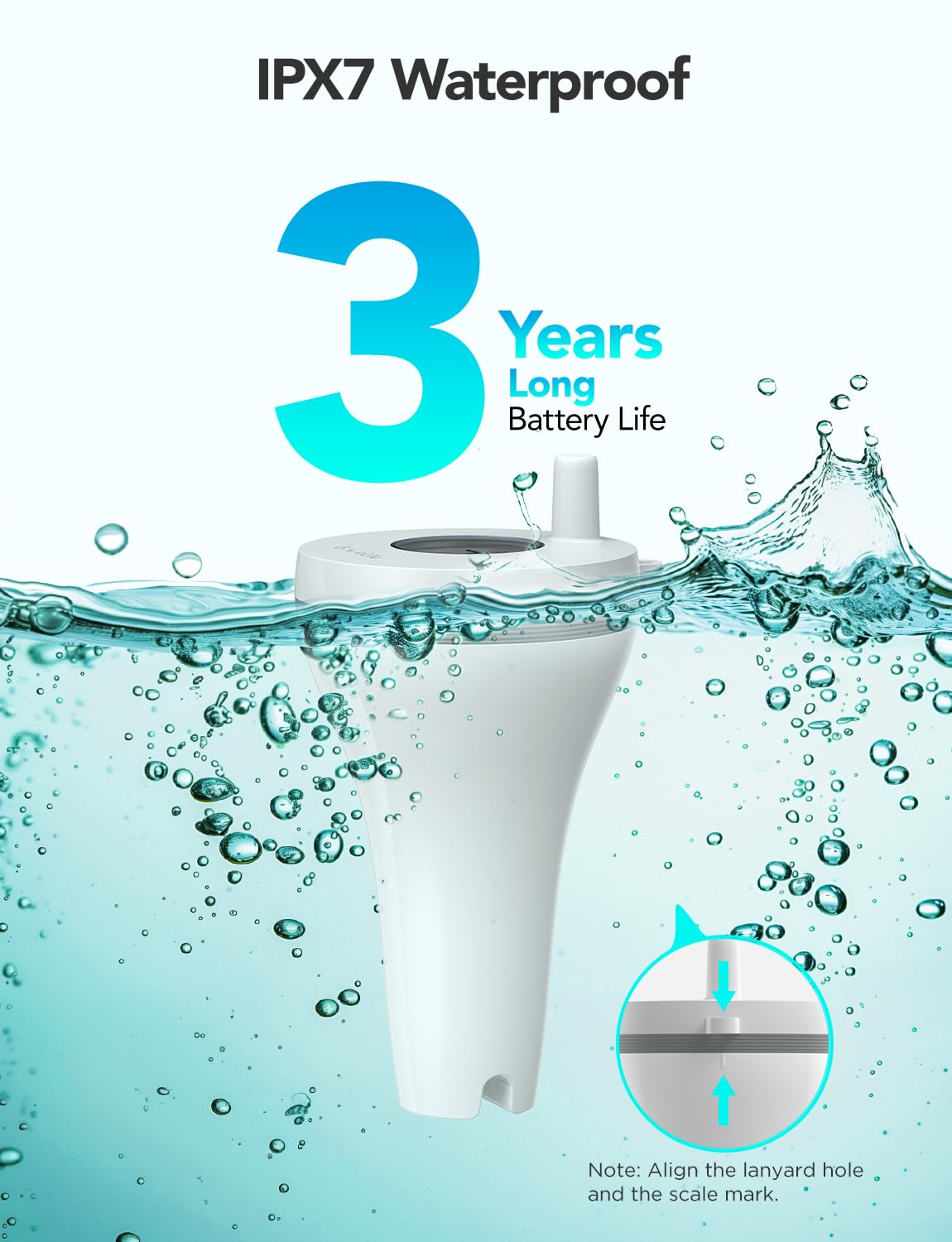
Figure 4.2: IPX7 Waterproof design and long battery life.

Figure 4.3: Internal components highlighting fast 2-second screen refresh and ±0.5°C accuracy.
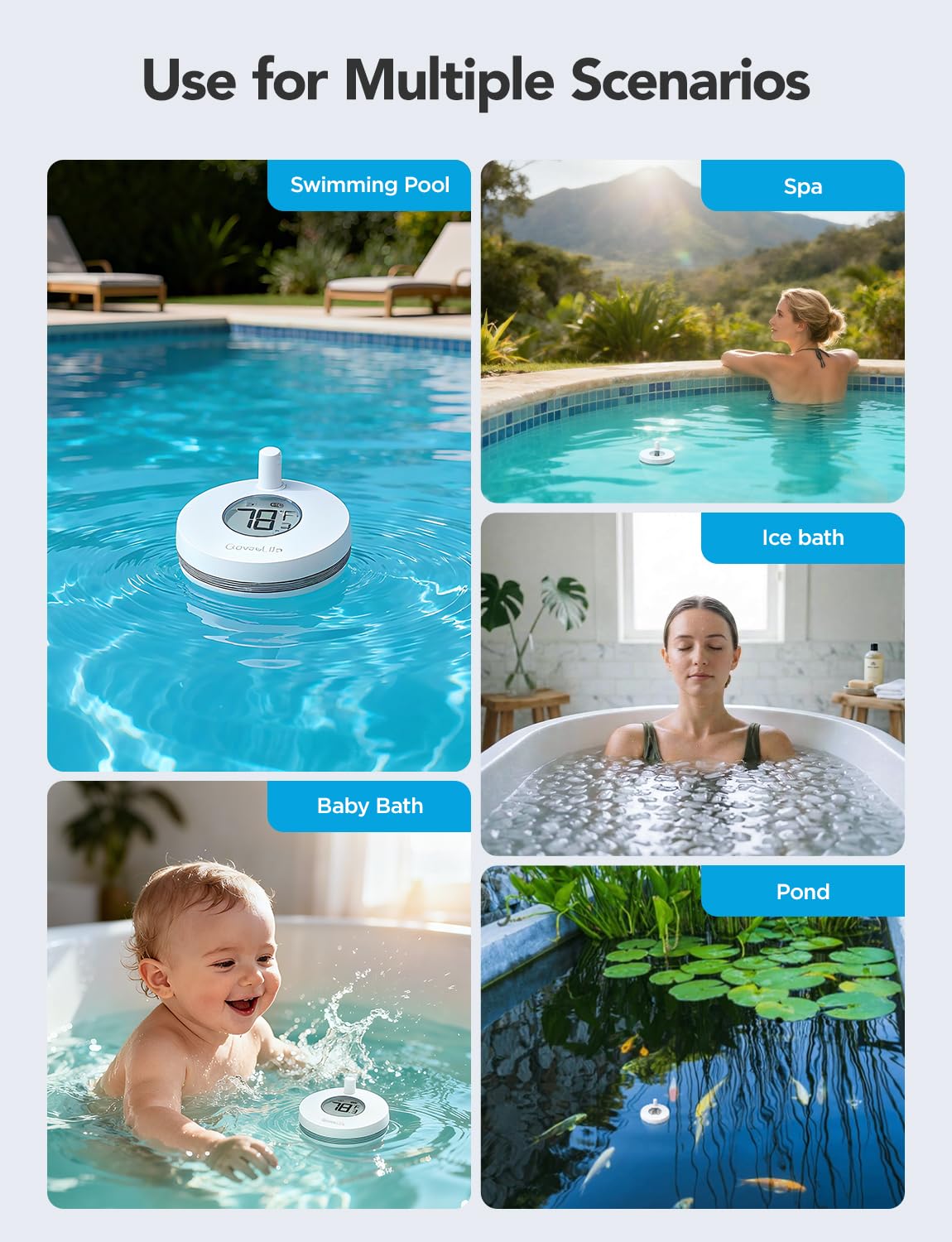
Figure 4.4: Versatile applications of the GoveeLife thermometer.
5. Konfigurazio gida
Follow these steps to set up your GoveeLife Wireless Smart Pool Thermometer:
5.1 Deskargatu Govee Home aplikazioa
- Scan the QR code provided in the quick start guide (or search "Govee Home" in your app store) to download the Govee Home app.
- Sortu kontu bat edo hasi saioa dagoeneko baduzu.
5.2 Install Battery in Thermometer
- Unscrew the cap of the thermometer to access the battery compartment.
- Insert the provided AAA battery, ensuring correct polarity.
- Carefully screw the cap back on, ensuring it is perfectly straight and tight to maintain the waterproof seal. This is crucial for IPX7 protection.
5.3 Connect the Wi-Fi Gateway
- Plug the Wi-Fi gateway into a power outlet indoors, within range of your Wi-Fi router (2.4 GHz Wi-Fi only).
- Ensure your smartphone is connected to your 2.4 GHz Wi-Fi network.
- Open the Govee Home app, tap the "+" icon in the top right corner.
- The app should automatically detect the gateway. If not, select the gateway model from the device list.
- Follow the in-app instructions to connect the gateway to your Wi-Fi network. The gateway's indicator light should flash blue during pairing and turn solid blue once connected.

Figure 5.1: Connection diagram of the thermometer, gateway, and app, illustrating up to 328ft (100m) connection distance.
5.4 Pair the Thermometer with the Gateway
- Once the gateway is connected, the app should prompt you to add the thermometer.
- With the thermometer's cap removed (from battery installation), locate the small button next to the battery compartment.
- Press and hold this button for approximately 3 seconds until the thermometer's indicator light flashes.
- The app should automatically detect and pair with the thermometer. Once paired, the water temperature will appear in the app.
5.5 Placement of the Thermometer
- Place the thermometer in the water body you wish to monitor (pool, spa, pond, etc.).
- Use the provided rope to secure the thermometer if necessary, preventing it from floating away.
- The orange loop rubber can be interchanged to enhance visibility of the thermometer on the water surface.
6. Funtzionamendu-argibideak
6.1 Tenperaturaren monitorizazioa
- Open the Govee Home app on your smartphone.
- Select your GoveeLife Wireless Smart Pool Thermometer from the device list.
- The current water temperature will be displayed on the main screen, updating every 2 seconds.
6.2 Tenperatura unitateak aldatzea (°F/°C)
- To switch between Fahrenheit (°F) and Celsius (°C), double-click the internal button on the thermometer (the same button used for pairing).
- Alternatively, this setting can often be adjusted within the Govee Home app settings for the device.
6.3 Datuen erregistroa eta esportazioa
- The Govee Home app provides access to historical temperature data.
- View 20-day data charts directly in the app.
- Azken 2 urteetan grabatutako datuak esportatu ditzakezu aztertzeko.
6.4 Smart Alerts and Notifications
- Set custom temperature thresholds within the Govee Home app.
- Receive push notifications on your smartphone if the water temperature goes above or below your set limits.
- The device supports integration with voice assistants like Alexa for convenient temperature inquiries.

6.1. irudia: Adibample of a smart alert notification on the Govee Home app.
7. Mantentzea
7.1 Garbiketa
- Regularly clean the exterior of the thermometer with a soft, damp oihal.
- Saihestu garbitzaile edo disolbatzaile urratzaileak erabiltzea, gailua kaltetu baitezakete.
- Ensure the display screen is kept clean for optimal readability.
7.2 Bateria ordezkatzea
- When the battery level is low, the app will notify you.
- To replace the battery, carefully unscrew the cap of the thermometer.
- Replace the old AAA battery with a new one, observing polarity.
- Crucially, ensure the cap is screwed back on perfectly straight and tight to maintain the IPX7 waterproof seal. The device comes with a spare rubber gasket; inspect the gasket for wear and replace if necessary.
7.3 Biltegiratzea
- If storing the thermometer for an extended period, remove the battery to prevent leakage.
- Gorde gailua leku fresko eta lehor batean, eguzki-argitik urrun.
8. Arazoak
8.1 Device Not Pairing with Gateway
- Egiaztatu Wi-Fi: Ensure your phone and gateway are connected to a 2.4 GHz Wi-Fi network. The Govee Home app only supports 2.4 GHz for initial setup.
- Pasabidearen egoera: Verify the gateway's indicator light is solid blue, indicating a successful connection to your Wi-Fi. If not, try unplugging and replugging the gateway.
- Thermometer Battery: Ensure the thermometer has a fresh AAA battery and is correctly inserted.
- Hurbiltasuna: Bring the thermometer closer to the gateway during the pairing process.
- Reset Thermometer: If issues persist, try resetting the thermometer by pressing and holding the internal button for a longer duration (e.g., 5-10 seconds) or removing and reinserting the battery. Then attempt pairing again.
8.2 Tenperatura-irakurketa zehaztugabeak
- Sentsoreen kokapena: Ensure the thermometer is fully immersed in the water and not near any heat sources or direct sunlight that could affect readings.
- Kalibrazioa: The Govee Home app may offer a calibration option. Refer to the app's settings for your device.
- Konparazioa: Compare readings with another reliable thermometer to confirm accuracy discrepancies.
8.3 No Data in App / Connection Lost
- Gateway konexioa: Check if the Wi-Fi gateway is powered on and connected to your home Wi-Fi (solid blue light).
- Tartea: Ensure the thermometer is within the 328ft (100m) range of the gateway. Obstructions like thick walls can reduce this range.
- App Refresh: Close and reopen the Govee Home app.
- Bideratzaileen arazoak: Berrabiarazi zure Wi-Fi bideratzailea.
9. Zehaztapenak
| Eredua | B5109 |
| Tenperatura tartea | -4°F eta 158°F (-20°C eta 70°C) |
| Tenperaturaren zehaztasuna | ± 0.9 ° F (± 0.5 ° C) |
| Erantzun Denbora | 2 segundo |
| Iragazgaitzaren balorazioa | IPX7 |
| Haririk gabeko konexioa | 433MHz (thermometer to gateway), 2.4GHz Wi-Fi (gateway to router/app) |
| Konexio Distantzia | Up to 328ft (100m) in unobstructed conditions |
| Power Source (Thermometer) | 1 x AAA bateria (barne) |
| Energia iturria (pasabidea) | AC Power (plug-in) |
| Neurriak (termometroa) | Approx. 8.8 cm (Length) |
| Dakarten osagaiak | Thermometer, Wi-Fi Gateway, 2 Rubber Rings, Rope, AAA Battery |
10. Bermea eta bezeroarentzako laguntza
GoveeLife products come with a limited warranty. For detailed warranty information, please refer to the warranty card included with your product or visit the official GoveeLife webgunea.
If you encounter any issues or have questions regarding your GoveeLife Wireless Smart Pool Thermometer B5109, please contact GoveeLife Customer Support:
- Webgunea: www.govee.com (edo eskualdeko gune garrantzitsua)
- Posta elektronikoa: Refer to the Govee Home app or product packaging for support email.
- Aplikazio barruko laguntza: Access support directly through the Govee Home app.
Please have your model number (B5109) and purchase information ready when contacting support.