
1. Sarrera
Thank you for choosing the VRURC Portable Charger T01. This 10000mAh power bank is designed for convenience, featuring built-in charging cables and an integrated AC wall plug. This manual provides essential information for safe and efficient use of your device.
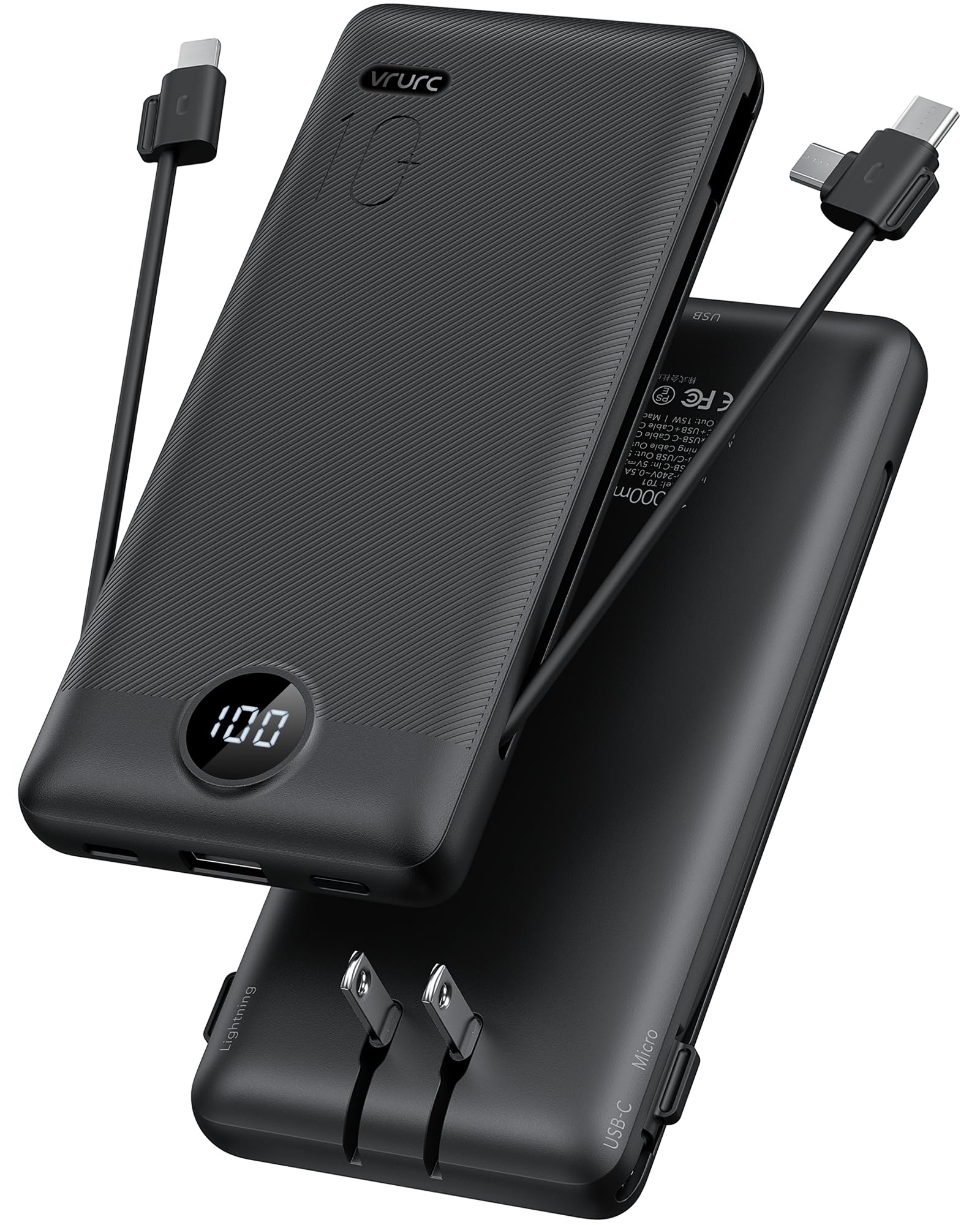
Image 1.1: VRURC Portable Charger T01
2. Produktua amaitu daview
Ezaugarri nagusiak
- All-in-One Charging Solution: Includes built-in Micro USB, USB-C, and Lightning cables, plus an extra USB-A port and USB-C port.
- AC hormako entxufe integratua: Charges directly from any wall outlet without additional cables.
- Slim & Lightweight Design: Compact and portable for travel and daily use.
- LED pantaila digital adimenduna: Clearly shows remaining battery power.
- 3D Textured Grip: Ensures a secure hold.
- Gailuen bateragarritasun zabala: Supports most smartphones, tablets, and other mobile devices.
Osagaiak

2.1. irudia: Amaituview of VRURC Portable Charger T01 components, showing the USB-C cable, Micro cable, foldable AC plug, and cable for iPhone (Lightning).
The VRURC T01 Portable Charger is equipped with the following components:
- USB-C kable integratua: USB-C-rekin bateragarriak diren gailuak kargatzeko.
- Built-in Micro USB Cable: For charging Micro USB compatible devices.
- Lightning kable integratua: For charging Apple devices.
- AC hormako entxufe tolesgarria: For recharging the power bank directly from a wall outlet.
- USB-A irteerako ataka: For connecting external USB-A charging cables.
- USB-C Sarrera/Irteera Ataka: For charging devices or recharging the power bank with an external USB-C cable.
- LED pantaila digitala: Bateria ehuneko geratzen denaren adierazleatage.
3. Konfigurazioa
Power Banka kargatzen
Before first use, fully charge your VRURC Portable Charger. There are two primary methods to recharge the power bank:
- Barneko korronte alternoko hormako entxufea erabiliz:
- Fold out the integrated AC wall plug.
- Plug the power bank directly into any standard wall outlet.
- The LED display will show the charging progress. A full charge via AC plug typically takes approximately 6 hours.
- Using an External USB-C Cable:
- Connect a USB-C charging cable (not included) to the power bank's USB-C input port.
- Connect the other end of the cable to a USB wall adapter (not included) or a powered USB port.
- The LED display will show the charging progress. A full charge via 5V/2.6A USB-C input typically takes approximately 5 hours.

Image 3.1: Charging the power bank using its built-in AC plug or an external USB-C cable.
Video 3.1: Demonstration of charging the VRURC Portable Charger T01 using its built-in AC wall plug and cables.
4. Funtzionamendu-argibideak
Zure gailuak kargatzen
The VRURC T01 Portable Charger can charge up to four devices simultaneously using its various output options:
- Barneko kableak erabiliz:
- Pull out the appropriate built-in cable (USB-C, Micro USB, or Lightning) for your device.
- Connect the cable to your device's charging port.
- Power bank-ak automatikoki hasiko da zure gailua kargatzen.
- Using External Cables (USB-A or USB-C ports):
- Connect your device's charging cable to either the USB-A output port or the USB-C input/output port on the power bank.
- Konektatu kablearen beste muturra zure gailura.
- Power bank-ak automatikoki hasiko da zure gailua kargatzen.

Image 4.1: The power bank charging multiple devices at once using its various ports and built-in cables.
LED pantaila digitala
LED pantaila integratuak bateriaren ehunekoa erakusten du.tage of the power bank. This allows you to monitor the charge level at a glance, ensuring you know when to recharge the power bank.
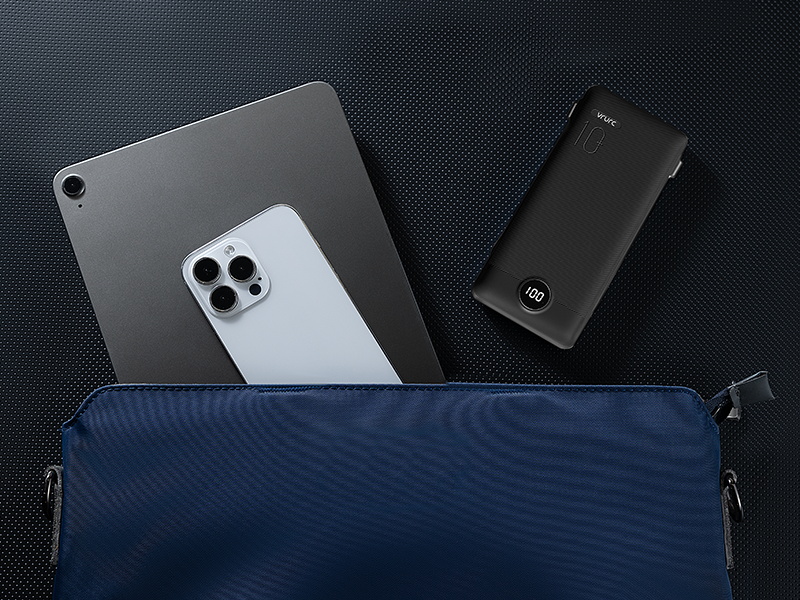
Image 4.2: Close-up of the LED digital display showing the battery percentage.
Karga igarokorra
The VRURC T01 supports pass-through charging, meaning you can recharge the power bank while it simultaneously charges your devices. Simply plug the power bank into a wall outlet using its AC plug or a USB-C cable, and then connect your devices to the power bank's output ports or built-in cables.

Image 4.3: The power bank plugged into a wall outlet, simultaneously charging a smartphone.
5. Mantentzea
To ensure the longevity and optimal performance of your VRURC Portable Charger, follow these maintenance guidelines:
- Garbiketa: Erabili zapi leun eta lehor bat bateria eramangarriaren kanpoaldea garbitzeko. Saihestu produktu kimiko gogorrak edo material urratzaileak erabiltzea.
- Biltegiratzea: Gorde bateria eramangarria leku fresko eta lehor batean, eguzki-argitik, muturreko tenperaturetatik eta hezetasunetik babestuta.
- Bateria zaintzea: For best battery health, avoid fully discharging the power bank regularly. Recharge it when the battery level is low. If storing for extended periods, charge it to about 50-70% every three months.
- Saihestu kalte fisikoak: Protect the device from drops, impacts, and excessive pressure, which can damage internal components.
6. Arazoak
If you encounter issues with your VRURC Portable Charger, refer to the following common troubleshooting steps:
- Gailua ez da kargatzen:
- Ensure the power bank has sufficient charge (check the LED display).
- Verify that the charging cable (built-in or external) is securely connected to both the power bank and your device.
- Saiatu beste kable edo ataka bat bateria eramangarriaren gainean.
- Confirm your device is compatible with the power bank's output.
- Power Bank-a ez da berriro kargatzen:
- Ensure the AC wall plug is fully inserted into a working wall outlet.
- If using a USB-C cable, ensure the cable and wall adapter are functional and properly connected.
- Try a different wall outlet or USB adapter.
- Karga motela:
- Ensure you are using appropriate cables for fast charging, if supported by your device.
- Hainbat gailu aldi berean kargatzeak banakako kargatze-abiadurak murriztu ditzake.
- Check if your device's battery is nearly full, as charging slows down past 80% to protect battery health.
Urrats hauek probatu ondoren arazoa konpontzen ez bada, jarri harremanetan bezeroarentzako arreta-zerbitzuarekin.
7. Zehaztapenak
Xehetasun Teknikoak
| Ezaugarri | Xehetasuna |
|---|---|
| Ereduaren izena | T01 |
| Bateria Edukiera | 10000 milioiamp Orduak |
| Bateria zelula mota | Litio Polimeroa |
| Konektore mota | USB Type C (built-in), Micro USB (built-in), Lightning (built-in), USB-A (port) |
| Portu kopurua | 5 (3 built-in cables, 2 external ports) |
| liburukiatage | 5 Volt |
| Amparoa | 2.4 Amps |
| Energia iturria | AC eta bateria |
| Elementuaren pisua | 8 ontza (gutxi gorabehera 227 gramo) |
| Item Dimensions (L x W x Th) | 5.9" x 2.8" x 0.72" (151.2 x 70 x 18.2 mm) |
| Gailu bateragarriak | Smartphone, Tablet, Headphone, Gaming Console |
| Telefono eredu bateragarriak | Google, Samsung, iPhone |

Image 7.1: Package contents and physical dimensions of the VRURC Portable Charger T01.
Bateragarritasuna

Image 7.2: Visual representation of device compatibility, including iPhones, Android phones, and tablets.
8. Bermea eta Laguntza
Bermearen informazioa
The VRURC Portable Charger T01 comes with a 24 hilabeteko bermea erosketa-datatik aurrera. Berme honek fabrikazio-akatsak eta erabilera normalaren ondoriozko arazoak estaltzen ditu. Ez ditu estaltzen erabilera okerrak, istripuek, baimenik gabeko aldaketek edo hondamendi naturalek eragindako kalteak.
Bezeroarentzako Arreta
For any questions, technical assistance, or warranty claims, please contact VRURC customer support. Refer to the contact information provided with your product packaging or visit the official VRURC webgunea laguntza xehetasunetarako.
VRURC is committed to providing 24-hour friendly customer service and a 30-day exchange service.