
1. Sarrera
This manual provides detailed instructions for the safe and effective operation of your Andoer Mini WiFi Action Camera L11. This compact digital video camera is designed for capturing high-quality 1080P video at 30 frames per second, featuring a 0.96-inch LCD screen, built-in rechargeable battery, motion detection, and versatile mounting options. Please read this manual thoroughly before using the device.
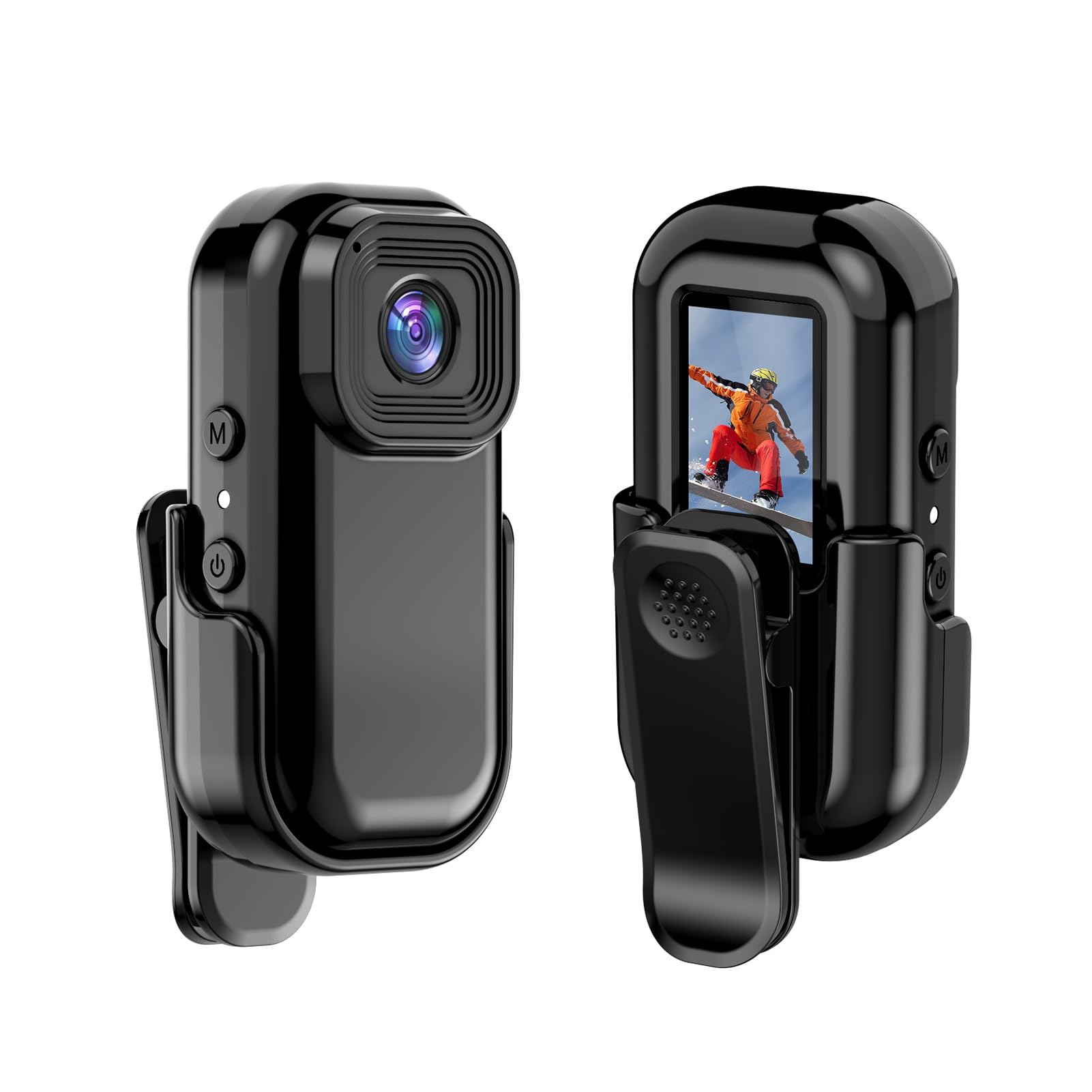
Irudia: Aurrealdea eta atzealdea view of the Andoer Mini WiFi Action Camera L11, showing the lens and the 0.96-inch LCD screen.
2. Paketearen edukia
Egiaztatu behean zerrendatutako elementu guztiak zure paketean sartuta daudela. Elementuren bat falta bada edo hondatuta badago, jarri harremanetan bezeroarentzako arreta-zerbitzuarekin.
- 1 x Andoer Mini WiFi Action Camera L11
- 1 x Babes-estalkia
- 1 x 1/4in Adapter Mount
- 1 x Back Clip Mount
- 1 x Txartel irakurgailua
- 1 x C motako kablea
- 1 x Erabiltzailearen eskuliburua (dokumentu hau)
3. Produktuaren ezaugarriak
- Kalitate handiko bideoa: Records in 1080P at 30 frames per second, suitable for various applications including live broadcasting and video conferencing.
- Trinkoa eta eramangarria: Super mini size allows for easy portability and discreet placement.
- Magnetic Body: Features a magnetic base for secure attachment to smooth metal surfaces.
- Seamless WiFi Connectivity: Connects wirelessly to a dedicated app for live view eta kontrola.
- Muntaketa polifazetikoa: Includes a 1/4-inch adapter mount and a back clip mount for diverse installation options.

Irudia: Adibamples of application scenarios for the camera, including parachute jumping, cycling, parent-child activities, and skiing.

Image: The camera being used as a portable video recorder in various outdoor activities like camping, cycling, climbing, and sports.
4. Konfigurazioa
4.1 Bateria kargatzea
Before first use, fully charge the camera's built-in 400mAh battery. Connect the provided Type-C cable to the camera's USB port and the other end to a standard USB power adapter (5V, ≥1A). The charging indicator light will typically show the charging status and turn off or change color when fully charged.
4.2 Memoria txartela sartzea
The camera supports TF (Micro SD) cards up to 128GB. Ensure the card is formatted to FAT32 for optimal performance. Gently insert the TF card into the designated slot until it clicks into place. To remove, press the card in slightly until it springs out.
Note: A memory card is required for recording video and taking photos.
4.3 Piztu/Itzaltzea
- Pizteko: Press and hold the Power button (usually marked with a power symbol) for a few seconds until the screen illuminates.
- Itzaltzeko: Press and hold the Power button again for a few seconds until the screen turns off.
5. Funtzionamendu-argibideak
5.1 Oinarrizko funtzionamendua
The 0.96-inch color display provides visual feedback for modes and settings. Use the navigation buttons (if present, typically 'M' for Mode and another for selection/shutter) to cycle through options and confirm selections.
5.2 Bideoa grabatzea
In video mode, press the Shutter/Record button to start recording. Press it again to stop. Videos are saved in AVI format at 1920x1080P resolution. The camera supports loop recording with 3-minute segments.

Image: The camera's screen displaying a family scene, indicating video recording at 1920x1080P resolution.
5.3 Argazkiak ateratzea
Switch to photo mode using the Mode button. Press the Shutter button to capture a still image. Photos are saved in JPG format.

Image: Icons representing photo, video, and audio recording modes, illustrating the camera's ability to capture various moments.
5.4 Mugimendu-detekzioa
The camera features motion detection capabilities. Refer to the on-screen menu or the dedicated app for instructions on how to activate and configure this feature. When enabled, the camera will automatically begin recording when motion is detected within its field of view.
6. WiFi Konektibitatea
The Andoer L11 camera supports wireless WiFi connectivity for remote control and live viewing via a smartphone application. Follow these general steps:
- Download the official Andoer camera app from your device's app store (iOS or Android).
- Power on the camera and activate its WiFi mode (refer to the camera's on-screen menu).
- On your smartphone, go to WiFi settings and connect to the camera's WiFi network (SSID and password will be displayed on the camera screen or in the app).
- Open the Andoer app. You should now see a live view from the camera and be able to control recording and settings remotely.

Irudia: Zuzeneko irudia erakusten duen telefono adimendun bat view from the camera, demonstrating the WiFi connectivity feature.
7. Muntatzeko aukerak
The Andoer L11 offers flexible mounting solutions:
- Muntaia magnetikoa: The camera body has a magnetic feature, allowing it to be securely attached to smooth metal surfaces like refrigerator doors or metal poles.
- 1/4-inch Adapter Mount: Use the included 1/4-inch adapter mount to attach the camera to standard tripods, monopods, or other accessories with a 1/4-inch screw.
- Back Clip Mount: The back clip mount allows you to attach the camera to clothing, backpacks, or other thin objects for hands-free recording.
8. Mantentzea
- Garbiketa: Use a soft, dry cloth to clean the camera body. For the lens, use a specialized lens cleaning cloth and solution. Avoid harsh chemicals.
- Biltegiratzea: Gorde kamera leku fresko eta lehor batean, eguzki-argitik eta muturreko tenperaturetatik babestuta.
- Bateria zaintzea: For long-term storage, charge the battery to about 50% every few months to maintain its health.
- Firmware eguneraketak: Check the official Andoer webwebgunea aldian-aldian bisitatu firmware eguneratze eskuragarri daudenak, errendimendu optimoa eta funtzio berriak bermatzeko.
9. Arazoak
| Arazoa | Irtenbide posiblea |
|---|---|
| Kamera ez da pizten. | Ziurtatu bateria guztiz kargatuta dagoela. Konektatu energia-iturri batera eta saiatu berriro. |
| Ezin da bideoa grabatu/argazkiak atera. | Check if a TF card is inserted and properly formatted. Ensure there is sufficient storage space. |
| WiFi konexio arazoak. | Ensure WiFi is enabled on the camera and your smartphone. Restart both devices. Verify the correct app is installed. |
| Bideo/irudi kalitate eskasa. | Ensure the lens is clean. Check lighting conditions. Verify camera settings are correct (e.g., resolution). |
| Kamera blokeatu egiten da edo ez du erantzuten. | Perform a soft reset by holding the power button until it turns off, then restart. If persistent, remove and reinsert the memory card. |
10. Zehaztapenak
| Ezaugarri | Xehetasuna |
|---|---|
| Makina Mota | L11 |
| Lentearen angelua | 140 gradu |
| TFT pantaila | 0.96 hazbeteko koloretako pantaila |
| Bideo Ebazpena | 1920 * 1080p |
| Bateria | 400mAh |
| Bideoa File Formatua | AVI |
| Argazki formatua | JPG |
| Loop Bideoa | 3 minutu |
| Grabaketa File Formatua | WAV (Audio) |
| Laneko Hezetasuna | %30 |
| Funtzionamendu-tenperatura | -25 eta + 75 ° C (-13 eta + 167 ° F) |
| Elikatze Hornidura | USB boltage 5V, korrontea ≥1A |
| Memoria Txartela | TF txartela, 128G gehienez onartzen du |
| Konektibitate Teknologia | Wi-Fi |
| Forma-faktorea | Trinkoa |
| Elementuaren pisua | 4.2 ontza (gutxi gorabehera 119 g) |
| Paketearen neurriak | 3.94 x 2.36 x 1.97 hazbete |
11. Segurtasun informazioa
- Do not expose the camera to extreme temperatures outside the specified operating range (-25°C to +75°C).
- Avoid operating the camera in humidity levels exceeding 30%.
- Keep the device away from water and other liquids unless explicitly stated as waterproof.
- Ez saiatu kamera desmuntatzen edo aldatzen, horrek bermea baliogabetuko baitu eta kalteak eragin ditzakeelako.
- Use only the specified power supply (USB 5V, ≥1A) for charging.
- Mantendu haurren eskura.