
Sarrera
Thank you for choosing the TECURS Wireless Backlit Keyboard. This manual provides detailed instructions for setting up, operating, and maintaining your keyboard. Designed for versatility, this 2.4G wireless keyboard features a comfortable QWERTY UK layout, quiet keys, adjustable white backlighting, and dedicated multimedia controls. It is compatible with a wide range of devices, including Mac, PC, PS4, and PS5.
Paketearen edukia
Mesedez, egiaztatu behean zerrendatutako elementu guztiak zure paketean sartuta daudela:
- TECURS Wireless Backlit Keyboard
- USB 2.4G Wireless Receiver (Dongle)
- USB kargatzeko kablea
- Erabiltzailearen eskuliburua
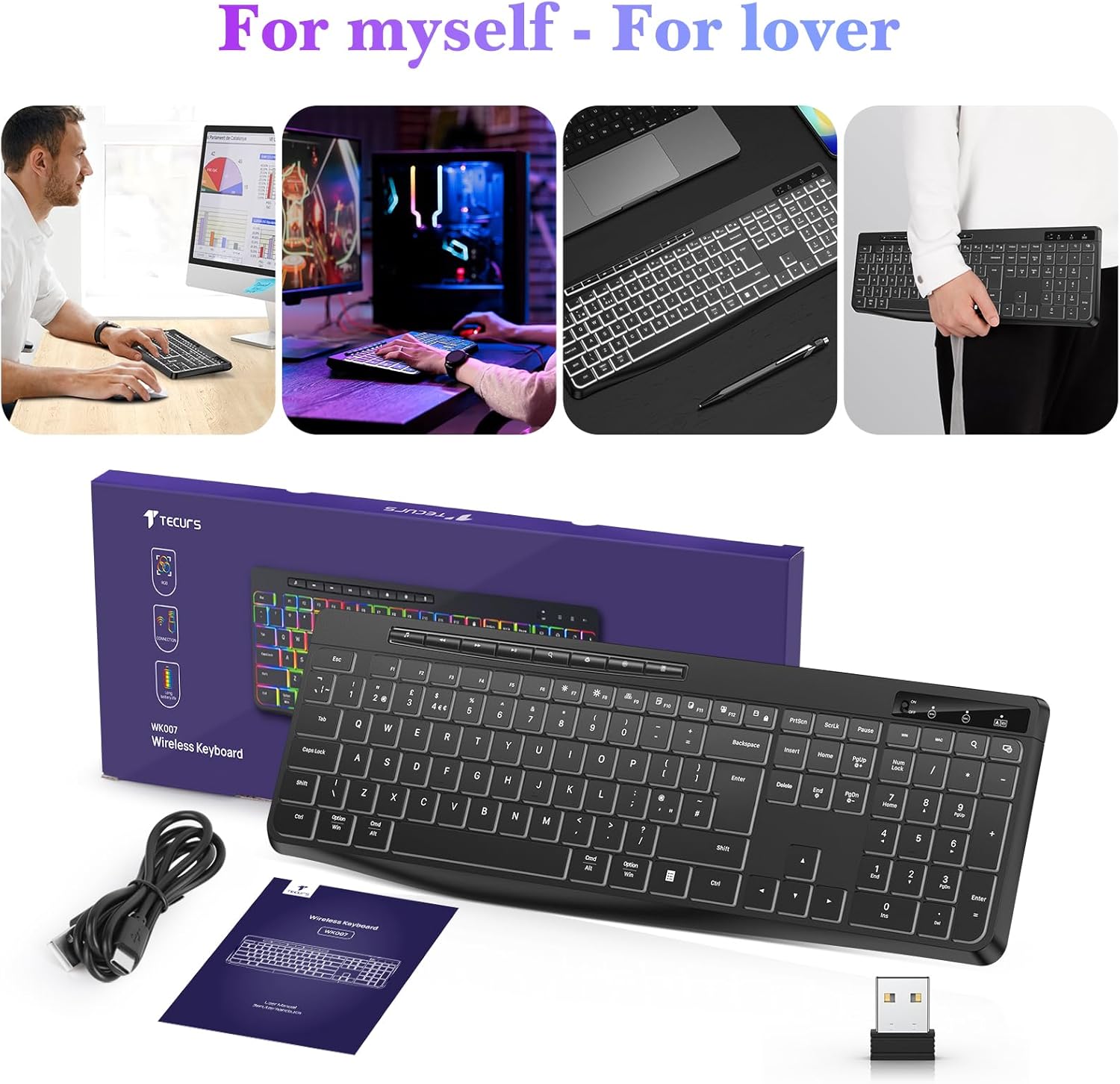
Image: Contents of the TECURS Wireless Backlit Keyboard package.
Konfigurazio Argibideak
1. Teklatua kargatzea
Before initial use, fully charge the keyboard. Connect the provided USB charging cable to the keyboard's charging port and to a USB power source (e.g., computer USB port, USB wall adapter). The charging indicator light will illuminate during charging and turn off when fully charged.
2. Haririk gabeko hargailua konektatzea
- Locate the USB 2.4G wireless receiver (dongle) in the package.
- Insert the USB receiver into an available USB port on your computer or compatible device.
- Turn on the keyboard using the power switch, usually located on the top edge or underside of the keyboard.
- The keyboard should automatically connect to the receiver. No additional drivers are typically required for most operating systems.

Image: The TECURS Wireless Keyboard and its USB receiver, demonstrating a stable wireless connection range of 8-10 meters.
Funtzionamendu-argibideak
Piztu/Itzali
Use the power switch on the keyboard to turn it on or off. Turning off the keyboard when not in use helps conserve battery life.
Haririk gabeko konexioa
The keyboard utilizes a 2.4G wireless connection, providing a stable and reliable link to your device within an 8-10 meter range. Ensure the USB receiver is securely plugged into your device for optimal performance.
Atzeko argiaren kontrola
The keyboard features a soft white backlight with adjustable brightness levels. Use the dedicated backlight control keys (often Fn + specific keys) to cycle through brightness settings or turn the backlight off. The backlight is designed to automatically turn off after approximately 5 seconds of inactivity to conserve battery power.
Multimedia gakoak
Dedicated multimedia keys are located on the keyboard for quick access to functions such as play/pause, volume control, and track skipping. These keys allow for convenient management of your media without interrupting your workflow.
Idazketa esperientzia lasaia
The keyboard is engineered with membrane technology and low-profile keys to provide a quiet and responsive typing experience, minimizing disturbance in shared environments.
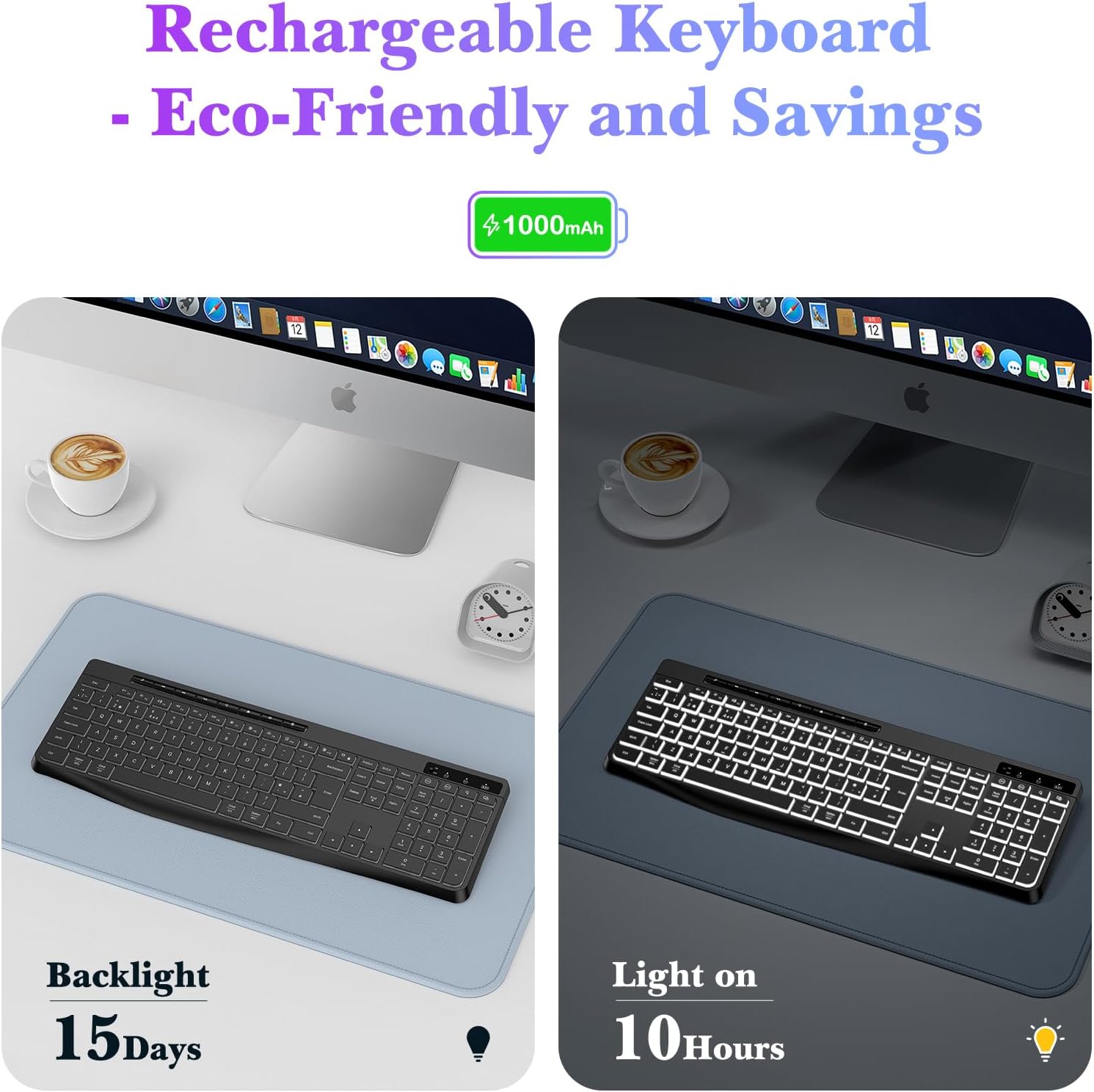
Image: Close-up of the TECURS keyboard showing individual multimedia buttons and the adjustable stand for ergonomic comfort.

Image: The TECURS keyboard being used in a quiet environment, emphasizing its low noise operation.
Kargatzea eta bateriaren iraupena
The TECURS keyboard is equipped with a 1000mAh rechargeable lithium battery. To charge, connect the keyboard to a USB power source using the provided charging cable.
- Bateriaren edukiera: 1000mAh
- Usage with Backlight Off: Up to 15 days on a full charge.
- Usage with Backlight On: Gutxi gorabehera 10 ordu karga osoarekin.
- Kargatzeko adierazlea: Adierazle-argiak kargatze-egoera erakutsiko du.

Image: Illustration of the keyboard's rechargeable nature and its battery performance with the backlight on for 10 hours and off for 15 days.
Bateragarritasuna
This keyboard is designed for broad compatibility with various operating systems and devices:
- Sistema eragileak: Windows (including Vista), Linux, macOS
- Gailu bateragarriak: PC, Laptop, Mac, PS4, PS5, Gaming Consoles
Mantentzea
To ensure the longevity and optimal performance of your TECURS Wireless Backlit Keyboard, follow these maintenance guidelines:
- Garbiketa: Erabili zapi leun eta lehor bat teklatuaren gainazala garbitzeko. Zikinkeria egoskorra bada, garbitu pixka bat.ampGarbitu zapi bat urarekin edo garbiketa-soluzio leun batekin. Saihestu gehiegizko hezetasuna.
- Hautsa kentzea: Erabili aire konprimatua teklen arteko hautsa eta hondakinak kentzeko.
- Biltegiratzea: Gorde teklatua leku fresko eta lehor batean, eguzki-argitik eta muturreko tenperaturetatik babestuta.
- Saihestu likidoak: Do not expose the keyboard to liquids. In case of accidental spills, immediately power off the keyboard and allow it to dry completely before reuse.
Arazoak konpontzea
If you encounter issues with your TECURS Wireless Backlit Keyboard, please refer to the following common problems and solutions:
| Arazoa | Irtenbidea |
|---|---|
| Teklatua ez da konektatzen |
|
| Atzeko argiak ez du funtzionatzen |
|
| Giltzek ez dute erantzuten |
|
| Bateriaren iraupen laburra |
|
Zehaztapenak
| Ezaugarri | Xehetasuna |
|---|---|
| Marka | TECURS |
| Eredua | B0CY2KWLMF |
| Konektibitatea | 2.4G Haririk gabekoa |
| Diseinua | QWERTY UK |
| Atzeko argia | White, Adjustable Brightness |
| Bateria | 1000mAh litio kargagarria |
| Gako mota | Mintza |
| Materiala | Plastikoa |
| OS bateragarria | Linux, Windows Vista, macOS |
| Gailu bateragarriak | Gaming Console, Laptop, PC, Mac, PS4, PS5 |
| Ezaugarri bereziak | White Backlight, Wireless, Multimedia Keys, Quiet Operation |
Bermea eta Laguntza
TECURS products are designed for reliability and performance. For any questions, technical support, or warranty inquiries, please contact your retailer or the TECURS customer service team through the contact information provided with your purchase or on the official TECURS webgunea. Gorde erosketaren egiaztagiria bermearen erreklamazioetarako.