
VGN N75BLUE
VGN N75 Gaming Keyboard User Manual
Model: N75BLUE | Brand: VGN
1. Sarrera
Welcome to the user manual for your VGN N75 Gaming Keyboard. This manual provides essential information on setting up, operating, maintaining, and troubleshooting your new keyboard. The VGN N75 is a compact, numeric keyless mechanical keyboard designed for an optimal gaming and typing experience.

Figure 1.1: VGN N75 Gaming Keyboard with RGB lighting enabled.

1.2. irudia: Angeludun view of the VGN N75 keyboard, highlighting its compact form factor.
2. Segurtasun informazioa
Please read the following safety guidelines carefully before using your VGN N75 keyboard:
- Mantendu teklatua likidoetatik eta gehiegizko hezetasunetik urrun kalteak saihesteko.
- Saihestu teklatua tenperatura altuetan (beroan edo hotzean) jartzea.
- Ez saiatu teklatua desmuntatzen edo aldatzen. Honek bermea baliogabetu eta kalteak eragin ditzake.
- Use only the provided USB-C cable for connection.
- Handle with care to prevent physical damage from drops or impacts.
3. Produktuaren ezaugarriak
The VGN N75 keyboard is engineered with several features to enhance your typing and gaming experience:
- Diseinu trinkoa % 75: The US82 key numeric keyless design offers a space-saving solution compared to full-size keyboards, providing more desk space for mouse movement.
- Advanced Internal Construction: Features multiple buffer layers and specially tuned stabilizers for a smooth, quiet, and consistent typing experience.
- VGN "Dynamic Silver" Mechanical Switches: Equipped with VGN's original linear mechanical switches, offering a responsive feel and vibrant RGB illumination.
- Diseinu bereizgarria: The "Caribbean Blue" model features striking keycap colors, adding a unique aesthetic to your setup.
- Integrated Metal Volume Knob: A conveniently located metal rotary knob allows for quick and precise volume adjustments, useful for both work and gaming.
- RGB argiztapen pertsonalizagarria: Enjoy dynamic and customizable RGB backlight options to personalize your keyboard's appearance.

Figure 3.1: The compact 75% layout of the VGN N75, demonstrating its space-saving advantage over a traditional full-size keyboard.

Figure 3.2: Detail of the VGN N75's unique "Dynamic Silver" mechanical switches, known for their linear feel and RGB compatibility.

Figure 3.3: An exploded diagram illustrating the multiple buffer layers and components within the VGN N75 keyboard, contributing to its smooth and quiet operation.

Figure 3.4: Close-up of the metal volume knob, providing convenient audio control.
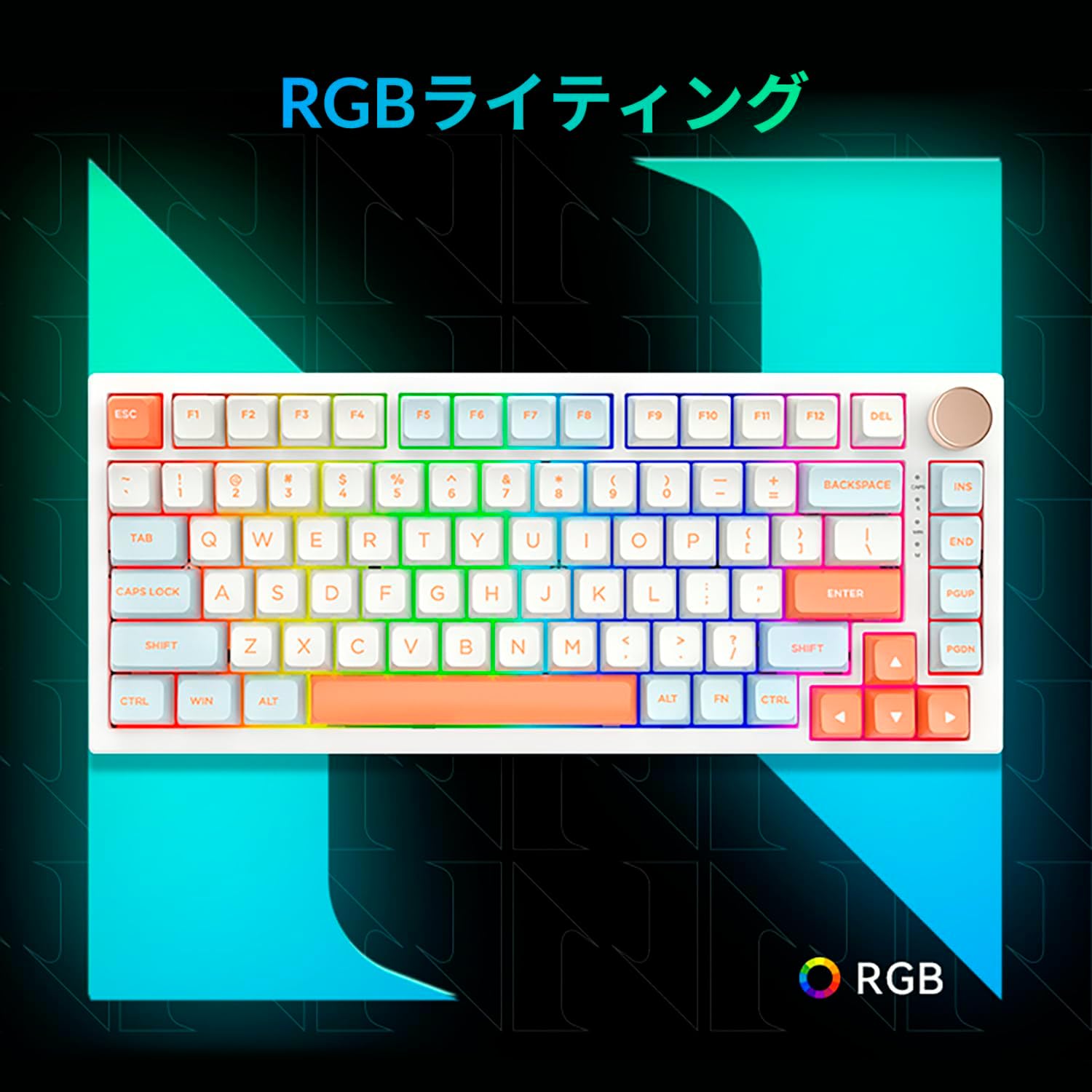
Figure 3.5: The VGN N75 keyboard displaying its customizable RGB lighting, enhancing the visual appeal.
4. Konfigurazio gida
Follow these steps to set up your VGN N75 keyboard:
- Deskonprimitu teklatua: Carefully remove the keyboard and all included accessories (USB cable, keycap puller, replacement key) from the packaging.
- Konektatu USB-C kablea: Insert one end of the provided USB-C cable into the USB-C port on the keyboard.
- Konektatu zure gailura: Plug the other end of the USB-C cable into an available USB port on your computer or laptop.
- Gidariaren instalazioa (automatikoa): Teklatua plug-and-play da. Zure sistema eragileak automatikoki detektatu eta instalatu beharko lituzke beharrezko kontrolatzaileak. Normalean ez da beharrezkoa eskuzko kontrolatzailerik instalatzea.
- Hasierako proba: Open a text editor or any application to test the keys and ensure all functions are working correctly.
5. Funtzionamendu-argibideak
This section details the basic operation of your VGN N75 keyboard:
5.1. Oinarrizko tekla funtzioak
The VGN N75 features a standard US82 key layout. All keys function as labeled. For specific key combinations or software-defined macros, refer to any accompanying software documentation (if applicable, not included in this manual).
5.2. Using the Rotary Knob
- Bolumen kontrola: Rotate the knob clockwise to increase volume and counter-clockwise to decrease volume.
- Ezkutatu/Aktibatu: Sakatu botoia audioa isilarazteko edo aktibatzeko.
5.3. RGB argiztapenaren kontrola
The VGN N75 supports RGB lighting. While specific key combinations for lighting modes are not provided in the product description, most RGB keyboards allow cycling through effects using function key combinations (e.g., Fn + F-keys or dedicated lighting keys). Experiment with the 'Fn' key in combination with other keys (like arrow keys or Ins/Del/Home/End/PgUp/PgDn) to discover lighting controls.
6. Mantentzea
Mantentze egokiak zure teklatuaren bizitza luzatuko du:
- Garbiketa:
- Deskonektatu teklatua ordenagailutik garbitu aurretik.
- Erabili lipurrik gabeko zapi leun bat dampGarbitu urarekin edo garbiketa-soluzio leun batekin teklak eta markoa garbitzeko.
- Teklen arteko hautsa eta hondakinak lortzeko, erabili aire konprimatua.
- Do not spray liquid directly onto the keyboard.
- Tekla-tapoia eta etengailua ordezkatzea:
- The keyboard comes with a keycap puller and a replacement key.
- To remove a keycap, gently use the keycap puller to grip the keycap and pull upwards.
- To replace a keycap, align it with the switch stem and press down firmly until it clicks into place.
- Oharra: The VGN N75 features hot-swappable switches, allowing for easy replacement without soldering. To remove a switch, use a switch puller (not explicitly listed as included, but implied by "hot-swappable") to gently pry it out. Align the new switch's pins with the sockets and press firmly until it seats correctly.
7. Arazoak
If you encounter issues with your VGN N75 keyboard, try the following solutions:
- Teklatuak ez du erantzuten:
- Ziurtatu USB-C kablea ondo konektatuta dagoela teklatura eta ordenagailura.
- Saiatu teklatua ordenagailuko beste USB ataka batera konektatzen.
- Berrabiarazi ordenagailua.
- Probatu teklatua beste ordenagailu batean sistemaren arazo espezifiko bat baztertzeko.
- Giltzak ez dira erregistratzen:
- Egiaztatu teklaren azpian oztopo fisikorik dagoen.
- If a specific key is not working, consider replacing its switch if you have a switch puller and replacement switches.
- RGB argiztapen arazoak:
- Ziurtatu teklatua behar bezala piztuta dagoela.
- Try cycling through lighting modes using the keyboard's function key combinations.
- Rotary Knob Not Working:
- Check for any physical obstructions around the knob.
- Ziurtatu teklatua behar bezala konektatuta dagoela.
8. Zehaztapenak
| Atributua | Xehetasuna |
|---|---|
| Marka | VGN |
| Modelo zenbakia | N75BLUE |
| Seriea | N75 |
| Kolorea | Urdina |
| Teklatuaren deskribapena | Mekanikoa |
| Gako kopurua | 82 |
| Konektibitate Teknologia | USB-C |
| Energia iturri mota | USB energia |
| Gailu bateragarriak | Ordenagailu eramangarria |
| Produktuaren erabilera gomendatuak | Jolasa |
| Keyboard Backlight Colour Support | RGB |
| Materiala | Plastikoa |
| Dakarten osagaiak | Keycap Puller, Replacement Key, USB Cable |
| Paketearen neurriak | 42.1 x 18.8 x 6.5 cm; 1.1 kg |
| Eskuragarri dagoen lehen data | 22ko martxoaren 2024a |
9. Bermea eta Laguntza
The VGN N75 Gaming Keyboard comes with a 1-year warranty from the date of purchase, as indicated in the product listing. This warranty covers manufacturing defects under normal use.
For warranty claims, technical support, or further inquiries, please contact your point of purchase or the official VGN support channels. Keep your proof of purchase for warranty validation.
Oharra: Unauthorized disassembly or modification of the product may void the warranty.