
nubia nubia Flip
Nubia Flip 5G erabiltzailearen eskuliburua
Model: nubia Flip
Sarrera
Welcome to the nubia Flip 5G user manual. This guide provides comprehensive instructions for setting up, operating, maintaining, and troubleshooting your new foldable smartphone. The nubia Flip 5G combines innovative foldable technology with powerful performance, featuring a dual-screen design, a 50MP AI dual camera, and a robust 4310 mAh battery with 33W fast charging.
Please read this manual carefully to ensure proper use and to maximize your device's potential.
1. Konfigurazioa
1.1 Zer dago kutxan
- nubia Flip 5G telefonoa
- Clear phone case
- Kargagailua
- C motako datu kablea
1.2 Hasierako karga
Before first use, fully charge your nubia Flip 5G using the provided charger and Type-C data cable. The device supports 33W fast charging, allowing for a rapid charge.
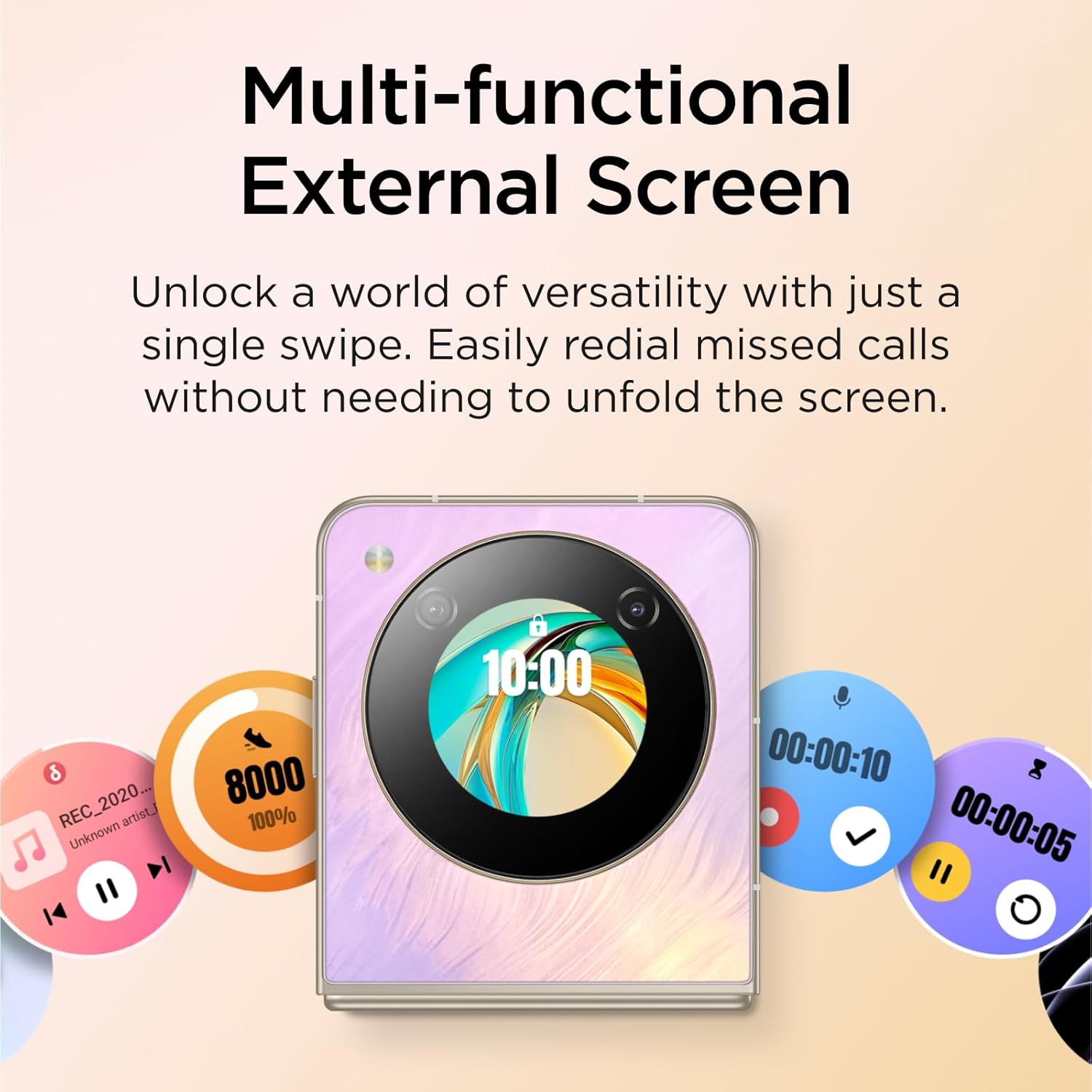
Image: The nubia Flip 5G in its folded state, connected to a charging cable, illustrating the charging process.
1.3 SIM txartelaren txertatzea
Locate the SIM card tray on the side of the device. Use the SIM ejector tool (not explicitly listed in box contents, but standard) to open the tray. Insert your Nano-SIM card(s) into the designated slots. Ensure the card is correctly oriented before reinserting the tray.
1.4 Piztu/Itzaltzea
- Piztu: Press and hold the Power button (located on the side) until the nubia logo appears.
- Itzali: Sakatu eta eutsi pizteko botoiari, eta ondoren hautatu "Itzali" pantailan agertzen diren aukeren artean.
- Berrabiarazi: Sakatu eta eutsi pizteko botoiari, eta ondoren hautatu "Berrabiarazi" aukeren artean.
1.5 Hasierako konfigurazio-morroia
Upon first power-on, the device will guide you through an initial setup process. This includes selecting your language, connecting to a Wi-Fi network, setting up your Google account, and configuring security options like fingerprint and face unlock.
2. Zure gailua funtzionatzea
2.1 Foldable Design and Displays
The nubia Flip 5G features a revolutionary foldable design, allowing it to transform from a compact, pocket-sized device to a full-sized smartphone. It has two main displays:
- Main Internal Display: A 6.9-inch FHD+ screen that unfolds for an immersive viewesperientzia.
- External OLED Display: A 1.43-inch interactive display accessible when the phone is folded.
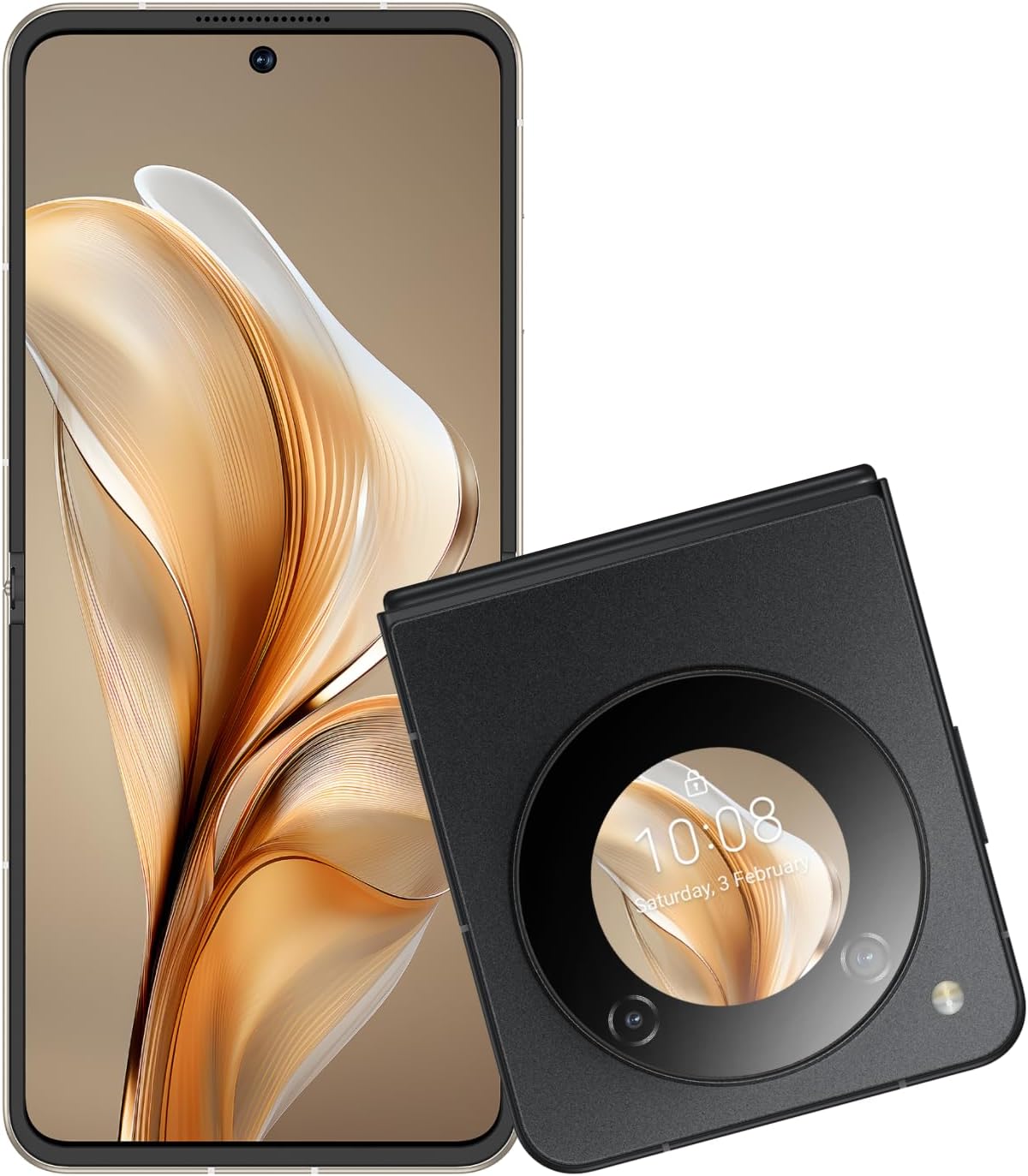
Image: The nubia Flip 5G shown both unfolded and folded, highlighting its dual-screen capability.

Image: A hand holding the folded nubia Flip 5G, illustrating its compact and pocket-friendly design.
2.2 External Display Functions
The 1.43-inch external OLED display provides quick access to essential information and controls without unfolding the phone. Swipe across the external screen to:
- View missed notifications and messages.
- Reply to texts (limited functionality).
- Musika erreprodukzioa kontrolatu.
- Answer or redial calls.
- Sartu ezarpen azkarretara.
- Interact with a virtual animated 'pet'.

Image: The external display of the nubia Flip 5G showcasing its multi-functional capabilities with various interactive widgets.
2.3 Kameraren erabilera
The nubia Flip 5G is equipped with a versatile camera system:
- Atzeko kamerak: 50MP Main Camera (f/1.8) and a 2MP Depth Lens.
- Aurrealdeko kamera: 16MP.
The foldable design allows for unique photography angles. You can stand the phone at multiple angles for hands-free shooting.
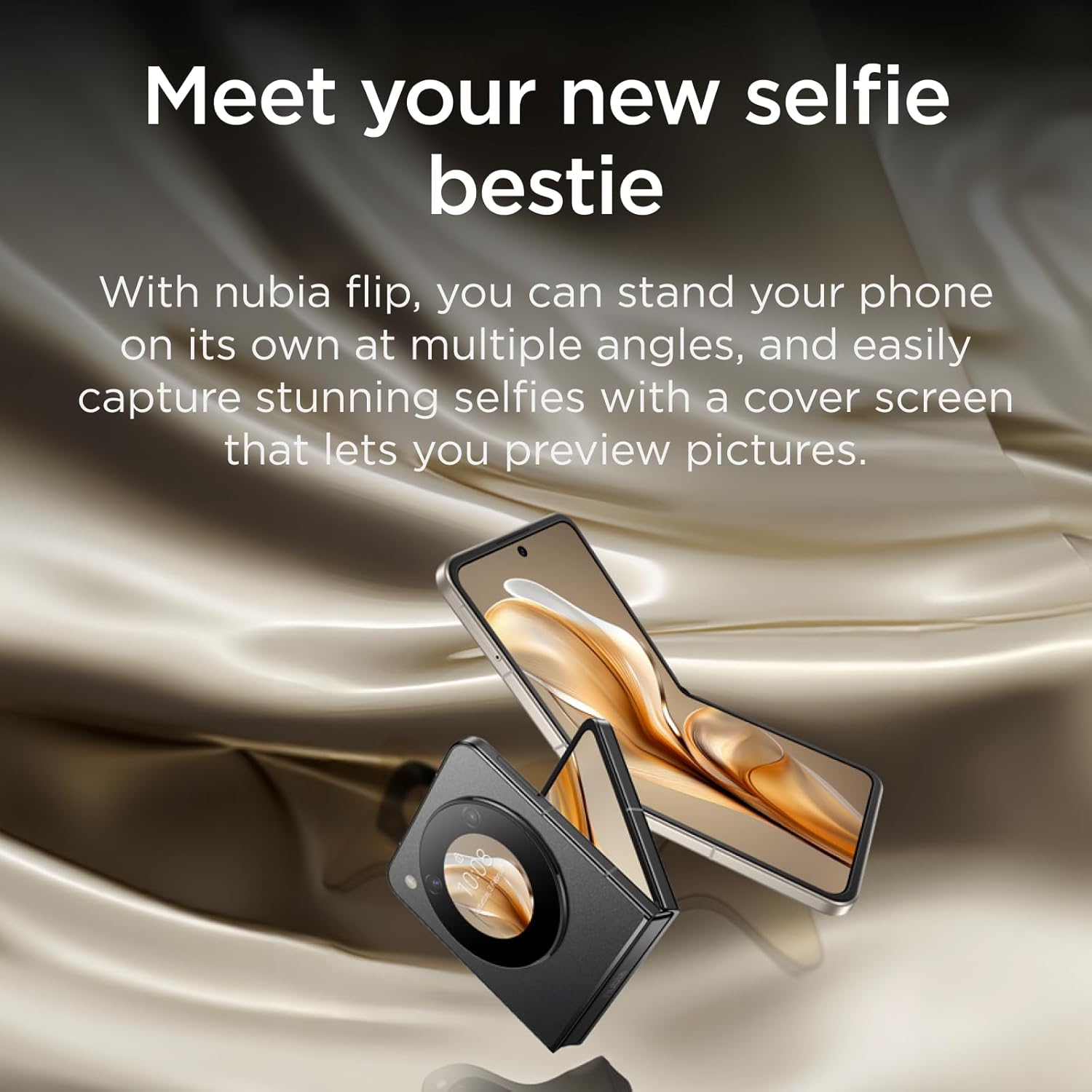
Image: A person using the nubia Flip 5G's external display for a selfie, demonstrating the camera's capabilities.

Image: The nubia Flip 5G in a partially folded position, used as a stand for taking a selfie, showcasing its flexible design for photography.
2.4 Desblokeatzeko metodoak
Your nubia Flip 5G offers multiple secure unlocking options:
- Hatz-marka sentsorea: The power button integrates a fast and accurate fingerprint sensor. Register your fingerprints in the Security settings.
- Face Wake-up: Use facial recognition to unlock your device. Set this up in the Security settings.
- PINa/Eredua/Pasahitza: Android-en segurtasun aukera estandarrak.

Image: Visual representation of the dual unlocking methods: Face Wake-up and Fingerprint Unlock.
2.5 MyOS 13 Features
The nubia Flip 5G runs on MyOS 13, offering a straightforward and convenient user experience with various customization options:
- Animation Speed Adjustment: Customize system animation speeds for a smoother or faster feel.
- Wallpaper Color Picker: Easily select and apply colors from your wallpaper to theme your interface.
- Pantaila zatitua: Multitask efficiently by running two apps side-by-side on the main display.
2.6 Konektibitatea
Gailuak konexio aukera ugari onartzen ditu:
- 5G sarea: Enjoy lightning-fast 5G network speeds for browsing, streaming, and gaming.
- Wi-Fi: Konektatu haririk gabeko sareetara interneterako sarbidea izateko.
- Bluetootha: Parekatu Bluetooth osagarriekin, hala nola entzungailuekin eta bozgorailuekin.
- USB C mota: For charging, data transfer, and connecting peripherals.
3. Mantentzea
3.1 Gailua garbitzea
To keep your nubia Flip 5G in optimal condition:
- Erabili zapi leun eta lihorik gabeko bat pantaila eta gorputza garbitzeko.
- Saihestu produktu kimiko gogorrak, garbitzaile urratzaileak edo aerosolak erabiltzea.
- Ez jarri gailua gehiegizko hezetasunera.
3.2 Software eguneraketak
Egiaztatu eta instalatu software eguneraketak aldizka, zure gailuak azken funtzioak, segurtasun adabakiak eta errendimendu hobekuntzak dituela ziurtatzeko. Joan honera Ezarpenak > Sistema > Sistemaren eguneraketa eguneraketak ikusteko.
3.3 Bateria zaintzea
Bateriaren iraupena luzatzeko:
- Saihestu muturreko tenperaturak.
- Ez utzi bateria guztiz agortzen maiz kargatu aurretik.
- Kargatze optimoa lortzeko, erabili jatorrizko kargagailua eta kablea.
4. Arazoak
4.1 Ohiko arazoak eta irtenbideak
| Gaia | Irtenbidea |
|---|---|
| Gailua ez da pizten | Ziurtatu bateria kargatuta dagoela. Berrabiaraztea behartzeko, sakatu eta eutsi pizteko botoia gutxienez 10 segundoz. |
| No mobile data connection | Check SIM card insertion. Verify APN settings (consult your carrier). Ensure mobile data is enabled in settings. Confirm your SIM card's frequency bands are supported by the device. |
| Pantailak ez du erantzuten | Berrabiarazi gailua. Arazoak jarraitzen badu, kontuan hartu fabrika berrezartzea (lehenik datuen babeskopia). |
| Aplikazioak kraskatzen/izozten | Clear app cache/data (Settings > Apps). Update the app. Reinstall the app. |
4.2 Fabrika berrezarri
Fabrika berrezartzeak gailuko datu guztiak ezabatuko ditu eta jatorrizko fabrika ezarpenetara leheneratuko du. Jarraitu aurretik, egin datu garrantzitsu guztien babeskopia.
Fabrika berrezartzeko: Joan honera Ezarpenak > Sistema > Berrezarri aukerak > Ezabatu datu guztiak (fabrika berrezarri)Jarraitu pantailan agertzen diren argibideei.
5. Zehaztapenak
| Ezaugarri | Xehetasuna |
|---|---|
| Ereduaren izena | nubia Flip |
| Sistema eragilea | Android 13.0 |
| Pantaila nagusiaren tamaina | 6.9 hazbete |
| Pantaila nagusiaren bereizmena | 2790*1188 |
| Freskatze tasa | 120 Hz |
| Kanpoko pantailaren tamaina | 1.43 Inches (OLED) |
| Prozesadorea | Qualcomm Snapdragon 7 Gen 1 (up to 2.4GHz) |
| RAM | 8 GB |
| Biltegiratze Ahalmena | 256 GB |
| Atzeko kamera | 50MP-ko AI kamera bikoitza |
| Aurrealdeko kamera | 16MP |
| Bateria Edukiera | 4310 mAh |
| Kargatzen | 33 W-ko karga azkarra |
| Neurriak (tolestuta) | Approx. 8.7 x 7.55 x 1.4 cm (estimated from unfolded dimensions) |
| Neurriak (tolestuta) | 17 x 7.55 x 0.7 cm |
| Pisua | 209 g |
| Supported Bands (NR) | n1/n3/n5/n8/n28A/n41/n78 |
| Supported Bands (FDD) | B1/B2/B3/B4/B5/B7/B8/B12/B17/B20 |
| Supported Bands (TDD) | B34/B38/39/40/41 |
| Supported Bands (UMTS) | B1/B2/B4/B5/B8 |
| Supported Bands (CDMA) | BC0 |
| Supported Bands (GSM) | B2/B3/B5/B8 |
6. Bermea eta Laguntza
6.1 Bermearen informazioa
Your nubia Flip 5G comes with a standard manufacturer's warranty. Please refer to the warranty card included in your product packaging or visit the official nubia webwebgunean bermearen estaldurari eta iraupenari buruzko baldintza zehatzak ikusteko.
6.2 Bezeroarentzako laguntza
For technical assistance, troubleshooting beyond this manual, or warranty claims, please contact nubia customer support through their official webgunea edo produktuaren dokumentazioan emandako harremanetarako informazioa. Ziurtatu produktuaren modelo zenbakia eta erosketa xehetasunak prest dituzula laguntzarekin harremanetan jartzean.
Era berean, bisitatu dezakezu nubia Store on Amazon produktuari buruzko informazio gehigarria eta laguntza-baliabideak lortzeko.
Lotutako dokumentuaknubia Flip


Ask a question about this manual
Ask about setup, troubleshooting, compatibility, parts, safety, or missing instructions. Manuals+ will review the question and use this page’s manual context to help answer it.