
1. Sarrera
Eskerrik asko erosketagatik.asing the eKids Marvel Deadpool Wireless Earbuds. These earbuds are designed to provide a high-quality audio experience with the convenience of wireless connectivity. This manual will guide you through the setup, operation, and maintenance of your new earbuds.
Mesedez, irakurri arretaz eskuliburu hau produktua erabili aurretik eta gorde etorkizunean erreferentzia gisa.
2. Produktua amaitu daview
The eKids Marvel Deadpool Wireless Earbuds feature a distinctive Deadpool design and offer wireless stereo sound streaming with a built-in microphone for calls. They come with a portable charging case and multiple ear cushion sizes for comfort.
Ezaugarri nagusiak:
- Wireless stereo sound streaming
- Deiak egiteko mikrofono integratua
- Three sizes of rubber ear cushions (small, medium, large) for personalized comfort
- USB-C kargatzeko konexioa
- Bluetooth konexioa
- Up to 22 hours total music playtime with charging case
- Ergonomic shape for comfort
- Eraikuntza arina
- Compatible with iPhone, Android, smartphones, tablets, and computers
- Suitable for gaming, audiobooks, video calls, and various entertainment/educational content
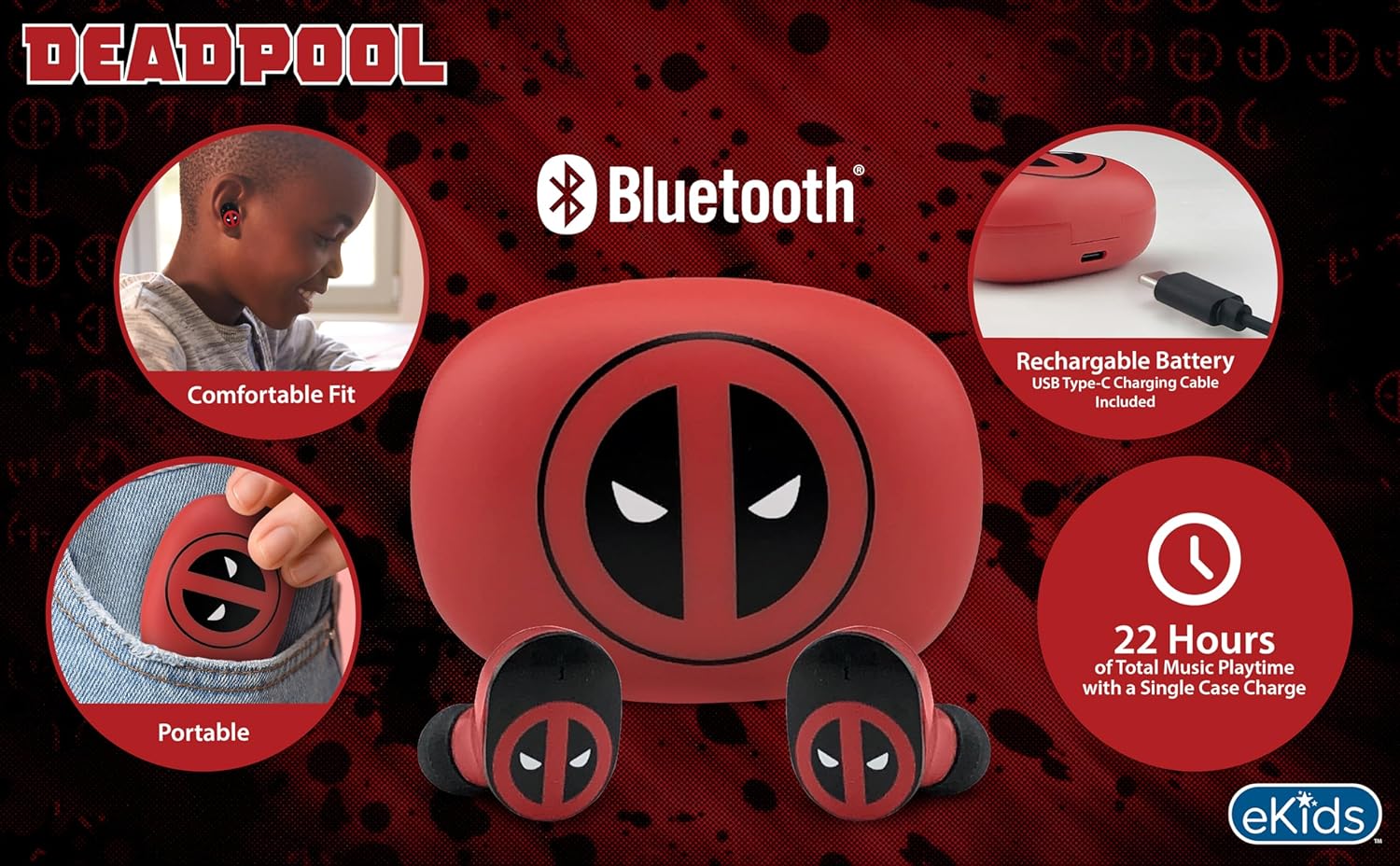
Image 2.1: The eKids Marvel Deadpool Wireless Earbuds and their charging case, showcasing the distinctive Deadpool logo.
3. Konfigurazioa
3.1 Entzungailuak eta zorroa kargatzea
- Open the charging case and place both earbuds inside, ensuring they are correctly seated.
- Konektatu emandako USB-C kargatzeko kaxako kargatzeko atakara.
- Konektatu USB-C kablearen beste muturra USB elikatze-iturri bateragarri batera (adibidez, ordenagailua, hormako egokitzailea).
- The indicator light on the charging case will illuminate to show charging status. Once fully charged, the light may change color or turn off.
A full charge provides up to 22 hours of total music playtime, with the case offering 2.5 times extra charge for the earbuds.

Image 3.1: The Deadpool-themed charging case with the USB-C charging cable connected, illustrating the charging process.
3.2 Bluetooth gailu batekin parekatzea
- Ziurtatu entzungailuak kargatuta daudela eta kargatzeko zorroan sartuta daudela.
- Open the charging case. The earbuds will automatically power on and attempt to connect to the last paired device.
- Zure gailuan (telefono adimenduna, tableta, ordenagailua), joan Bluetooth ezarpenetara.
- Bilatu available devices and select "eKids Deadpool Earbuds" (or similar name).
- Once connected, the LED light on the earbuds will stop flashing or change to a solid color.
The earbuds are compatible with iPhone, Android, and other Bluetooth-enabled devices.
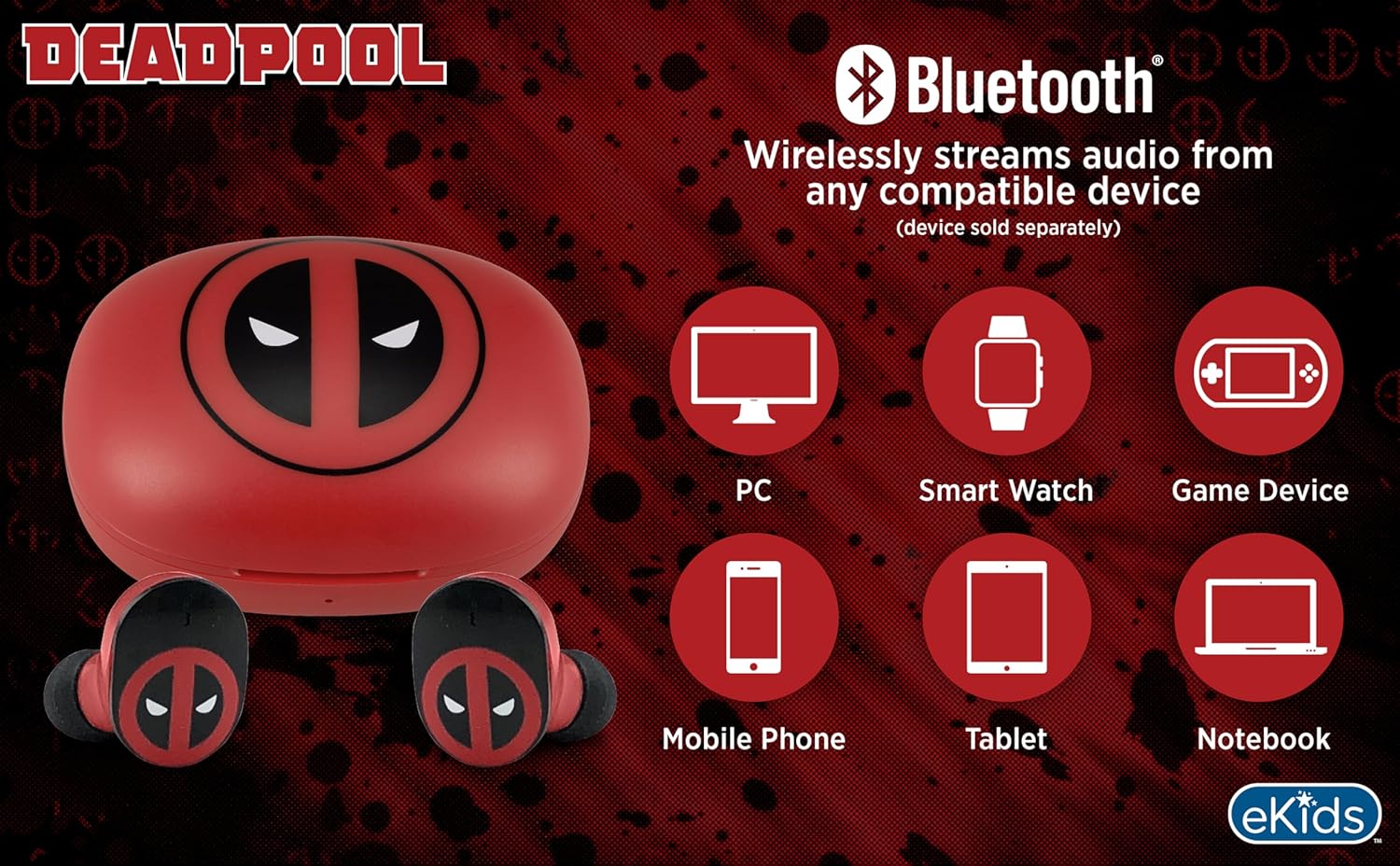
Image 3.2: An illustration showing the Bluetooth connectivity of the earbuds with various devices such as PCs, smartwatches, game devices, mobile phones, tablets, and notebooks.
3.3 Selecting Ear Cushions for Comfort
The earbuds come with three sizes of rubber ear cushions (small, medium, large) to ensure a comfortable and secure fit. Experiment with different sizes to find the best fit for your ears. A proper fit enhances sound quality and comfort.
- Gently remove the pre-installed ear cushions from the earbuds.
- Select a different size ear cushion.
- Carefully attach the new ear cushion to the earbud, ensuring it is securely fastened.

Image 3.3: The Deadpool earbuds shown with the three different sizes of ear cushions included for a customized fit.
4. Entzungailuen erabilera
4.1 Piztu/Itzali
- Piztu: Open the charging case, and the earbuds will automatically power on and attempt to connect to the last paired device.
- Itzali: Jarri entzungailuak berriro kargatzeko zorroan eta itxi tapa. Automatikoki itzali eta kargatzen hasiko dira.
4.2 Musika erreproduzitzea
- Erreproduzitu/Pausatu: Sakatu behin aurikular batean.
- Hurrengo ibilbidea: Sakatu birritan eskuineko aurikularra.
- Aurreko pista: Sakatu birritan ezkerreko aurikularra.
- Bolumen kontrola: Doitu bolumena zuzenean konektatutako gailutik.
4.3 Telefono deiak
Mikrofono integratuak esku libreko deiak egiteko aukera ematen du.
- Deia erantzun/amaitu: Sakatu behin aurikular batean.
- Deia baztertu: Eduki sakatuta aurikularretako bat 2 segundoz.
5. Mantentzea
- Garbiketa: Erabili zapi leun eta lehor bat entzungailuak eta kargatzeko zorroa garbitzeko. Ez erabili garbitzaile edo disolbatzaile urratzailerik.
- Biltegiratzea: Erabiltzen ez dituzunean, gorde entzungailuak kargatzeko zorroan babesteko eta kargatuta mantentzeko.
- Saihestu ura: Entzungailu hauek ez dira iragazgaitzak. Saihestu uraren edo gehiegizko hezetasunaren eraginpean egotea.
- Tenperatura: Ez jarri entzungailuak edo zorroa muturreko tenperaturen eraginpean.
6. Arazoak
| Arazoa | Irtenbidea |
|---|---|
| Entzungailuak ez dira parekatzen. | Ensure earbuds are charged. Turn off Bluetooth on your device and turn it back on. Forget the device in your Bluetooth settings and re-pair. |
| Ez dago soinurik entzungailu batetik. | Place both earbuds back in the charging case, close the lid, then open it again. Check device audio balance settings. |
| Kargatzeko kaxa ez da kargatzen ari. | Egiaztatu USB-C kablea eta elikatze-egokigailua. Ziurtatu kablea ondo konektatuta dagoela bai kaxara bai elikatze-iturrira. |
| Soinu kalitate txarra. | Ensure earbuds are properly seated in your ears with the correct size ear cushions. Move closer to your connected device to avoid interference. |
7. Zehaztapenak
- Marka: eKids
- Eredua: B0D1CS61NB
- Kolorea: Deadpool (Red/Black)
- Belarrien kokapena: Belarrian
- Forma-faktorea: Belarrian
- Inpedantzia: 32 ohmio
- Bluetooth distantzia: ≥ 10M / 32ft
- Sentikortasuna: 100dB ± 3dB at 1kHz spl
- Bateriaren iraupena: Up to 22 hours total playtime with charging case
- Kargatzeko ataka: USB-C
- Neurriak (Kaxa): Approximately 2.4 in / 6.2 cm (width) x 1.8 in / 4.6 cm (height) x 1.2 in / 3.1 cm (depth)
- Dimensions (Earbud): Approximately 0.9 in / 2.5 cm (height) x 0.7 in / 1.8 cm (width)

Image 7.1: A detailed diagram illustrating the dimensions and key specifications of the Deadpool wireless earbuds and their charging case.
8. Bermea eta Laguntza
For warranty information and customer support, please refer to the documentation included with your purchase or visit the official eKids webgunea. Gorde erosketaren egiaztagiria berme-erreklamazioetarako.
For additional assistance, you may contact eKids customer service directly.
9. Produktuaren bideo ofiziala
9.1 bideoa: Produktu ofizial baten bideo-erakustaldiaasing the eKids Marvel Deadpool Wireless Earbuds, highlighting their features and design. This video provides a visual overview of the product's functionality and appearance.