
BINNUNE BW01
BINNUNE Haririk gabeko Joko Aurikularrak Erabiltzailearen Eskuliburua
Modeloa: BW01
Brand: BINNUNE
Sarrera
Thank you for choosing the BINNUNE Wireless Gaming Headset. This manual provides detailed instructions on how to set up, operate, and maintain your headset to ensure optimal performance and a superior gaming experience. Please read this manual thoroughly before using the product.
Kutxan dagoena
Upon unboxing your BINNUNE Wireless Gaming Headset, please verify that all the following components are included:
- BINNUNE Wireless Gaming Headset (Blue)
- 2.4 GHz-ko USB Donglea
- 3.5 mm-ko audio kablea
- USB kargatzeko kablea
- Erabiltzailearen eskuliburua (dokumentu hau)

Image: The BINNUNE Wireless Gaming Headset in blue, accompanied by its 2.4GHz USB dongle and a 3.5mm audio jack. These are the primary components included in the product package.
Produktua amaituview
Familiarize yourself with the key features and components of your BINNUNE Wireless Gaming Headset:
- Buruko banda erregulagarria: Egokitze erosoa lortzeko.
- Belarri-babes bigunak: Large-size memory foam earmuffs (110mm diameter, 45mm thickness) made of breathable PU leather and mesh material for extended comfort.
- 50 mm-ko gidariak: High-performance 50mm driver units for clear and rich stereo sound.
- Unidirectional Noise-Canceling Microphone: A 120° adjustable boom mic designed to filter out background noise for clear communication.
- On-Headset Controls: Buttons for power, volume adjustment, and microphone mute.

Irudia: Xehetasun zehatza view of the BINNUNE Wireless Gaming Headset's unidirectional boom microphone, highlighting its flexible design and noise-canceling capabilities.

Image: An exploded diagram illustrating the internal components of the 50mm audio drivers within the BINNUNE headset, emphasizing their design for rich, full-range sound.
Konfigurazioa
Entzungailua kargatzen
Before first use, fully charge the headset. A full charge takes approximately 3 hours. A 10-minute quick charge can provide up to 3 hours of battery life. The headset offers up to 80 hours of continuous use in 2.4GHz mode and up to 120 hours in Bluetooth mode.
- Connect the USB charging cable to the headset's charging port.
- Konektatu USB kablearen beste muturra USB elikatze-iturri bateragarri batera (adibidez, ordenagailuko USB ataka, USB hormako egokigailua).
- The LED indicator on the headset will show charging status (refer to the headset's LED guide for specific indications).

Image: The BINNUNE Wireless Gaming Headset displayed alongside a visual representation of its impressive 120-hour battery life, indicating extended usage time.
Konektibitate-aukerak
Your BINNUNE headset supports three connection modes:
- 2.4 GHz haririk gabekoa (USB donglea): Provides ultra-low latency (15ms) for gaming. Ideal for PS5, PS4, PC, and Mac.
- Bluetooth 5.3: For wireless connection to mobile phones, tablets, PC, and Mac.
- 3.5 mm kable bidezko konexioa: Universal compatibility with any device featuring a 3.5mm audio jack.
2.4GHz Wireless Connection (for PS5, PS4, PC, Mac)
- Insert the 2.4GHz USB dongle into an available USB port on your PS5, PS4, PC, or Mac.
- Piztu entzungailuak. Automatikoki saiatuko da dongle-ra konektatzen.
- Once connected, the LED indicator on the headset will confirm the connection (refer to LED guide).
- On your device, ensure the BINNUNE headset is selected as the audio output and input device.
Bluetooth 5.3 Connection (for PC, Mac, Mobile Phone, Tablet)
- Ensure the headset is powered on and in Bluetooth pairing mode (usually indicated by a blinking LED). If not, double-press the power button to switch to Bluetooth mode.
- On your device (PC, Mac, mobile phone, tablet), go to Bluetooth settings and search for available devices.
- Select "BINNUNE BW01" (or similar) from the list of found devices to pair.
- Once paired, the LED indicator will show a solid light (refer to LED guide).
3.5mm Wired Connection (for All Platforms)
- Konektatu 3.5 mm-ko audio-kablearen mutur bat entzungailuen 3.5 mm-ko atakara.
- Connect the other end of the 3.5mm audio cable to the 3.5mm audio jack on your device (e.g., PS4/PS5 controller, PC, mobile phone).
- The headset will function in passive wired mode. Note that some headset features (like LED lighting or specific controls) may be limited in wired mode.
Note: The BINNUNE Wireless Gaming Headset is not compatible with Xbox consoles.
Bateragarritasuna amaituview
The following table provides a quick reference for device compatibility across different connection modes:

Image: A visual compatibility chart detailing which devices (PC, PS4/PS5 Console, PS4/PS5 Controller, Switch, Cell Phone, Tablet) support sound, microphone, and microphone mute functions across 2.4GHz Wireless (USB Dongle), Bluetooth 5.3, and 3.5mm Wired connection modes.
Funtzionamendu-argibideak
Piztu/Itzali
- Piztu: Sakatu eta eutsi pizteko botoia 3 segundo inguru, LED adierazlea piztu arte.
- Itzali: Sakatu eta eutsi pizteko botoia 3 segundo inguru LED adierazlea itzali arte.
Switching Between 2.4GHz and Bluetooth Modes
The headset supports simultaneous wireless operation, allowing quick toggling between 2.4GHz and Bluetooth modes.
- Moduz aldatzeko: Double-press the Power button. The headset will switch between 2.4GHz wireless mode and Bluetooth mode.
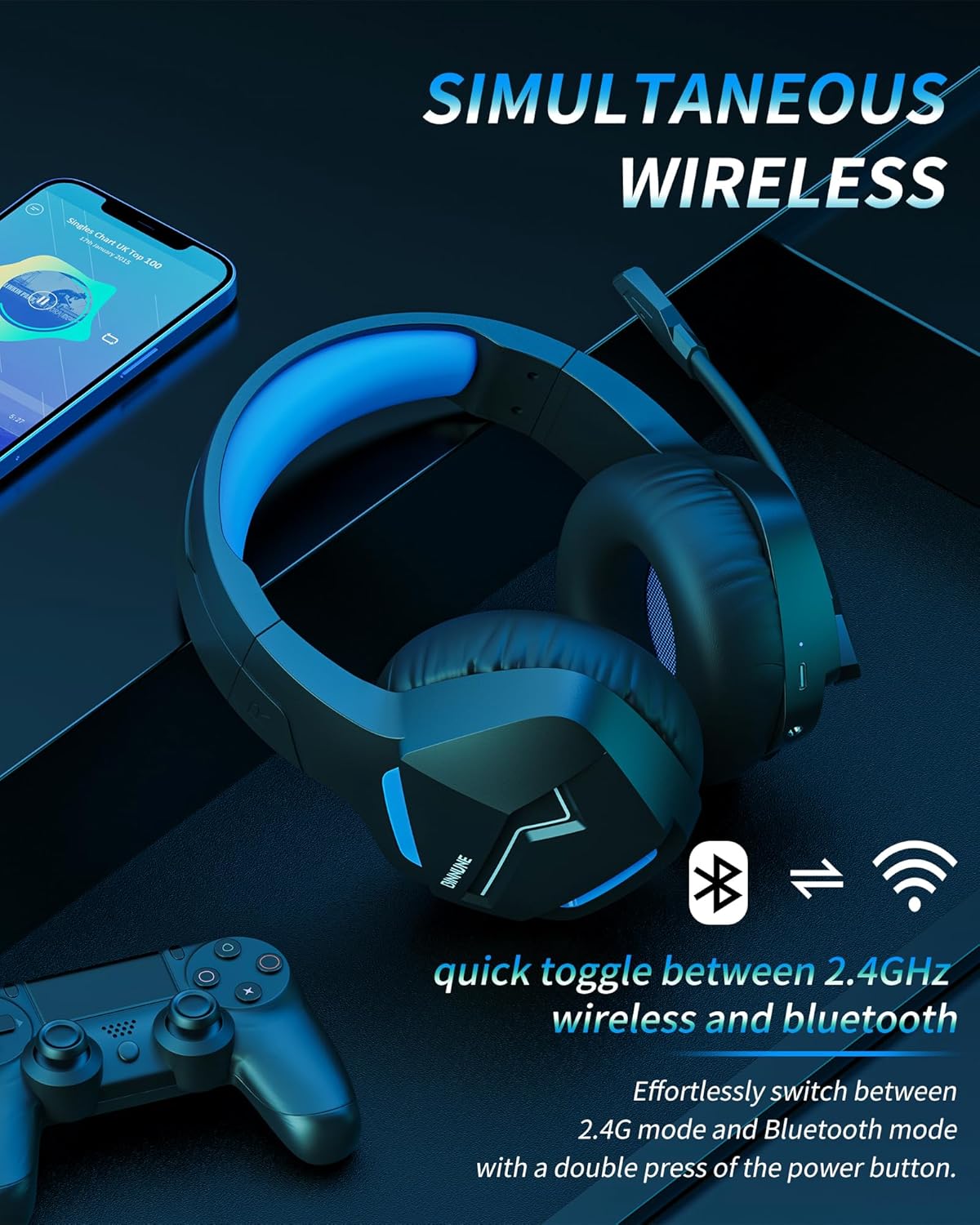
Image: The BINNUNE Wireless Gaming Headset shown with icons representing both 2.4GHz wireless and Bluetooth connectivity, indicating its ability to switch between these modes for versatile use.
Bolumen kontrola
- Handitu bolumena: Sakatu bolumena igotzeko (+) botoia.
- Murriztu bolumena: Sakatu Bolumena Jaisteko (-) botoia.
Mikrofonoaren kontrola
- Mikrofonoa desaktibatu/desaktibatu: Press the Microphone Mute button. A red LED on the microphone tip usually indicates it is muted.
- Doitu mikrofonoaren posizioa: The 120° adjustable memory line microphone can be freely shaped and adjusted to your ideal angle.
Jokoen errendimendua
The headset is designed for an immersive gaming experience with features like:
- Accurate Sound Positioning: The 50mm drivers provide clear and rich stereo sound, allowing you to accurately pinpoint in-game sounds like footsteps and environmental details.
- Latentzia baxua: The 2.4GHz wireless technology ensures an ultra-low latency of 15ms, providing synchronized audio and video for competitive gaming.
Image: A gamer immersed in a game, wearing the BINNUNE headset, highlighting the benefits of low latency and stable wireless connection for an enhanced gaming experience.
Mantentzea
Proper maintenance ensures the longevity and performance of your BINNUNE Wireless Gaming Headset.
- Garbiketa:
- Use a soft, dry, lint-free cloth to clean the headset's surfaces.
- For earmuffs, gently wipe with a slightly damp oihal bat eta utzi airean guztiz lehortzen erabili aurretik.
- Ez erabili produktu kimiko gogorrak, garbiketa-disolbatzaileak edo garbigarri indartsuak.
- Biltegiratzea:
- Gorde entzungailuak leku fresko eta lehor batean, eguzki-argitik eta muturreko tenperaturetatik babestuta.
- Saihestu objektu astunak entzungailuen gainean jartzea.
- Bateria zaintzea:
- Saihestu bateria maiz erabat deskargatzea.
- If storing for a long period, charge the headset to about 50% every few months to preserve battery health.
Arazoak konpontzea
If you encounter issues with your BINNUNE Wireless Gaming Headset, please refer to the following common solutions:
| Arazoa | Kausa posiblea | Irtenbidea |
|---|---|---|
| Soinurik ez / Bolumen baxua |
|
|
| Mikrofonoa ez dabil |
|
|
| Connection Issues (Intermittent/No Connection) |
|
|
| Headset Not Compatible with Xbox |
|
|
Zehaztapenak
Detailed technical specifications for the BINNUNE Wireless Gaming Headset (Model: BW01):
| Ezaugarri | Xehetasuna |
|---|---|
| Ereduaren izena | BW01 |
| Konektibitate Teknologia | Wireless (2.4GHz USB Dongle, Bluetooth 5.3), Wired (3.5mm Jack) |
| Haririk gabeko Komunikazio Teknologia | Bluetooth 5.3 |
| Bluetooth barrutia | Gehienez 10 metro (33 oin) |
| Audio Latency (2.4GHz) | 15ms (Ultra Stable 2.4GHz Wireless Connection) |
| Audio kontrolatzaile mota | Gidari dinamikoa |
| Audio kontrolatzailearen tamaina | 50 milimetro |
| Maiztasun Erantzuna | 20 Hz - 20,000 Hz |
| Sentikortasuna | 96 dB |
| Mikrofonoa | Unidirectional Noise-Canceling Mic (120° adjustable) |
| Bateriaren iraupena | Up to 80 hours (2.4GHz mode), Up to 120 hours (Bluetooth mode) |
| Kargatzeko Denbora | Gutxi gorabehera. 3 ordu karga osoa lortzeko |
| Entzungailuaren forma | Oval (110mm diameter, 45mm thickness memory foam) |
| Materiala | Plastic (headset), PU leather and mesh (earmuffs) |
| Elementuaren pisua | 10.7 ontza (gutxi gorabehera 303 gramo) |
| Produktuaren neurriak | 8.27 x 7.48 x 4.33 hazbete |
| Gailu bateragarriak | Gaming Consoles (PS4, PS5), Laptops, PC, Mac, Mobile Phones, Tablets |
| Kontrol mota | Botoien Kontrola |
| Dakarten osagaiak | User Manual, 2.4GHz USB Dongle, 3.5mm Audio Cable, USB Charging Cable |
Bermearen informazioa
BINNUNE products are manufactured with high-quality standards. While specific warranty details are not provided in this manual, BINNUNE typically offers a limited warranty against defects in materials and workmanship. For detailed warranty terms, conditions, and registration, please refer to the official BINNUNE webwebgunean edo jarri harremanetan bezeroarentzako laguntzarekin.
Bezeroarentzako Arreta
For further assistance, technical support, or inquiries regarding your BINNUNE Wireless Gaming Headset, please contact BINNUNE customer support through the following channels:
- Official BINNUNE Webgunea: Visit the official BINNUNE webMaiz egiten diren galderen, laguntza-baliabideen eta harremanetarako formularioen gunea.
- Amazon denda: Era berean, bisitatu dezakezu BINNUNE Store on Amazon produktuaren informazioa eta saltzailearekin harremanetan jartzeko aukerak lortzeko.
Please have your product model (BW01) and purchase details ready when contacting support.
Ask a question about this manual
Ask about setup, troubleshooting, compatibility, parts, safety, or missing instructions. Manuals+ will review the question and use this page’s manual context to help answer it.