
1. Produktua amaitu daview
The ZTE U50 is a portable 5G WiFi hotspot designed to provide high-speed internet connectivity for multiple devices. It features an unlocked SIM slot, supporting 5G and 4G+ networks, and utilizes AX1800 WiFi 6 technology. This device is suitable for home, business, and travel use, allowing up to 32 devices to connect simultaneously.

Image: ZTE U50 5G WiFi Hotspot shown from various perspectives, highlighting its compact design and ports.
2. Ezaugarri nagusiak
- High-Speed 5G Connectivity: Equipped with Qualcomm Snapdragon X55, supporting all 5G networks for fast internet access. LTE downlink speed reaches 5G+ EN-DC 2.63 Gbit/s.
- Gailuentzako laguntza zabala: Connects up to 32 WiFi-enabled devices, including laptops, tablets, phones, and gaming consoles.
- Bateriaren iraupen luzea: Features a 4500 mAh battery, providing approximately 8 hours of stable 5G network service with high speed and low latency.
- Enhanced Signal & Security: Integrated 4x4 MIMO high-gain antennas improve speed by 15% compared to standard 5G hotspots. A security firewall with PP2P/L2TP protection ensures network safety.
- Konfigurazio erraza: No complex configuration required. Simply insert a 5G nano-SIM card. Manage the device using the ZTE Link app on iOS and Android.

Image: Visual summary of ZTE U50 features, including 5G speed, Qualcomm Snapdragon X55 processor, support for 32 devices, and secure network encryption.
3. Paketearen edukia
Ziurtatu elementu guztiak paketean daudela:
- ZTE U50 5G WiFi Hotspot Device
- USB-C kargatzeko kablea
- Hasierako gida azkarra (eskuliburu hau)
- Berme Txartela
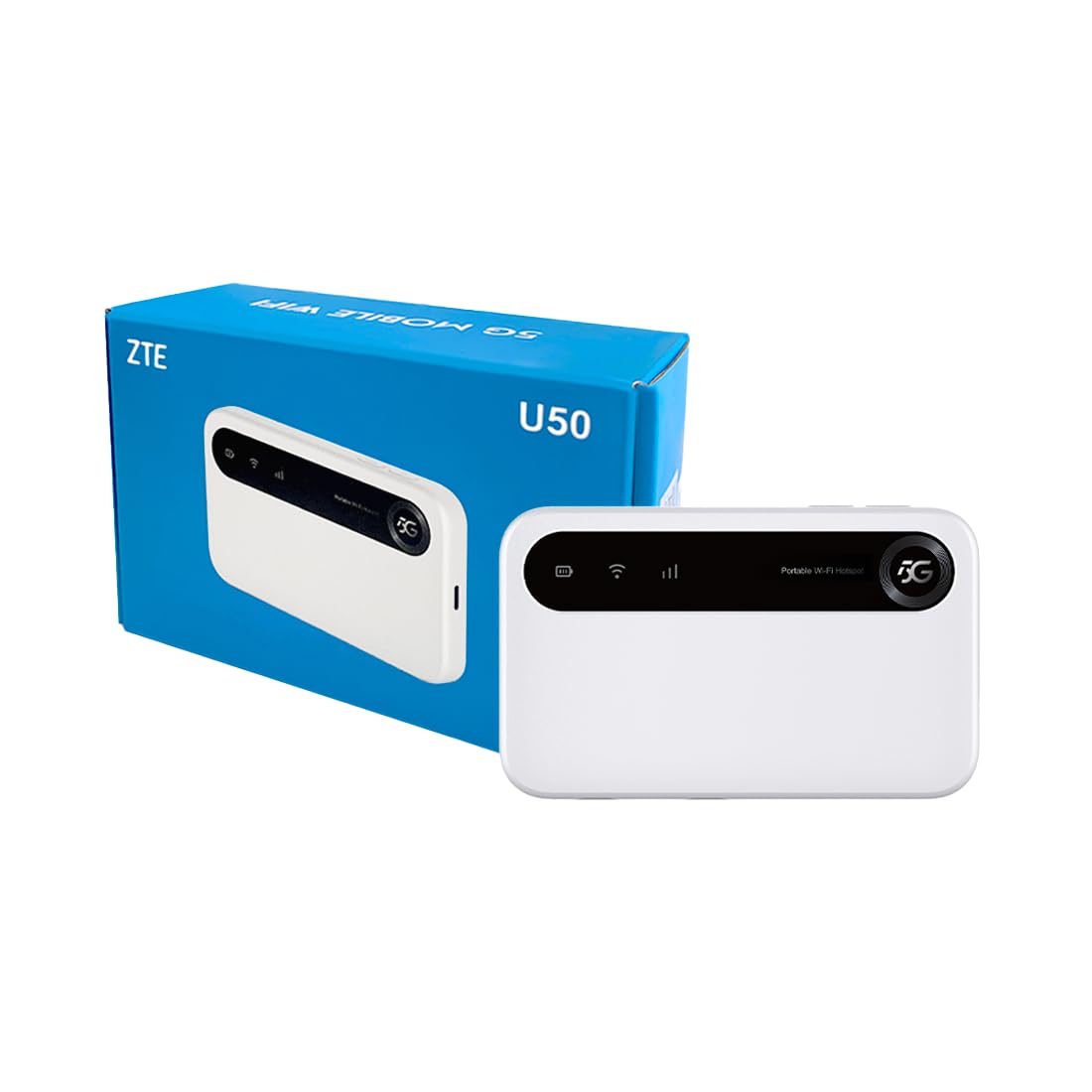
Image: The ZTE U50 device and its accompanying USB-C cable, representing the typical package contents.
4. Konfigurazio gida
4.1. SIM txartela sartzea
- Locate the SIM card slot on the device. Refer to the device diagram in the Product Overview atala.
- Kontu handiz ireki SIM txartelaren zirrikituaren estalkia.
- Insert a 5G nano-SIM card into the slot with the gold contacts facing down and the notched corner aligned correctly.
- Itxi ondo SIM txartelaren zirrikituaren estalkia.
4.2. Gailua piztea
Press and hold the Power button for a few seconds until the screen illuminates. The device will begin to search for a network connection.
4.3. Gailuak Wi-Fi bidez konektatzea
- Once the device is powered on and connected to a mobile network, the Wi-Fi network name (SSID) and password will be displayed on the device screen.
- On your Wi-Fi enabled device (laptop, smartphone, tablet), search for available Wi-Fi networks.
- Select the SSID corresponding to your ZTE U50 hotspot.
- Sartu Wi-Fi pasahitza eskatzen zaizunean.
- Your device should now be connected to the internet through the ZTE U50 hotspot.

Image: Illustration showing the ZTE U50 hotspot wirelessly connecting to various devices like laptops, phones, and gaming consoles.
5. Funtzionamendu-argibideak
5.1. Device Management via ZTE Link App
The ZTE Link app (available on iOS and Android) allows you to manage your U50 hotspot settings, monitor data usage, change Wi-Fi passwords, and more. Download the app from your device's app store and follow the on-screen instructions to connect to your U50.
5.2. Checking Device Status
The device's screen displays important information such as signal strength, battery level, connected devices, and data usage. Periodically check the screen for updates on your hotspot's status.
5.3. Baterien kudeaketa
The ZTE U50 is equipped with a 4500 mAh battery. To maximize battery life:
- Charge the device using the provided USB-C cable and a compatible power adapter.
- Reduce the number of connected devices if extended battery life is needed.
- Itzali gailua erabiltzen ez duzunean.
6. Mantentzea
6.1. Software eguneraketak
Regularly check for and install software updates for your ZTE U50. Updates can improve performance, enhance security, and add new features. You can typically check for updates via the ZTE Link app or the device's web kudeaketa interfazea.
6.2. Gailua garbitzea
Use a soft, dry cloth to clean the exterior of the device. Avoid using liquid cleaners or abrasive materials, as these can damage the device.
6.3. Biltegiratzea
When storing the device for extended periods, ensure it is fully charged and then powered off. Store it in a cool, dry place away from direct sunlight and extreme temperatures.
7. Arazoak
| Arazoa | Kausa posiblea | Irtenbidea |
|---|---|---|
| Ez dago Interneteko konexiorik | No SIM card, incorrect SIM, no network signal, data plan expired. | Ensure SIM is correctly inserted and active. Check for network signal. Verify data plan status with your provider. Restart the device. |
| Interneteko abiadura motela | Weak signal, too many connected devices, network congestion. | Move to an area with better signal. Disconnect unnecessary devices. Contact your service provider if congestion is suspected. |
| Ezin da wifira konektatu | Incorrect Wi-Fi password, device out of range, Wi-Fi disabled. | Verify Wi-Fi password. Move closer to the hotspot. Ensure Wi-Fi is enabled on both the hotspot and your connecting device. |
| Gailua ez da pizten | Low battery, faulty power button. | Charge the device for at least 30 minutes. If it still doesn't power on, contact support. |
8. Zehaztapenak
| Ezaugarri | Xehetasuna |
|---|---|
| Marka | ZTE |
| Ereduaren izena | U50 |
| Konektibitate Teknologia | 5G, WiFi 6 |
| Haririk gabeko komunikazio estandarra | 802.11ax |
| Maiztasun Banda Klasea | Dual-band (2.4 GHz) |
| Datuak transmititzeko abiadura | 150 Megabits per second (Upstream) |
| LAN ataka banda-zabalera | 1000 Mbps |
| Antena kopurua | 4 (Barne) |
| Ezaugarri bereziak | Sarbide Puntua Modua |
| Gailu bateragarriak | Laptop, Smartphone, Game Console, Tablet |
| Gomendatutako Erabilerak | Gaming, Business, Home |
| Dakarten osagaiak | Bideratzailea |
| Segurtasun Protokoloa | WPA2-PSK |
| Kontrol-metodoa | App (iOS & Android) |
| Kolorea | Zuria |
| Elementuaren pisua | 163.7 gramo |
| Bateria Edukiera | 4500 mAh (Built-in rechargeable) |
9. Bermea eta Laguntza
9.1. Bermearen informazioa
The ZTE U50 5G WiFi Hotspot comes with a 2 urteko fabrikatzailearen bermea. Please retain your proof of purchase for warranty claims. The warranty covers defects in materials and workmanship under normal use. It does not cover damage caused by misuse, accidents, unauthorized modifications, or external causes.
9.2. Bezeroarentzako arreta
For technical assistance, troubleshooting, or warranty inquiries, please contact ZTE customer support through their official website or the contact information provided in your product packaging. You can also refer to the ZTE Link app for additional support resources.


