
LETIANPAI 1
LETIANPAI 36m LED Neon Rope Lights User Manual
Eredua: 1
1. Sarrera
Thank you for choosing the LETIANPAI 36m LED Neon Rope Lights. This product is designed to provide versatile and vibrant lighting for various indoor and outdoor applications. Featuring RGB color options, app and remote control, music synchronization, and a timer function, these lights offer a customizable lighting experience. Please read this manual thoroughly before installation and use to ensure proper operation and safety.
2. Segurtasun informazioa
Please observe the following safety precautions to prevent damage to the product or personal injury:
- Ziurtatu elikadura hornidura boltage matches the product's requirements before connecting.
- Do not cut the LED rope lights while connected to power.
- The controller unit is ez iragazgaitza. Protect it from moisture and direct water exposure.
- While the LED rope itself is rated IP65 for outdoor use, ensure all connections and the power adapter are protected from water if used outdoors. Exercise caution and ensure proper protection for all non-IP65 rated components.
- Do not attempt to repair or modify the product. Contact customer support for assistance.
- Mantendu haurren eskura.
- Avoid prolonged direct eye exposure to the LED light.
- Install using only the provided clips; the rope light does not have adhesive backing.
3. Paketearen edukia
Egiaztatu elementu guztiak paketean daudela:
- 36m LED Neon Rope Light (2 rolls)
- Elikatze-moldagailua
- Urruneko Kontrola
- Mounting Clips and Screws
- Erabiltzailearen eskuliburua (dokumentu hau)
4. Zehaztapenak
| Ezaugarri | Zehaztapena |
|---|---|
| Marka | LETIANPAI |
| Modelo zenbakia | 1 |
| Luzera | 36 metro (120 oin) |
| Kolorea | RGB (Multi-color) |
| Argi iturri mota | LED |
| Kolore Tenperatura | 6500 Kelvin |
| Ingress Protection (Rope) | IP65 (Waterproof for the rope light itself) |
| Kontrol-metodoak | Remote Control, Mobile Application ("Lotus Lantern") |
| Ezaugarri bereziak | Music Synchronization, Timer Function, Brightness/Speed Adjustment |
| Energia iturria | Kable elektrikoa |
| Energia Eraginkortasun Klasea | A (EPREL Database Link) |
| Elementuaren pisua | 2.65 kilogramo |
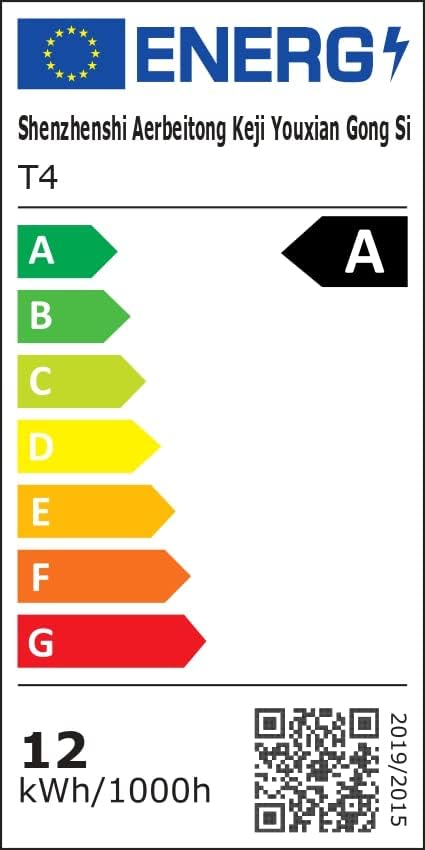 Image: Energy Efficiency Label showing class A for the LED Neon Rope Lights.
5. Konfigurazioa eta instalazioa
Follow these steps to install your LED Neon Rope Lights:
- Planifikatu zure diseinua: Before mounting, gently lay out the neon rope light to visualize your desired pattern or path on the wall or surface.
 Image: Step 1 - Planning the path for the neon rope light.
 - Install Fixing Clips: Secure the provided fixing clips to the wall or surface along your planned path using screws. Ensure the clips are spaced appropriately to hold the rope light firmly.
 Image: Step 2 - Installing fixing clips onto the wall.
 - Insert Rope Light into Clips: Carefully press the neon rope light into the installed fixing clips.
 Image: Step 3 - Inserting the neon rope light into the clips.
 - Konektatu korronte egokitzailea: Connect the power adapter to the neon rope light. Ensure the connection is secure.
- Konektatu energiara: Plug the power adapter into a suitable electrical outlet. The lights are now ready for operation.
 Image: Final installation example with the neon rope lights connected to power.
Important Note for Outdoor Use: While the rope light itself is IP65 rated, the power adapter and controller are not. For outdoor installations, ensure these components are housed in a waterproof enclosure or protected from direct exposure to rain and moisture.
6. Funtzionamendu-argibideak
Your LETIANPAI LED Neon Rope Lights can be controlled via the included remote control or a mobile application.
6.1 Urruneko kontrolaren funtzionamendua
The remote control allows for quick adjustments to your lighting. Point the remote directly at the controller unit for optimal response.
 Image: Remote control and mobile app interface.
- Pizteko botoia: Turn the lights On/Off.
- RGB Buttons: Select specific Red, Green, or Blue colors.
- Kolore aukeraketa: Choose from a variety of preset colors.
- Distira doitzea: Argiaren intentsitatea handitu edo txikitu.
- Modu aukeraketa: Argiztapen modu dinamiko desberdinen artean ziklatu.
- Abiadura doitzea: Adjust the speed of dynamic modes.
- Musika modua: Activate music synchronization (see section 6.3).
6.2 Mobile Application Control ("Lotus Lantern")
For advanced control and customization, download the "Lotus Lantern" app from your smartphone's app store.
- Deskargatu aplikazioa: Bilatu "Lotus Lantern" on the App Store (iOS) or Google Play Store (Android).
- Konektatu: Follow the in-app instructions to connect your lights via Bluetooth.
- Ezaugarriak: The app offers a wider range of features including:
- Kolore-gurpil batetik kolore-hautaketa zehatza.
- Pertsonalizagarriak diren modu dinamikoak.
- Music synchronization (using phone's microphone).
- Timer function for scheduled On/Off times.
 Image: Mobile app control interface for LED neon rope lights.
6.3 Musikaren sinkronizazioa
The lights can react to music, changing colors and patterns according to the rhythm.
- Urruneko kontrola: Press the "Music" button on the remote.
- Mugikorretarako aplikazioa: Select the music mode within the "Lotus Lantern" app. The app uses your phone's microphone to detect sound.
 Image: Music and Mic Mode in action, with lights changing to the rhythm.
6.4 Tenporizadorearen funtzioa
Set schedules for your lights to turn on or off automatically using the mobile application.
- Open the "Lotus Lantern" app.
- Navigate to the timer settings.
- Set your desired ON and OFF times.
 Image: Timer function setting for automatic on/off.
7. Mantentzea
To ensure the longevity and optimal performance of your LED Neon Rope Lights:
- Garbiketa: Disconnect power before cleaning. Wipe the rope light with a soft, dry cloth. Do not use harsh chemicals or abrasive cleaners.
- Biltegiratzea: If storing for an extended period, coil the rope light loosely and store it in a cool, dry place away from direct sunlight.
- Ikuskapena: Periodically check the rope light and connections for any signs of damage or wear.
8. Arazoak
| Arazoa | Kausa posiblea | Irtenbidea |
|---|---|---|
| Argiak ez dira pizten. | Argirik ez, konexioa askatuta, urrutiko agintearen bateria agortuta. | Check power outlet, ensure all connections are secure, replace remote battery. |
| Urruneko kontrola ez dabil. | Remote battery dead, remote out of range, obstruction. | Replace remote battery, ensure remote is pointed at the controller, remove obstructions. |
| App cannot connect to lights. | Bluetooth off, lights not in pairing mode, app issue. | Ensure Bluetooth is enabled on your phone, restart the app, power cycle the lights. |
| Argiak keinuka ari dira edo kolore okerrak erakusten dituzte. | Loose connection, power fluctuation, damaged rope light. | Check connections, try a different power outlet. If problem persists, contact support. |
| Music sync not working. | Microphone blocked, volume too low, app permissions. | Ensure phone microphone is not blocked and volume is adequate. Check app permissions for microphone access. |
9. Bermea eta Laguntza
LETIANPAI offers a %100eko asebetetze-bermea. If you encounter any issues with your product, please contact our customer support team. We are committed to resolving any problems within 24 hours.
For assistance, please refer to the contact information provided with your purchase or visit the official LETIANPAI webgunea.
Ask a question about this manual
Ask about setup, troubleshooting, compatibility, parts, safety, or missing instructions. Manuals+ will review the question and use this page’s manual context to help answer it.