
Sarrera
This manual provides essential instructions for the setup, operation, and maintenance of your Bandai Tamagotchi Hello Kitty 50th Anniversary Special Edition virtual pet. Please read this guide thoroughly to ensure proper use and enjoyment of your device.

Image: Tamagotchi Hello Kitty 50th Anniversary Special Edition device.
Paketearen edukia
Egiaztatu elementu guztiak paketean daudela:
- One (1) Tamagotchi Hello Kitty 50th Anniversary Special Edition device
- One (1) LR44 battery (pre-installed or included separately)
- Argibide eskuliburua (dokumentu hau)

Image: Tamagotchi device in retail packaging.
Konfigurazioa
1. Bateriaren instalazioa
The Tamagotchi device requires one LR44 battery. A battery is typically included. If the device does not power on, or if you need to replace the battery, follow these steps:
- Kokatu bateriaren konpartimendua gailuaren atzealdean.
- Phillips buruko bihurkin txiki bat erabiliz (ez dago barne), ireki bateriaren konpartimentuaren estalkia kontu handiz.
- Insert one new LR44 battery, ensuring the correct polarity (+/-) as indicated inside the compartment.
- Jarri bateriaren konpartimenduaren estalkia eta lotu torlojuarekin.
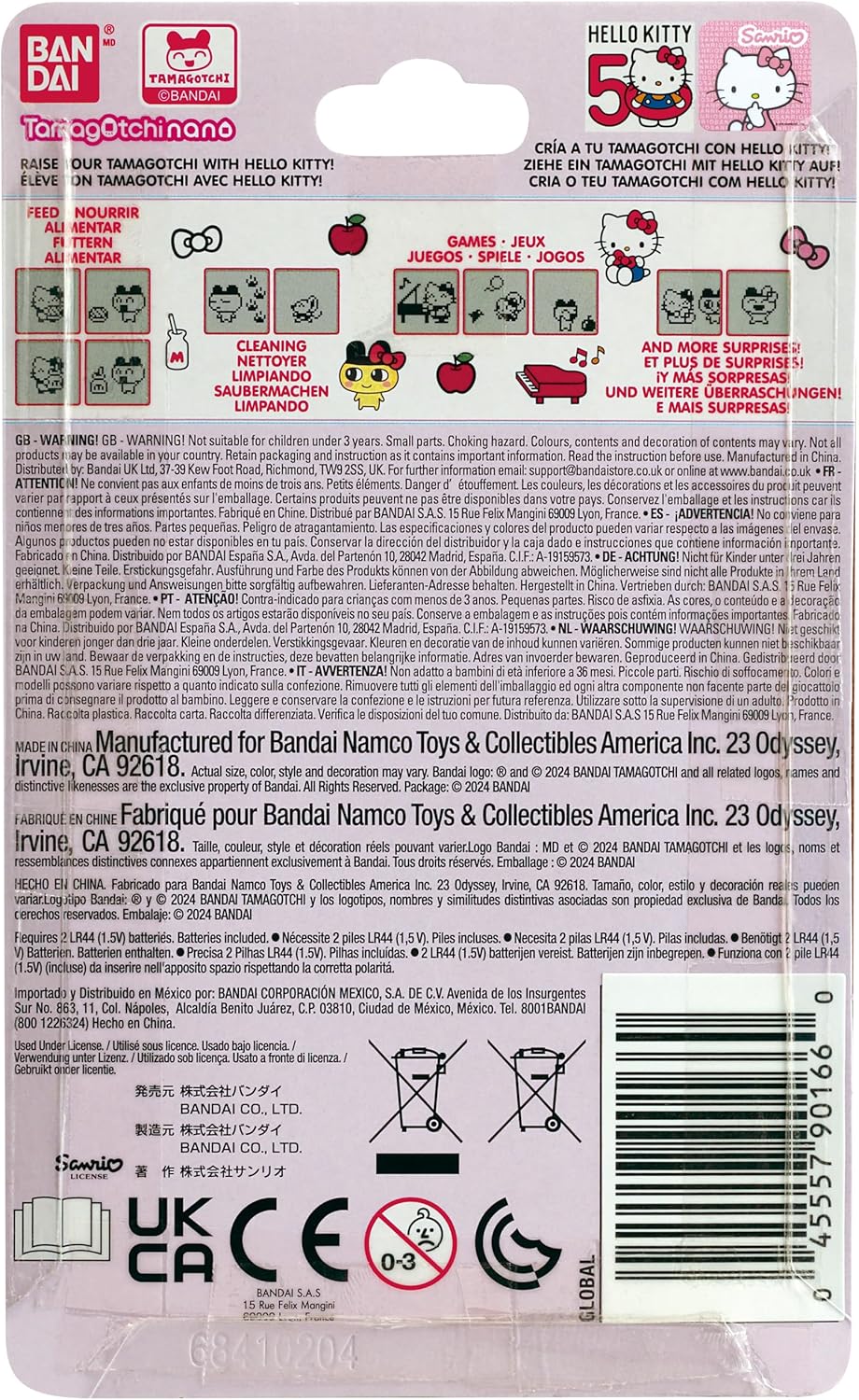
Image: Packaging detail showing battery information.
2. Initial Activation and Time Setting
After battery installation, the device should power on. If not, press the reset button (usually a small recessed button on the back or side, requiring a pointed object like a pen tip). Follow the on-screen prompts to set the current time and date. Accurate time setting is crucial for the Tamagotchi's life cycle.
Funtzionamendu-argibideak
Oinarrizko Kontrolak
The Tamagotchi device features three primary control buttons:
- Button A (Left): Selects options or moves the cursor.
- Button B (Middle): Confirms selections or performs actions.
- Button C (Right): Cancels actions or returns to the previous screen.
Caring for Hello Kitty
Your Hello Kitty Tamagotchi requires daily attention to grow and thrive. Monitor her needs by checking the status icons on the screen.
- Elikadura: Provide meals and snacks when Hello Kitty is hungry.
- Garbiketa: Clean up after Hello Kitty when she makes a mess.
- Jolasean: Engage in mini-games to keep Hello Kitty entertained and happy.
- Diziplina: Address misbehavior if Hello Kitty is acting out.
- Medikuntza: Administer medicine if Hello Kitty becomes sick.

Irudia: Albokoa view of the Tamagotchi device.
Mini-Games
The device includes exclusive mini-games themed around the Hello Kitty universe. Access these games through the menu to play with Hello Kitty and improve her happiness levels.
Mantentzea
Garbiketa
To clean your Tamagotchi, gently wipe the exterior with a soft, dry cloth. Avoid using harsh chemicals or abrasive materials, as these can damage the device's finish or screen.
Bateria ordezkatzea
When the battery is low, the screen may dim or the device may stop responding. Refer to the "Battery Installation" section under Setup for instructions on replacing the LR44 battery.
Biltegiratzea
If you plan to store the device for an extended period, it is recommended to remove the battery to prevent leakage and potential damage.
Arazoak konpontzea
- Gailua ez da pizten:
- Check if the LR44 battery is correctly installed with the proper polarity.
- Ordeztu bateria berri batekin.
- Press the reset button using a pointed object.
- Pantaila ilun dago edo ez du erantzuten:
- The battery may be low. Replace the LR44 battery.
- Perform a soft reset by pressing the reset button. Note that this may reset game progress.
- Hello Kitty is not growing or seems unhappy:
- Ensure you are consistently attending to all of Hello Kitty's needs (feeding, cleaning, playing).
- Egiaztatu data eta orduaren ezarpenak zuzenak direla.
Zehaztapenak
| Modelo zenbakia | 90166 |
| Marka | Tamagotchi (by Bandai) |
| Produktuaren neurriak | 1.97"L x 1.97"Z x 1.97"A |
| Elementuaren pisua | 20 gramo (0.705 ontza) |
| Pantailaren tamaina | 4 zentimetro |
| Bistaratzeko mota | LCDa |
| Energia iturria | Bateriaren bidez |
| Bateria mota | 1 x LR44 (Lithium) |
| Kontrolagailu mota | Botoien Kontrola |
| Materiala | Plastikoa |
| Gomendatutako Adina | 8 urtetik gora |
Bermearen informazioa
This product is covered by a manufacturer's warranty. Specific warranty terms and conditions are typically provided with the product packaging or can be found on the official Bandai Tamagotchi webgunea. Gorde erosketaren egiaztagiria bermearen erreklamazioetarako.
Bezeroarentzako Arreta
For further assistance, technical support, or inquiries regarding your Tamagotchi Hello Kitty 50th Anniversary Special Edition, please contact Bandai customer service. Contact information can usually be found on the product packaging or their official webgunea.
You can also visit the official Tamagotchi store on Amazon for more product information: Tamagotchi Store