
1. Sarrera
This manual provides comprehensive instructions for the setup, operation, maintenance, and troubleshooting of your HP 24-inch FHD IPS Monitor, Model 94C21AA#ABA. Please read this manual thoroughly before using your monitor to ensure proper functionality and to maximize your user experience. This monitor features a 24-inch Full HD (1920x1080) IPS display with a 100Hz refresh rate, 300 nits brightness, and includes a Docztorm Hub USB Port Expander.
2. Paketearen edukia
Egiaztatu elementu guztiak zure paketean daudela:
- HP 24-inch FHD IPS Monitor
- Monitorearen euskarria (oinarria eta lepoa)
- Docztorm Hub USB Port Expander
- Elikatze-moldagailua
- AC korronte kablea
- HDMI kablea
- Document Kit (includes this user manual and warranty information)
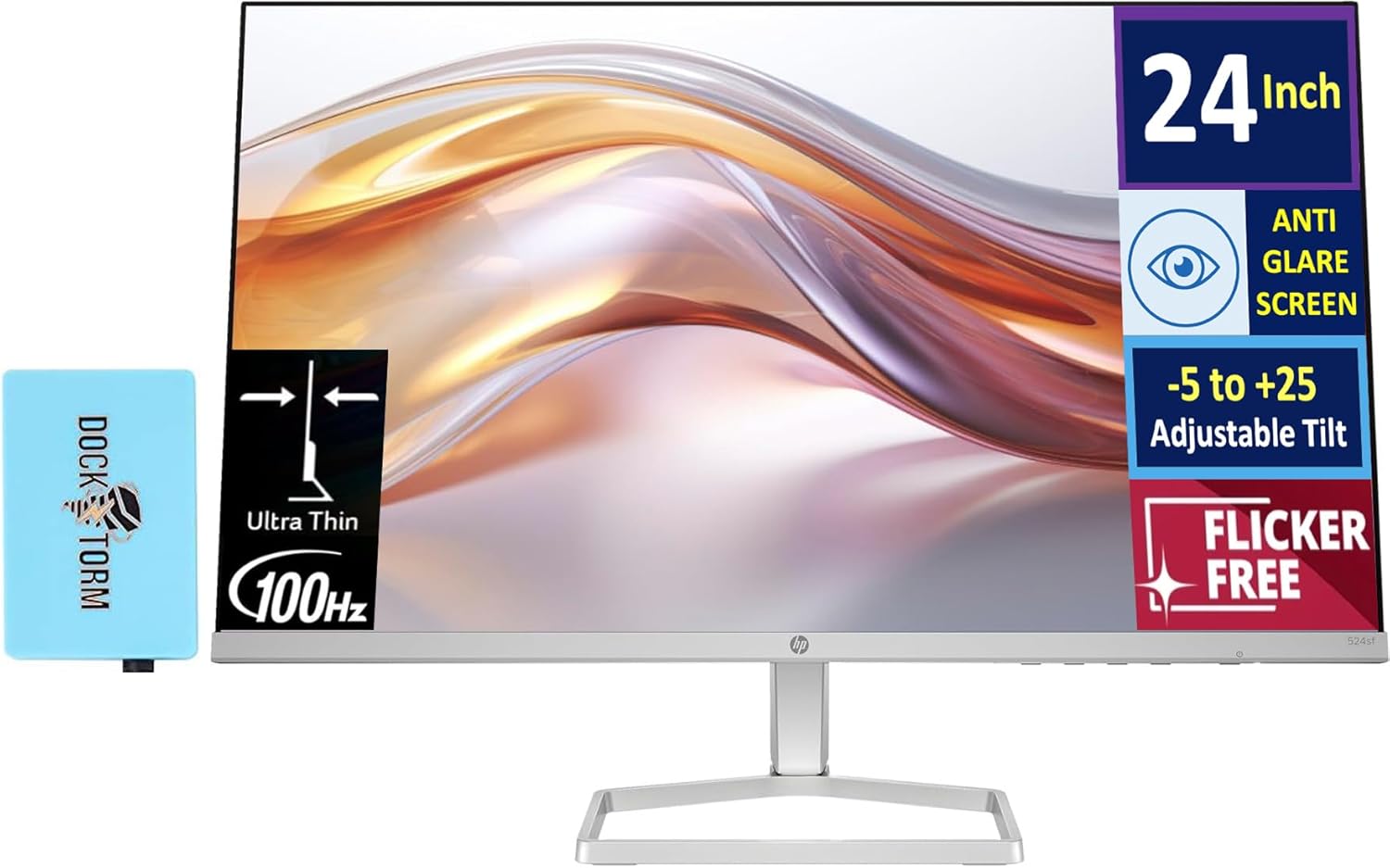
Image: The HP 24-inch FHD IPS Monitor shown with the included Docztorm Hub USB Port Expander.
3. Konfiguratzeko argibideak
3.1 Monitorearen euskarria muntatzea
- Kontu handiz jarri monitorearen aurpegia behera gainazal leun eta garbi batean, marradurak saihesteko.
- Lotu euskarriaren lepoa monitorearen atzealdean. Ziurtatu ondo sartzen dela klik eginez.
- Attach the stand base to the stand neck. Tighten any screws if provided, usually by hand or with a coin.
- Gently lift the assembled monitor and place it upright on a stable desk or surface.

Irudia: Albokoa view of the HP 24-inch monitor, illustrating its slim profile and stand attachment.
3.2 Konektatzeko kableak
- Potentzia-konexioa: Connect the power adapter to the monitor's power input, then plug the AC power cord into the adapter and a wall outlet.
- Bideo-konexioa:
- For optimal display quality, connect the included HDMI cable from your computer's HDMI output to the monitor's HDMI input.
- Alternatively, if your computer has a VGA port, connect a VGA cable (not included) from your computer to the monitor's VGA input.
- Docztorm Hub Connection: Connect the Docztorm Hub USB Port Expander to an available USB port on your computer. This hub provides additional USB connectivity.

Irudia: Atzealdea view of the HP 24-inch monitor, highlighting the HDMI, VGA, and power input ports.
4. Funtzionamendu-argibideak
4.1 Piztu/Itzaltzea
Sakatu monitorearen beheko eskuineko aldean dagoen pizteko botoia pizteko edo itzaltzeko. Pizteko adierazlearen argia piztuko da monitorearen piztuta dagoenean.
4.2 Inklinazioa doitzea
The monitor supports an adjustable tilt range of -5 to +25 degrees. Gently hold the top and bottom edges of the monitor and tilt it to your desired viewing angle. Avoid applying excessive force.

Image: The HP 24-inch monitor tilted to demonstrate its adjustable viewangelua.
4.3 Pantailan bistaratzeko (OSD) menua
Use the buttons on the bottom right bezel of the monitor to navigate the OSD menu. The OSD menu allows you to adjust various display settings such as brightness, contrast, color temperature, input source, and more.
- Press any OSD button to activate the menu.
- Erabili nabigazio botoiak menuko aukeren artean mugitzeko.
- Press the 'Select' or 'OK' button to confirm a selection.
- Press the 'Exit' or 'Back' button to return to the previous menu or exit the OSD.
5. Ezaugarri nagusiak
- 24 hazbeteko FHD IPS pantaila: Enjoy vibrant colors and wide viewing angles with the Full High Definition (1920x1080) In-Plane Switching panel.
- 100 Hz freskatze-abiadura: Experience smoother visuals, especially during fast-paced content or general use.
- 300 nits Distira: Provides a bright and clear display suitable for various lighting conditions.
- Keinurik gabeko teknologia: Reduces screen flickering to minimize eye strain during extended use.
- HP Eye Ease (Low-Blue Light Filter): An always-on hardware solution that reduces blue light emissions without impacting color accuracy, enhancing eye comfort.
- Distira-kontrako pantaila: Minimizes reflections for better visibility in brightly lit environments.
- Docztorm Hub USB Port Expander: A portable USB hub included to expand your device's connectivity with super speedy data sync rates up to 5Gbps.
- Konektibitatea: Features 1x HDMI 1.4 and 1x VGA port for versatile connection options.

Image: A visual comparison demonstrating the effect of HP Eye Ease, showing reduced yellow color shift for improved eye comfort.

Image: Two HP 24-inch monitors set up side-by-side, demonstrating the thin bezels ideal for a seamless dual-screen experience.
6. Mantentzea
6.1 Monitorea garbitzea
- Itzali beti monitorearen energia eta deskonektatu elikatze-kablea garbitu aurretik.
- Erabili lipurrik gabeko zapi leun bat dampUrarekin edo pantaila-garbitzaile ez-urratzaile batekin garbitu.
- Wipe the screen gently. Avoid pressing hard or using harsh chemicals, which can damage the display.
- Garbitu monitore c.asinoihal leun eta lehor batekin garbitu.
6.2 Biltegiratzea
Monitorea denbora luzez gordetzen baduzu, ziurtatu itzalita dagoela, deskonektatuta dagoela eta leku fresko eta lehor batean gordeta dagoela, eguzki-argitik eta muturreko tenperaturetatik babestuta. Jatorrizko ontzia erabiltzea gomendatzen da babes gisa.
7. Arazoak
- Potentziarik gabe:
- Ensure the power cord is securely connected to the monitor and the power outlet.
- Egiaztatu entxufea funtzionatzen duela beste gailu bat konektatuz.
- Egiaztatu korronte-egokitzailea kalterik duen.
- Seinalerik ez / Pantaila hutsa:
- Confirm the video cable (HDMI or VGA) is securely connected to both the monitor and your computer.
- Ziurtatu ordenagailua piztuta dagoela eta ez dagoela lo moduan.
- Erabili OSD menua sarrera-iturri zuzena (HDMI edo VGA) eskuz hautatzeko.
- Try connecting the monitor to another computer or using a different video cable to rule out cable or computer issues.
- Irudiaren kalitate eskasa:
- Doitu distira, kontrastea eta kolore ezarpenak OSD menuaren bidez.
- Ziurtatu ordenagailuaren pantailaren bereizmena monitorearen jatorrizko bereizmenera ezarrita dagoela (1920 x 1080).
- Begiratu pantailan edo kablean kalte fisikorik dagoen.
8. Zehaztapenak
| Ezaugarri | Xehetasuna |
|---|---|
| Pantailaren tamaina | 24 hazbete |
| Panel mota | IPS |
| Ebazpena | FHD 1080p (1920 x 1080 pixel) |
| Freskatze tasa | 100Hz |
| Distira | 300 nits (300 Lux) |
| Aspektu-erlazioa | 16:9 |
| Pantailaren gainazala | Flat, Anti-glare |
| Konektibitatea | 1x HDMI 1.4, 1x VGA |
| Egokitzapenak | Adjustable Tilt (-5 to +25 degrees) |
| Ezaugarri bereziak | Flicker-Free, HP Eye Ease (Low-Blue Light Filter), Docztorm Hub USB Port Expander |
| Produktuaren neurriak | 1.33 x 21.09 x 12.42 hazbete |
| Elementuaren pisua | 5.51 kilo |
| Modelo zenbakia | 94C21AA#ABA |
| Fabrikatzailea | HP |
9. Bermea eta Laguntza
Your HP 24-inch FHD IPS Monitor is covered by a manufacturer's warranty. Please refer to the warranty card included in your document kit for detailed terms and conditions, including warranty period and coverage. For technical support, product registration, or further assistance, please visit the official HP support webgunearekin edo jarri harremanetan HP bezeroarentzako arreta-zerbitzuarekin.
HP laguntza Webgunea: www.hp.com/support