
1. Sarrera
Thank you for choosing the THOMSON 24-inch HD Google TV (Model 24HG2S14CW). This manual provides essential information for setting up, operating, and maintaining your new television. Please read these instructions carefully before using the product to ensure safe and optimal performance.
Experience complete entertainment for the whole family with the Thomson 24-inch HD Google TV. Google TV simplifies your entertainment experience by organizing content from your apps and subscriptions per user. Create multiple user profiles and benefit from organized recommendations. Enjoy a wide range of smart features, including access to over 400,000 movies and TV shows from numerous available apps, smart voice control with Google Assistant, and integrated Google Cast for wireless streaming of movies, music, and videos from compatible devices. Its elegant design with a 3-sided bezel-less frame allows you to fully concentrate on the on-screen action. Dolby Audio technology creates a dynamic sound experience. The integrated triple tuner allows reception via satellite antenna, terrestrial antenna, or cable, meaning you can receive all available channels without additional equipment. The ergonomic remote control with backlighting allows you to keep track of everything, even in dim lighting, and a dedicated 'Favorite' button provides quick access to your preferred app.
2. Segurtasun informazioa
Beti jarraitu oinarrizko segurtasun neurriak produktu hau erabiltzean sute, deskarga elektriko eta lesio arriskua murrizteko.
- Energia iturria: Ziurtatu telebista bolumenarekin bat datorren elikatze-iturri batera konektatuta dagoela.tage specified on the rating label. For 12V operation, use only the provided 12V adapter.
- Aireztapena: Ez blokeatu aireztapen-irekidurak. Utzi nahikoa leku telebistaren inguruan aire-fluxu egokia izan dadin eta gehiegi berotzea saihesteko.
- Lekua: Place the TV on a stable, level surface. Avoid placing it in direct sunlight, near heat sources, or in environments with high humidity or dust.
- Ura eta hezetasuna: Ez jarri telebista euripean edo hezetasunean. Ez jarri likidoz betetako objekturik, hala nola loreontziak, telebistaren gainean.
- Garbiketa: Deskonektatu telebista garbitu aurretik. Erabili zapi leun eta lehor bat. Ez erabili garbitzaile likidorik edo aerosol-garbitzailerik.
- Zerbitzua: Ez saiatu produktu hau zuk zeuk ematen. Bidali zerbitzu guztiak zerbitzu kualifikatuko langileengana.
3. Paketearen edukia
Mesedez, egiaztatu elementu guztiak zure paketean sartuta daudela:
- THOMSON 24-inch HD Google TV
- Urruneko kontrola (pilekin)
- Power Adapter (for standard AC outlet)
- 12V Power Cable (for camping/caravan use)
- Telebistarako euskarriak (2 pieza)
- Telebistako euskarrietarako torlojuak
- Hasierako gida azkarra
- Argibide eskuliburua (dokumentu hau)
4. Konfigurazioa
4.1 Instalazio fisikoa
Euskarriak lotzea:
- Kontu handiz jarri telebista aurpegia behera gainazal leun eta garbi batean, pantaila kaltetu ez dadin.
- Align the stands with the screw holes on the bottom of the TV.
- Lotu euskarriak emandako torlojuak erabiliz. Ziurtatu ondo lotuta daudela.
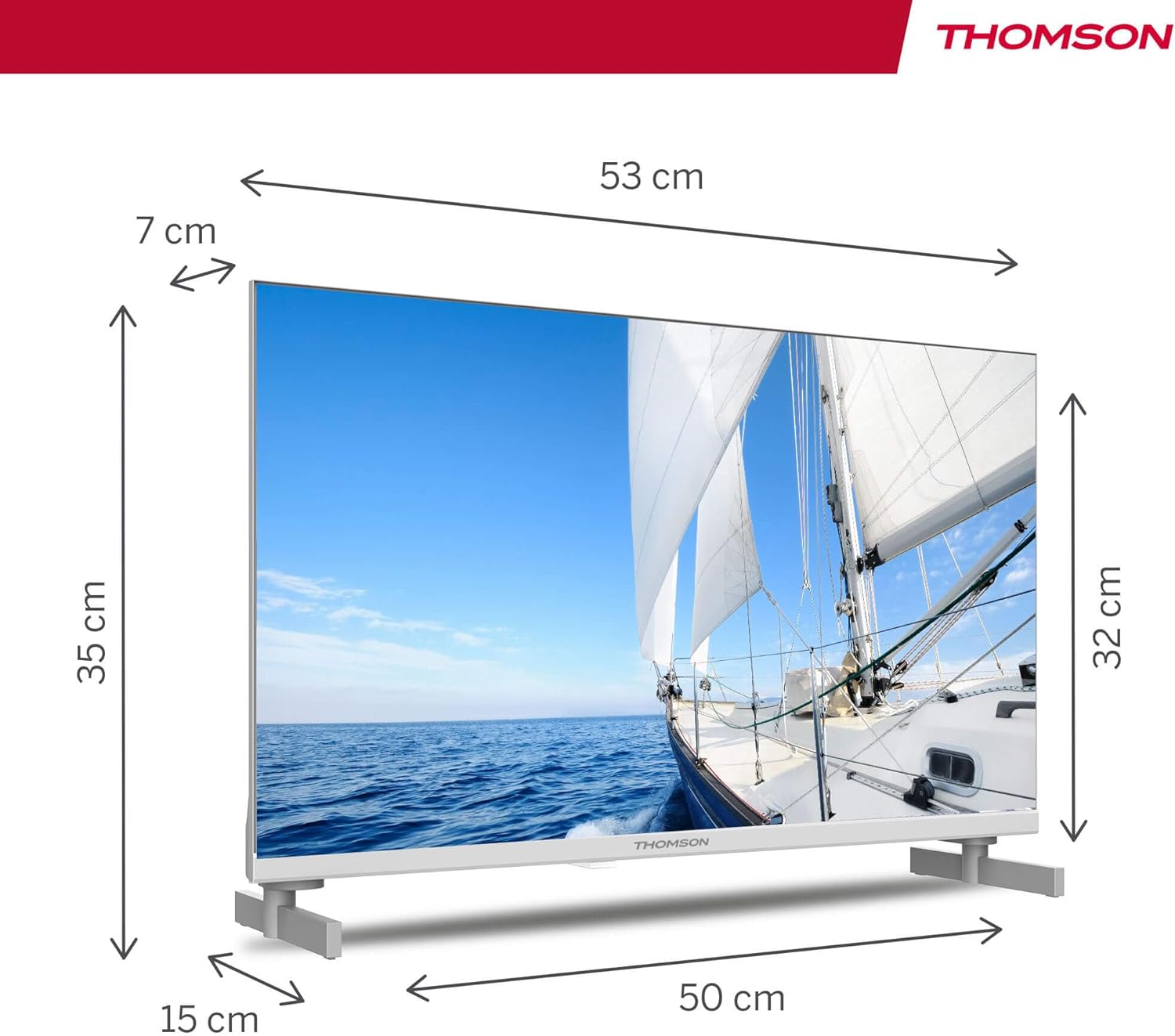
The TV offers two stand positions to fit various furniture widths. Refer to the image below for guidance.

Horman muntatzea (aukerakoa):
If you plan to wall mount your TV, please consult a professional installer. Ensure the wall mount is compatible with the TV's VESA mounting pattern and weight.
4.2 Potentzia konektatzea
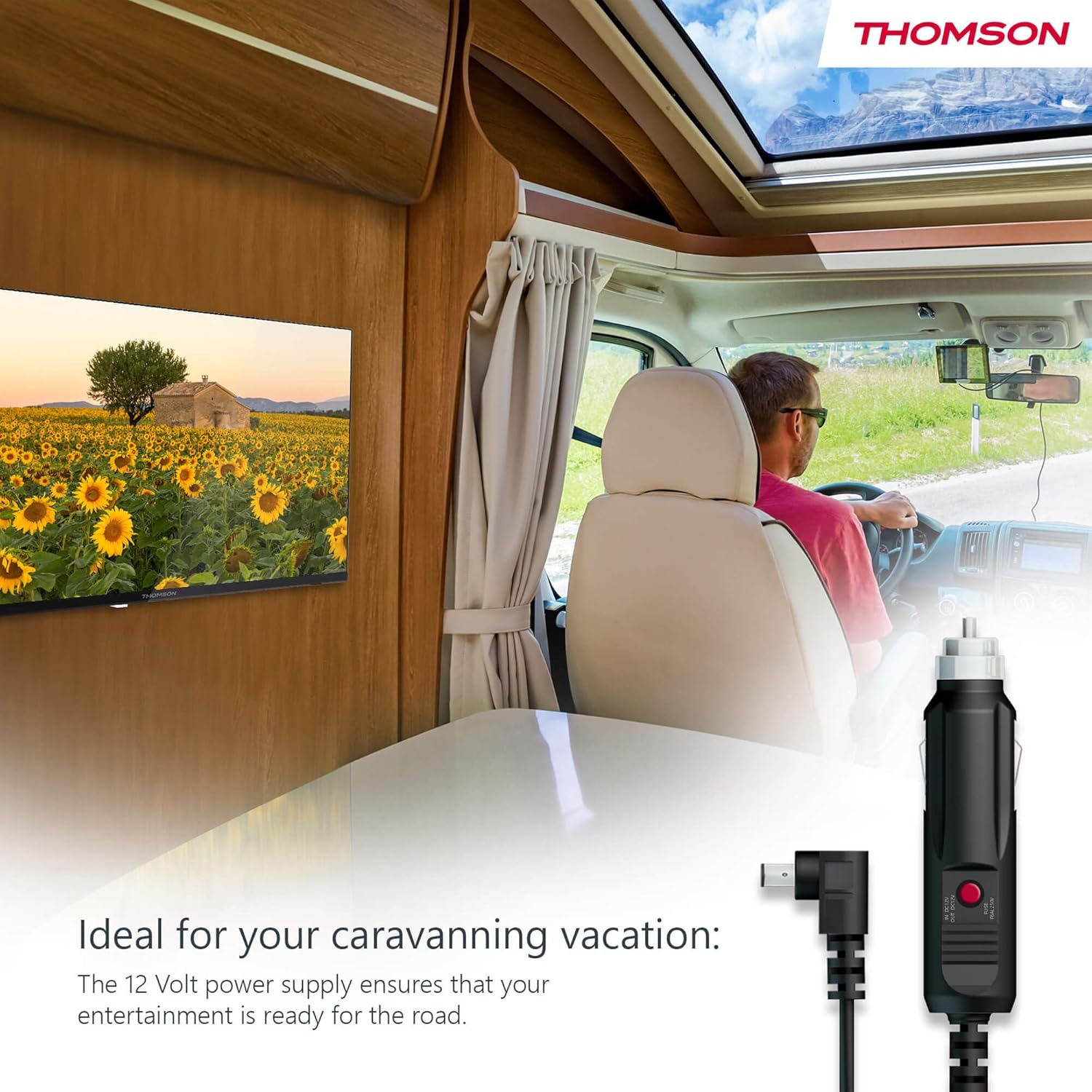
Your THOMSON TV supports both standard AC power and 12V DC power, making it ideal for camping or caravan use.
- Standard AC Power: Connect the provided power adapter to the TV's power input and then plug it into a standard wall outlet.
- 12V DC Power (Camping): For mobile use, connect the 12V power cable to the TV's power input and then to a compatible 12V power source in your vehicle or caravan.
4.3 Connecting Antennas/Cables
The integrated triple tuner allows reception via DVB-T (terrestrial antenna), cable, or satellite antenna.
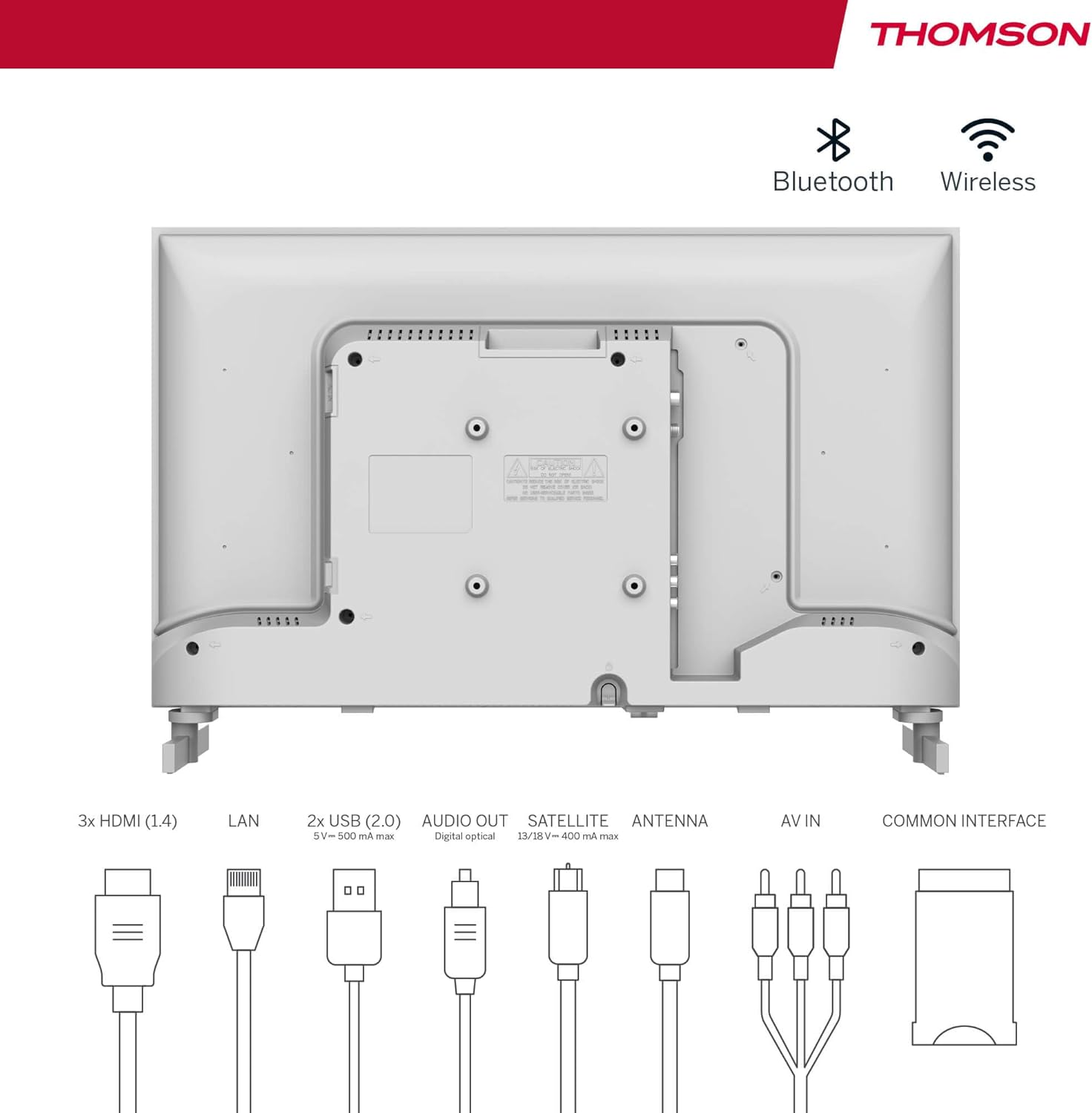
- Terrestrial Antenna: Connect a DVB-T/T2 antenna cable to the 'ANTENNA' input on the TV.
- Kable bidezko telebista: Connect your cable TV coaxial cable to the 'ANTENNA' input on the TV.
- Antena parabolikoa: Connect your satellite dish cable to the 'SATELLITE' input on the TV.
4.4 Kanpoko gailuak konektatzea
- HDMI gailuak: Connect Blu-ray players, game consoles, or other HDMI devices to the HDMI ports (3 available).
- USB gailuak: Connect USB drives for media playback or software updates to the USB ports (2 available).
- Audio irteera: Use the digital optical audio output to connect to a soundbar or home theater system.
- AV sarrera: For older devices, use the AV In ports.
- LAN: Kable bidezko internet konexioa lortzeko, konektatu Ethernet kable bat LAN atakara.
- CI+ Module: Insert a CI+ module and smart card (if required by your service provider) into the Common Interface slot.
4.5 Hasierako konfigurazioa (Google TV)
- Power on the TV. The initial setup wizard will guide you through the process.
- Aukeratu nahi duzun hizkuntza.
- Connect to a Wi-Fi network or use a wired LAN connection.
- Hasi saioa zure Google kontuarekin Google TV funtzioetara, aplikazioetara eta gomendio pertsonalizatuetara sartzeko.
- Follow the on-screen prompts to set up Google Assistant and tune channels (for antenna/cable/satellite).
5. Zure telebista funtzionatzea
5.1 Urruneko kontrola
The included remote control is designed for intuitive navigation of your Google TV.

- Atzeko argiztatutako botoiak: The remote features backlighting for easy use in dark environments.
- Ahots kontrola: Press the Google Assistant button and speak into the remote to control your TV, search for content, or ask questions.
- Aplikazioaren botoia gogokoena: Use the star button to quickly access your most frequently used application.
- Profile Aldatu: Easily switch between different user profiles set up on your Google TV.

5.2 Google TV interfazea
Google TV organizes content from your streaming services and apps into a single, easy-to-navigate interface.

- Gomendio pertsonalizatuak: The 'For You' tab provides content suggestions based on your viewing habits across all your streaming services.
- Aplikazioak: Access a wide range of applications from the Google Play Store, including popular streaming platforms.
- Liburutegia: Find your purchased movies and shows from Google Play.
- Profiles: Create separate user profiles for each family member to get personalized content and recommendations.
5.3 Google Cast
Integrated Google Cast allows you to wirelessly stream movies, music, and videos from compatible devices (smartphones, tablets, computers) directly to your TV screen.
- Ensure your device and TV are connected to the same Wi-Fi network.
- Open a Cast-enabled app on your device (e.g., YouTube, Netflix).
- Sakatu Igorri ikonoa (▶) within the app and select your THOMSON TV.
5.4 Dolby Audio
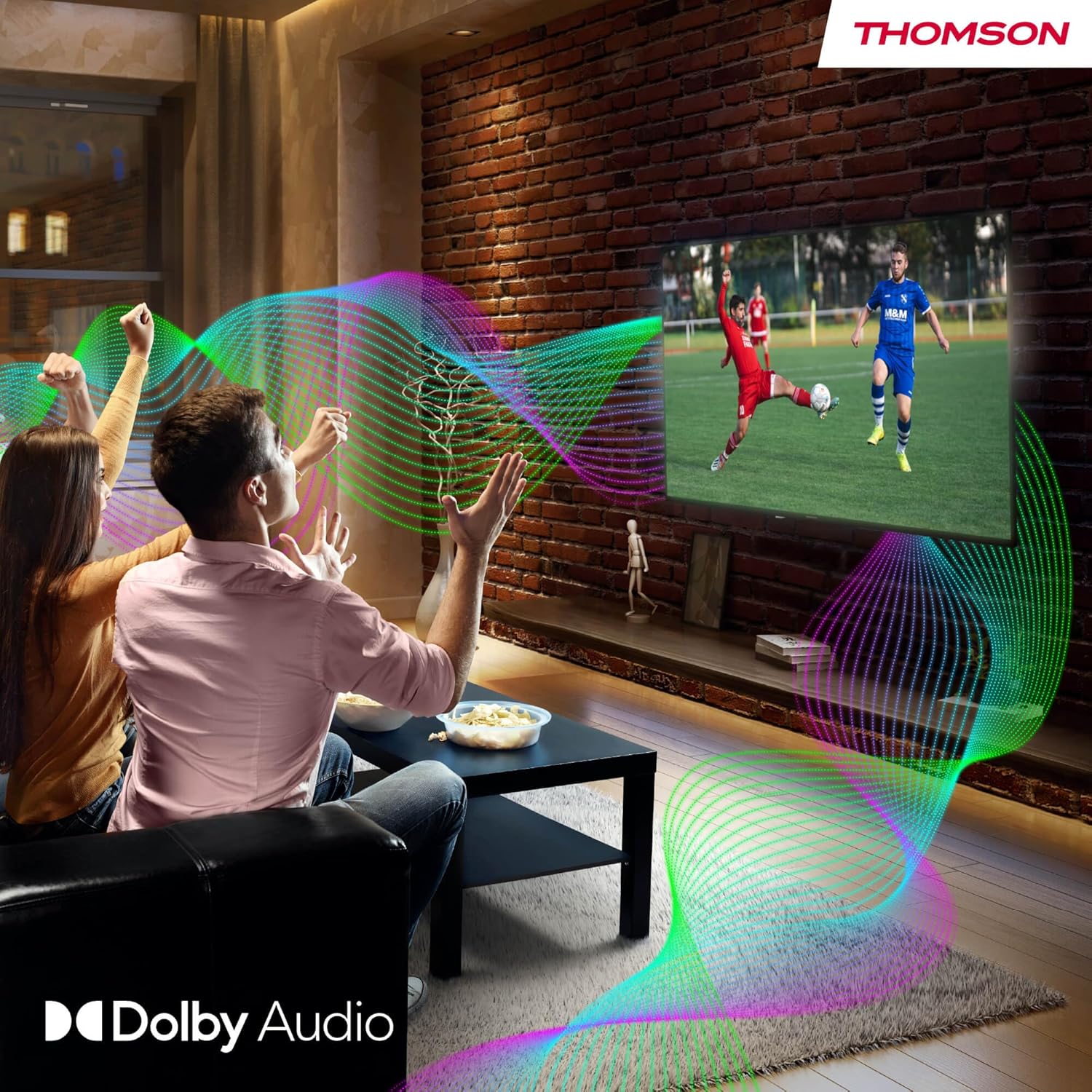
Your TV features Dolby Audio technology for an enhanced sound experience, delivering clear dialogue and immersive audio.
6. Mantentzea
- Pantaila garbitzea: Garbitu pantaila astiro-astiro zapi leun eta pelusik gabeko batekin. Orba egoskorrak izanez gero, garbitu apur batampen the cloth with water or a specialized screen cleaner (ensure it's safe for LED screens). Never spray liquid directly onto the screen.
- Telebistaren gorputza garbitzea: Use a soft, dry cloth to wipe the exterior of the TV.
- Software eguneraketak: Your Google TV will periodically check for and install software updates. Ensure your TV is connected to the internet for these updates.
- Kableen kudeaketa: Keep cables tidy and organized to prevent damage and ensure proper ventilation.
7. Arazoak
If you encounter any issues with your TV, refer to the following common problems and solutions:
| Arazoa | Irtenbide posiblea |
|---|---|
| Botererik ez | Check if the power cable is securely connected to the TV and the power outlet. Ensure the outlet is working. Try a different power source. |
| Ez dago irudirik, baina soinua badago | Egiaztatu sarrera-iturria. Ziurtatu kanpoko gailuak behar bezala konektatuta eta piztuta daudela. |
| Soinurik ez, baina irudia badago | Check the volume level. Ensure mute is not activated. Check audio output settings and external audio device connections. |
| Urruneko kontrola ez dabil | Check and replace batteries. Ensure there are no obstructions between the remote and the TV. |
| Ezin da wifira konektatu | Ensure your router is on and working. Re-enter the Wi-Fi password. Try restarting the TV and router. |
| Irudiaren kalitate eskasa | Check antenna/cable connections. Adjust picture settings. For streaming content, check internet speed. |
8. Zehaztapenak
| Ezaugarri | Xehetasuna |
|---|---|
| Marka | Thomson |
| Modelo zenbakia | 24HG2S14CW |
| Pantailaren tamaina | 24 hazbete (60 cm) |
| Ebazpena | HD (1366 x 768) |
| Bistaratzeko Teknologia | LED |
| Freskatze tasa | 60 Hz |
| Sistema eragilea | Google TV |
| Ahots kontrola | Google Laguntzailea |
| Audio Teknologia | Dolby Audio |
| HDR euskarria | HDR10 |
| Konektibitatea | Wi-Fi, Bluetooth 5.1, HDMI (3 ports), USB (2 ports), LAN, Digital Optical Audio Out, AV In, CI+ |
| Sintonizatzaile mota | Triple Tuner (DVB-T/T2, DVB-C, DVB-S/S2) |
| Elikatze Hornidura | 12V DC / Standard AC |
| Kolorea | Zuria |
| Produktuaren neurriak (L x W x H) | 53.48 x 15.05 x 35.32 cm |
| Pisua | 3.5 kg |
| Energia Eraginkortasun Klasea | E |
| Energia-kontsumoa (1000 ordu) | 18 kWh |

9. Bermea eta Laguntza
THOMSON products are designed and manufactured to the highest quality standards. This product is covered by a manufacturer's warranty. Please refer to the warranty card included in your package for specific terms and conditions, including the warranty period and coverage details.
For technical support, troubleshooting assistance, or warranty claims, please contact THOMSON customer service through their official webgunea edo bermearen dokumentazioan emandako harremanetarako informazioa.