1. Sarrera
This manual provides detailed instructions for the installation, operation, and maintenance of the Generic ZFX-WT01 Remote High Temperature Digital Thermostat. This device is designed for precise temperature control across a wide range, utilizing a K-type thermocouple for accurate measurements. Please read this manual thoroughly before using the product to ensure safe and efficient operation.
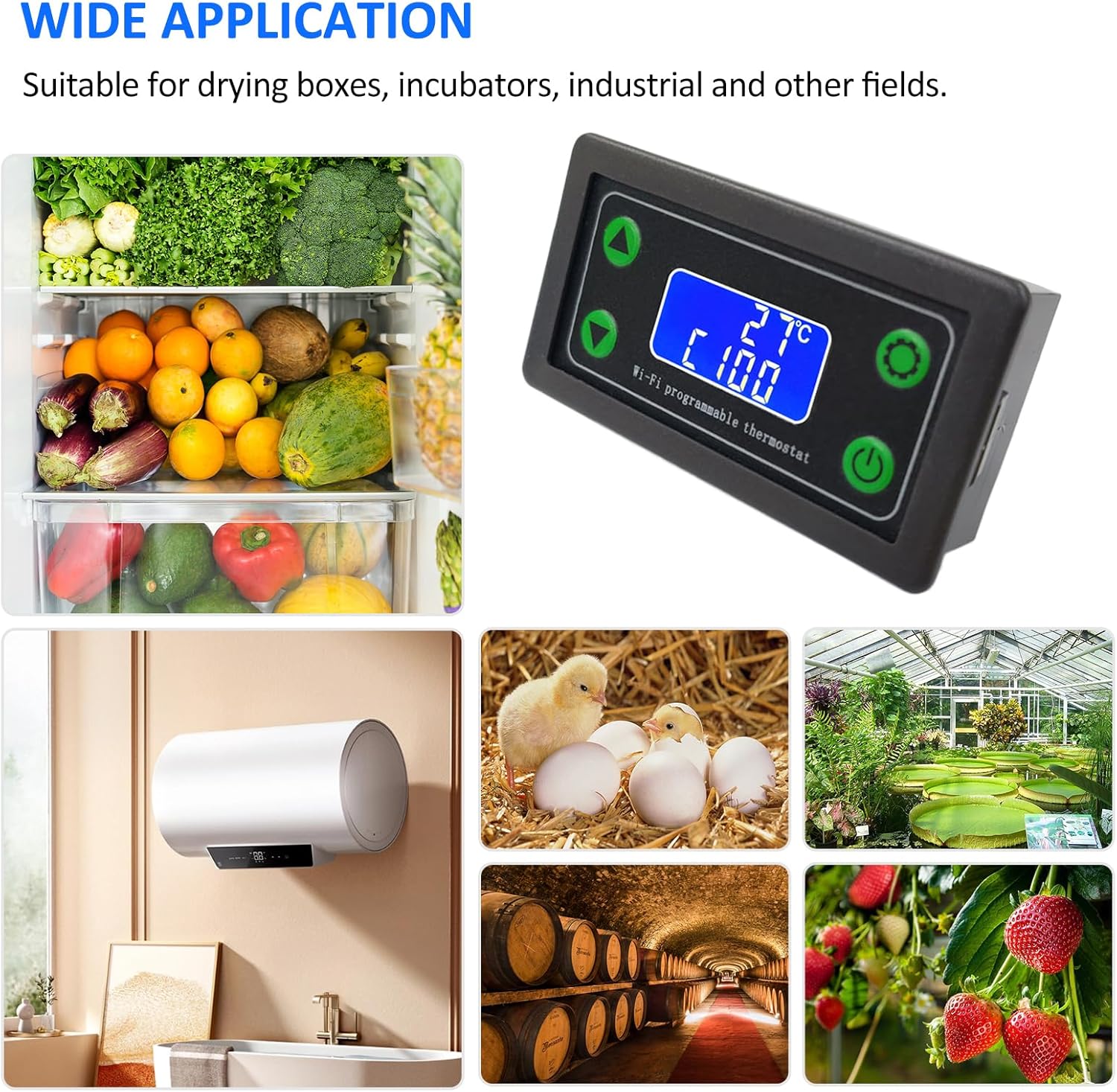
1.1. irudia: The ZFX-WT01 thermostat is suitable for a wide range of applications, including drying boxes, incubators, industrial processes, and agricultural settings like greenhouses and fruit storage.
2. Produktua amaitu daview eta Ezaugarriak
The ZFX-WT01 is a versatile digital temperature controller equipped with advanced features for reliable performance.
- Eraikuntza iraunkorra: Features an excellent ABS shell designed for durability and resistance to deformation.
- High Control Accuracy: Provides precise temperature control with stable anti-interference performance.
- LCD pantaila garbia: High-definition LCD screen for easy reading of temperature and settings.
- Diseinu trinkoa: Small size for easy installation and simple wiring.
- Aplikazio zabala: Suitable for drying boxes, incubators, industrial applications, and various other fields.
- Urruneko funtzionamendua: Supports WiFi connectivity for mobile remote operation.
- Heating/Cooling Modes: Capable of switching between heating and cooling control.
- Alarma funtzioak: Includes high temperature alarm, low temperature alarm, and delayed start-up.
- Segurtasun Ezaugarri: Equipped with an emergency stop function.
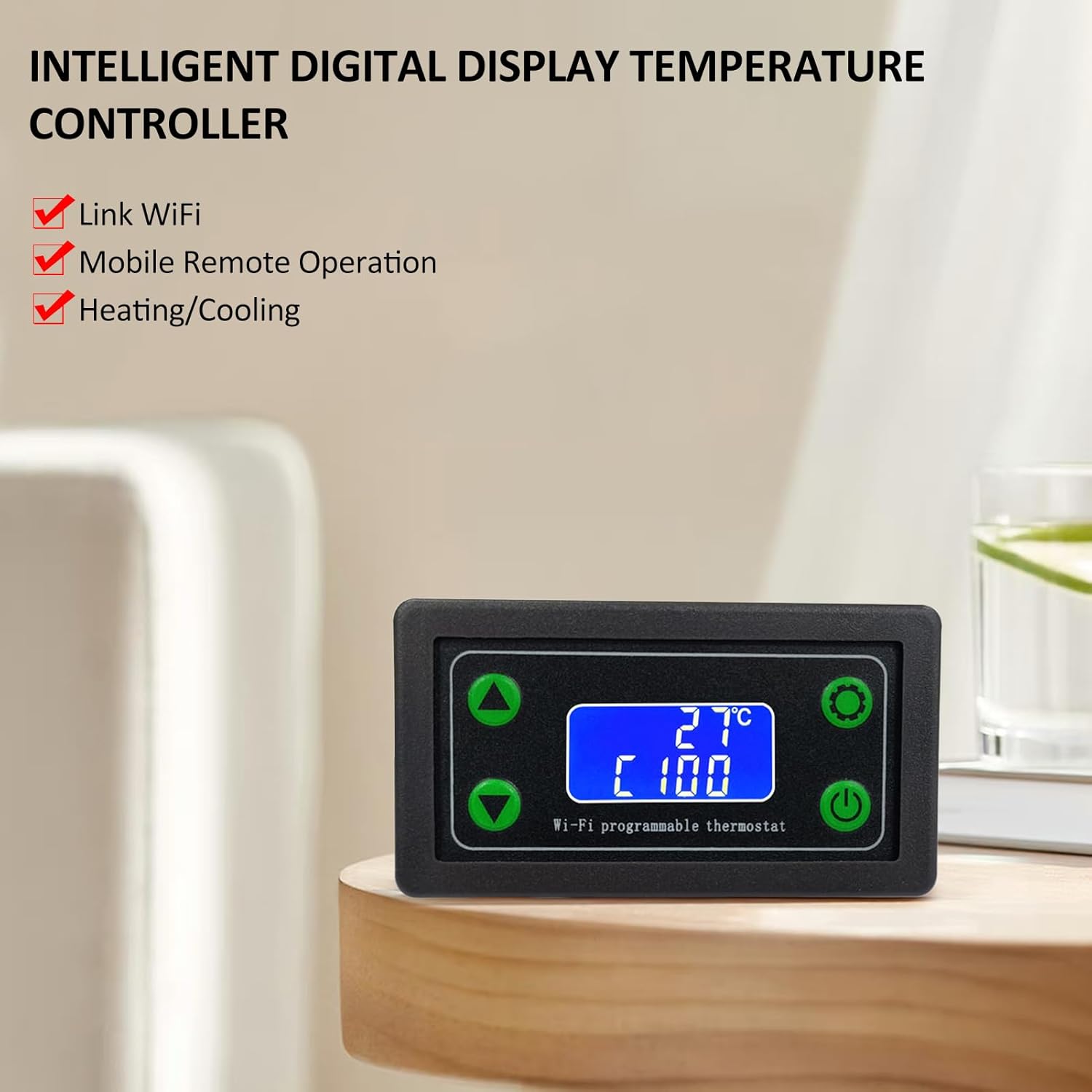
2.1. irudia: The ZFX-WT01 features intelligent digital display, WiFi link, mobile remote operation, and supports both heating and cooling functions.

2.2. irudia: The high-definition LCD screen provides clear visibility of temperature readings and operational status, simplifying panel functions.
3. Zehaztapen Teknikoak
Below are the key technical specifications for the ZFX-WT01 thermostat:
| Parametroa | Balioa |
|---|---|
| Produktuaren izena | WiFi Remote Temperature Controller |
| Eredua | ZFX-WT01 |
| Energia hornidura boltage | DC12 ~ 36V |
| Maximum Control Load | 220V 1500W / 12V 120W |
| Irteera mota | Aldatu irteera |
| Tenperatura kontrolatzeko tartea | -99 ~ 999 ℃ |
| Ebazpena | 1℃ |
| Neurketaren Zehaztasuna | ± 2 ℃ |
| Sentsore mota | K motako termoparea |
| Thermocouple Wire Length | 50 cm |
| Materiala | ABS |
| Elementuaren tamaina | 79 x 43 x 37 mm (3.11 x 1.69 x 1.45 hazbeteko) |

3.1. irudia: Detailed product parameters for the ZFX-WT01 thermostat, including model, power, control range, and sensor type.

3.2. irudia: Dimensions of the ZFX-WT01 thermostat and the K-type thermocouple wire length.
4. Konfigurazioa eta instalazioa
Proper installation is crucial for the safe and effective operation of the ZFX-WT01 thermostat. Please follow these steps carefully:
- Muntaketa: Choose a suitable location for mounting the thermostat, ensuring it is protected from excessive heat, moisture, and vibrations.
- Potentzia-konexioa: Connect the DC12-36V power supply to the designated terminals (+ and -) on the back of the unit. Ensure correct polarity.
- Termoparearen konexioa: Connect the K-type thermocouple to the K+ and K- terminals. Ensure the thermocouple is correctly inserted and secured. The thermocouple is essential for temperature measurement.
- Irteerako kableatzea: Connect your heating or cooling device to the output terminals. The ZFX-WT01 provides a switch output. Refer to the wiring diagram for specific connections.
- Konexio seguruak: Double-check all wiring connections to ensure they are secure and correctly matched to avoid damage to the unit or connected devices.

4.1. irudia: Xehetasuna view of the ZFX-WT01 thermostat, showing the wiring terminals for power (DC12-36V), output, and K-type thermocouple, along with the front panel buttons.
5. Funtzionamendu-argibideak
The ZFX-WT01 thermostat features a user-friendly interface for setting and monitoring temperatures.
5.1. Panel Controls and Display
- Pantaila: Shows the current detected temperature, set temperature, and current operating mode (e.g., heating/cooling).
- Up Key (▲): Balioak handitzeko edo menuko aukeretan nabigatzeko erabiltzen da.
- Down Key (▼): Balioak txikitzeko edo menuko aukeretan nabigatzeko erabiltzen da.
- Set Key (⚙): Used to enter settings mode, confirm selections, or switch between parameters.
- Pizteko botoia (⏻): Gailua pizteko/izteko erabiltzen da.
- Larrialdi-gelditzeko botoia: Immediately halts all operations.
- Relay Closure Prompt: An indicator (e.g., LED or icon) that shows when the output relay is active.
5.2. Basic Temperature Setting
- Piztu: Press the power button to turn on the thermostat. The display will show the current temperature.
- Sartu Ezarpen moduan: Sakatu Set Key (⚙) to enter the temperature setting mode. The set temperature value will typically flash.
- Doitu Tenperatura: Erabili Up Key (▲) eta Down Key (▼) to adjust the desired target temperature.
- Berretsi ezarpena: Sakatu Set Key (⚙) again to confirm the new temperature setting and exit the setting mode.
5.3. Advanced Settings (Heating/Cooling, Alarms)
The ZFX-WT01 supports various advanced functions. Consult the full product documentation or the manufacturer's website for detailed instructions on configuring heating/cooling modes, high/low temperature alarms, and delayed start-up functions. These settings are typically accessed through extended presses of the Set Key or specific button combinations.

5.1. irudia: The ZFX-WT01 offers features such as heating/cooling switching, delayed start-up, high and low temperature alarms, and an emergency stop function.
6. Mantentzea
To ensure the longevity and accurate performance of your ZFX-WT01 thermostat, follow these maintenance guidelines:
- Garbiketa: Regularly wipe the unit with a soft, dry cloth. Do not use abrasive cleaners or solvents, as these can damage the display or casing.
- Sentsoreen zainketa: Keep the K-type thermocouple clean and free from debris. Ensure it is securely connected and not bent or damaged, as this can affect temperature readings.
- Ingurumen-baldintzak: Operate the thermostat within its specified environmental conditions (temperature, humidity) to prevent malfunction.
- Konexioaren egiaztapenak: Aldian-aldian egiaztatu kableatu guztien konexioak estutasuna eta higadura edo korrosio zantzurik dagoen egiaztatzeko.
7. Arazoak
If you encounter issues with your ZFX-WT01 thermostat, refer to the following common troubleshooting steps:
- Potentziarik gabe:
- Check the power supply connection (DC12-36V) and ensure correct polarity.
- Egiaztatu energia-iturria aktibo dagoela.
- Tenperatura irakurketa okerra:
- Ensure the K-type thermocouple is correctly connected to the K+ and K- terminals.
- Check the thermocouple for physical damage or corrosion.
- Verify the thermocouple is placed correctly in the environment being measured.
- Output Not Activating:
- Check the wiring to the heating/cooling device.
- Ensure the set temperature and current temperature are within the activation range for the selected mode (heating/cooling).
- Confirm the relay closure prompt is active when it should be.
- Bistaratze-erroreak:
- If the display shows unusual characters or is blank, try power cycling the device.
- Ziurtatu energia-iturria egonkorra dela eta zehaztutako bolumenaren barruan dagoela.tagbarrutia.
If problems persist after attempting these steps, contact customer support for further assistance.
8. Bermea eta Laguntza
This product is manufactured by Generic. For specific warranty information, please refer to the documentation provided at the time of purchase or contact your retailer. For technical support or inquiries, please reach out to the seller or manufacturer through the contact information provided with your purchase.


