
1. Sarrera
This manual provides essential information for setting up, operating, and maintaining your HP Series 5 27-inch FHD Monitor. Please read these instructions carefully before using your monitor to ensure optimal performance and safety.
The HP Series 5 27-inch FHD Monitor is designed for comfortable viewing with features like Eye Safe certification, 99% sRGB color accuracy, IPS technology for wide viewing angles, a 100 Hz refresh rate, and an anti-glare screen. Its micro-edge design offers an immersive visual experience.
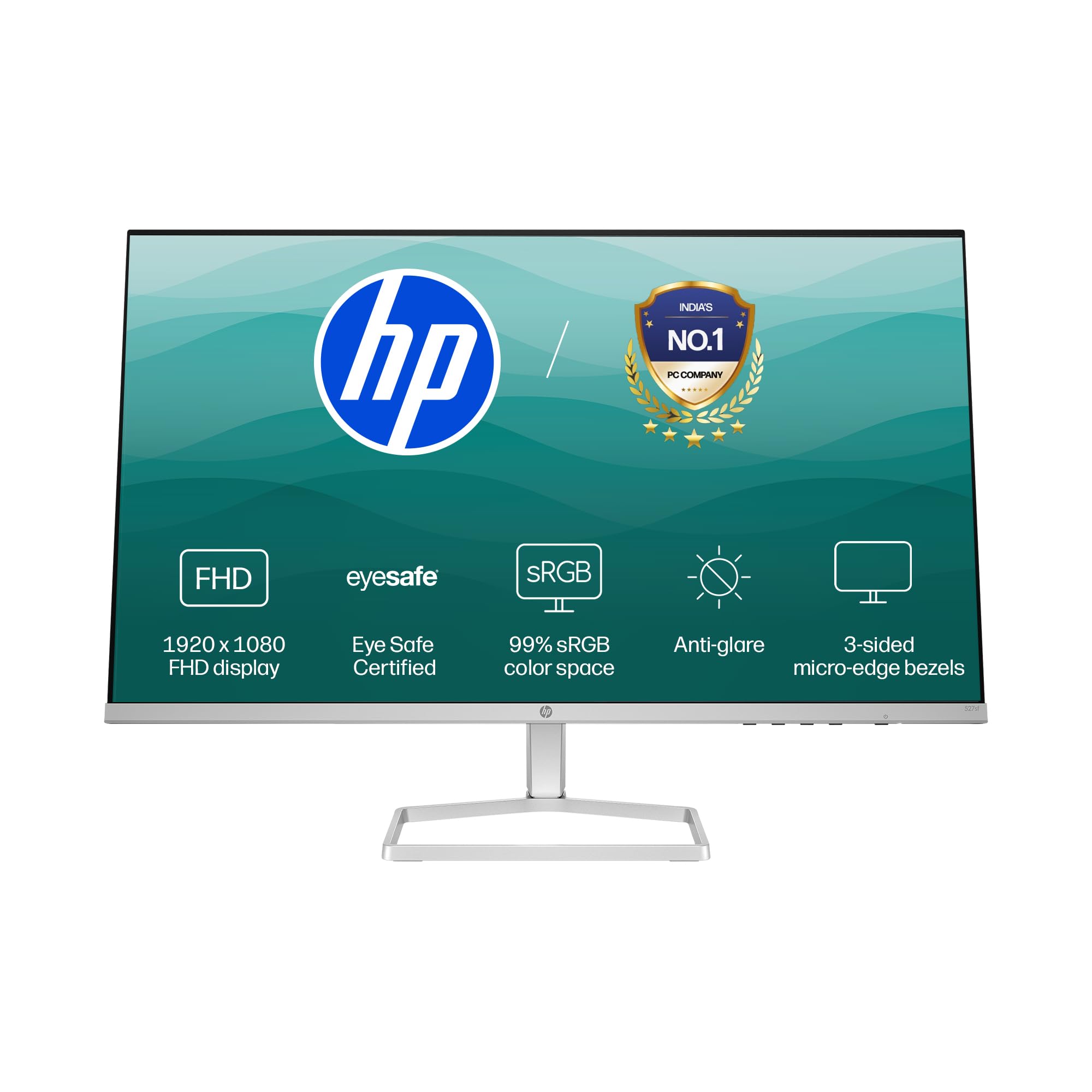
Image: HP Series 5 27-inch FHD Monitor, showcasing its sleek design on a desk.
2. Zer dago kutxan
Egiaztatu osagai guztiak ontzian daudela:
- HP Series 5 27 hazbeteko FHD monitore
- Monitorearen euskarria (oinarria eta lepoa)
- HDMI kablea
- Elikatze-moldagailua
- AC korronte kablea
- Dokumentazioa (Konfigurazio Azkarreko Gida, Berme Txartela)

Image: Illustration of the monitor and its included accessories: monitor, HDMI cable, power adapter, and AC power cord.
3. Konfiguratzeko argibideak
3.1 Monitorearen euskarria muntatzea
- Kontu handiz atera monitorearen eta euskarriaren osagaiak paketetik.
- Lotu euskarriaren lepoa monitorearen panelera. Ziurtatu ondo sartzen dela klik eginez.
- Attach the stand base to the stand neck. Tighten any screws if provided, typically located on the underside of the base.
- Jarri muntatutako monitorea gainazal egonkor eta lau batean.
3.2 Monitorea konektatzea
The monitor supports both HDMI and VGA connections.
- Potentzia-konexioa: Connect the power adapter to the monitor's power input port, then plug the AC power cord into the adapter and a wall outlet.
- Bideo-konexioa:
- For HDMI: Connect one end of the HDMI cable to an HDMI port on your computer and the other end to one of the two HDMI 1.4 ports on the monitor.
- For VGA: Connect one end of the VGA cable to the VGA port on your computer and the other end to the VGA port on the monitor.
- Ziurtatu kable guztiak ondo konektatuta daudela.

Irudia: Atzealdea view of the HP Series 5 monitor, highlighting the VGA port and two HDMI 1.4 ports for device connectivity.
4. Monitorea funtzionatzea
4.1 Piztu/Itzali
Press the power button, usually located on the bottom right bezel or rear of the monitor, to turn the monitor on or off. The power indicator light will illuminate when the monitor is on.
4.2 Pantailan bistaratze (OSD) menuko nabigazioa
Use the physical buttons on the monitor (typically on the bottom right or rear) to access and navigate the On-Screen Display (OSD) menu. This menu allows you to adjust various display settings.
- Sarrera hautatzea: Use the OSD or a dedicated input button to switch between connected devices (e.g., HDMI 1, HDMI 2, VGA). The monitor may also auto-detect active inputs.
- Distira/Kontrastea: Egokitu ezarpen hauek zure beharretara egokitzeko viewing environment. The monitor offers 300 nits brightness for clear visuals.
- Kolore ezarpenak: Fine-tune color temperature, gamma, and other color parameters. The monitor provides 99% sRGB color accuracy for vivid and realistic colors.
- Irudi moduak: Select from preset picture modes optimized for different content types (e.g., Standard, Gaming, Movie).

Image: The HP Series 5 monitor showcasing its bright display, emphasizing 300 nits brightness for clear visuals.

Image: The HP Series 5 monitor displaying rich and realistic colors, highlighting its 99% sRGB color accuracy.
4.3 Begien erosotasunerako ezaugarriak
The monitor is equipped with HP Eye Ease and Eyesafe certification, which limits blue light emissions to reduce eye strain without compromising color accuracy. This feature is always-on and does not require OSD adjustments.

Image: The HP Series 5 monitor displaying a dynamic scene, demonstrating its low blue light feature for comfortable extended viewing.
4.4 IPS Technology and Refresh Rate
IPS (In-Plane Switching) technology ensures consistent image accuracy and vivid colors across wide 178-degree horizontal and vertical viewing angles. The 100 Hz refresh rate provides smooth scrolling and fluid motion, enhancing your viewesperientzia.

Image: The HP Series 5 monitor displaying a colorful jungle scene, highlighting the vivid colors and crystal-clear viewing from all angles due to IPS technology.
5. Mantentzea
5.1 Monitorea garbitzea
- Itzali beti monitoreari eta deskonektatu korronte-kablea garbitu aurretik.
- Erabili lipurrik gabeko zapi leun bat dampUrarekin edo pantaila-garbitzaile ez-urratzaile batekin garbitu.
- Garbitu pantaila eta kanpoko gainazalak astiro-astiro. Saihestu gehiegizko presioa egitea.
- Do not use alcohol, ammonia-based cleaners, or abrasive materials, as these can damage the anti-glare coating and plastic surfaces.
5.2 Arreta orokorra
- Saihestu objektu astunak monitorearen edo haren kableen gainean jartzea.
- Mantendu monitoreak eguzki-argitik, bero-iturrietatik eta gehiegizko hezetasunetik urrun.
- Ziurtatu aireztapen egokia monitorearen inguruan, gehiegi berotu ez dadin.
- Utilize the integrated cable containment features to manage wires and reduce clutter.

Irudia: Atzealdea view of the HP Series 5 monitor, illustrating its design for less clutter around the workspace with integrated cable management.
6. Arazoak
Monitorearekin arazoak badituzu, jo ezazu ohiko irtenbide hauetara:
- Potentziarik gabe: Ensure the power cord is securely connected to the monitor and a working power outlet. Check the power adapter connection.
- Irudi/seinalerik ez: Verify that the video cable (HDMI or VGA) is correctly connected to both the monitor and your computer. Ensure the correct input source is selected via the OSD menu. Try restarting your computer.
- Irudi keinukaria edo distortsionatua: Check the video cable for damage or loose connections. Ensure your computer's display resolution and refresh rate are compatible with the monitor's specifications.
- Display Anomalies (e.g., light bleeding): While minor variations can occur, if you notice significant or distracting light bleeding, especially from the edges, ensure the monitor is properly seated on its stand and that no external pressure is being applied to the screen. If the issue persists, contact HP support.
- Erantzuten ez duten botoiak: Unplug the monitor's power cord, wait 15 seconds, then plug it back in and try again.
7. Zehaztapenak
| Ezaugarri | Zehaztapena |
|---|---|
| Marka | HP |
| Modelo zenbakia | 94F45AA |
| Pantailaren tamaina | 27 hazbete (68.6 cm) |
| Ebazpena | FHD 1080p (1920 x 1080) |
| Aspektu-erlazioa | 16:9 |
| Pantailaren gainazalaren deskribapena | Distiraren aurkakoa |
| Kontraste-erlazioa | 1500:1 |
| Freskatze tasa | 100 Hz |
| Bistaratzeko mota | LCD (IPS Panel) |
| Viewangelua | 178 Degrees (Horizontal/Vertical) |
| Irudiaren distira | 300 nit |
| Erantzun Denbora | 5 milisegundo |
| Konektibitatea | HDMI 1.4 2, VGA 1 |
| Sinkronizazio egokitzailea | FreeSync |
| Produktuaren Ezaugarriak | Flicker-Free, HP Eye Ease with Eyesafe certification |
| Elementuaren neurriak (L x W x H) | 18.8D x 60.8Z x 43.7A zentimetro |
| Elementuaren pisua | 3.2 kilogramo |
| UPC | 197498944876 |
8. Bermearen informazioa
This HP Series 5 27-inch FHD Monitor comes with a 3 urteko bermea. Please retain your proof of purchase for warranty claims. For detailed terms and conditions, refer to the warranty card included in your product packaging or visit the official HP support webgunea.
9. Laguntza
For further assistance, technical support, or service inquiries, please contact HP Customer Support. You can find contact information on the official HP webgunean edo monitorearekin batera emandako dokumentazioan.
For ergonomic setup guidance, refer to the HP Display Center software, which can help you customize your comfort settings.
Fabrikatzailea: HP, HP India Sales Pvt. Ltd.
Importer Contact Information: HP India Sales Private Limited, No. 24, Kothari Arena, Hosur Main Road, Adugodi, Bangalore, Karnataka, India, 560030
10. Ingurumenari buruzko informazioa
The HP Series 5 monitor is designed with sustainability in mind:
- Designed from recycled materials and ocean-bound plastics.
- EPEAT® registered.
- ENERGY STAR® ziurtagiria.

Image: The HP Series 5 monitor displayed with environmental elements, emphasizing its construction from recycled materials and ocean-bound plastics, EPEAT registration, and ENERGY STAR certification.