1. Produktua amaitu daview
The iJoy Mini Projector is a compact and portable device designed for versatile entertainment. It supports Full HD 1080P video quality and offers various connectivity options, making it suitable for home cinema, outdoor movie nights, or enhancing room decor. The projector features a built-in HiFi speaker and supports expandable storage via a micro SD card.

Figure 1.1: The iJoy Mini Projector, showing its compact design, included remote control, and USB cables.
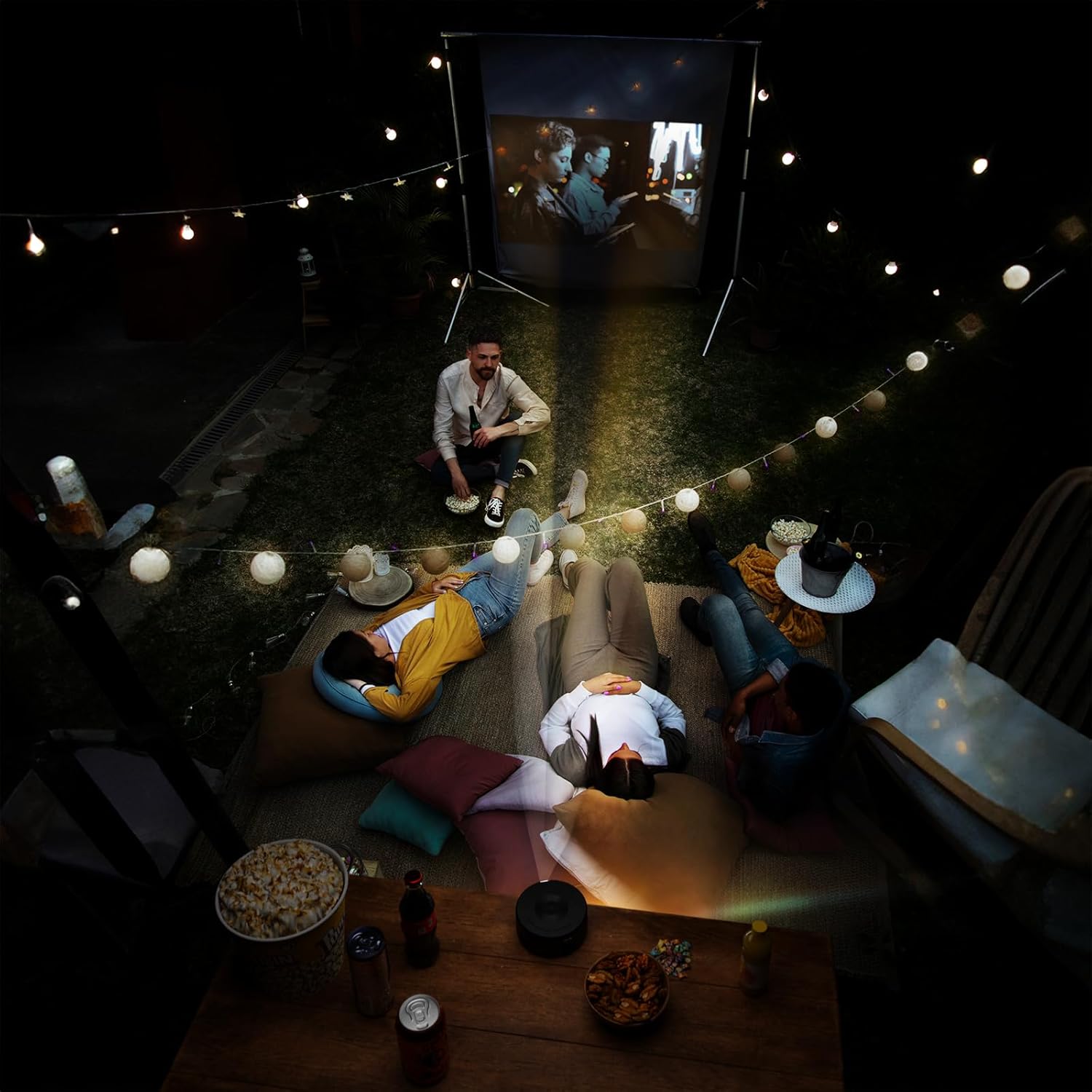
Figure 1.2: Dimensions of the iJoy Mini Projector, measuring 4.5 inches across and 2 inches tall, highlighting its compact size.
2. Paketearen edukia
Paketea irekitzean, ziurtatu honako elementu guztiak daudela:
- iJoy Mini Projector
- Erabiltzailearen eskuliburua (dokumentu hau)
- Elikatze-moldagailua
- Urruneko Kontrola
- USB Cables (Type-A to Type-C)
- Mini Tripod (if included with your specific model)
3. Konfigurazio gida
3.1 Energia-konexioa
- Connect the provided power adaptor to the projector's power input port.
- Entxufatu korronte-egokitzailea entxufe elektriko estandar batera.
- The projector will typically indicate power status with an LED light.
3.2 Kokapena eta kokapena
Optimorako viewing, place the projector on a stable, flat surface. The included mini tripod can be used to adjust the angle and height. Ensure there are no obstructions in front of the lens or around the ventilation openings.
- Proiekzio distantzia: Adjust the distance between the projector and the projection surface (wall or screen) to achieve the desired screen size.
- Fokuaren doikuntza: Use the focus wheel on the projector to sharpen the image until it is clear.

Figure 3.1: The projector in use, demonstrating its ability to project high-quality video with an adjustable screen size, suitable for various environments.
4. Funtzionamendu-argibideak
4.1 Gailuak konektatzea
The iJoy Mini Projector offers multiple ways to connect your devices:
- iOS Devices (iPhone/iPad): Connect directly using a compatible USB cable (e.g., Lightning to USB). The projector supports plug-and-play functionality for iOS.
- Android gailuak: Connect using a compatible USB cable (e.g., USB-C to USB). An app may be required for screen mirroring on some Android devices. Refer to your device's instructions for specific mirroring requirements.
- USB biltegiratzea: Insert a USB flash drive into the projector's USB port to play media files zuzenean.
- Mikro SD txartela: Insert a micro SD card into the designated slot to access media files.
- Bluetootha: The projector features Bluetooth connectivity. This is primarily for connecting to external audio devices like Bluetooth speakers. To pair, navigate to the Bluetooth settings on the projector's menu and select your desired device.

Figure 4.1: Demonstrates the projector's compatibility with iPhone devices, allowing for direct plug-and-play connection.

Figure 4.2: Illustrates the projector's support for Android devices, which may require an app download for full functionality.
4.2 Oinarrizko funtzionamendua
- Piztu/Itzali: Sakatu proiektorearen edo urrutiko agintearen pizteko botoia unitatea pizteko edo itzaltzeko.
- Sarrera-iturria hautatzea: Use the remote control or the projector's buttons to navigate the menu and select the desired input source (e.g., USB, Micro SD, Phone).
- Nabigazioa: Use the arrow keys and OK/Enter button on the remote or projector to navigate menus and confirm selections.
- Bolumen kontrola: Adjust the volume using the dedicated volume buttons on the remote control. The projector has a built-in HiFi speaker.
5. Mantentzea
Proper maintenance ensures the longevity and optimal performance of your iJoy Mini Projector.
- Lenteen garbiketa: Garbitu proiektorearen lentea astiro-astiro gainazal optikoetarako bereziki diseinatutako zapi leun eta lint-gabe batekin. Ez erabili garbitzaile urratzailerik edo indar gehiegirik.
- Hautsa kentzea: Keep the projector free from dust. Use a soft brush or compressed air (held upright) to clean ventilation openings.
- Biltegiratzea: When not in use, store the projector in a cool, dry place, away from direct sunlight and extreme temperatures. Use the original packaging or a protective case to prevent damage.
- Itzali behar bezala: Itzali beti proiektorea dagokion pizteko botoia erabiliz eta utzi hozten deskonektatu edo mugitu aurretik.
6. Arazoak
If you encounter issues with your iJoy Mini Projector, refer to the following common problems and solutions:
| Arazoa | Kausa posiblea | Irtenbidea |
|---|---|---|
| Ez da irudirik proiektatuta |
|
|
| Irudia lausoa edo fokutik kanpo dago |
|
|
| Soinurik ez |
|
|
| Device not connecting via USB |
|
|
7. Zehaztapenak
| Ezaugarri | Xehetasuna |
|---|---|
| Marka | iPoza |
| Modelo zenbakia | B0D6GVWNK2 |
| Elementuaren pisua | 13.1 ontza |
| Paketearen neurriak | 7 x 6.5 x 3 hazbete |
| Pilak | 1 litio ioizko bateria (barne) |
| Kolorea | Beltza |
| Ezaugarri bereziak | Eramangarria |
| Gomendatutako Erabilerak | Home Cinema |
| Konektibitate Teknologia | Bluetootha, USBa |
| Bistaratzeko ebazpena | 1024 x 768 (Natiboa) |
| Eskuragarri dagoen lehen data | 7ko ekainaren 2024a |
8. Bermea eta Laguntza
For detailed warranty information, please refer to the warranty card included with your product or visit the official iJoy website. If you require technical support or have questions not covered in this manual, please contact iJoy customer service through their official channels.
You can often find support contact information on the product packaging or the brand's official webgunea. Gorde erosketa-agiria erosketaren frogagiri gisa berme-erreklamazioetarako.