
Sarrera
This manual provides essential information for setting up, operating, and maintaining your VIZIO 40-inch Full HD 1080p Smart TV. Please read these instructions carefully before using your television to ensure proper function and safety. This television offers superior Full HD picture quality with lifelike color, enhanced audio, and smart connectivity features for an immersive entertainment experience.
Kutxan dagoena
Konfigurazioarekin jarraitu aurretik, egiaztatu osagai guztiak daudela:
- VIZIO 40-inch Full HD 1080p Smart TV
- Urruneko Kontrola
- Elikatze-kablea
- Telebista-euskarria (2 pieza)

Figure 1: Included components and TV dimensions.
Konfigurazioa
1. Euskarria lotzea
- Kontu handiz jarri telebistaren pantaila beherantz gainazal leun eta garbi batean, kalterik ez egiteko.
- Lerrokatu euskarriaren hankak telebistaren behealdeko torloju-zuloekin.
- Lotu euskarriaren hankak emandako torlojuak erabiliz.
2. Horman muntatzea (aukerakoa)
If wall mounting, ensure you use a VESA-compliant mount (200 x 100 mm) and follow the mount manufacturer's instructions. Disconnect the power cable before mounting.
3. Potentzia konektatzea
Konektatu elikatze-kablea telebistaren elikatze-sarrerara eta gero hormako entxufe batera.
4. Hasierako piztea eta lehen konfigurazioa
- Sakatu urrutiko agintearen edo telebistaren pizteko botoia.
- Follow the on-screen prompts to select your language, connect to Wi-Fi, and complete the initial setup of the SmartCast OS.
- You may be prompted to install app updates. Allow the TV to complete this process.

Figure 2: VIZIO Account setup for Smart TV functionality and product updates.
Telebista funtzionatzea
Urruneko Kontrola
The included remote control allows you to navigate the SmartCast OS, adjust settings, and control connected devices. Ensure AAA batteries are installed correctly.
SmartCast OS
Your VIZIO Smart TV runs on the SmartCast OS, providing instant access to a wide selection of streaming services and apps. New apps are automatically added and updated.
- Hasierako pantaila: Access your favorite apps, inputs, and trending content.
- IkusiDoan+: Stream over 275 free channels and 15,000+ movies and shows on demand.
- App Catalog: Browse and launch pre-installed applications like Disney Plus, Max, Netflix, Prime Video, and YouTube.
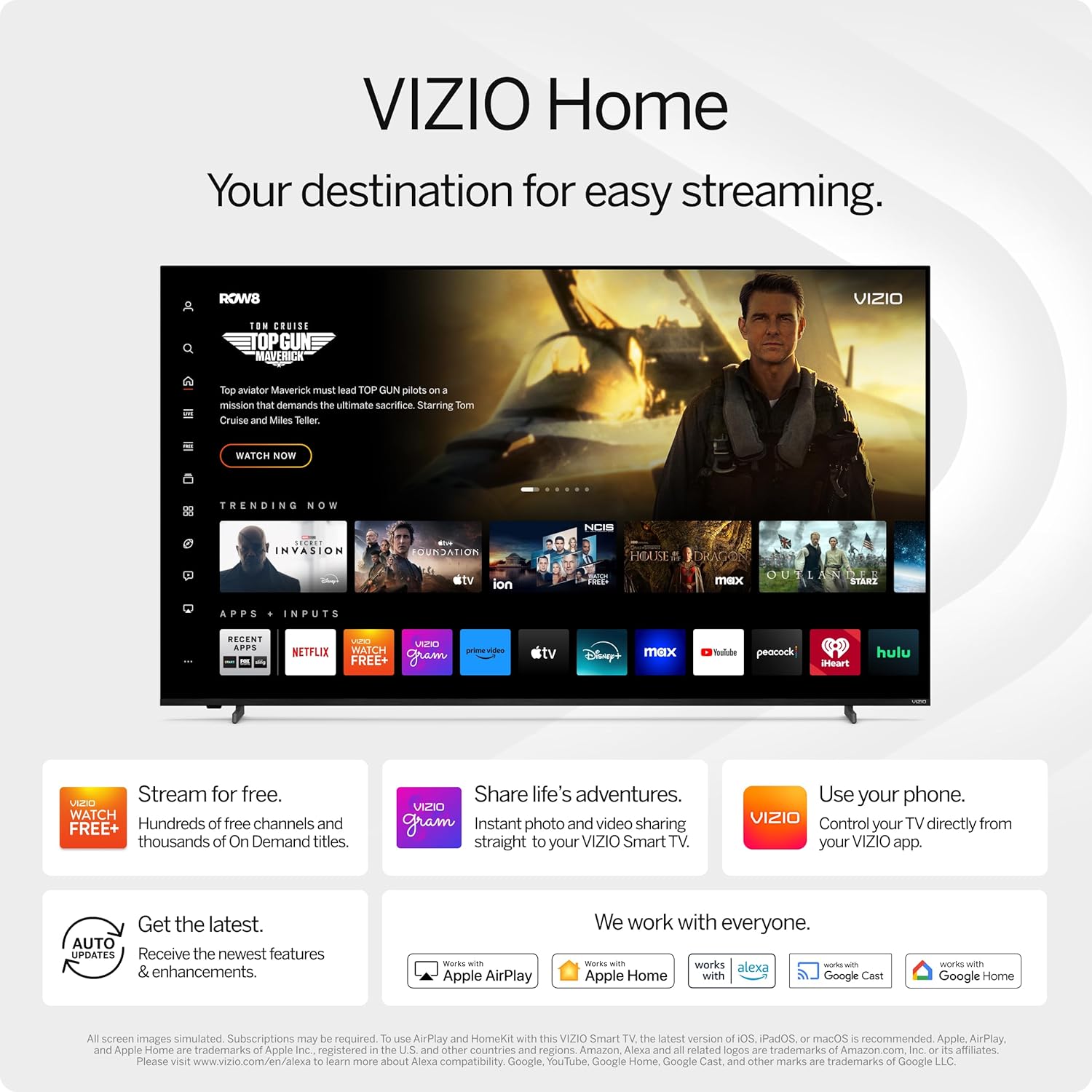
Figure 3: VIZIO Home screen for easy streaming and content access.

Figure 4: Accessing free content via WatchFree+.
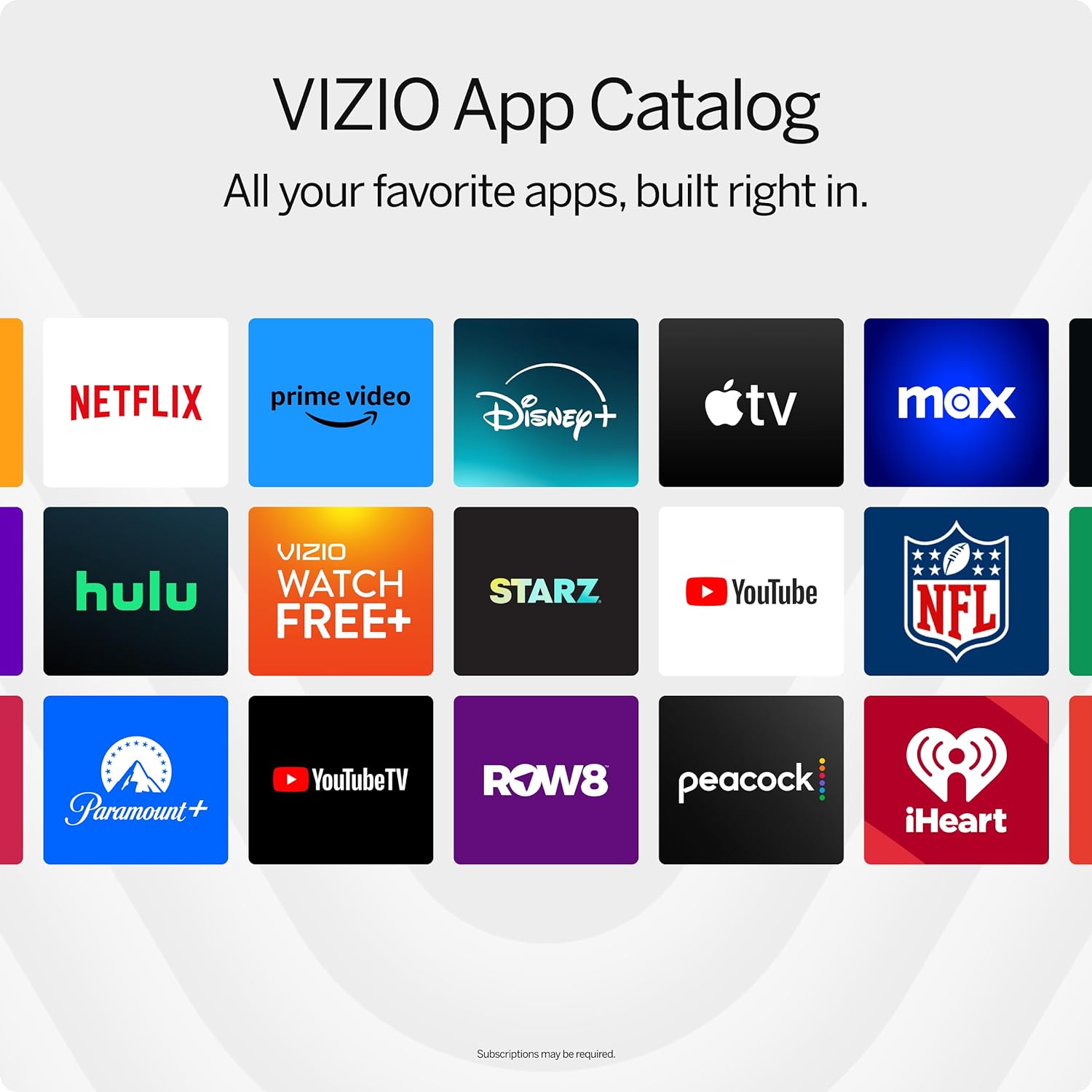
Figure 5: The VIZIO App Catalog with popular streaming services.
Konektibitatea
- Wi-Fi: Konektatu zure etxeko sarera interneterako sarbidea eta streaming-a lortzeko.
- Bluetootha: Parekatu Bluetooth entzungailuak entzuteko modu pribatuan.
- Chromecast Built-in & Apple AirPlay 2: Stream content directly from your Apple or Android devices to the TV.
- HDMI & USB: Connect external devices such as gaming consoles, Blu-ray players, or USB drives.
- Etxe adimendunaren integrazioa: Compatible with Alexa-enabled devices, Google Assistant, and Apple Home for voice control and smart home management.
Ezaugarri nagusiak
Irudiaren kalitatea
Experience superior Full HD (1080p) picture with lifelike color and clarity. Features like Full Array LED Backlight and Active Pixel Tuning enhance contrast and brightness for a sharp, detailed image.

6 Irudia: Gainetikview of Full HD benefits including picture quality, smart platform, and Bluetooth audio.
Audio-esperientzia
The TV features integrated DTS Virtual:X for an enhanced, cinema-inspired audio experience, creating the illusion of sound all around you. Bluetooth headphone capability allows for private listening without disturbing others.

Figure 7: DTS Virtual:X for immersive audio.
Joko Ezaugarriak
This TV is game-ready with HDR10 support on HDMI, unlocking striking in-game details. When a console or PC is detected, FHD models automatically enable Auto Low Latency Mode and an integrated gaming menu for optimal performance.

Figure 8: HDR10 support enhances gaming visuals.
Zehaztapenak
| Ezaugarri | Xehetasuna |
|---|---|
| Pantailaren tamaina | 39.5 hazbete (40 hazbeteko klasea) |
| Ebazpena | 1080p full HD |
| Bistaratzeko Teknologia | LED (Full Array LED Backlight) |
| Freskatze tasa | 60 Hz |
| HDR formatua onartzen da | HDR10/HLG |
| Audio irteera modua | Surround (DTS Virtual:X compatible) |
| Sistema eragilea | SmartCast OS |
| Konektibitate Teknologia | Bluetooth 5.0, Wi-Fi |
| Pantaila islatzea | AirPlay 2, Google Cast |
| HDMI portuak guztira | 2 |
| USB portuak guztira | 2 |
| Produktuaren neurriak (L x W x H) | 8.81" L x 35.13" W x 22.26" H |
| Elementuaren pisua | 12.26 kilo |
| VESA muntaketa estandarra | 200 x 100 mm |
| Energia-kontsumoa | 54 Watt |
| Modelo zenbakia | VFD40M-0810 |
Arazoak konpontzea
Argindarrik ez / Telebista ez da pizten
- Ziurtatu kablea telebistara eta funtzionatzen duen entxufe batera ondo konektatuta dagoela.
- Probatu entxufea beste gailu batekin korrontea duela baieztatzeko.
- Try pressing the power button directly on the TV, not just the remote.
Irudirik ez / Pantaila beltza
- Egiaztatu sarrera-iturri zuzena hautatuta dagoela (adibidez, HDMI 1, HDMI 2).
- Egiaztatu telebistaren eta kanpoko gailuen arteko kable-konexio guztiak.
- Berrabiarazi telebista eta konektatutako gailuak.
Soinurik ez
- Igo bolumena bai telebistan bai konektatutako edozein audio gailutan.
- Check the TV's audio settings to ensure the correct audio output is selected.
- Kanpoko bozgorailuak erabiltzen badituzu, ziurtatu behar bezala konektatuta eta piztuta daudela.
Wi-Fi konexio arazoak
- Ensure your Wi-Fi router is powered on and functioning.
- Berrabiarazi zure bideratzailea eta modema.
- Joan telebistaren sareko ezarpenetara eta saiatu berriro zure Wi-Fi sarera konektatzen.
- Seinalea ahula bada, telebista bideratzailera hurbildu edo Wi-Fi luzagailu bat erabiltzea kontuan hartu.
Mantentzea
Pantaila garbitzea
- Always turn off the TV and unplug the power cord before cleaning.
- Use a soft, lint-free cloth (microfiber is recommended) to gently wipe the screen.
- Marka egoskorretarako, arinki garbituampGarbitu zapi bat urarekin edo pantaila-garbitzaile espezializatu batekin. Ez ihinztatu inoiz garbitzailea zuzenean pantailan.
- Saihestu produktu kimiko gogorrak, zapi urratzaileak edo paperezko eskuoihalak erabiltzea, hauek pantaila kaltetu baitezakete.
Telebistaren gorputza garbitzea
- Garbitu telebistaren markoa eta euskarria zapi leun eta lehor batekin.
- Do not use liquid cleaners on the TV body.
Software eguneraketak
Your VIZIO Smart TV automatically receives software updates. Ensure your TV is connected to the internet to receive the latest features and enhancements.
Bermea eta Laguntza
Bermearen informazioa
This VIZIO Smart TV comes with a 90 eguneko berme mugatua. Please refer to the warranty card included with your product for full terms and conditions, or visit the official VIZIO support webgunea xehetasun gehiago lortzeko.
Bezeroarentzako Arreta
For technical assistance, troubleshooting, or warranty claims, please contact VIZIO Customer Support. You can find contact information and additional resources on the official VIZIO webgunea.
Online resources are available at www.vizio.com/support.