
Night Owl FWR8-64GB-B44L
Night Owl Wi-Fi Home Security System User Manual
Model: FWR8-64GB-B44L
Brand: Night Owl
1. Sarrera
This manual provides comprehensive instructions for the setup, operation, and maintenance of your Night Owl Wi-Fi Video Home Security Hub with Battery-Powered Wi-Fi 2K HD Indoor/Outdoor Spotlight Cameras. This system is designed to offer reliable surveillance and peace of mind for your home or business.

Image 1.1: The Night Owl Wi-Fi Home Security System, including the central hub and four battery-powered 2K HD cameras.

Image 1.2: Key features of the Night Owl Security System, highlighting its 8-channel capability, 4 included cameras, 64GB microSD card, and 2K resolution.
2. Zer dago barne
Your Night Owl Wi-Fi Home Security System package contains the following components:
Wi-Fi NVR (Hub) Components:
- 1 x 8 Channel Wi-Fi Hub with 64GB microSD Card
- 1 x Hub Power Adapter
- 1 x RJ-45 kablea (Ethernet)
- 1 x Laguntza Material Paketea
Battery-Powered Wi-Fi Camera Components:
- 4 x Wire Free Cameras
- 8 x Rechargeable Batteries (2 per Camera Required)
- 1 x C motako USB kargatzeko kablea
- 4 x Muntatzeko hardwarea eta torloju paketeak
3. Konfigurazio gida
3.1 Hasierako bateria kargatzea
Before installation, fully charge all camera batteries using the provided Type-C USB charging cable. Each camera requires two rechargeable batteries. A full charge can take approximately one day.
3.2 Hub-aren konfigurazioa
- Connect the Wi-Fi Hub to power using the included Hub Power Adapter.
- (Optional) Connect the Hub to your router using the RJ-45 Ethernet cable for a wired network connection.
- Ensure the 64GB microSD card is properly inserted into the Hub for local storage.

Image 3.1: The Night Owl Hub demonstrating its local storage capabilities with an included 64GB microSD card and an optional 2.5" SATA HDD (sold separately).
3.3 Kameraren instalazioa eta parekatzea
The cameras are designed for easy installation. They connect wirelessly to the Wi-Fi Hub, creating a secure network.
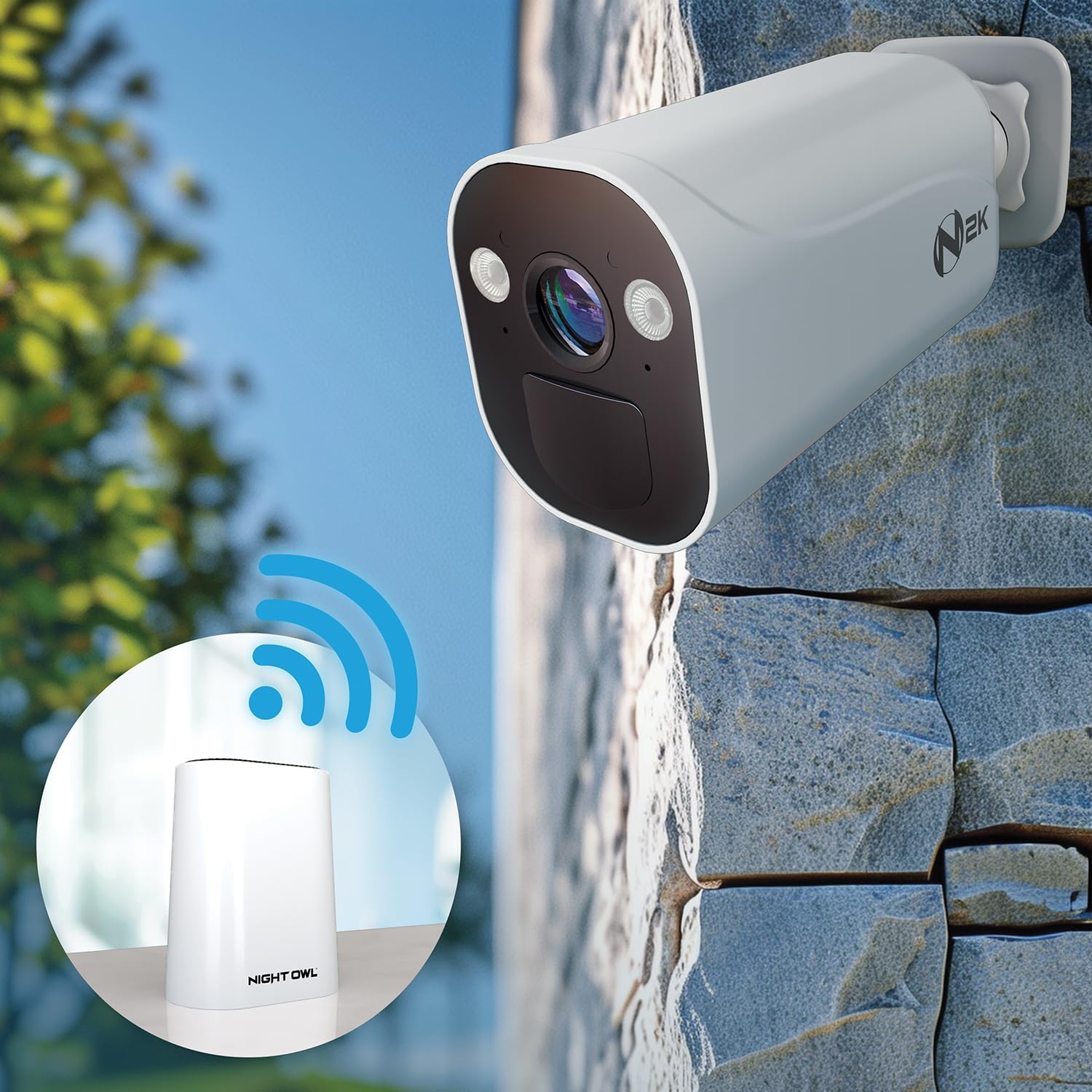
Image 3.2: A Night Owl camera establishing a wireless connection with the central Wi-Fi Hub, illustrating the system's wire-free setup.
- Insert the charged batteries into each camera.
- Download the Night Owl Protect App from your device's app store.
- Follow the in-app instructions to add your Wi-Fi Hub and pair each camera. The app will guide you through the process.
- Mount the cameras in desired indoor or outdoor locations using the provided mounting hardware. Ensure cameras are within range of the Wi-Fi Hub (up to 100 feet maximum range).
4. Zure sistemaren funtzionamendua
4.1 Night Owl Protect App
The Night Owl Protect App is your primary interface for managing and monitoring your security system. It allows you to view zuzeneko jarioak, review recordings, and adjust settings from anywhere.

Image 4.1: The Night Owl Protect App interface on a smartphone, displaying a live camera feed and emphasizing the absence of monthly fees.
4.2 Bizi View eta Grabaketa
Access live video streams from your cameras through the app. The system records events based on motion detection, with advanced AI capabilities to distinguish between humans and vehicles.

Image 4.2: Illustration of Night Owl's AI detection capabilities, identifying both human and vehicle movement, accompanied by a smartphone notification.
4.3 Bi norabideko audioa
Each camera is equipped with two-way audio, allowing you to listen and speak through the camera using the mobile app. This feature is useful for communicating with visitors or deterring unwanted activity.
4.4 Spotlight Functionality
The cameras feature integrated spotlights that can be activated manually via the app or automatically upon motion detection to enhance visibility and deter intruders.

Image 4.3: A Night Owl 2K HD camera with its integrated spotlight illuminated, showcasing its deterrence capability.
4.5 HDMI Spot Out View
Connect your Wi-Fi Hub to a TV or monitor via HDMI to view your camera feeds on a larger screen. Note that cameras may enter a "sleep" mode during live view to conserve battery, which can be re-initiated via the app.
5. Mantentzea
5.1 Bateriaren kudeaketa
The battery-powered cameras offer flexible operation. With two rechargeable batteries, each camera can operate for up to 3 months. Adding two more batteries (total of four) can extend operation up to 6 months. Recharge batteries as needed using the Type-C USB charging cable.

Image 5.1: Battery life illustration for Night Owl cameras, showing that two batteries provide up to 3 months of charge, while four batteries extend it to up to 6 months.
5.2 Garbiketa eta Zainketa
Regularly inspect and clean the camera lenses and housing to ensure optimal performance. Use a soft, damp oihal. Saihestu garbitzaile edo disolbatzaile urratzaileak.
5.3 Biltegiratze kudeaketa
The system includes a 64GB microSD card for local storage. For increased storage capacity, a compatible 2.5" SATA hard drive (sold separately) can be added to the Wi-Fi Hub. Manage recorded footage and storage settings through the Night Owl Protect App.
6. Arazoak
If you encounter issues with your Night Owl security system, consider the following common solutions:
- Zuzenekorik ez View/Connectivity Issues: Ensure the Wi-Fi Hub is powered on and connected to your network. Check camera battery levels. Verify cameras are within the effective wireless range of the Hub.
- Bateriaren iraupen laburra: Ensure batteries are fully charged. Reduce the frequency of live view access and motion events if possible. Consider adding two more batteries per camera for extended life.
- Mugimendu faltsuen alertak: Adjust motion detection sensitivity settings in the app. Utilize the human and vehicle detection filters to minimize alerts from non-relevant motion.
- Bideoaren kalitate eskasa: Ensure camera lenses are clean. Check network signal strength between the camera and the Hub.
- Biltegiratze beteta: Review and delete old recordings from the app. Consider installing a larger 2.5" SATA hard drive in the Hub for more storage.
For further assistance, refer to the support material packet included with your system or contact Night Owl customer support.
7. Zehaztapenak
| Ezaugarri | Xehetasuna |
|---|---|
| Marka | Gau hontza |
| Modelo zenbakia | FWR8-64GB-B44L |
| Bideo Harrapaketa Ebazpena | 2K HD |
| Konektibitate Teknologia | Haririk gabekoa |
| Energia iturria | Battery Powered (Cameras), AC Powered (Hub) |
| Bateriaren iraupena (kamerak) | Up to 3 months (2 batteries), Up to 6 months (4 batteries) |
| Haririk gabeko distantzia maximoa | 100 Oin |
| Biltegiratzea | 64GB microSD Card (Included), Expandable with 2.5" SATA HDD (Sold Separately) |
| Ezaugarri bereziak | 2-Way Audio, Spotlight, Human/Vehicle Detection AI, Free Mobile App |
| Dimensions (Hub) | Gutxi gorabehera 11.41 x 8.46 x 7.28 hazbete (Produktuaren neurriak) |
| Elementuaren pisua | 3 kilo |
| UPC | 816522027018 |
8. Bermea eta Laguntza
8.1 Bermearen informazioa
Night Owl products typically come with a limited manufacturer's warranty. Please refer to the support material packet included with your purchase or visit the official Night Owl webwebgunean bermearen baldintza eta zehaztapen zehatzak ikusteko.
8.2 Bezeroarentzako laguntza
For technical assistance, troubleshooting, or any questions regarding your Night Owl security system, please contact Night Owl customer support. Contact information can usually be found in your support material packet or on the official Night Owl website. Online resources, FAQs, and video tutorials may also be available.

Image 8.1: Night Owl's commitment to property and data privacy, highlighting secure connections, local storage, US-hosted servers, and the Night Owl Guarantee.
Ask a question about this manual
Ask about setup, troubleshooting, compatibility, parts, safety, or missing instructions. Manuals+ will review the question and use this page’s manual context to help answer it.