
VIVOSUN VSAW400SE
VIVOSUN AeroLight Wing AW400SE LED Grow Light
Model: VSAW400SE
Integrated Circulation Fan, App Compatible
Sarrera
The VIVOSUN AeroLight Wing AW400SE is an advanced LED grow light system designed to provide optimal lighting and air circulation for indoor plant cultivation. Featuring an integrated fan and full-spectrum LEDs, this system promotes healthy plant growth from germination to harvest. It is compatible with VIVOSUN GrowHub Controllers (E42, E42A, or E25) for smart control and automated environmental management.

Image: The VIVOSUN AeroLight Wing AW400SE, highlighting its unique design with an integrated circulatory fan.
Ezaugarri nagusiak
- Integrated Circulation Fan: Optimizes airflow and enhances direct air entry into the canopy, balancing temperature and humidity. Requires Vivosun Growhub Controller for full features.
- Full-Spectrum Sun-like Lighting: Delivers optimal light (390nm-730nm, 3000K, 5000K) including 660nm deep red, 730nm far red, and 395nm UVA for maximized PAR output, improving germination, growth, blooming, and yields.
- Smart Control and Programming: Seamless integration with Vivosun GrowHub Controller and app for automated and customizable day/night schedules. (Controller sold separately)
- Uniform Light and Air: Hollow light design and special air-guiding angles direct wind uniformly across the plant canopy. Foldable design with two angle-adjustable wings offers versatile light distribution.
- Low Noise and Ultra-Durable: Industrial-grade fans with dual ball bearings ensure quiet operation. Unique design enhances heat dissipation and extends lifespan to over 50,000 hours.
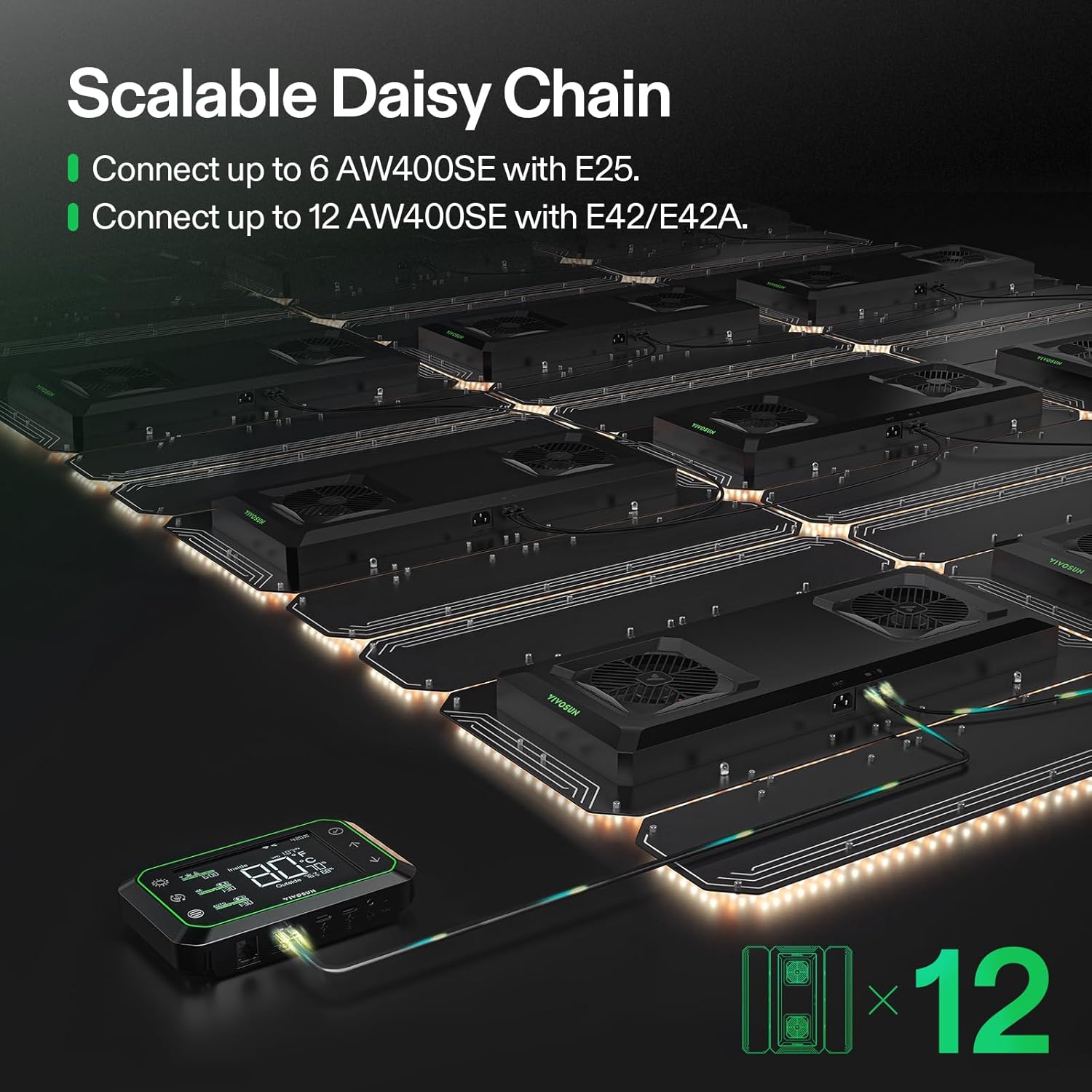
Image: Key advantages of the AeroLight Wing, including its 2-in-1 light and fan combo, optimized full-spectrum lighting, and smart control capabilities.
Konfigurazio Gida
1. Kutxatik ateratzea eta osagaien egiaztapena
Kontu handiz atera osagai guztiak paketetik. Egiaztatu pieza guztiak daudela:
- VIVOSUN AeroLight Wing AW400SE unit
- Hanging cables and carabiners
- Elikatze-kablea
- RJ45 Network Cable (for controller connection)
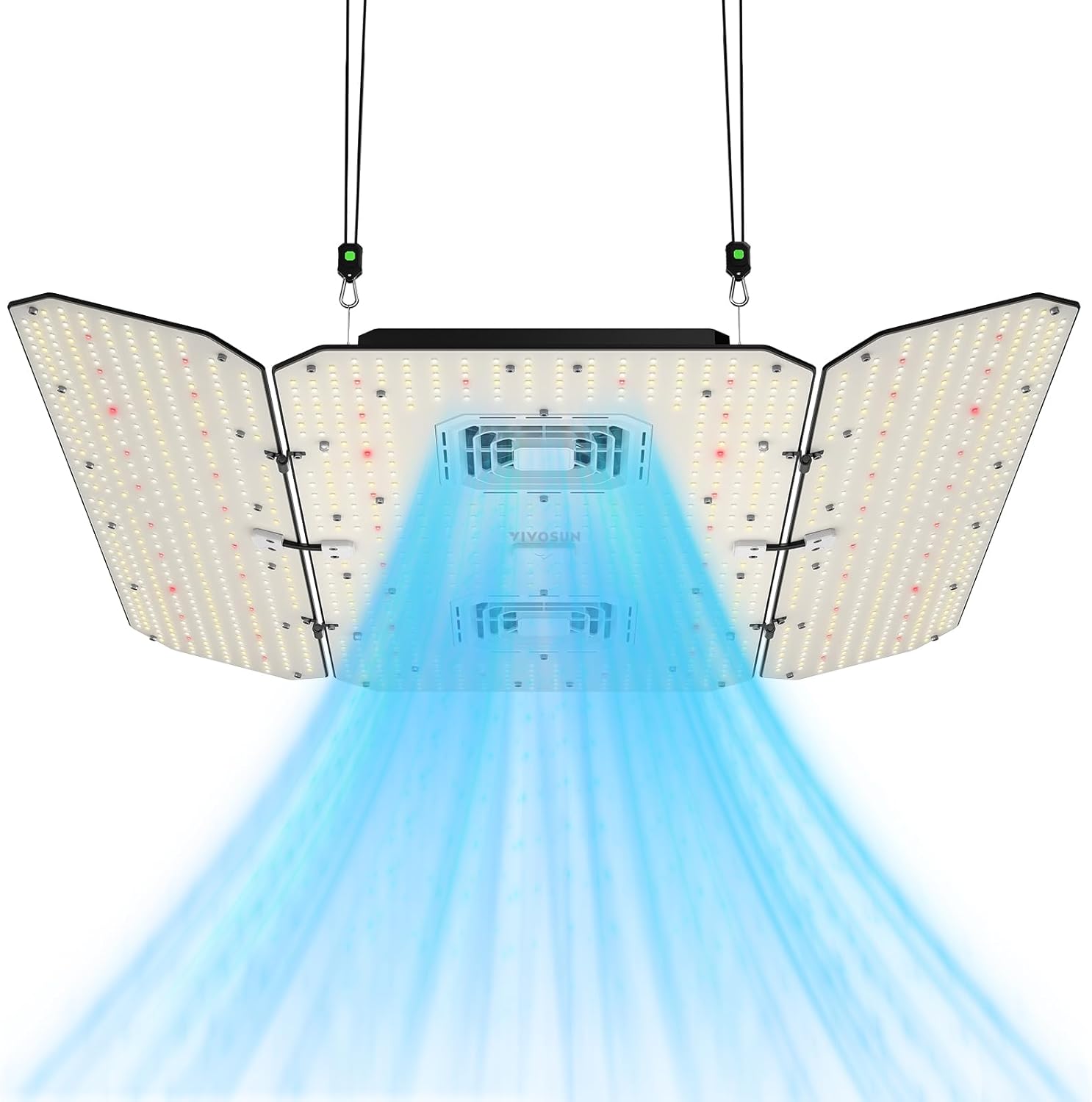
Image: The AeroLight Wing AW400SE as it appears when unboxed, showing the main unit and included accessories.
2. Hazkuntza-argia muntatzea
Attach the hanging cables to the designated points on the grow light unit. Use the carabiners to securely hang the light from a sturdy support structure within your grow tent or area. Ensure the light is level and positioned at the desired height above your plants. The foldable wings can be adjusted to optimize light coverage.
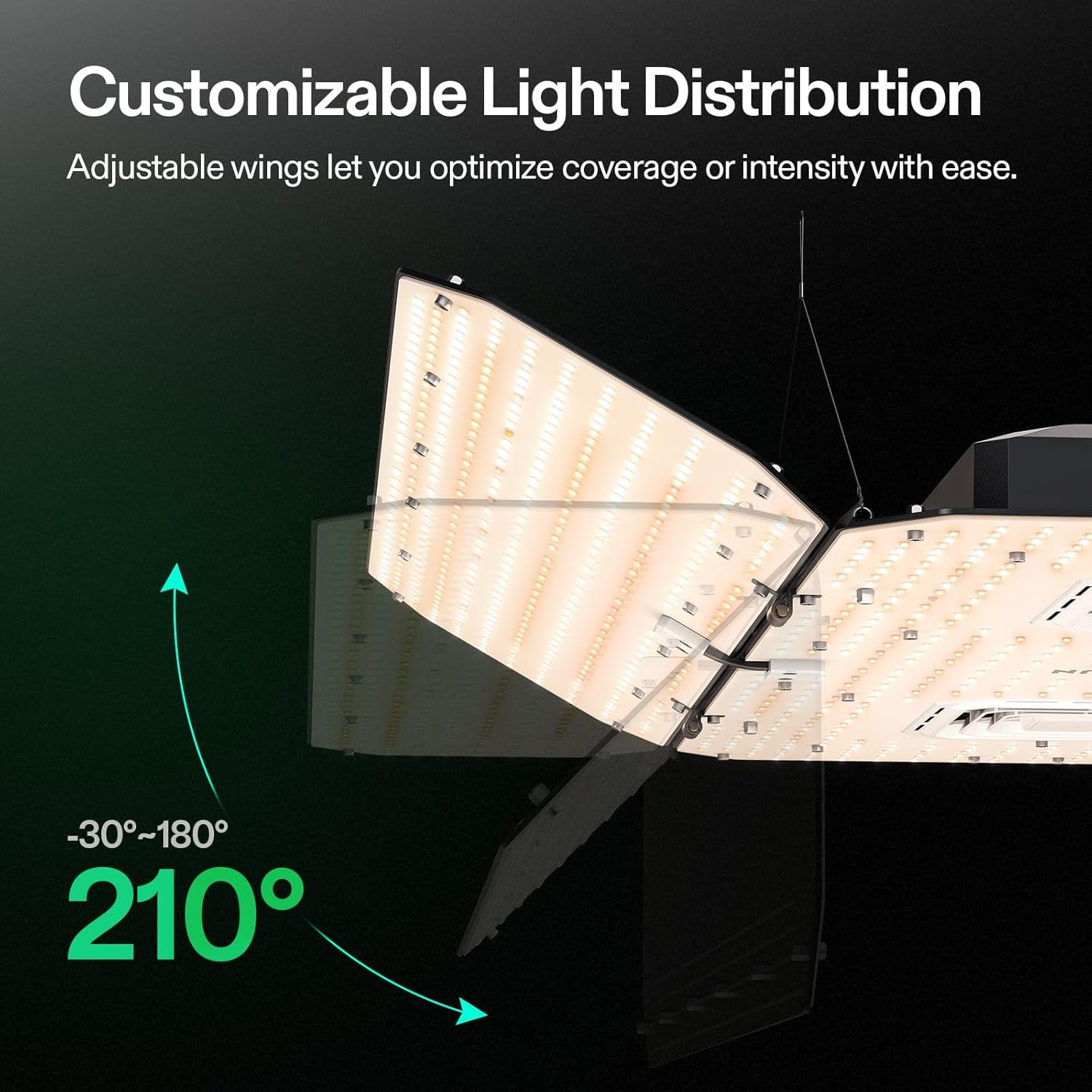
Image: The AeroLight Wing with its adjustable wings, demonstrating the 210-degree range for customizable light distribution.
3. Energia-konexioa
Connect the provided power cord to the light unit and then plug it into a standard electrical outlet. Ensure the outlet meets the voltage requirements (AC 120-240 V, 50/60 Hz).
4. Connecting to GrowHub Controller (Optional, Recommended)
For smart control and advanced features, connect the AeroLight Wing to a VIVOSUN GrowHub Controller (E42, E42A, or E25, sold separately) using the RJ45 network cable. Follow the GrowHub Controller's instructions for pairing with the VIVOSUN app.

Image: The VIVOSUN GrowHub app interface, showing control options for light intensity, fan speed, and environmental monitoring.
Funtzionamendu-argibideak
Light and Fan Control
The AeroLight Wing can operate by simply plugging it in, providing full light output. For precise control over light intensity (dimming 25-100% OFF) and fan speed, use a compatible VIVOSUN GrowHub Controller and the VIVOSUN app. The app allows you to:
- Adjust light intensity manually.
- Control the integrated circulation fan speed.
- Set automated day/night schedules.
- Monitor environmental data such as temperature and humidity.

Image: The VIVOSUN GrowHub app allows users to monitor and control their grow setup from anywhere, access data logs, and utilize pre-programmed 'Grow Recipes'.
Optimal Light Coverage and Growing Tips
The hollow light design and adjustable wings ensure uniform light and air distribution. Refer to the following guidelines for optimal plant growth in a 4' x 4' grow tent:

Image: Table providing recommended light distance, dimming percentage, and light cycle duration for different plant growth stages (Seedling, Veg, Early Flower, Late Flower) in a 4'x4' grow tent.

Image: PPFD (Photosynthetic Photon Flux Density) maps illustrating optimal light coverage at 12", 18", and 24" heights within a 4'x4' grow tent, ensuring even light distribution and deeper penetration.
Mantentzea
To ensure the longevity and optimal performance of your VIVOSUN AeroLight Wing AW400SE, follow these maintenance guidelines:
- Ohiko garbiketa: Periodically wipe down the light panels and fan grill with a soft, dry cloth to remove dust and debris. Ensure the unit is unplugged before cleaning.
- Fan ikuskapena: Check the integrated fan for any obstructions or unusual noises. Keep the fan area clear to maintain efficient air circulation and heat dissipation.
- Kableen kudeaketa: Ensure all power and network cables are neatly organized and free from kinks or damage to prevent electrical issues.
- Ingurumen Kontrola: Maintain appropriate temperature and humidity levels in your grow area to prevent excessive strain on the light and fan components.
Arazoak konpontzea
Argia Ez Pizten
- Check if the power cord is securely plugged into both the light unit and the electrical outlet.
- Egiaztatu entxufe elektrikoa funtzionatzen duela beste gailu batekin probatuz.
- If using a GrowHub Controller, ensure it is powered on and properly connected.
Fan Not Operating or Making Unusual Noise
- Ensure the light is powered on. The fan operates in conjunction with the light.
- If connected to a GrowHub Controller, check the fan speed settings in the VIVOSUN app.
- Inspect the fan for any physical obstructions (e.g., dust buildup, debris) and carefully remove them if present.
- If the fan is making unusual noises, it may indicate a mechanical issue. Contact VIVOSUN customer support for assistance.
Aplikazioen konexio arazoak
- Ensure your GrowHub Controller is properly connected to your Wi-Fi network.
- Verify that the RJ45 network cable is securely connected between the light and the GrowHub Controller.
- Restart both the GrowHub Controller and your smartphone/tablet.
- Ensure your VIVOSUN app is updated to the latest version.
Zehaztapenak
| Atributua | Xehetasuna |
|---|---|
| Eredua | VSAW400SE |
| Potentzia nominala | 400 W |
| Estaldura | 4 x 4 oin |
| Bizi-iraupena | > 50,000 ordu |
| Sarrera boltage | AC 120-240 V, 50/60 Hz |
| Eraginkortasuna | 2.75 µmol/J |
| Iluntzea | 25-100% OFF |
| Espektroa | Espektro osoa |
| Fan Motor | EC-Motorra |
| Fan Bearing | Pilota Bikoitza |
| Aire-fluxua | 168 CFM |
| Zarata | 66 dBA |
| Produktuaren neurriak | 26.4"L x 2.2"Z x 16"A |
| Elementuaren pisua | 17.56 kilo |

Image: Detailed specifications and dimensions for the VIVOSUN AeroLight Wing AW400SE.
Bermea eta Laguntza
VIVOSUN products are designed for durability and performance. For specific warranty information and customer support, please refer to the warranty card included with your product or visit the official VIVOSUN website. You can also contact VIVOSUN customer service for any technical assistance or inquiries regarding your AeroLight Wing AW400SE.
Oharra: Ez zegoen saltzaileen bideo ofizialik eskuliburu honetan zuzenean txertatzeko.
Ask a question about this manual
Ask about setup, troubleshooting, compatibility, parts, safety, or missing instructions. Manuals+ will review the question and use this page’s manual context to help answer it.