
Sarrera
The NEEWER GM41 Low Profile Tripod Ball Head is designed to provide stable and flexible camera positioning for various photographic needs. Its low center of gravity enhances stability, supporting equipment up to 22lb (10kg). This ball head features a dual-compatibility quick release system, allowing seamless transitions between tripods and other mounting solutions.
This manual will guide you through the components, setup, and operation of your GM41 ball head to ensure optimal performance and longevity.
Kutxan dagoena
- 1 x NEEWER GM41 Low Profile Burua
- 2 x L Shaped Hex Key
- 1 x Erabiltzailearen eskuliburua
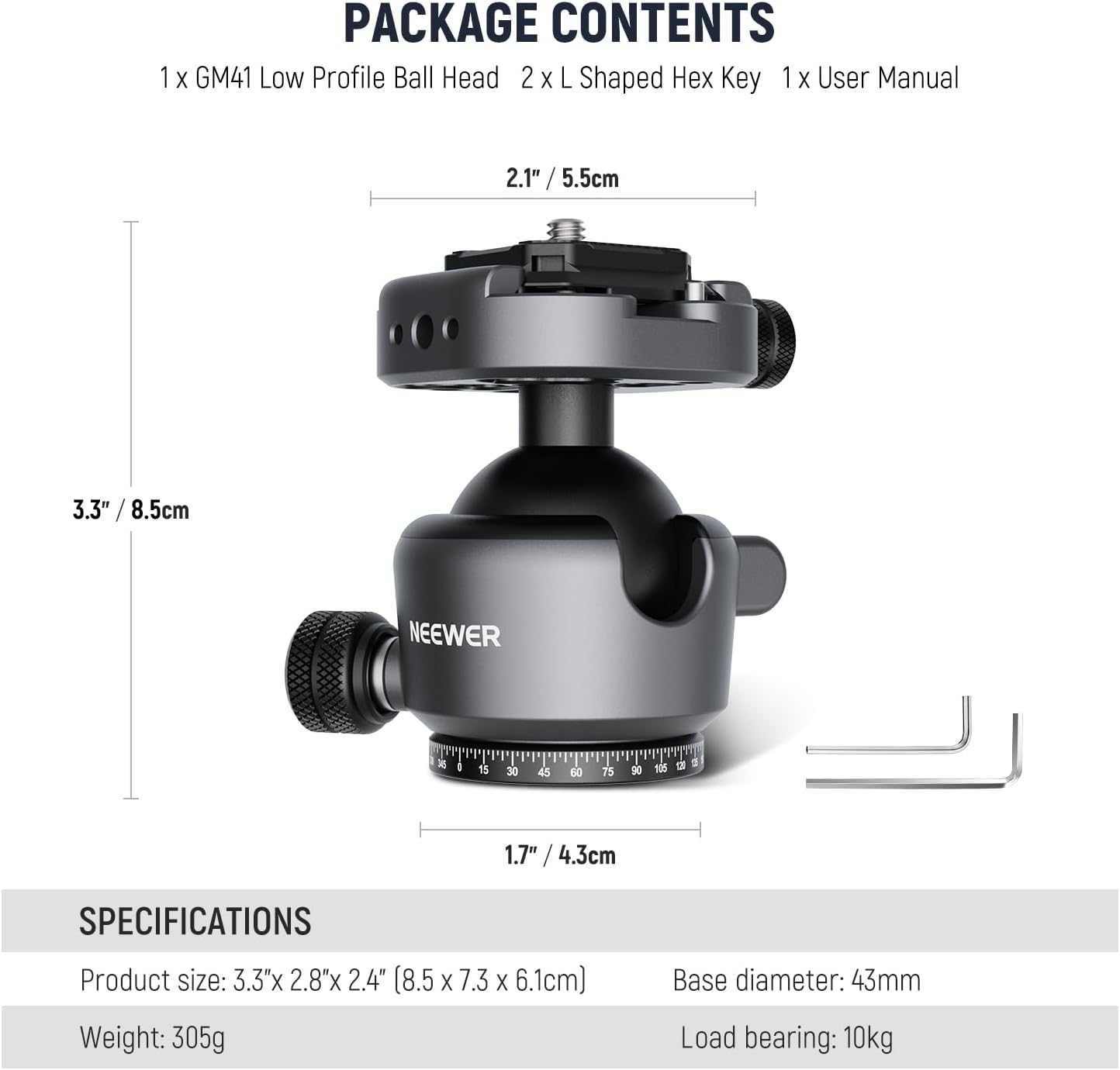
Image: NEEWER GM41 Low Profile Ball Head package contents and dimensions.
Produktua amaituview
Familiarize yourself with the key components of the NEEWER GM41 Low Profile Buru esferikoa:
- QR Plate: Quick Release plate for attaching your camera.
- Buru esferikoa: Spherical joint allowing flexible camera positioning.
- Panoramic Locking Knob: Secures the 360° rotation of the base.
- Quick Lock Knob: Controls the movement and locking of the ball head.
- Burbuila maila: Assists in achieving a level horizon.
- 360° Rotating Scale: Graduated scale for precise panoramic adjustments.

Irudia: Xehetasun handikoa view of the NEEWER GM41 Ball Head components.
Konfigurazioa
- Attach to Tripod/Monopod: The ball head features a 3/8" threaded hole at its base. Screw the ball head onto the 3/8" screw of your tripod, monopod, or slider. Ensure it is securely tightened.
- Attach Camera to QR Plate: The quick release (QR) plate has a 1/4" mounting screw. Attach this plate to the 1/4" tripod socket on the bottom of your camera. Use the provided hex key or the integrated D-ring (if available on your plate) to tighten it firmly.
- Mount Camera to Ball Head: Slide the camera with the attached QR plate into the clamp base of the ball head. Secure it by tightening the quick lock knob until the camera is firmly held. The QR clamp is compatible with Arca-type plates and PD backpack strap clip mounts.

Image: Mounting options for the NEEWER GM41 Ball Head.
Funtzionamendu-argibideak
- Adjusting Ball Head Angle: Loosen the Quick Lock Knob to allow the ball head to move freely. Position your camera to the desired angle. The single U-notch design allows for 90° vertical shooting. Once the desired angle is achieved, tighten the Quick Lock Knob to secure the camera in place.
- Errotazio panoramikoa: To perform a 360° panoramic rotation, ensure the Quick Lock Knob is tightened to secure the camera angle, then loosen the Panoramic Locking Knob at the base of the ball head. Rotate the camera to the desired panoramic position using the 360° rotating scale for precision. Tighten the Panoramic Locking Knob to fix the position.
- Using the Bubble Level: The built-in bubble level helps ensure your camera is perfectly horizontal. Adjust the ball head until the bubble is centered within the indicator.

Image: 360° Swivel and 90° Tilt functionality.
Mantentzea
- Keep the ball head clean and free from dust and debris. Use a soft, dry cloth for cleaning.
- Avoid exposing the ball head to extreme temperatures or harsh chemicals.
- Periodically check all screws and knobs to ensure they are securely tightened.
- Do not over-tighten knobs, as this can cause damage.
Arazoak konpontzea
- Camera not holding position: Ensure the Quick Lock Knob is fully tightened. Check that the camera's 1/4" screw is securely fastened to the QR plate.
- Ball head feels stiff: Ensure no sand or debris is lodged in the ball mechanism. Clean the unit as per maintenance instructions.
- Panoramic rotation is not smooth: Verify that the Panoramic Locking Knob is sufficiently loosened.
Zehaztapenak
| Ezaugarri | Zehaztapena |
|---|---|
| Modelo zenbakia | GM41/40mm |
| Produktuaren neurriak | 3.3" x 2.9" x 2.4" (85x73x61mm) |
| Elementuaren pisua | 10.8 oz (305 g) |
| Gehienezko Karga Edukiera | 22 lb (10 kg) |
| Bolaren Diametroa | 40 mm |
| Mounting Screw (Top) | 1/4" |
| Mounting Thread (Bottom) | 3/8" |
| Materiala | CNC Machined Aluminum Alloy |
| Kolorea | Beltza |

Image: NEEWER GM41 Ball Head demonstrating high load capacity.
Bermea eta Laguntza
NEEWER produktuak fidagarritasun eta errendimendu handikoak izateko diseinatuta daude. Bermeari buruzko informazioa edo laguntza teknikoa lortzeko, jo NEEWER-en webgune ofizialera. webwebgunera edo jarri harremanetan zuzenean bezeroarentzako arreta-zerbitzuarekin. Gorde erosketa-agiria erosketaren frogagiri gisa.
Laguntza gehiago lortzeko, mesedez bisitatu: www.neewer.com