
Shimbol M7
Shimbol M7 7-inch 2000 Nits Camera Monitor User Manual
Eredua: M7
1. Sarrera
Thank you for choosing the Shimbol M7 7-inch 2000 Nits Camera Monitor. This professional on-camera field monitor is designed to enhance your filmmaking and photography experience with its high-brightness touchscreen, 1920x1080 IPS display, and comprehensive monitoring tools. This manual provides essential information for the proper setup, operation, and maintenance of your device.

Image 1.1: The Shimbol M7 7-inch 2000 Nits Camera Monitor.
2. Segurtasun informazioa
Please read all safety instructions carefully before using the Shimbol M7 monitor to prevent damage to the product or injury to yourself. Keep this manual for future reference.
- Ez jarri monitoreari euriari, hezetasunari edo muturreko tenperaturei.
- Avoid dropping or subjecting the monitor to strong impacts.
- Do not disassemble the monitor. Repairs should only be performed by authorized personnel.
- Use only approved power sources and accessories.
- Garbitu pantaila zapi leun eta lehor batekin. Saihestu produktu kimiko gogorrak erabiltzea.
- Ensure proper ventilation when operating the monitor.
3. Paketearen edukia
Egiaztatu behean zerrendatutako elementu guztiak zure paketean sartuta daudela. Elementuren bat falta bada edo hondatuta badago, jarri harremanetan zure saltzailearekin.

Image 3.1: Shimbol M7 monitor and included accessories.
- Shimbol M7 Camera Monitor
- SDI Cable
- HDMI kablea
- Oinetakoen Muntaia
- Tempered Screen Protector
- Dusting Cloth
- Erabiltzailearen eskuliburua
- Kolore Kutxa
- Eraman zorroa
- SD Card (32GB)
4. Produktua amaitu daview
The Shimbol M7 is a high-performance 7-inch camera monitor designed for professional use. It features a robust aluminum body and a bright, clear display with advanced monitoring capabilities.
4.1 Ezaugarri nagusiak
- 2000 Nits High Brightness: Ensures clear visibility for outdoor shooting, even in strong sunlight.
- 1920x1080 IPS Display: Provides sharp images and rich colors with a DCI-P3 display.
- Ukipen-pantailaren interfazea: For easy and intuitive navigation of menus and functions.
- 4K HDMI & 3G-SDI Support: Versatile connectivity for various camera setups.
- Custom 3D LUTs: Allows for quick application of desired shooting effects.
- Jarraipen tresna profesionalak: Includes False Color, Waveform, Focus Peaking, Histogram, Vectorscope, RGB adjustments, and more.
- Bateria bikoitzeko zirrikituak: Extends operating time for prolonged shooting sessions (batteries not included).
- Abiazioko aluminiozko gorputza: Durable, lightweight, and meticulously crafted using CNC process.

4.1. irudia: Amaituview of Shimbol M7 features including 2000 Nits, 4K HDMI, 3G-SDI, 3D LUT, and IPS display.
4.2 Portuak eta kontrolak
Familiarize yourself with the various ports and controls on your Shimbol M7 monitor.

4.2. irudia: Atzekoa view of the Shimbol M7 showing HDMI and SDI dual interfaces and battery plate.
- HDMI Sarrera/Irteera: Connects to cameras or other video sources and outputs to other displays.
- SDI Input/Output: Professional video input/output for high-quality signals.
- DC potentzia sarrera: Kanpoko elikatze-iturrirako.
- Dual Battery Plate: Accommodates two NP-F style batteries for extended power.
- Pizteko botoia: Monitorea pizten edo itzaltzen du.
- Funtzio-botoiak: Customizable buttons for quick access to frequently used features.
5. Konfigurazioa
Follow these steps for initial setup of your Shimbol M7 monitor.
- Monitorea muntatzea: Attach the monitor to your camera rig or hot shoe using the provided hot shoe mount. Ensure it is securely fastened.
- Monitorea piztea:
- Bateria Potentzia: Insert one or two compatible NP-F style batteries into the dual battery slots on the rear of the monitor.
- DC potentzia: Connect an external DC power adapter (not included) to the DC power input port.
- Connecting to a Camera:
- HDMI konexioa: Use the provided HDMI cable to connect your camera's HDMI output to the monitor's HDMI input.
- SDI Connection: Use the provided SDI cable to connect your camera's SDI output to the monitor's SDI input.
- Piztu: Sakatu eta eutsi pizteko botoia pantaila piztu arte.
6. Funtzionamendu-argibideak
The Shimbol M7 features an intuitive touchscreen interface and a range of professional monitoring tools.
6.1 Oinarrizko funtzionamendua
- Ukipen-pantailako nabigazioa: Tap icons to select functions, swipe to navigate menus, and pinch-to-zoom (if supported by specific functions).
- Menurako sarbidea: Tap the menu icon on the screen to access the main settings and tools.
- Sarrera hautatzea: Select the appropriate input source (HDMI or SDI) from the menu or quick access icons.

Image 6.1: The Shimbol M7's new UI design for easy and smooth operation.
6.2 Jarraipen Tresna Profesionalak
The M7 monitor includes a suite of tools to assist with accurate exposure and focus.
- Fokuaren gailurra: Highlights in-focus areas with a selectable color.
- Kolore faltsua: Displays exposure levels using a spectrum of colors, helping to identify over/underexposed areas.
- Uhin forma: Provides a graphical representation of video signal luminance levels.
- Bektoreskopioa: Shows the color information of the video signal.
- Histograma: Illustrates the distribution of tones in your image.
- 3D LUTs: Apply custom Look Up Tables for real-time color grading and monitoring.
- Anamorphic Ratio: Foo anamorfikoa askatzen dutage egokitzat viewing.
- Maskara: Applies various aspect ratio masks.

6.2 irudia: Adibideaamples of professional monitoring tools including False Color, Mask, RGB Custom Settings, and High Precision Oscillogram.

Image 6.3: The Shimbol M7 supporting custom 3D LUTs for quick visual effects.
6.3 Koloreen Kalibrazioa
The M7 monitor features professional color calibration to ensure accurate color reproduction.
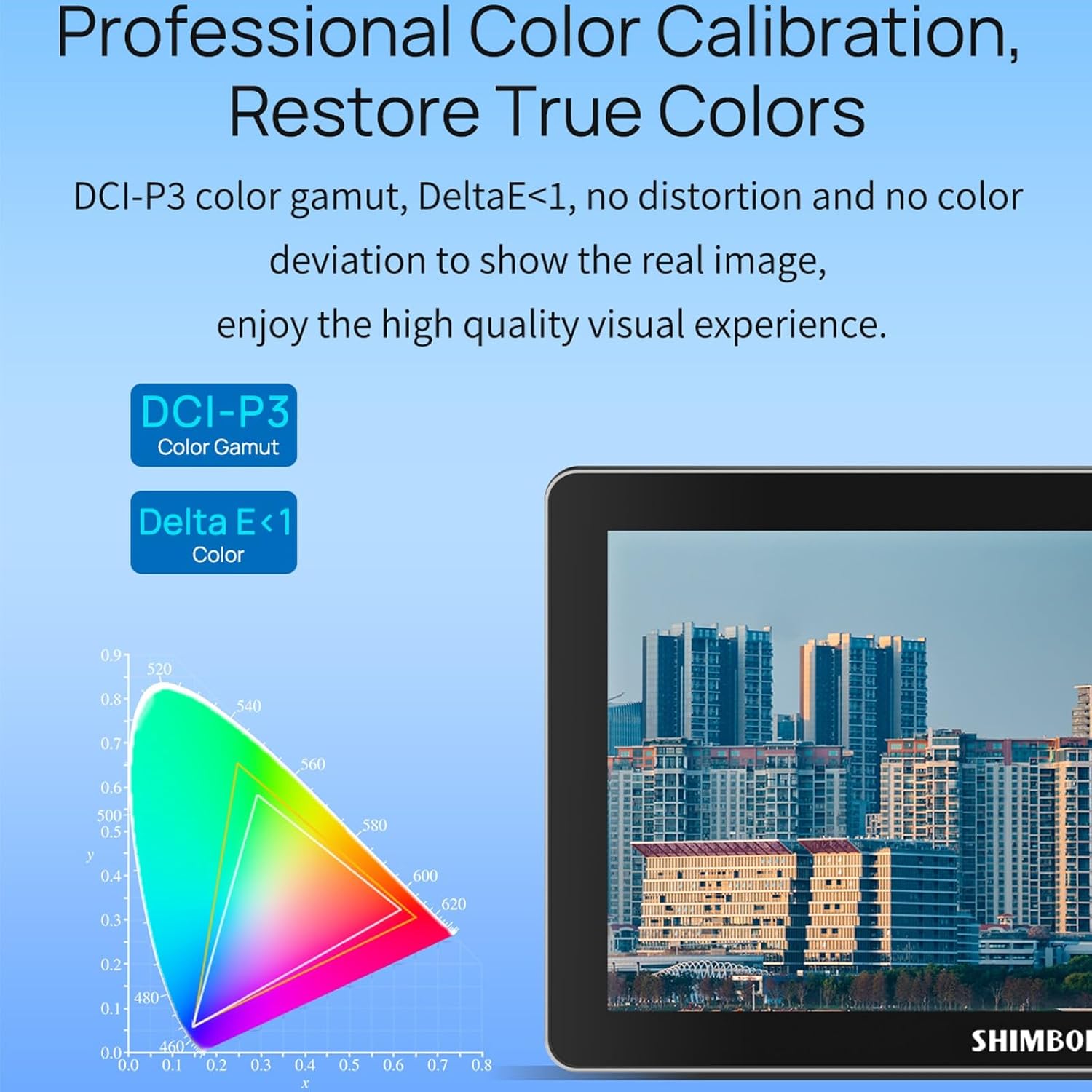
Image 6.4: Professional color calibration on the Shimbol M7, showing DCI-P3 color gamut and Delta E < 1.
7. Mantentzea
Proper care and maintenance will ensure the longevity and optimal performance of your Shimbol M7 monitor.
- Pantaila garbitzea: Use the provided dusting cloth or a soft, lint-free microfiber cloth to gently wipe the screen. For stubborn smudges, slightly dampGarbitu zapia urarekin edo pantailarako segurua den garbiketa-soluzio batekin. Ez ihinztatu likidoa zuzenean pantailan.
- Gorputza garbitzea: Wipe the monitor's aluminum body with a soft, dry cloth.
- Biltegiratzea: When not in use, store the monitor in its carry case in a cool, dry place away from direct sunlight and extreme temperatures.
- Bateria zaintzea: If using batteries, remove them if the monitor will not be used for an extended period.
8. Arazoak
If you encounter issues with your Shimbol M7 monitor, refer to the following common problems and solutions.
| Arazoa | Kausa posiblea | Irtenbidea |
|---|---|---|
| Monitorea ez da pizten. | No power, low battery, faulty power cable. | Ensure batteries are charged and correctly inserted, or connect to a working DC power source. Check power cable connections. |
| No video signal. | Incorrect input selected, faulty cable, camera output issue. | Verify the correct input (HDMI/SDI) is selected on the monitor. Check cable connections. Ensure camera video output is active. Try a different cable. |
| Pantaila oso iluna/distiratsua da. | Distira ezarpenak. | Adjust the brightness setting in the monitor's menu. |
| Ukipen-pantailak ez du erantzuten. | Temporary software glitch, screen protector issue. | Restart the monitor. Ensure the screen protector is applied correctly and not interfering with touch. |
If the problem persists after attempting these solutions, please contact Shimbol customer support.
9. Zehaztapenak
Detailed technical specifications for the Shimbol M7 Camera Monitor.
| Ezaugarri | Zehaztapena |
|---|---|
| Marka | Shimbol |
| Modelo zenbakia | M7 |
| Pantailaren tamaina | 7 hazbete |
| Berezko Ebazpena | 1920x1080 (FHD 1080p) |
| Bistaratzeko Gehienezko bereizmena | 1920 x 1080 |
| Distira | 2000 nit |
| Kontraste-erlazioa | 1800:1 |
| Viewangelua | 170 gradu |
| Aspektu-erlazioa | 16:9 |
| Bistaratzeko mota | LED IPS |
| Pantailaren gainazalaren deskribapena | Matea |
| Konektibitate Teknologia | HDMI, SDI, Wi-Fi |
| Total Number of HDMI Ports | 1 |
| Number of Component Outputs | 2 |
| Elementuaren pisua | 0.8 kilogramo |
| Kolorea | Beltza |
| Gailu bateragarriak | Camera, Camcorder, Certain Multimedia Devices |
| Ezaugarri gehigarriak | Eramangarria |
10. Bermea eta Laguntza
The Shimbol M7 Camera Monitor comes with a standard manufacturer's warranty. Please refer to the warranty card included in your package for specific terms and conditions. For technical support, troubleshooting assistance, or warranty claims, please contact Shimbol customer service through their official webgunea edo zure erosketa puntua.
Gorde erosketa-agiria erosketaren frogagiri gisa, bermearen ondorioetarako.
Ask a question about this manual
Ask about setup, troubleshooting, compatibility, parts, safety, or missing instructions. Manuals+ will review the question and use this page’s manual context to help answer it.