
1. Sarrera
The CHERRY XTRFY M64 Wireless Gaming Mouse is engineered for competitive gaming, offering ultra-fast 8000 Hz polling rate technology for extremely low click latency and precise cursor movements. This ergonomic mouse features a reinvented design for enhanced grip and control, combined with a lightweight construction for swift and accurate gameplay. It utilizes a high-performance Pixart 3395 sensor and refined wireless technology to ensure uncompromised speed and responsiveness.
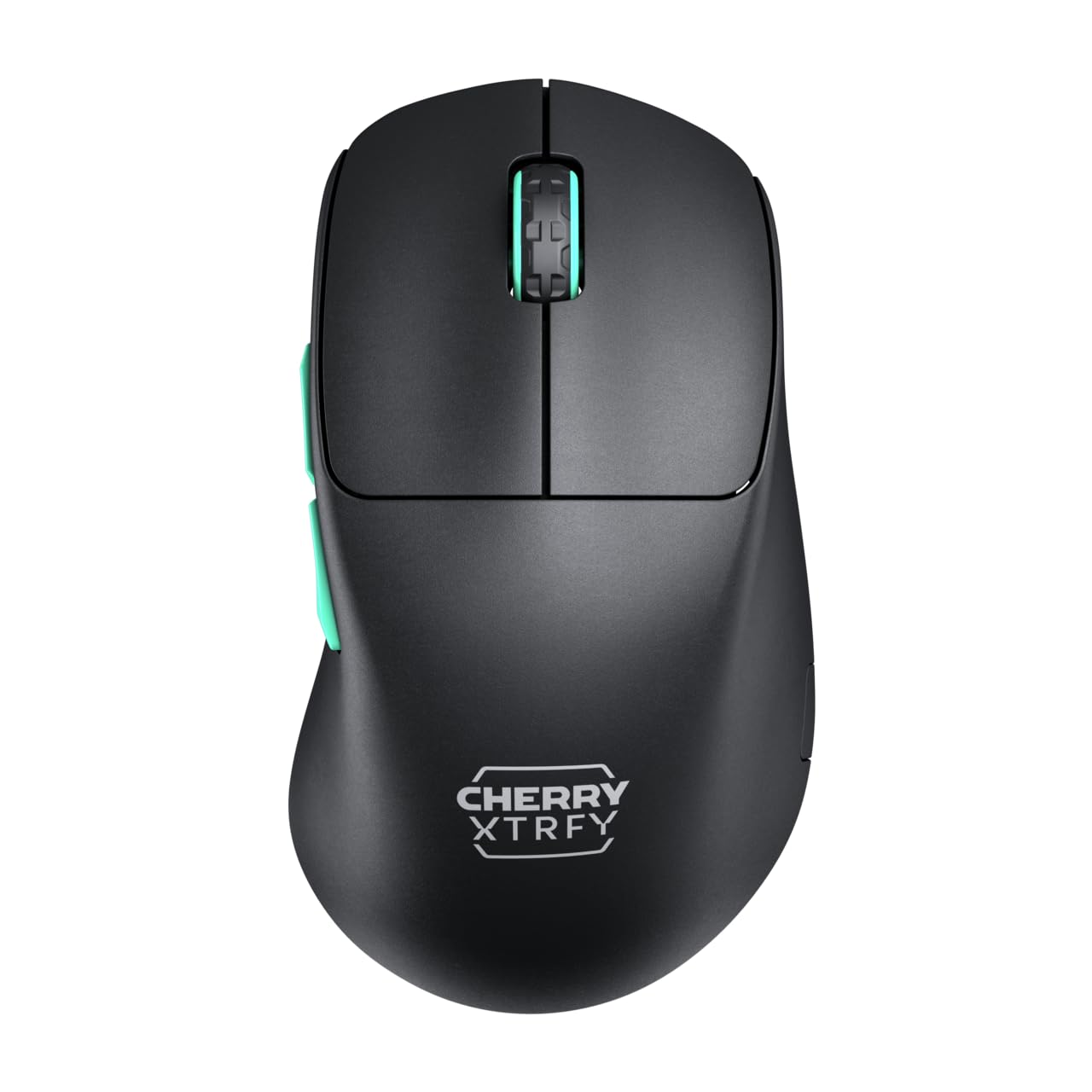
Image 1: CHERRY XTRFY M64 Wireless Gaming Mouse. This image shows the ergonomic design of the mouse, highlighting its black body and distinctive teal scroll wheel and side buttons.
2. Paketearen edukia
Egiaztatu elementu guztiak paketean daudela:
- CHERRY XTRFY M64 haririk gabeko jokorako sagua
- USB-C Charging Cable (flexible CHERRY XTRFY EZcord)
- USB-A Haririk gabeko Hargailua
- USB-A to USB-C Adapter (for receiver extension)
- Erabiltzailearen eskuliburua (dokumentu hau)

Image 2: Included accessories. This image displays the USB-C charging cable, the USB-A wireless receiver, and an adapter, which are essential for connecting and charging the mouse.
3. Konfigurazioa
- Connect the Wireless Receiver: Insert the USB-A wireless receiver into an available USB port on your computer. For optimal signal strength and reduced latency, use the provided USB-A to USB-C adapter and charging cable to position the receiver closer to the mouse.
- Piztu sagua: Locate the power switch on the underside of the mouse and slide it to the "ON" position. The mouse should automatically connect to the receiver.
- Hasierako karga: For first-time use, it is recommended to fully charge the mouse. Connect the USB-C end of the charging cable to the mouse and the USB-A end to your computer or a USB power adapter. The mouse can be used while charging.
4. Funtzionamendu-argibideak
4.1. Botoiaren funtzioak
- Ezkerreko klik botoia: Lehen mailako ekintza.
- Eskuineko botoiarekin klik egiteko: Secondary action.
- Korritzeko gurpila: Gora/behera joan, erdiko botoiarekin klik egin.
- Alboko botoiak: Normalean aurrera/atzera nabigatzeko konfiguratuta dago web browsers or custom functions in games.
4.2. DPI doikuntza
The M64 Wireless mouse allows for on-the-fly DPI (Dots Per Inch) adjustment without requiring software. The DPI button is located on the underside of the mouse. Press this button to cycle through preset DPI levels. An indicator light will typically change color to show the current DPI setting.

Image 3: Underside of the mouse. This view highlights the various switches and buttons on the bottom of the mouse, including the DPI adjustment button and polling rate switch.
4.3. Bozketa-tasaren doikuntza
The M64 Pro Wireless supports up to an 8000 Hz polling rate, providing extremely fast response times. A switch on the underside of the mouse allows you to select between different polling rates (e.g., 1000 Hz, 8000 Hz) to suit your preference and system capabilities. Refer to the markings on the mouse for specific settings.
4.4. Bateria eta kargatzea
The mouse is equipped with a rechargeable Lithium Ion battery. A full charge can provide up to 90 hours of playtime in Standard Gaming Mode. When the battery is low, the indicator light on the mouse will signal this condition. Connect the mouse using the provided USB-C cable to charge. You can continue using the mouse while it is connected via cable.
5. Mantentzea
- Garbiketa: Erabili zapi leun eta lehor bat saguaren gainazala garbitzeko. Zikinkeria egoskorra bada, garbitu zapi pixka bat.amp cloth can be used, ensuring no liquid enters the mouse. Avoid harsh chemicals or abrasive materials.
- Biltegiratzea: Gorde sagua leku fresko eta lehor batean, eguzki-argitik eta tenperatura altuetatik babestuta.
- Bateria zaintzea: To prolong battery life, avoid fully discharging the mouse frequently. Charge it when the low battery indicator appears.
6. Arazoak
- Saguak ez du erantzuten:
- Ziurtatu sagua piztuta dagoela.
- Check if the wireless receiver is securely plugged into a USB port.
- Verify the mouse battery has sufficient charge.
- Saiatu hartzailea beste USB ataka batera konektatzen.
- Ziurtatu beste haririk gabeko gailuek ez dutela interferentziarik eragiten.
- Lag or Disconnects:
- Move the wireless receiver closer to the mouse, using the extension cable if necessary.
- Ensure there are no large metal objects or other strong wireless signals between the mouse and receiver.
- Reduce the polling rate if your system struggles to maintain 8000 Hz.
- Kargatzeko arazoak:
- Ziurtatu USB-C kablea behar bezala konektatuta dagoela sagura eta elikatze-iturrira.
- Probatu beste USB ataka edo korronte egokitzaile batekin.
7. Zehaztapenak
| Eredua | M64 Haririk gabekoa |
| Konektibitate Teknologia | Wireless (2.4 GHz), USB (for charging/wired use) |
| Sentsore | pixart 3395 |
| Bozketa-tasa | Up to 8000 Hz (Pro models) |
| Pisua | Approx. 55 grams (Pro Wireless) |
| Bateria mota | 1 litio ioizko bateria (barne) |
| Bateriaren iraupena | Up to 90 hours (Standard Gaming Mode) |
| Neurriak (paketea) | 4.7 x 2.5 x 1.5 hazbete |
| Elementuaren pisua | 1.94 ontza |
| Fabrikatzailea | Cherry Xtrfy |
8. Bermea eta Laguntza
CHERRY XTRFY products are covered by a manufacturer's warranty. For detailed warranty information, technical support, or service inquiries, please visit the official CHERRY XTRFY webgunera edo jarri harremanetan zuzenean bezeroarentzako arreta-zerbitzuarekin.
Ofiziala Webguneak: cherryxtrfy.com, cherry.de


