
Sarrera
Thank you for choosing the DOSS SoundBox H100 Bluetooth Speaker. This manual provides essential information for setting up, operating, and maintaining your speaker to ensure optimal performance and longevity. Please read this manual thoroughly before use.
Kutxan dagoena
- 1x DOSS SoundBox H100 Bluetooth Speaker
- 1x Power Cable (Wall charger not included)
- 1x uhala
- 1x Erabiltzailearen eskuliburua
Produktua amaituview
The DOSS SoundBox H100 features a unique handbag-styled design with a rose gold and copper-tone pink control panel. It is equipped with intuitive controls and versatile connectivity options.

1. irudia: Aurrealdea view of the DOSS SoundBox H100 speaker with its detachable strap.
Kontrol panela
The top panel features physical knobs for Bass, Volume, and Treble adjustment, along with buttons for power, playback control, mode selection, and prompt tone activation/deactivation.

2. irudia: Xehetasuna view of the control panel with physical knobs and buttons.
Portuak eta Konektibitatea
The side of the speaker houses various ports for charging, USB drive playback, MicroSD card input, and AUX-in connectivity.
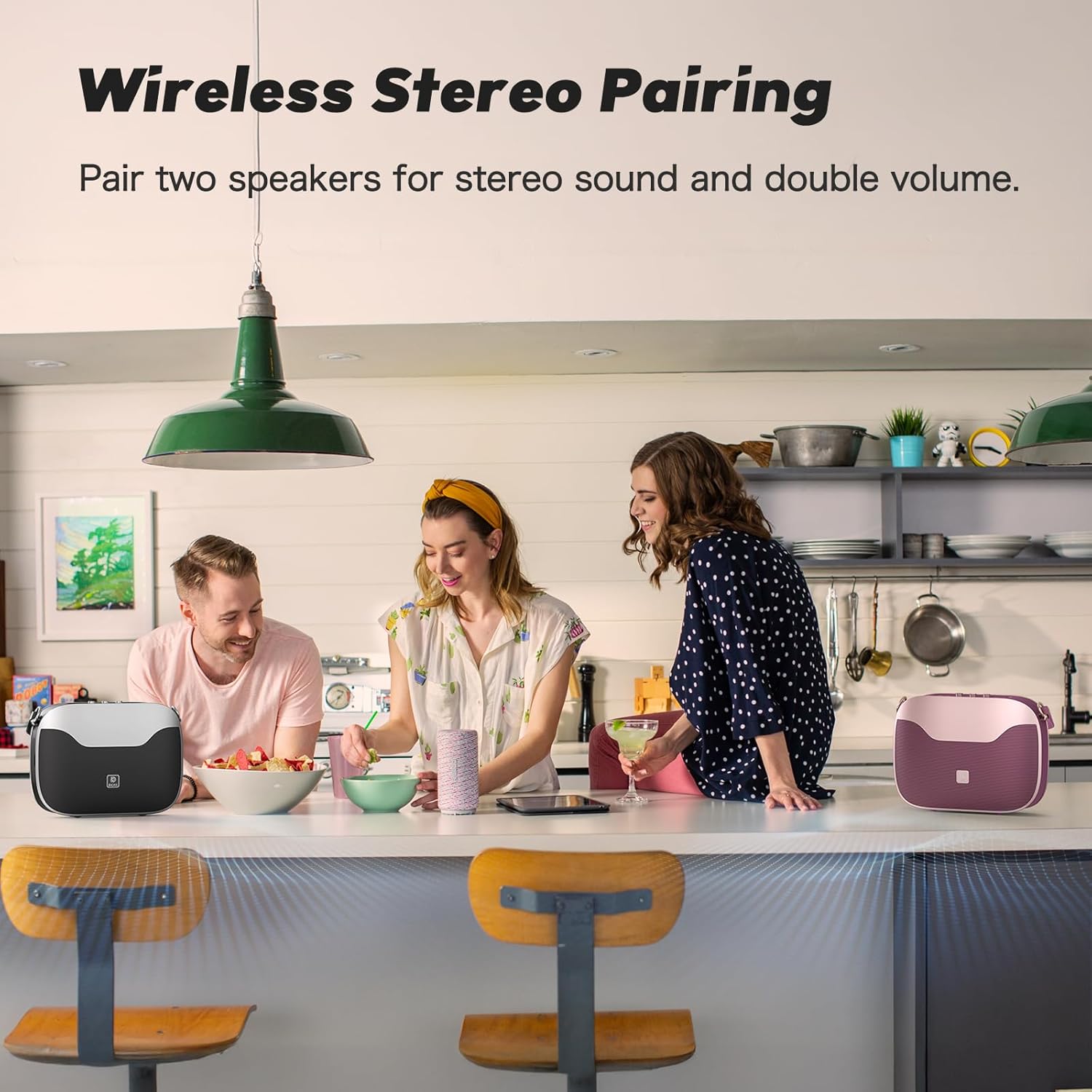
Figure 3: Side panel showing the USB-C charging port, USB-A port, MicroSD card slot, and AUX-in port.
Konfigurazioa
Piztu/Itzaltzea
- Pizteko: Eduki sakatuta pizteko botoia (⏻) on the control panel until you hear an audible prompt.
- Itzaltzeko: Eduki sakatuta pizteko botoia (⏻) berriro bozgorailua itzali arte.
Bluetooth parekatzea
- Ziurtatu bozgorailua piztuta dagoela eta Bluetooth parekatze moduan dagoela (LED urdin keinukari batek adierazten du).
- On your mobile device, navigate to Bluetooth settings.
- Select "SoundBox H100" from the list of available devices.
- Behin konektatuta, LED adierazlea urdin finko jarriko da eta baieztapen-tonu bat entzungo duzu.
True Wireless Stereo (TWS) parekatzea
For an immersive stereo experience, you can pair two DOSS SoundBox H100 speakers together.
- Ensure both SoundBox H100 speakers are powered on and disconnected from any Bluetooth devices.
- On one speaker (this will be your primary speaker), press and hold the 'M' (Mode) button until the indicator flashes blue rapidly.
- On the second speaker (secondary speaker), press and hold the 'M' (Mode) button until its indicator flashes blue slowly.
- The speakers will automatically connect. The primary speaker's indicator will turn solid blue, and the secondary speaker's indicator will flash blue slowly.
- Konektatu zure gailu mugikorra bozgorailu nagusira Bluetooth bidez, goian azaldu bezala. Bi bozgorailuek audioa estereoan erreproduzituko dute orain.
Video 1: DOSS SoundBox H100 Bluetooth Speaker - Full Operation Guide. This video demonstrates the full operational guide including pairing and controls.
Funtzionamendua
Audio Erreprodukzioa
The SoundBox H100 supports multiple audio sources:
- Bluetooth 5.3: Connect wirelessly to your smartphone, tablet, or laptop for seamless audio streaming.
- AUX-sarrera: Use a 3.5mm audio cable to connect to devices without Bluetooth.
- USB unitatea: Insert a USB flash drive into the USB-A port to play audio files zuzenean.
- MicroSD txartela: Insert a MicroSD card into the dedicated slot to play audio files.
Soinua doitzea
Customize your audio experience using the physical knobs on the control panel:
- Baxua: Rotate to increase or decrease the bass levels.
- Treble botoia: Rotate to increase or decrease the treble levels.
- Bolumen-eskulekua: Biratu bolumen orokorra doitzeko.
Power Bank-aren funtzionalitatea
The DOSS SoundBox H100 features a built-in power bank. Connect your mobile device to the USB-A port using a compatible charging cable to charge it on the go.
Video 2: DOSS SoundBox H100 Bluetooth Speaker. This video provides a brief overview of the speaker's features, including its power bank function.
Mantentzea
- Mantendu bozgorailua uretatik, hezetasunetik eta muturreko tenperaturetatik urrun.
- Garbitu bozgorailua zapi leun eta lehor batekin. Ez erabili garbitzaile edo disolbatzaile urratzailerik.
- Saihestu bozgorailua kolpe gogorrak erortzea edo jasaten.
- Gorde bozgorailua leku fresko eta lehor batean denbora luzez erabiltzen ez duzunean.
Arazoak konpontzea
| Arazoa | Irtenbidea |
|---|---|
| Bozgorailuak ez du pizten. | Ensure the battery is charged. Connect the speaker to a power source using the provided cable. |
| Ezin da Bluetooth bidez parekatu. | Make sure the speaker is in pairing mode (flashing blue LED). Ensure your device's Bluetooth is enabled and within range. Try restarting both devices. |
| Soinurik ez edo bolumen baxua. | Check the volume levels on both the speaker and your connected device. Ensure the correct input mode (Bluetooth, AUX, USB, MicroSD) is selected. |
| TWS parekatzeak huts egin du. | Ensure both speakers are disconnected from other Bluetooth devices before initiating TWS pairing. Follow the TWS pairing steps carefully. |
Zehaztapenak
| Ezaugarri | Xehetasuna |
|---|---|
| Marka | DOSS |
| Modelo zenbakia | SoundBox H100 |
| Bozgorailuaren irteera-potentzia maximoa | 50 Watt |
| Konektibitate Teknologia | Bluetooth 5.3 |
| Audio irteera modua | Estereoa |
| Bateriaren batez besteko bizitza | 24 ordu (% 50eko bolumenean) |
| Bateria kargatzeko denbora | 8 ordu |
| Bateria Edukiera | 4500 milioiamp Orduak |
| Bluetooth barrutia | 82 Oin |
| Elementuaren neurriak (L x W x H) | 11.1" L x 3.5" W x 8.5" H |
| Elementuaren pisua | 2.5 kilogramo |
| Ezaugarri gehigarriak | Adjustable Bass and Treble, Built-In Powerbank, Portable, Stereo Pairing, Dual DSP Technology |
| Uraren Erresistentzia Maila | Ez Urarekiko Erresistentea |
Bermea eta Laguntza
The DOSS SoundBox H100 comes with a One Year Limited Manufacturer's Warranty, covering any quality-related concerns from the date of purchase.
For any issues or support needs, please feel free to contact DOSS customer service:
- Telefonoa: 1-833-275-3677
- Posta elektronikoa: support@dossav.com
24 orduko laguntza eta euskarri azkarra eskaintzeko konpromisoa dugu.