
Segurtasun informazio garrantzitsua
Please read this manual carefully before assembly and operation. Keep these instructions for future reference.
Safety Warning: Always use the anti-collision system to prevent damage or injury. Engage the child lock feature to prevent accidental height adjustments.
Produktua amaituview
The MAIDeSITe EL2 Pro Art is an electric adjustable height desk frame featuring a unique oval leg design and dual motors for smooth and stable operation. It is designed to support various desktop sizes and promote a healthier work environment.
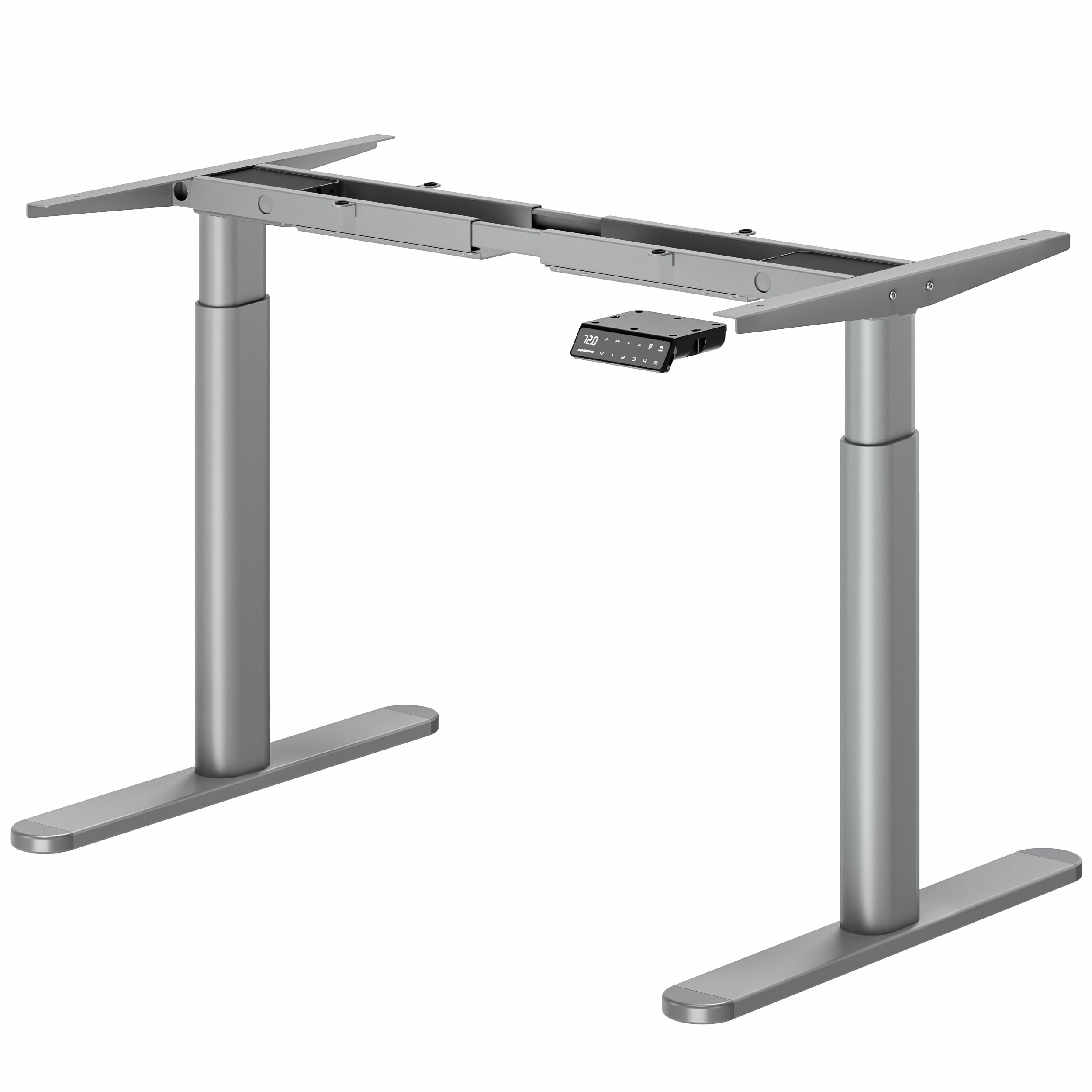
Image: The MAIDeSITe EL2 Pro Art adjustable height desk frame with a wooden desktop in a modern office setting.
Konfigurazioa eta Muntaketa
Assembly instructions are provided in multiple languages for clarity. Two people are recommended for assembly to ensure safety and ease of installation. A screwdriver is required for assembly; however, it is not included with the product.
Muntatzeko urratsak:
- Deskonprimitu osagai guztiak eta egiaztatu eskuliburuan agertzen den piezen zerrendarekin.
- Lotu altxatzeko zutabeak oin-euskarrietara.
- Connect the crossbar sections and secure them to the lifting columns.
- Mount the control box and control panel.
- Connect all motor and control cables to the control box.
- Kontu handiz jarri mahaigaina muntatutako markoaren gainean eta finkatu emandako torlojuak erabiliz.

Irudia: Lehertua view diagram illustrating the main components of the desk frame and the ease of assembly, indicating tools, time, and support availability.
Funtzionamendu-argibideak
The EL2 Pro Art desk frame features an intuitive control panel for adjusting height and accessing smart functions.
Kontrol panelaren funtzioak:
- LCD pantaila: Shows current desk height.
- Gora / Behera botoiak: Adjust the desk height manually.
- Memoria aurrezarpenak (1, 2, 3, 4): Save and recall up to four preferred height settings. To save a height, adjust the desk to the desired level, then press 'SET' followed by the desired memory button (1-4).
- Sit-Stand Reminder: Set reminders for 0.5, 1, or 2 hours to prompt changes in working posture.
- Haurren segurtasun blokeoa: Activate to prevent unintended height adjustments.
- Anti-collision System: Built-in sensors detect obstacles during movement and stop the desk to prevent collisions.
- USB kargatzeko ataka: Kargatu zure gailuak eroso zuzenean kontrol-paneletik.
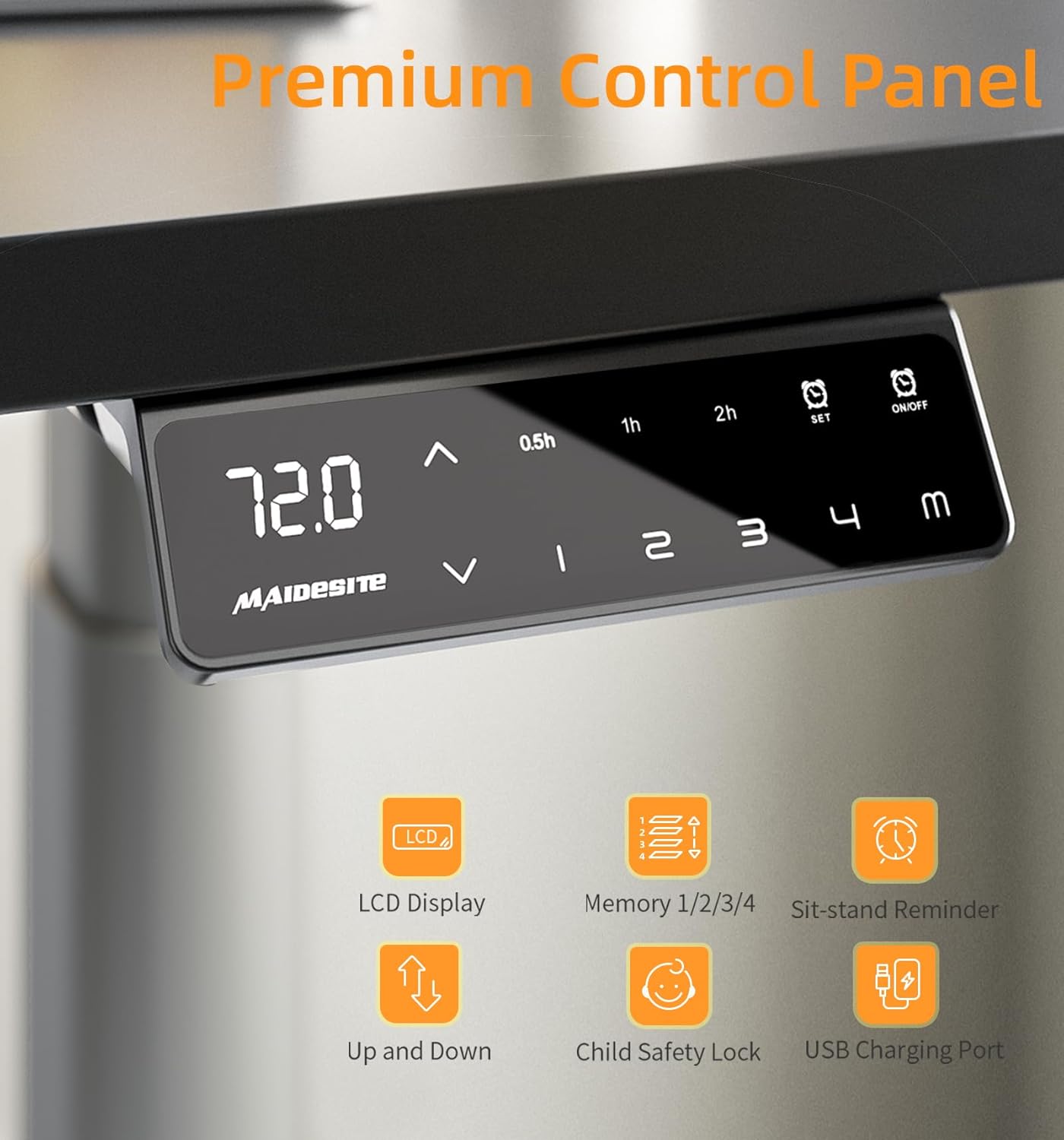
Irudia: Xehetasun handikoa view of the desk's control panel, highlighting its LCD display, memory functions, sit-stand reminder, child safety lock, and USB charging port.

Image: Illustration of the anti-collision system in action, showing the desk stopping its downward movement upon detecting an obstacle.
Mantentzea
To ensure the longevity and optimal performance of your MAIDeSITe EL2 Pro Art desk frame, follow these simple maintenance guidelines:
- Regularly wipe down the frame with a soft, damp hautsa eta zikinkeria kentzeko zapi bat. Saihestu garbitzaile urratzaileak.
- Check all screws and connections periodically to ensure they remain tight. Retighten if necessary.
- Keep the area around the desk legs clear of obstructions to allow for smooth height adjustments and proper functioning of the anti-collision system.
- Do not overload the desk beyond its maximum weight capacity.
Arazoak konpontzea
If you encounter any issues with your desk frame, please refer to the following common solutions:
- Mahaia mugitzen ez da: Check all cable connections, especially between the control panel, motors, and control box. Ensure the power cord is securely plugged into a working outlet.
- Mugimendu irregularra: Perform a reset procedure (refer to the full manual for specific steps, usually involves holding down a button until the desk reaches its lowest point and slightly rises).
- Pantailan agertzen diren errore kodeak: Consult the detailed troubleshooting section in the complete manual for specific error code interpretations and solutions.
- Anti-collision system too sensitive/not working: Ensure no objects are interfering with the desk's movement path. The sensitivity can often be adjusted via the control panel settings (refer to the full manual).
If problems persist after attempting these solutions, please contact MAIDeSITe customer support for assistance.
Zehaztapenak
| Ezaugarri | Zehaztapena |
|---|---|
| Modelo zenbakia | EL2 Pro Art |
| Altuera doitzeko tartea | 72 cm - 120 cm (28.3 hazbete - 47.2 hazbete) |
| Width Adjustment Range | 100 cm - 180 cm (39.4 hazbete - 70.9 hazbete) |
| Recommended Desktop Length | 100 cm - 220 cm (39.4 hazbete - 86.6 hazbete) |
| Gomendatutako mahaigainaren zabalera | 60 cm - 100 cm (23.6 hazbete - 39.4 hazbete) |
| Gehienezko Karga Edukiera | 180 kg (396 lb) |
| Altxatzeko Mekanismoa | Motor elektriko bikoitza |
| Altxatzeko Abiadura | 35 mm/s |
| Zarata Maila | < 45 dB |
| Markoaren materiala | Metala |
| Ezaugarri bereziak | Oval Leg Design, 4 Memory Presets, Sit-Stand Reminder, Child Safety Lock, Anti-collision System, USB Charging Port |
| Produktuaren pisua | 24 kg (52.9 lb) |

Image: The desk frame demonstrating its robust load capacity of 180 kg, emphasizing its stability and long service life.
Bermea eta Laguntza
MAIDeSITe is committed to providing quality products and excellent customer service. Your EL2 Pro Art desk frame comes with a comprehensive warranty.
- Berme Epea: Up to 5 years of support. Please refer to your purchase documentation for specific warranty terms and conditions.
- Bezeroarentzako laguntza: For any questions, technical assistance, or warranty claims, please contact MAIDeSITe customer service. Contact information can be found on our official webgunea edo zure erosketa-agiria.

Image: A visual representation of the 5-year warranty offered by MAIDeSITe.