
1. Sarrera
Welcome to the user manual for your new Lenovo IdeaCentre 27IRH9 F0HM000RUS All-in-One PC. This document provides comprehensive instructions to help you set up, operate, maintain, and troubleshoot your device. Please read this manual thoroughly before using your computer to ensure optimal performance and longevity.
The Lenovo IdeaCentre 27IRH9 F0HM000RUS is a powerful and elegantly designed all-in-one desktop computer, featuring a 27-inch Full HD touchscreen display, an Intel Core i7 13th Gen i7-13620H processor, 16GB of RAM, and a 512GB SSD. It comes pre-installed with Windows 11 Home, offering a stable, intuitive, and responsive computing environment for both productivity and creative tasks.
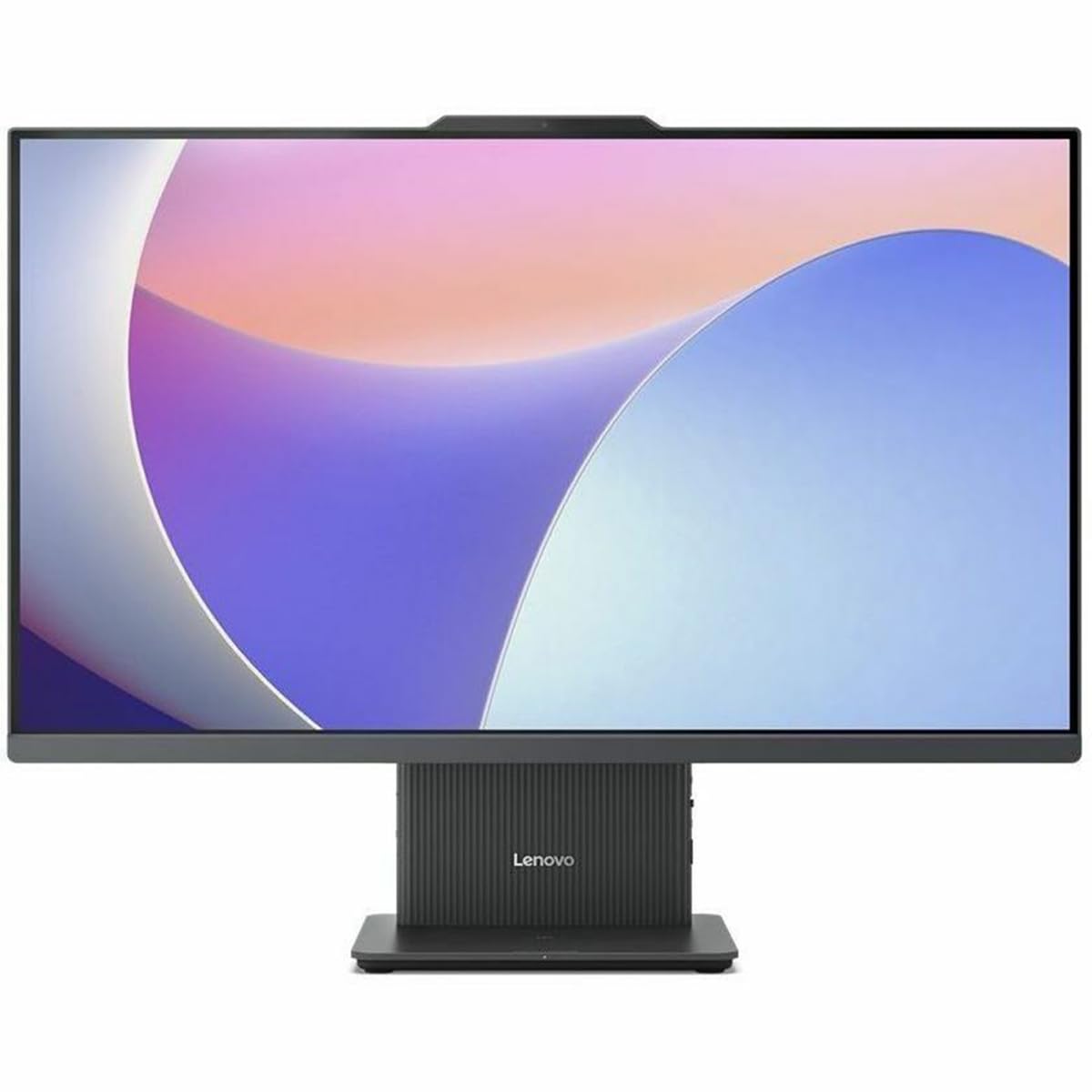
1. irudia: Aurrealdea view of the Lenovo IdeaCentre 27IRH9 F0HM000RUS All-in-One PC.
2. Konfigurazio gida
2.1 Desontziratzea eta kokatzea
- Carefully remove all components from the packaging. Ensure all items listed in the packing slip are present.
- Place the IdeaCentre All-in-One PC on a stable, flat surface, such as a desk or table. Ensure there is adequate ventilation around the device.
- Saihestu ordenagailua eguzki-argitan edo bero-iturrietatik gertu jartzea.
2.2 Periferikoak konektatzea
Connect the included wireless keyboard and mouse. The USB receiver for these devices is typically found in the mouse or keyboard packaging. Insert the USB receiver into an available USB port on the back of the computer.
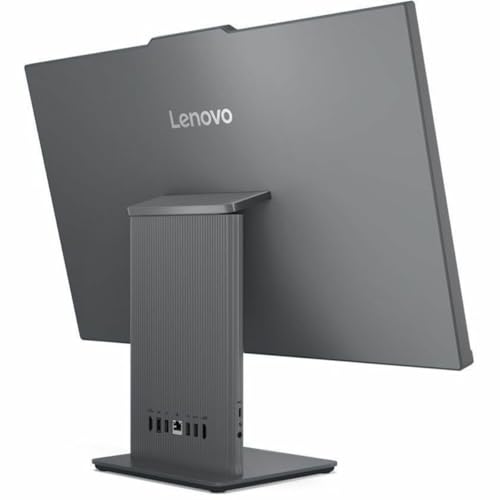
2. Irudia: Atzealdea view of the IdeaCentre, highlighting available ports for peripheral connections.
2.3 Energia-konexioa
- Connect the power adapter cable to the power input port on the back of the IdeaCentre PC.
- Entxufatu korronte-egokigailua lurretik harrera elektriko batean.
2.4 Hasierako abiaraztea
- Press the power button, usually located on the side or bottom bezel of the display.
- Jarraitu pantailan agertzen diren argibideei Windows 11 Home konfigurazio prozesua osatzeko, hizkuntza hautatzea, sareko konexioa eta erabiltzaile kontua sortzea barne.
3. Funtzionamendu-argibideak
3.1 Windows 11 Home-ren oinarrizkoak
Your IdeaCentre PC runs on Windows 11 Home, offering a user-friendly interface. Familiarize yourself with the Start Menu, Taskbar, and File Explorer for efficient navigation and application management.
3.2 Ukipen-pantailaren funtzionaltasuna
The 27-inch Full HD display supports multi-touch gestures. Use gestures such as tap, swipe, pinch-to-zoom, and two-finger scroll for intuitive interaction with applications and content.
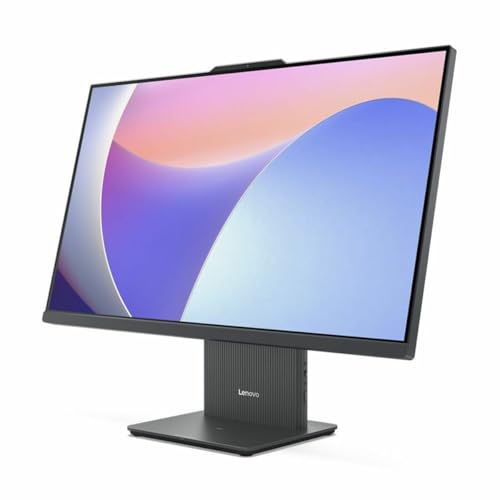
Figure 3: User interacting with the touchscreen display of the IdeaCentre.
3.3 Sarearen konexioa
- Wi-Fi: To connect to a wireless network, click the Wi-Fi icon in the taskbar, select your network, and enter the password. The device supports 802.11ax for stable and efficient online operations.
- Ethernet: For a wired connection, plug an Ethernet cable into the RJ-45 port on the back of the computer.
3.4 Bluetooth gailuak
To pair Bluetooth devices (e.g., headphones, speakers), go to Ezarpenak > Bluetooth eta gailuak, turn on Bluetooth, and select your device from the list to pair. Bluetooth ensures stable wireless communication with minimal interference from nearby devices.
3.5 USB Type-C Port Usage
The USB Type-C port supports high-speed data transfer and power delivery, allowing for streamlined connectivity and efficient integration with various peripherals.
4. Mantentzea
4.1 Gailua garbitzea
- Pantaila: Erabili lipurrik gabeko zapi leun bat dampUrarekin edo pantaila-garbitzaile batekin garbitu. Saihestu produktu kimiko gogorrak.
- Xasea: Wipe the exterior with a soft, dry cloth. Do not use abrasive cleaners.
- Garbitu aurretik, ziurtatu gailua itzalita eta deskonektatuta dagoela.
4.2 Software eguneraketak
Regularly check for and install Windows updates and driver updates to ensure system stability, security, and optimal performance. Go to Ezarpenak > Windows eguneratzea eguneraketak kudeatzeko.
4.3 Datuen babeskopia
Periodically back up your important files to an external drive or cloud storage to prevent data loss. Windows 11 offers built-in backup solutions.
5. Arazoak
This section addresses common issues you might encounter with your IdeaCentre PC.
| Arazoa | Irtenbide posiblea |
|---|---|
| Ordenagailua ez da pizten | Ensure the power cable is securely connected to both the computer and the electrical outlet. Test the outlet with another device. |
| Ez dago pantailan bistaratu | Check if the computer is powered on. If connected to an external monitor, ensure the correct input source is selected on the monitor. |
| Wi-Fi konexio arazoak | Restart your router and modem. Ensure Wi-Fi is enabled on your computer. Check network settings in Windows. |
| Teklatuak edo saguak ez du erantzuten | Check battery levels for wireless devices. Ensure the USB receiver is properly inserted. Try a different USB port. |
| Sistema motela da edo ez du erantzuten | Close unnecessary applications. Check for background processes using Task Manager. Ensure sufficient free space on the SSD. Run a system scan for malware. |
If problems persist, refer to the Lenovo support webgunera edo jarri harremanetan bezeroarentzako arreta-zerbitzuarekin laguntza gehiago lortzeko.
6. Zehaztapenak
Detailed technical specifications for the Lenovo IdeaCentre 27IRH9 F0HM000RUS:
| Ezaugarri | Xehetasuna |
|---|---|
| Marka | Lenovo |
| Modelo zenbakia | F0HM000RUS |
| Sistema eragilea | Windows 11 Home |
| CPU eredua | Intel Core i7-13620H (13. belaunaldia) |
| CPU Abiadura | 4.9 GHz |
| Prozesadore grafikoa | Intel UHD grafikoak (integratuak) |
| RAM Memoria | 16 GB DDR5 |
| Biltegiratzea | 512 GB SSD |
| Pantailaren tamaina | 27 hazbete |
| Bistaratzeko ebazpena | 1920 x 1080 (HD osoa) |
| Bistaratzeko mota | IPS, Touchscreen |
| Aspektu-erlazioa | 16:9 |
| Haririk gabeko konexioa | Wi-Fia (802.11ax), Bluetootha |
| USB atakak | 4 (USB-C barne) |
| HDMI atakak | 1 |
| Energia-kontsumoa | 135 Watt |
| Produktuaren neurriak | 22.1 x 56.1 x 75.9 cm |
| Produktuaren pisua | 24.25 kilo |
| Dakarten osagaiak | AIO Stand, Wireless Keyboard, Wireless Mouse, USB Receiver, Power Adapter |
| UPC | 197531855381 |
7. Bermea eta Laguntza
7.1 Produktuaren bermea
Your Lenovo IdeaCentre 27IRH9 F0HM000RUS comes with a standard manufacturer's warranty. Please refer to the warranty card included in your product packaging or visit the official Lenovo webwebgunean bermearen estaldurari, iraupenari eta zerbitzu-prozedurei buruzko baldintza zehatzak ikusteko.
7.2 Laguntza Teknikoa
Laguntza teknikoa, eskuliburu honetatik haratagoko arazoak konpontzeko edo zerbitzu-kontsultak egiteko, jarri harremanetan Lenovo bezeroarentzako arreta-zerbitzuarekin. Harremanetarako informazioa, maiz egiten diren galderak eta baliabide gehigarriak aurki ditzakezu Lenovo laguntza ofizialean. webgunea: support.lenovo.com. When contacting support, please have your product model number (F0HM000RUS) and serial number ready.