
Produktua amaituview
The UGREEN Nexode 65W GaN Charging Station is a compact and powerful charging solution designed to efficiently power multiple devices. It integrates a 15W Qi2 wireless charging stand with two USB-C ports and one USB-A port, allowing for simultaneous charging of up to four devices. Built with advanced GaNFast II technology, it ensures optimized charging performance and enhanced safety features.

Image: UGREEN Nexode 65W GaN Charging Station, showcasing its compact design, multiple ports, and included power cable.
- 65W karga azkarra: Delivers up to 65W of power via a single USB-C port, ideal for high-demand devices like MacBook Pro and iPad Air.
- Foldable 15W Qi2 Wireless Charging Stand: Provides safe, fast, and efficient 15W wireless charging with Qi2 certification. The stand is foldable for portability and adjustable for viewangeluak.
- 4-en-1 kargatzeko geltokia: Features a Qi2 wireless charging stand, two USB-C ports, and one USB-A port, enabling simultaneous charging of up to four devices.
- GaNFast II Technology: Incorporates an advanced GaNFast II chip for a more compact design and optimized charging experience, including real-time temperature detection and multiple protection features.
- Bateragarritasun zabala: Compatible with a broad range of devices, including iPhone 16/15/14/13/12 series, Galaxy S24/S23, iPad Air, MacBook Pro, and more.
Kutxan dagoena
Egiaztatu elementu guztiak ontzian daudela:
- 1 x UGREEN Nexode 65W Charging Station with Qi2 15W Wireless Charging
- 1 x Elikatze-kablea
- 1 x Erabiltzailearen eskuliburua
Konfigurazio Argibideak
- Deskonprimitu gailua: Kontu handiz atera kargatzeko estazioa eta osagarri guztiak paketetik.
- Konektatu korronte kablea: Insert the included power cable into the power input port on the back of the UGREEN Nexode 65W Charging Station.
- Konektatu entxufean: Plug the other end of the power cable into a standard wall power outlet. Ensure the outlet provides the correct input voltage (240 Volts max).
- Kokatu geltokia: Place the charging station on a stable, flat surface, ensuring adequate ventilation around the device.
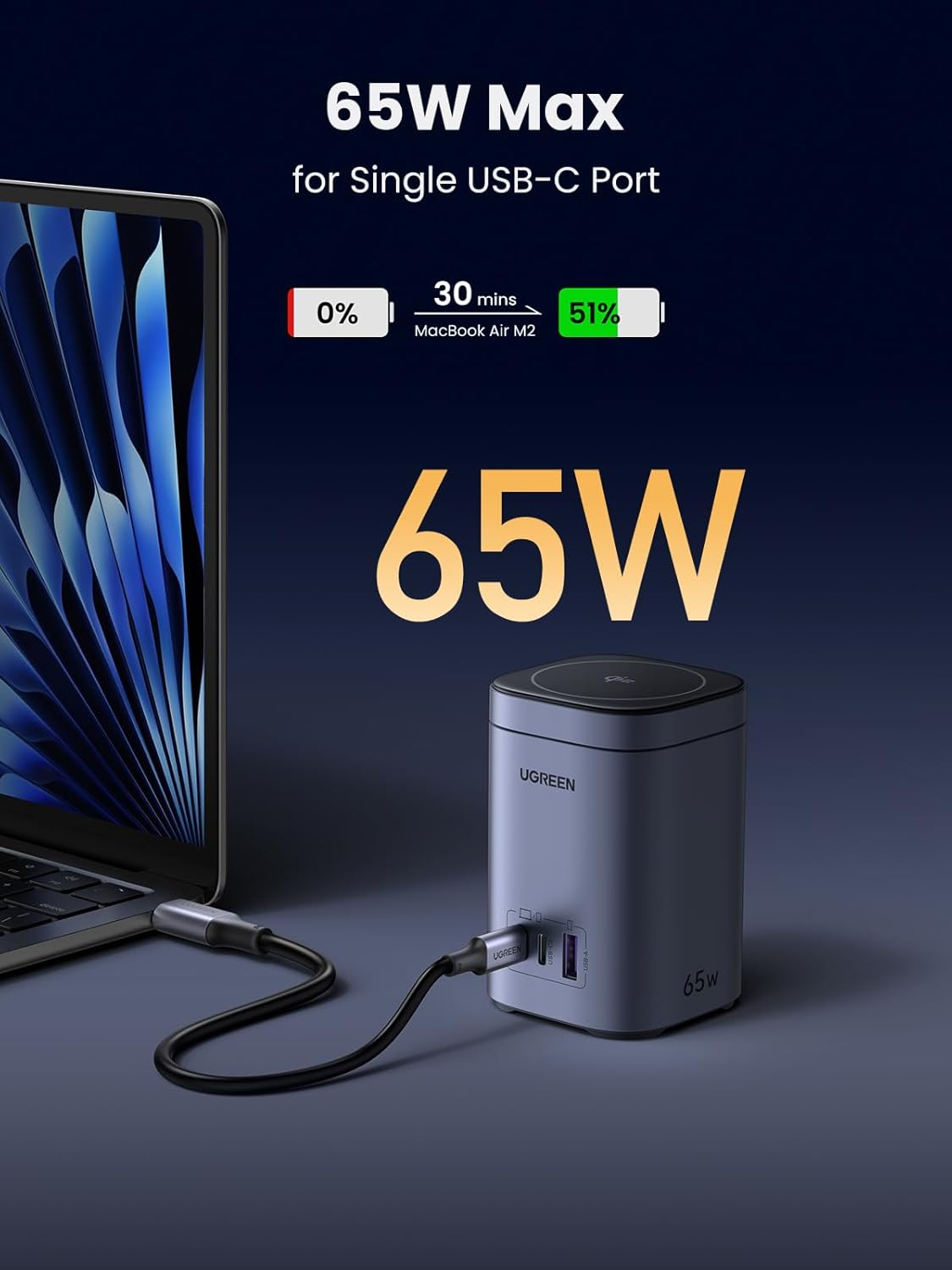
Image: The UGREEN Nexode 65W Charging Station providing 65W fast charging to a MacBook Air M2 via its USB-C port.
Funtzionamendu-argibideak
Using the Qi2 Wireless Charging Stand
- Doitu standa: The wireless charging pad can be folded up to 65 degrees and rotated 360 degrees for optimal viewing and charging angles. Adjust it to your desired position.
- Jarri zure gailua: Place your Qi2-compatible smartphone (e.g., iPhone 16-12 series) onto the magnetic wireless charging pad. Ensure proper alignment for optimal charging.
- Egonean modua: For iPhones, standby mode is available when the device is placed horizontally on the magnetic charging pad.

Image: Demonstrates the foldable design (65° angle) and 360° free rotation capability of the wireless charging stand.

Image: An iPhone displaying standby mode while charging horizontally on the UGREEN Nexode 65W Charging Station.
Using USB-C and USB-A Ports
- Konektatu gailuak: Use appropriate USB-C to USB-C or USB-A to USB-C/Lightning cables to connect your devices (laptops, tablets, smartphones, headphones, smartwatches, etc.) to the available USB ports on the front of the charging station.
- Aldibereko karga: The station can charge up to four devices simultaneously (one wirelessly, three via cables). Power distribution will adjust based on the number and type of connected devices.

Image: The UGREEN Nexode 65W Charging Station simultaneously charging a laptop, smartphone, tablet, and wireless earbuds, demonstrating its 4-in-1 capability.
Charging Power Distribution Examples
The charging station intelligently distributes power based on the connected devices. Below are examples of power output in various scenarios:

Image: Diagram illustrating power distribution when a single device is connected to the wireless pad (15W), USB-C1 (30W), USB-C2 (7.5W), or USB-A (7.5W).

Image: Diagram illustrating various power distribution scenarios when multiple devices are connected to the wireless pad, USB-C, and USB-A ports simultaneously.
Mantentzea
- Garbiketa: Disconnect the charging station from the power outlet before cleaning. Use a soft, dry cloth to wipe the surface. Do not use liquid cleaners or aerosols.
- Biltegiratzea: Denbora luzez erabiltzen ez baduzu, gorde kargatzeko estazioa leku fresko eta lehor batean, eguzki-argitik eta muturreko tenperaturetatik babestuta.
- Saihestu oztopoak: Ensure the charging station's ports and wireless charging area are free from dust and debris.
Arazoak konpontzea
| Arazoa | Kausa posiblea | Irtenbidea |
|---|---|---|
| Device not charging via USB port. | Loose cable connection; incompatible cable; device issue. | Ensure cables are securely connected. Try a different cable. Test the device with another charger. |
| Wireless charging not working or intermittent. | Misalignment; phone case too thick; metal objects on pad; non-Qi2 compatible device. | Adjust device position on the pad. Remove thick phone cases. Ensure no metal objects (keys, cards, rings) are between the device and the pad. Verify device supports Qi2 wireless charging. |
| Karga motela. | Too many devices connected; cable quality; device not supporting fast charging. | Disconnect some devices to allow higher power to a single port. Use high-quality, fast-charging compatible cables. Ensure your device supports the charging protocols (e.g., PD, QC). |
| Kargagailua bero dago. | Normal operation during high power output; poor ventilation. | Slight warmth is normal. Ensure the charger has adequate ventilation and is not covered. If it becomes excessively hot, disconnect immediately and contact support. |

Image: Important caution regarding placing metal objects (like finger ring holders, metal plates, or magnetic cards) on the wireless charging area to prevent abnormal charging.
Zehaztapenak
| Ezaugarri | Xehetasuna |
|---|---|
| Modelo zenbakia | X555 |
| Produktuaren neurriak | 2.36 x 2.36 x 3.62 hazbete |
| Elementuaren pisua | 1.54 kilo |
| Kolorea | Espazio Grisa |
| Konektibitate Teknologia | USBa |
| Konektore mota | USB C mota, USB A mota |
| USB portuak guztira | 3 (2x USB-C, 1x USB-A) |
| Haririk gabeko kargaren irteera | 15W (Qi2 ziurtagiria) |
| Kable bidezko irteera maximoa | 65W (Single USB-C Port) |
| Sarrera boltage | 240 Volt |
| Gailu bateragarriak | Tablet, Laptop, Cell Phone, Headphone, Smart Watch, Switch, Steam Deck |
| Telefono eredu bateragarriak | iPhone 16 / 16 Plus / 16 Pro / 16 Pro Max / 15 / 15 Plus / 15 Pro / 15 Pro Max / 14 / 14 Plus / 14 Pro / 14 Pro Max / 13 / 12, Galaxy S24 Ultra / S24+ / S24 / S23 / S22 / S21 / S20 / S10 / S9 / S8, Galaxy Fold / Z Fold2 / Z Fold3 / Z Fold4, Galaxy Note 20 / 10 / 9 / 8, Moto G / Edge / Razr, Pixel 8 / 7 / 7 Pro / 6 / 6 Pro / 5 / 4 / 3, OnePlus 10 / 9 / 8 |
| Ezaugarri bereziak | 65W Fast Charging, 15W Qi2 Wireless Charging, GaN Tech, 4-in-1, Foldable Stand |

Image: Chart detailing the universal compatibility of the charging station with various laptops, tablets, USB-C & USB-A mobile phones, and wireless charging devices.
Bermea eta Laguntza
UGREEN products are designed and manufactured to high-quality standards. For any issues or inquiries regarding your UGREEN Nexode 65W GaN Charging Station, please refer to the contact information provided in the included user manual or visit the official UGREEN weblaguntzarako gunea.
Mesedez, gorde zure erosketa-froga berme-erreklamazioetarako.