
Firefly Q6
Zephis Hawkeye Firefly Q6 Kirol Kameraren Erabiltzaile Eskuliburua
Comprehensive guide for setup, operation, and maintenance of your Hawkeye Firefly Q6 Action Camera.
1. Sarrera
The Zephis Hawkeye Firefly Q6 is a versatile and compact sports camera designed for high-definition video recording and photography. Featuring a Novatek 96660 chipset and IMX078 back illumination CMOS image sensor, it supports 4K video recording and offers built-in image stabilization for clear, steady footage. Its mini portable size makes it ideal for various applications, including FPV racing drones and other action-packed scenarios.
Ezaugarri nagusiak:
- Novatek 96660 chipset with IMX078 back illumination CMOS image sensor.
- 4K high-definition video recording capabilities.
- Mini portable size, suitable for aerial shots and discreet recording.
- Built-in image stabilization gyroscope for smooth video.
- Equipped with a 0.7-inch OLED screen for quick settings adjustments.
- AV output and remote video camera functionality.

1. irudia: Aurrealdea view of the Zephis Hawkeye Firefly Q6 sports camera, showcasinbere diseinu trinkoa eta kontrol botoiak esker.
2. Konfigurazioa
2.1 Paketearen edukia
Before proceeding, ensure all components are present in your package:
- Hawkeye Firefly Q6 Camera
- USB kargatzeko kablea
- (Optional) Rail Bracket (if purchased with rail version)
- Erabiltzailearen eskuliburua (dokumentu hau)
2.2 Bateria kargatzea
The Firefly Q6 has a built-in 700mAh battery. For optimal performance, fully charge the camera before first use.
- Connect the camera to a 5V 1A USB power source (e.g., computer USB port or wall adapter) using the provided USB cable.
- Kargatzeko adierazlearen argia piztuko da.
- Once fully charged, the indicator light will change or turn off (refer to camera's OLED screen for battery status).
Note: Charging time may vary depending on the power source.
2.3 MicroSD txartel bat sartzea
A MicroSD (TF) card (not included) is required to store recordings. The camera supports cards up to 32GB, Class 10 or higher is recommended.
- Locate the MicroSD card slot on the camera.
- Gently insert the MicroSD card with the gold contacts facing down (or as indicated by the camera's slot diagram) until it clicks into place.
- Txartela kentzeko, astiro-astiro bultzatu berriro barrura, atera arte.
Important: Ensure the camera is powered off before inserting or removing the MicroSD card to prevent data corruption.

Figure 2: Zephis Hawkeye Firefly Q6 camera with an optional rail bracket, demonstrating potential mounting configurations.
3. Kameraren funtzionamendua
3.1 Piztu/Itzaltzea
- Piztu: Press and hold the Power button (usually marked with a circle or 'M') for a few seconds until the OLED screen illuminates.
- Itzali: Sakatu eta eutsi berriro pizteko botoiari pantaila itzali arte.
3.2 Menuan nabigatzea
The 0.7-inch OLED screen displays current mode, settings, and battery status. Use the control buttons (often directional arrows or mode/shutter buttons) to navigate.
- Modu botoia: Typically cycles through video, photo, and settings modes.
- Gora / Behera botoiak: Nabigatu menuko aukeretan.
- Obturadorea/Ados botoia: Selects an option or starts/stops recording/takes a photo.
3.3 Bideo-grabaketa
The Firefly Q6 supports various video resolutions and frame rates:
- 4K (4096 x 2160) at 24fps
- 2.5K (2560 x 1600) at 30fps
- 1080P (1920 x 1080) at 60fps/30fps
- 720P (1280 x 720) at 120fps
- VGA (640 x 480) at 30fps
- Ensure the camera is in Video Mode.
- Press the Shutter/OK button to start recording. A recording indicator (e.g., flashing light or on-screen icon) will appear.
- Sakatu berriro obturadorea/Ados botoia grabazioa gelditzeko.
Tip: For fast-paced action, higher frame rates (e.g., 120fps) provide smoother slow-motion playback.
3.4 Argazki Harrapaketa
The camera supports image resolutions up to 16M.
- Switch to Photo Mode using the Mode button.
- Frame your shot using the OLED screen.
- Sakatu obturadorea/Ados botoia argazkia ateratzeko.
3.5 Ezarpen aurreratuak
Access the camera's settings menu to adjust parameters such as:
- Time-lapse: Off, 0.5s, 3s, 5s, 10s, 30s intervals.
- ISO: Auto, ISO100, ISO400, ISO1600.
- Loop-cycle recording: 5min, OFF.
- WDR (barruti dinamiko zabala): Enhances detail in both bright and dark areas.
- Bideo irteera: HD (HDMI) output for connecting to external displays.
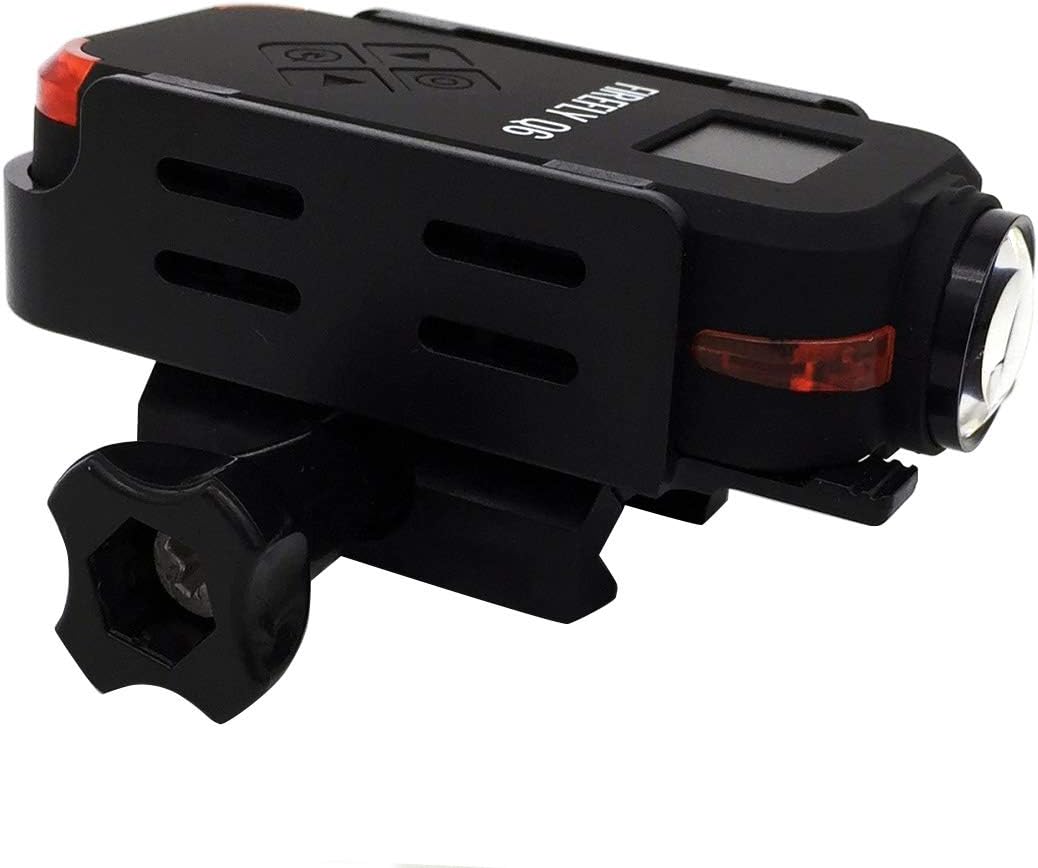
Figure 3: The Hawkeye Firefly Q6 camera in black, demonstrating its compact form factor and rail mounting capability.
4. Mantentzea
4.1 Kamera garbitzea
- Erabili zapi leun eta lihorik gabeko bat kameraren gorputza garbitzeko.
- Lentearentzat, erabili lenteak garbitzeko oihal eta disoluzio espezializatu bat. Saihestu material urratzaileak.
- Ez erabili detergente edo disolbatzaile indartsurik.
4.2 Bateria zaintzea
- Avoid exposing the camera to extreme temperatures (hot or cold) for prolonged periods, as this can affect battery life.
- If storing the camera for an extended time, charge the battery to about 50% to preserve its lifespan.
4.3 Biltegiratzea
Store the camera in a cool, dry place, away from direct sunlight and excessive humidity. Keep it in its original packaging or a protective case when not in use.
5. Arazoak
| Arazoa | Kausa posiblea | Irtenbidea |
|---|---|---|
| Kamera ez da pizten. | Bateria agortuta dago. | Charge the camera battery fully. |
| Ezin da bideoa grabatu/argazkiak atera. | Ez dago MicroSD txartelik sartuta edo txartela beteta/hondatuta dago. | Insert a Class 10 or higher MicroSD card. Format the card if necessary (this will erase all data). Ensure sufficient space. |
| Bideoa footagdardarka dago. | Image stabilization might be off or extreme movement. | Ensure the built-in image stabilization is enabled in settings. Minimize excessive camera movement. |
| Kamera blokeatu egiten da edo ez du erantzuten. | Softwarearen akatsa edo aldi baterako errorea. | Perform a soft reset by holding the Power button until it turns off, then restart. If persistent, remove and reinsert the battery (if accessible) or perform a factory reset (consult advanced settings). |
6. Zehaztapenak
| Ezaugarri | Xehetasuna |
|---|---|
| Chipset | Novatek 96660 |
| Irudi-sentsorea | IMX078 back illumination CMOS |
| Bideo Ebazpena | 4K 24fps, 2.5K 30fps, 1080P 60/30fps, 720P 120fps, VGA 30fps |
| Irudien Ebazpena | 16M, 8M, 5M |
| Bideo formatua | MP4 (H.264) |
| Irudi formatua | JPG |
| Pantailaren tamaina | 0.7 hazbeteko OLEDa |
| Lentearen angelu zabala | 120 degree wide angle lens (Undistorted version available) |
| Bateria mota | Litio-ioizko bateria integratua |
| Bateria Edukiera | 700mAh |
| Elikatze Hornidura | 5V 1A |
| Max External Card Supported | TF 32GB (Class 10 recommended) |
| Irudi Egonkortzea | Yes (Built-in gyroscope) |
| Audio Sistema | Built-in microphone/speaker (AAC) |
| Irteera | AV output, HD (HDMI) output |
| Ezaugarriak | Time-lapse, Loop-cycle recording, WDR, Remote video camera support |
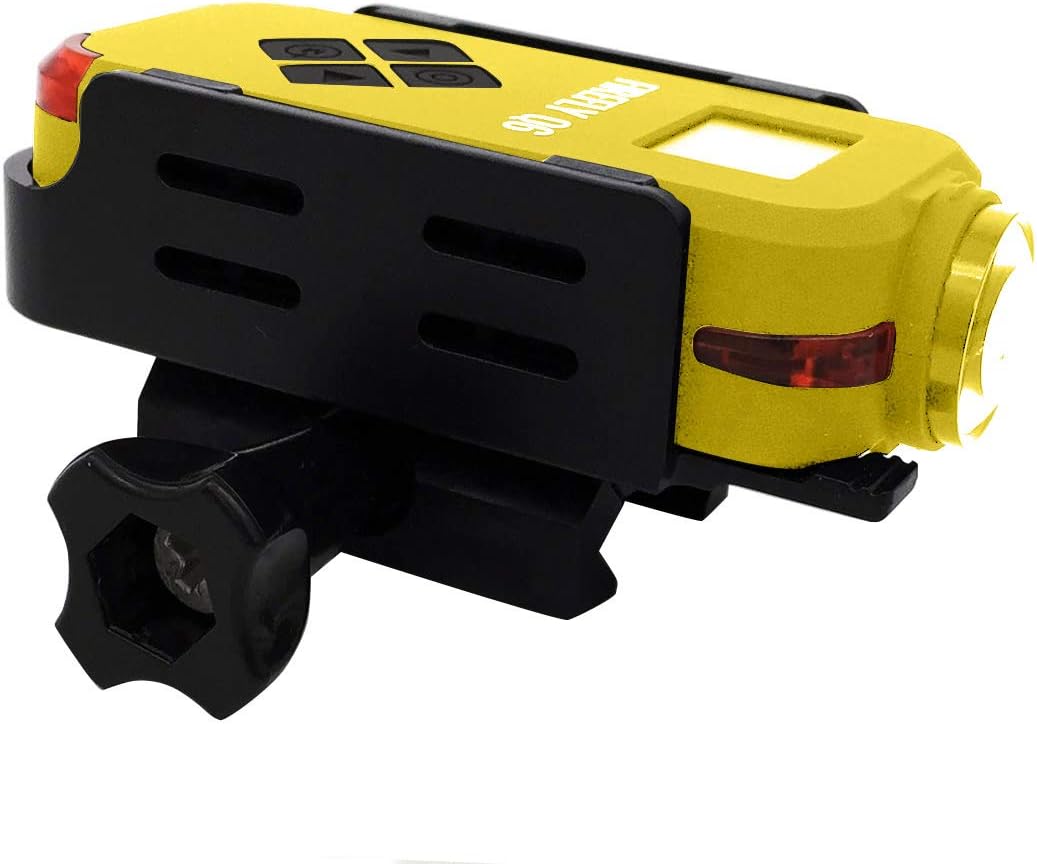
Figure 4: The Hawkeye Firefly Q6 camera in yellow, also available with a rail mounting option.
7. Bermea eta Laguntza
This product is covered by a manufacturer's warranty. For specific warranty terms and conditions, please refer to the documentation provided with your purchase or contact the seller directly.
Bezeroarentzako laguntza:
If you encounter any issues or have questions not covered in this manual, please contact the seller or manufacturer for assistance. Keep your purchase receipt and product serial number handy when seeking support.
For the latest information and firmware updates, please visit the official Zephis or Hawkeye Firefly webgunea (eskuragarri badago).
Ask a question about this manual
Ask about setup, troubleshooting, compatibility, parts, safety, or missing instructions. Manuals+ will review the question and use this page’s manual context to help answer it.