Xiaomi Redmi Pad SE 8.7-inch WiFi Tablet User Manual
Model: VHUU5100EU
Marka: XIAOMI
Sarrera
This comprehensive user manual provides detailed instructions for setting up, operating, maintaining, and troubleshooting your Xiaomi Redmi Pad SE 8.7-inch WiFi tablet (Model: VHUU5100EU). Please read this manual thoroughly to ensure proper usage and to maximize your device's performance and longevity.
Kutxan dagoena
Your Xiaomi Redmi Pad SE package includes the following items:
- Xiaomi Redmi Pad SE 8.7-inch WiFi Tablet
- Auto azkarra USB bikoitzeko 16W-koa
- Horma-moldagailua
- USB kablea
Produktua amaituview
Familiarize yourself with the key components and design of your Xiaomi Redmi Pad SE.

Aurretik eta Atzetik View: The Xiaomi Redmi Pad SE in Auora Green, showcasing its 8.7-inch display and the rear camera module.
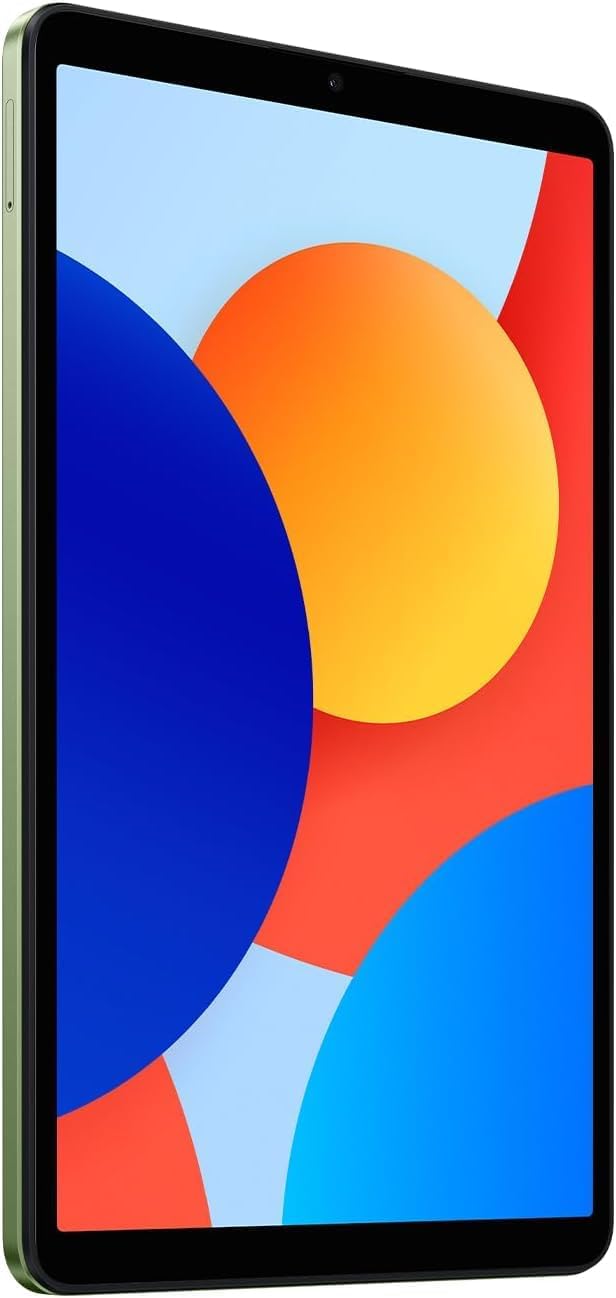
Aurrealdea View: Argi bat view of the 8.7-inch LCD display, ideal for media consumption and browsing.
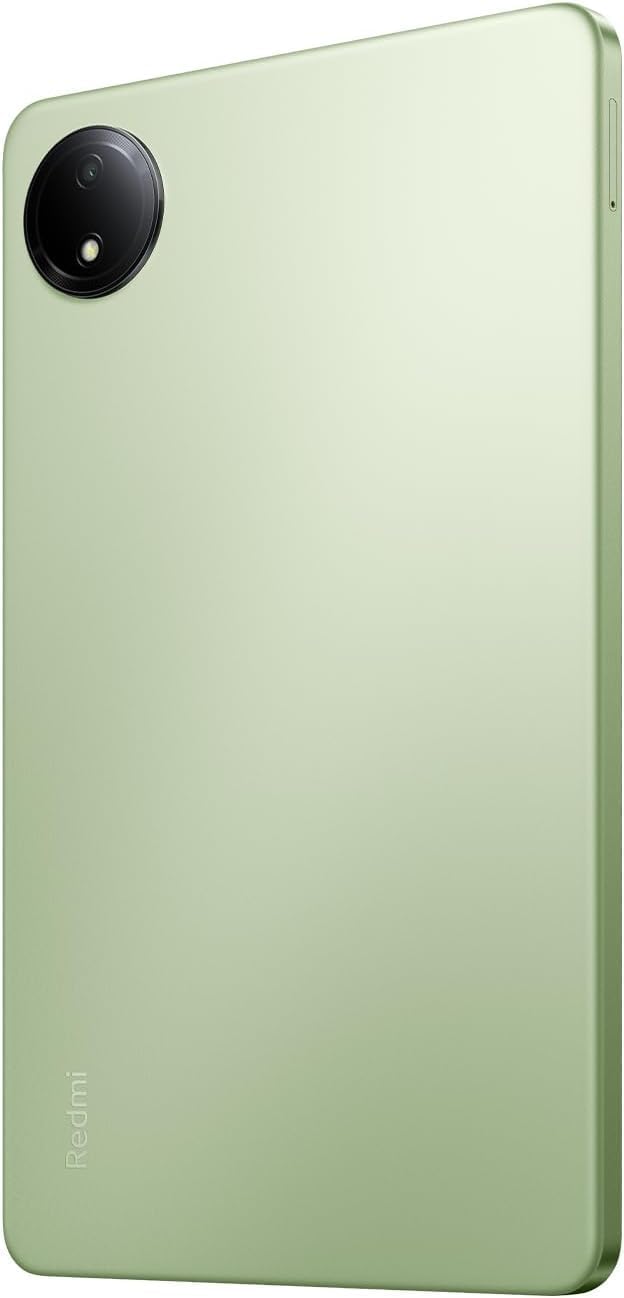
Itzuli View: The sleek rear panel of the tablet, highlighting the 8MP main camera.

Aldea View: Profesional argalafile of the tablet, showing the power and volume buttons on the side.
Konfigurazioa
- Piztu: Press and hold the Power button on the side of the tablet until the Xiaomi logo appears.
- Hasierako konfigurazioa: Jarraitu pantailan agertzen diren argibideei zure hizkuntza eta eskualdea hautatzeko eta Wi-Fi sare batera konektatzeko.
- Google kontua: Hasi saioa zure Google kontuarekin edo sortu berri bat. Hau ezinbestekoa da Google Play Store eta beste Google zerbitzu batzuk atzitzeko.
- Segurtasun konfigurazioa: Set up your preferred screen lock method (PIN, pattern, password, or face unlock).
- Datuen transferentzia (aukerakoa): If you are upgrading from another device, you may choose to transfer your data during this step.
- Konfigurazio osoa: Finish the remaining setup steps to start using your tablet.
Funtzionamendu-argibideak
Oinarrizko Nabigazioa
- Hasierako pantaila: Irristatu ezkerrera edo eskuinera hasierako pantailen artean nabigatzeko.
- Aplikazioen tiradera: Irristatu hatza pantailaren behealdetik gora instalatutako aplikazio guztietara sartzeko.
- Jakinarazpenak eta ezarpen azkarrak: Irristatu hatza behera pantailaren goialdetik view jakinarazpenak eta ezarpen azkarretara sartzeko etengailuak (Wi-Fi, Bluetooth, etab.).
- Azken aplikazioak: Tap the square icon (or swipe up and hold if using gestures) to view eta azkenaldian erabilitako aplikazioen artean aldatu.
Multiataza
- Pantaila zatitua: From the recent apps screen, long-press an app icon and select the split-screen option to use two apps simultaneously.
- Leiho flotagarriak: Some apps support floating windows for quick access while using other applications.
Konektibitatea
- Wi-Fi: Joan zaitez Ezarpenak > Wi-Fi eskuragarri dauden sareetara konektatzeko.
- Bluetootha: Joan zaitez Ezarpenak > Bluetootha Bluetooth gailuekin parekatzeko, hala nola entzungailuekin edo bozgorailuekin.
Mantentzea
Bateria zaintzea
- Saihestu muturreko tenperaturak.
- Kargatze optimoa lortzeko, erabili jatorrizko kargagailua eta kablea.
- Ez utzi bateria maiz erabat agortzen.
Software eguneraketak
Egiaztatu eta instalatu sistemaren eguneraketak aldizka, zure gailuak azken funtzioak, segurtasun-adabakiak eta errendimendu-hobekuntzak dituela ziurtatzeko. Joan honera Ezarpenak > Tabletari buruz > Sistemaren eguneraketa.
Garbiketa
Erabili zapi leun eta lihorik gabeko bat tabletaren pantaila eta gorputza garbitzeko. Saihestu produktu kimiko gogorrak edo material urratzaileak.
Biltegiratze kudeaketa
To optimize performance, regularly manage your storage by deleting unnecessary files and apps. You can expand storage using a microSD card.
Arazoak konpontzea
- Gailua ez da pizten: Ensure the tablet is charged. Connect it to the charger and wait a few minutes before attempting to power it on again.
- Wi-Fi konexio-arazoak: Restart your tablet and your Wi-Fi router. Forget the network in settings and reconnect.
- Errendimendu motela: Close unnecessary background apps, clear cache, and ensure sufficient storage space. Consider a factory reset as a last resort (back up your data first).
- Aplikazioak kraskatzen/izozten: Garbitu aplikazioaren cachea eta datuak Ezarpenak > AplikazioakArazoak jarraitzen badu, desinstalatu eta berriro instalatu aplikazioa.
Zehaztapenak
| Ezaugarri | Xehetasuna |
|---|---|
| Zutik pantailako tamaina | 8.7 hazbete |
| Pantailaren bereizmena | 1340x800 |
| Gehienezko pantailaren bereizmena | 1340 x 800 pixel |
| Prozesadorea | 2 GHz-ko zortzi nukleo |
| Chipset marka | BESOA |
| Sistema eragilea | Android 14, HyperOS |
| Elementuaren pisua | 13.2 ontza |
| Produktuaren neurriak | 8.32 x 0.34 x 4.94 hazbete |
| Kolorea | Auora Green (ONLY WIFI) |
| Atzekoa Webkamaren ebazpena | 8 MP |
| Prozesadorearen marka | MediaTek |
| Ordenagailuaren memoria mota | DDR3 SDRAM |
| Flash memoriaren tamaina | 6 GB |
| Pilak | 1 Litio polimerozko bateriak behar dira. (barne) |
Bermea eta Laguntza
Your Xiaomi Redmi Pad SE is covered by a manufacturer's warranty. Please refer to the warranty card included in your product packaging for specific terms and conditions. For technical support or service inquiries, please visit the official XIAOMI support webwebgunean edo jarri harremanetan bere bezeroarentzako zerbitzuarekin.