
Sarrera
This user manual provides essential information for the safe and efficient operation of your new Samsung EcoBubble 9 kg Washing Machine, model WW90CGC04DAE. Please read this manual thoroughly before using the appliance and keep it for future reference.
The EcoBubble technology transforms detergent into bubbles, allowing it to penetrate fabrics quickly for effective cleaning even at low temperatures, saving energy and protecting fabric colors and textures. This model also features AI Energy Mode via SmartThings for optimized energy consumption.
Segurtasun Informazioa
Beti jarraitu oinarrizko segurtasun neurriak tresna elektrikoak erabiltzean, sute, deskarga elektriko edo pertsonen lesio arriskua murrizteko.
- Ziurtatu gailua behar bezala lurrarekin lotuta dagoela.
- Ez utzi haurrak gailuan edo aparatuan jolasten.
- Ez instalatu edo gorde tresna izozte-puntutik beherako tenperaturen eraginpean edo eguraldiaren eraginpean egongo den lekuetan.
- Ez garbitu aurretik gasolinaz, tintoreria-disolbatzaileez edo beste substantzia sukoi edo lehergarriez garbitu, garbitu, busti edo zikindu diren elementuak.
- Unplug the appliance from the power supply before attempting any service or cleaning.
Konfigurazioa
1. Desontziratzea eta ikuskatzea
Carefully remove all packaging materials. Inspect the washing machine for any damage. Remove all transport bolts from the rear of the machine before installation. Failure to do so will cause severe vibration and noise during operation.

1. irudia: Aurrealdea view of the Samsung EcoBubble 9 kg Washing Machine.
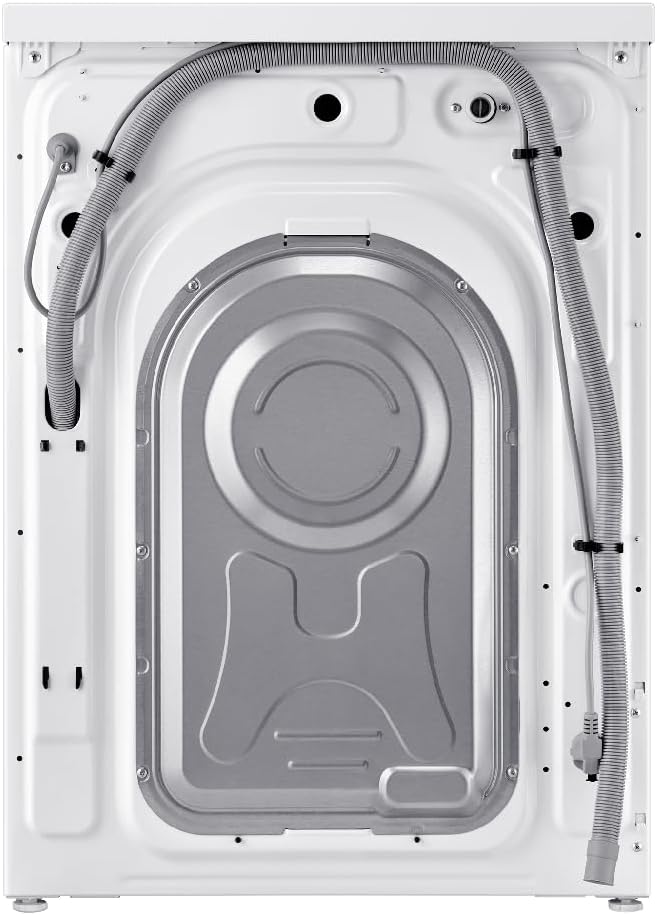
2. Irudia: Atzealdea view of the washing machine, highlighting the water inlet and drain hoses, and locations for transport bolts.
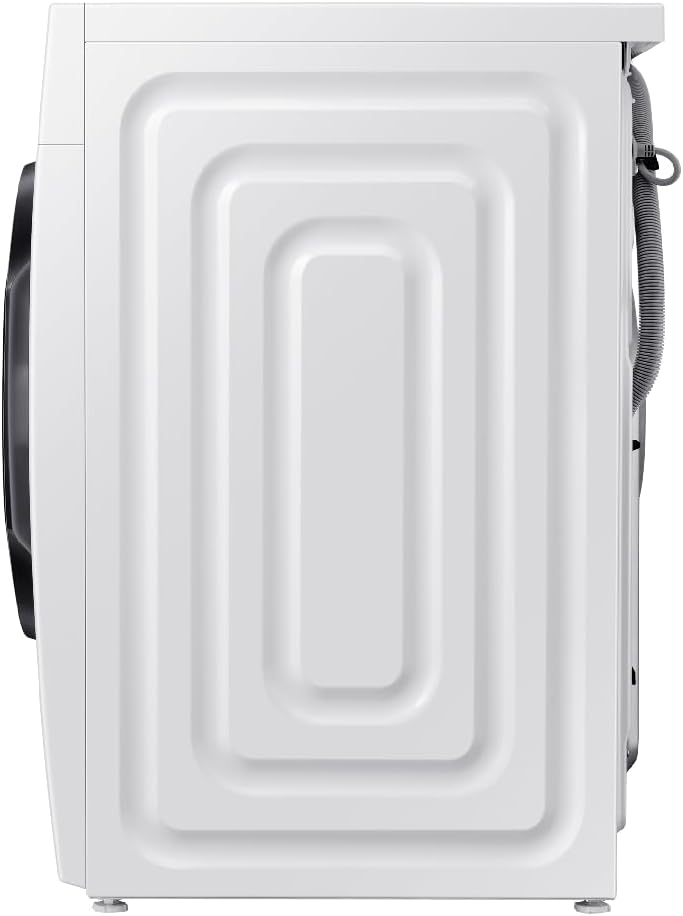
3. irudia: Aldea view of the washing machine, showing its compact design.
2. Kokapena eta mailakatzea
Place the washing machine on a firm, level surface. Adjust the leveling feet to ensure the machine is stable and does not wobble. Proper leveling is crucial to prevent excessive vibration and noise during operation.
3. Ur-konexioa
Connect the hot and cold water inlet hoses to the corresponding taps and to the back of the washing machine. Ensure all connections are tight to prevent leaks. Position the drain hose into a standpipe or over the edge of a sink, ensuring it is securely fastened to prevent dislodging during drainage.
4. Energia-konexioa
Entxufatu elikatze-kablea lurrera konektatutako entxufe elektriko batera. Ziurtatu bolumenatage eta maiztasuna zure etxetresna elektrikoaren zehaztapenekin bat datoz.
5. Hasierako Erabilera
Before the first wash, it is recommended to run a calibration cycle (if available, refer to the specific model's instructions) and then a wash cycle without laundry using a small amount of detergent to clean the drum.
Funtzionamendu-argibideak
1. Kontrol panela baino gehiagoview
The control panel features a program selector dial, a digital display, and various function buttons for customizing your wash cycle.
Figure 4: The control panel, featuring the program dial, digital display, and function buttons.
2. Garbitegia kargatzea
Open the door and load laundry into the drum. Do not overload the machine; leave enough space for clothes to tumble freely. For optimal performance, ensure the load does not exceed the 9 kg capacity.

Figure 5: The washing machine with the door open, ready for loading laundry.
3. Detergentea eta leungarria gehitzea
Pull out the detergent drawer and add the appropriate amount of detergent to the main wash compartment. Add fabric softener to the designated compartment if desired. Close the drawer gently.
4. Programa bat hautatzea
Turn the program selector dial to choose the desired wash program. Available cycles include:
- Normala: Eguneroko kotoizko eta ehun nahasikoetarako.
- Astuntasuna: Oso zikindutako elementuetarako.
- Delikatuak: Zaintza leuna behar duten ehun sentikorrentzat.
- Garbitu azkarra: Ziklo azkarra behar duten zikinkeria arin duten elementuetarako.
- Garbitu: Garbitzeko eta zentratzeko soilik.
- EcoBubble: Utilizes bubble technology for effective cleaning at lower temperatures.
Additional options like temperature, spin speed, and rinse cycles can be adjusted using the function buttons.
5. Garbiketa-ziklo bat abiaraztea
Sakatu Hasi/Pausatu botoia hautatutako garbiketa-zikloa hasteko. Pantailak geratzen den denbora erakutsiko du.
6. Ezaugarri bereziak
- EcoBubble Technology: Creates bubbles that penetrate fabrics faster, allowing for effective cleaning even in cold water, which saves energy and protects clothes.
- AI Energy Mode (SmartThings): Monitor and control energy consumption through the SmartThings app. This mode can help reduce energy usage by up to 70% for certain cycles by optimizing wash performance and leveraging EcoBubble technology for cold water washing.
Mantentzea
Mantentze-lan erregularrak zure garbigailuaren iraupena eta errendimendu optimoa bermatzen ditu.
1. Kanpoaldea garbitzea
Garbitu kanpoko gainazalak leun batekin, damp oihal. Ez erabili garbitzaile edo disolbatzaile urratzailerik.
2. Detergente-kaxa garbitzea
Periodically remove the detergent drawer and rinse it under running water to remove any detergent residue or mold buildup.
3. Danborra garbitzea
Run a drum clean cycle (if available) or a hot wash cycle with no laundry and a cup of white vinegar or a washing machine cleaner to remove odors and residue.
4. Cleaning the Debris Filter
Locate the debris filter (usually at the bottom front of the machine). Place a shallow pan underneath to catch water, then slowly open the filter cap and remove any lint, coins, or foreign objects. Clean the filter and reinsert it securely.
Arazoak konpontzea
Zerbitzuarekin harremanetan jarri aurretik, kontsultatu beheko taula arazo ohikoenak eta haien irtenbideak ikusteko.
| Arazoa | Kausa posiblea | Irtenbidea |
|---|---|---|
| Makina ez da martxan jartzen | Kablea deskonektatuta; Atea ez dago ondo itxita; Programa ez dago hautatuta. | Egiaztatu konexio elektrikoa; Ziurtatu atea itxita dagoela; Aukeratu garbiketa programa bat. |
| Ur betetzerik ez | Ur-txorrotak itxita; Ur-sarrerako mahuka okertuta; Ur-presioa baxuegia. | Ireki ur-txorrotak; Zuzen ezazu mahuka; Egiaztatu etxeko ur-hornidura. |
| Bibrazio / zarata gehiegizkoa | Garraio-torlojuak ez dira kendu; Makina ez dago maila berean; Karga irregularra. | Kendu garraio-torlojuak; Egokitu berdinketa-oinak; Birbanatu arropa. |
| Ura ez da xukatzen | Drain hose kinked or blocked; Debris filter clogged. | Check and clear drain hose; Clean debris filter. |
Zehaztapenak
Key technical specifications for the Samsung EcoBubble 9 kg Washing Machine WW90CGC04DAE.
| Parametroa | Balioa |
|---|---|
| Eredua | WW90CGC04DAE |
| Edukiera | 9 kg |
| Neurriak (H x W x D) | 85 cm x 60 cm x 55 cm |
| Pisua | 67 kg |
| Biraketa-abiadura maximoa | 1400 RPM |
| Energia Eraginkortasun Klasea | A |
| Energia-kontsumoa (Eco 40-60) | 0.444 kWh/ziklo |
| Uraren kontsumoa (Eco 40-60) | 50 L/ziklo |
| Zarata maila (biratzen) | 72 dB(A) |
For detailed product information and energy label data, please refer to the official EPREL database:
EPREL Product Information (QR Code Link)

Figure 6: EU Energy Label for the Samsung WW90CGC04DAE washing machine.

7. irudia: Produktuaren informazio-orria, zehaztapen tekniko zehatzekin.
Bermea eta Laguntza
Your Samsung washing machine is covered by a manufacturer's warranty. Please refer to the warranty card included with your purchase for specific terms and conditions, including the warranty period and coverage details.
For technical support, service requests, or to purchase genuine Samsung spare parts, please visit the official Samsung website or contact Samsung customer service in your region. Have your model number (WW90CGC04DAE) and serial number ready when contacting support.