
1. Sarrera
Eskerrik asko aukeratzeagatik Generic CineMaster Pro 4K Smart Movie Projector. This projector is designed to transform any room into a home theater, offering Ultra HD visuals with WiFi and Bluetooth connectivity. Its portable design and advanced features make it ideal for movies, gaming, and various entertainment needs. Please read this manual thoroughly before operating the device to ensure proper use and maintenance.
2. Zer dago kutxan
Upon opening your CineMaster Pro package, please verify that all the following items are included:
- CineMaster Pro 4K Smart Movie Projector
- Urruneko Kontrola
- Elikatze-kablea
- Erabiltzailearen eskuliburua

2.1. irudia: The CineMaster Pro 4K Smart Movie Projector, accompanied by its remote control and user manual, as included in the package.
3. Ezaugarri nagusiak
The CineMaster Pro is equipped with a range of features designed to enhance your viewesperientzia:
- Versatile Smart Projection System: Combines speakers and projector into one compact device with a 180-degree rotating stand for projection on various surfaces.
- Effortless Auto Keystone Correction: Features manual focus and automatic vertical keystone correction, with manual left and right adjustments for optimal clarity.
- Immersive Cinema Experience: Native resolution of 1280*720, supports Full HD 4K videos, 50% zoom function, and low noise level of 25 decibels.
- Konexiorik gabeko konexioa: Latest 5G dual-band WiFi for higher transmission rates and lower latency, plus built-in BT 5.0 chip for connecting to Bluetooth speakers.
- Aisialdi eramangarria: Compact and easy to carry for use in various indoor and outdoor settings.

3.1. irudia: The CineMaster Pro projector highlighting its key specifications: 120 ANSI Lumens brightness, 720P native resolution, up to 130-inch screen projection, 4K video decoding support, and dual-band WiFi connectivity.

3.2. irudia: Xehetasun bat view of the Allwinner H713 Quad-core ARM Cortex-A53 chipset, illustrating the advanced processing power within the projector.
4. Zehaztapenak
| Ezaugarri | Zehaztapena |
|---|---|
| Berezko Ebazpena | 1280*720p |
| Kolore Tenperatura | 8000k ±(1000k) |
| Distira | 120 ANSI Lumen |
| Kontraste-erlazioa | 1500:1 |
| Aspektu-erlazioa | 16:9 eta 4:3 |
| Bota ratioa | 1.37 |
| Hizlaria | 1*3W |
| Eragiketa modua | Button Panel And Remote Control |
| Proiekzio Distantzia | 1.2-4 m |
| Proiekzioaren Tamaina | 40-130 hazbete |
| Konektibitate Teknologia | Wi-Fi (5G dual-band), Bluetooth 5.0 |
| Sistema eragilea | Android 11.0 |

4.1. irudia: Ilustrazio bat erakusten duasing the CineMaster Pro's Android 11.0 operating system and recommended projection distances for various screen sizes (40, 80, and 130 inches).
5. Konfigurazio gida
Follow these steps to set up your CineMaster Pro projector:
- Lekua: Place the projector on a stable, flat surface. Utilize the 180-degree rotating stand to adjust the projection angle as needed (e.g., wall, ceiling, floor).
- Potentzia-konexioa: Konektatu elikatze-kablea proiektorearen elikatze-sarrerara eta gero entxufe batera.
- Piztu: Sakatu proiektagailuko pizteko botoia edo urrutiko agintea gailua pizteko.
- Fokuaren doikuntza: Use the manual focus ring on the projector to achieve a clear image.
- Keystone zuzenketa: The projector features automatic vertical keystone correction. For horizontal adjustments, use the manual controls in the settings menu.
- Sare-konexioa: Navigate to the settings menu to connect to your Wi-Fi network (supports 2.4G and 5G dual-band).
- Bluetooth bidezko lotura If desired, pair Bluetooth speakers or headphones via the Bluetooth settings for an enhanced audio experience.
6. Funtzionamendu-argibideak
Operating your CineMaster Pro is intuitive. Here are common functions:
6.1. Nabigazioa
Use the remote control's directional buttons and OK button to navigate through the Android 11.0 interface. The home screen provides access to installed applications like Netflix, YouTube, and Amazon Prime.
6.2. Sarrera-iturria hautatzea
To switch between different input sources (e.g., HDMI, USB, or internal apps), use the 'Source' button on the remote or navigate through the input options in the settings menu.
6.3. Pantaila islatzea
The projector supports wireless screen mirroring from your smartphone or tablet. Access the screen mirroring function from the home screen or apps menu and follow the on-screen instructions to connect your device.
6.1. irudia: A visual guide demonstrating the seamless screen mirroring capability, allowing content from a smartphone to be wirelessly projected onto a large display by the CineMaster Pro.
6.4. Audio irteera
The projector has a built-in 3W Hi-Fi speaker. For external audio, connect Bluetooth speakers or soundbars via the Bluetooth settings.
6.5. Itzali
Press the power button on the remote or projector to turn off the device. It is recommended to allow the projector to cool down before unplugging it.

6.2. irudia: The CineMaster Pro projector in an outdoor setting, showcasing its portability and suitability for various entertainment scenarios, such as an outdoor movie night.

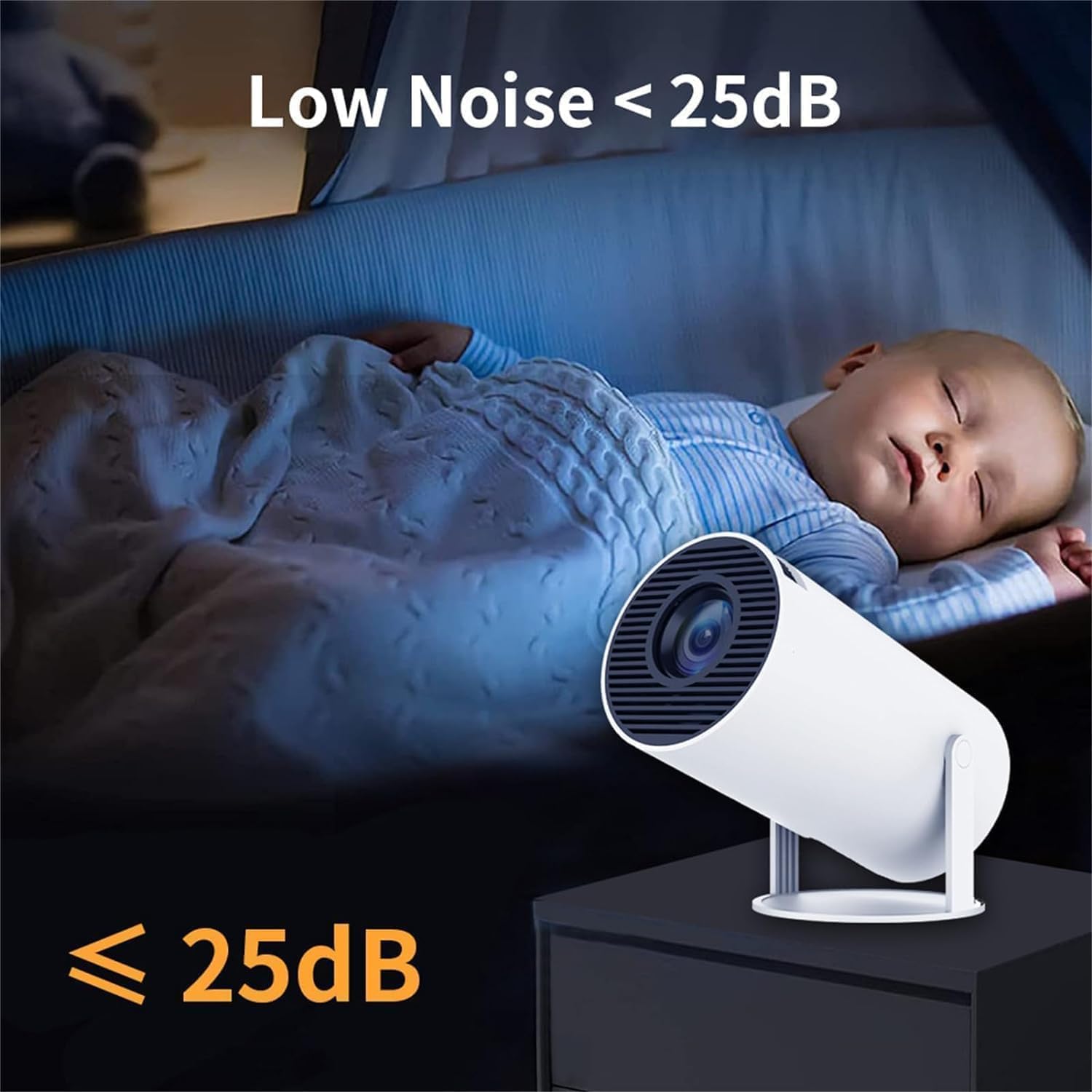
6.3. irudia: The CineMaster Pro projector demonstrating its low noise operation (under 25dB), making it suitable for quiet environments, such as a child's bedroom.
7. Mantentzea
Mantentze egokiak zure proiektorearen iraupena eta errendimendu optimoa bermatzen ditu:
- Lentea garbitzea: Garbitu proiektorearen lentea astiro-astiro gainazal optikoetarako bereziki diseinatutako zapi leun eta lint-gabe batekin. Ez erabili garbitzaile urratzailerik edo indar gehiegirik.
- Kanpoaldea garbitzea: Use a soft, dry cloth to clean the projector's exterior. For stubborn marks, a slightly damp oihal bat erabil daiteke, eta ondoren lehor bat.
- Aireztapena: Ensure the projector's ventilation openings are not blocked to prevent overheating. Do not place the projector on soft surfaces that may obstruct airflow.
- Biltegiratzea: Proiektorea denbora luzez erabiltzen ez baduzu, gorde leku fresko eta lehor batean, eguzki-argitik eta muturreko tenperaturetatik urrun.
8. Arazoak
If you encounter issues with your CineMaster Pro, refer to the following common problems and solutions:
| Arazoa | Kausa posiblea | Irtenbidea |
|---|---|---|
| Ez da irudirik proiektatuta | Power cable loose; Projector off; Incorrect input source. | Check power connection; Turn on projector; Select correct input source. |
| Irudia lausoa da | Focus not adjusted; Projector too close/far; Lens dirty. | Adjust manual focus; Adjust projection distance; Clean the lens. |
| Irudia distortsionatuta dago (trapezio formakoa) | Proiektorea ez dago pantailarekiko perpendikularra. | Utilize automatic keystone correction; Manually adjust horizontal keystone in settings. |
| Soinurik ez | Bolumena baxuegia; Isilarazita; Kanpoko audio gailua ez dago konektatuta/parekatuta. | Increase volume; Unmute; Check Bluetooth connection or external audio cable. |
| Wi-Fi/Bluetooth konexio arazoak | Eremutik kanpo; Pasahitz okerra; Interferentzia. | Hurbildu bideratzailera/gailura; Sartu pasahitza berriro; Murriztu interferentziak. |
9. Bermea eta Laguntza
The Generic CineMaster Pro 4K Smart Movie Projector comes with a standard manufacturer's warranty. Please refer to the warranty card included in your package for specific terms and conditions. For technical support, troubleshooting assistance, or warranty claims, please contact the retailer or manufacturer's customer service through the contact information provided with your purchase documentation.
For the latest updates and support resources, you may also visit the official Generic product support webgunea (baldin badago, esteka ez da datuetan ematen).