
1. Sarrera
Thank you for choosing the NEWFAST NF-RE515 WiFi Repeater. This device is designed to extend your existing wireless network coverage, eliminate Wi-Fi dead zones, and provide a stable, high-speed internet connection throughout your home or office. This manual will guide you through the installation, configuration, and troubleshooting processes to ensure optimal performance.

Image 1.1: The NEWFAST NF-RE515 WiFi Repeater, illustrating its function as a 300Mbps signal amplifier for the 2.4GHz band.
2. Paketearen edukia
Mesedez, egiaztatu arretaz paketearen edukia. Elementuren bat falta bada edo hondatuta badago, jarri harremanetan zure saltzailearekin.
- 1 x NEWFAST NF-RE515 WiFi Repeater
- 1 x Erabiltzailearen eskuliburua
3. Produktua amaitu daview
The NF-RE515 is a compact and efficient device designed for ease of use and reliable performance. It features two external antennas for enhanced signal transmission and reception.
3.1 Device Components and Indicators

Image 3.1: Detailed diagram of the NEWFAST NF-RE515 WiFi Repeater, highlighting its power indicator, WPS indicator, signal indicator, foldable antennas, heat dissipation holes, RST reset button, power switch, and high-performance chip.
- Potentzia-adierazlea (PWR): Gailuaren energia-egoera adierazten du.
- WPS adierazlea: Lights up when WPS connection is active.
- Seinalearen adierazlea: Shows the strength of the received Wi-Fi signal.
- Foldable Antennas: Two external antennas for improved coverage.
- Beroa xahutzeko zuloak: Designed for efficient cooling and stable operation.
- RST (Berrezarri) botoia: Fabrika-ezarpen lehenetsiak berrezartzeko erabiltzen da.
- Switch potentziala: Gailua pizteko edo itzaltzeko.
3.2 Ezaugarri nagusiak

Image 3.2: Infographic highlighting key features: advanced antennas, high-performance chip, quick WPS configuration, security protocols, easy installation, and universal compatibility with WiFi routers.
- Advanced Antennas for extended range.
- High-Performance Chip for stable connectivity.
- Quick WPS Configuration for easy setup.
- Robust Security Protocols to protect your network.
- Easy Installation process.
- Universal Compatibility with most WiFi routers.
3.3 Diseinu trinkoa

Image 3.3: The NEWFAST NF-RE515 WiFi Repeater showcasing its miniature and portable design, ideal for home or travel use.
4. Konfigurazio gida
The NEWFAST NF-RE515 offers two convenient methods for setup: WPS (Wi-Fi Protected Setup) or via a web arakatzailea.
4.1 Method 1: WPS Setup (Recommended for quick setup)
WPS allows for a quick and secure connection to your existing router without needing to enter passwords.
- Piztu: Plug the NF-RE515 into an electrical outlet near your main router. Wait for the Power Indicator to light up.
- Aktibatu WPS bideratzailean: Press the WPS button on your main router. Refer to your router's manual for the exact location of the WPS button.
- Activate WPS on Repeater: Within 2 minutes, press the WPS button on the NF-RE515. The WPS indicator on the repeater will start blinking.
- Konexioaren berrespena: Wait for the Signal Indicator on the NF-RE515 to turn solid blue, indicating a successful connection. This process usually takes about 8 seconds.
- Lekualdatu (Aukerakoa): Once connected, you can unplug the repeater and move it to a location between your router and the Wi-Fi dead zone. Ensure the Signal Indicator remains solid blue for optimal performance.

Image 4.1: Illustration of the convenient WPS setup process, showing the user pressing the WPS button on both the repeater and the router for quick connection.
4.2 2. metodoa: Web Arakatzailearen konfigurazioa
If your router does not support WPS or you prefer manual configuration, follow these steps:
- Piztu: Plug the NF-RE515 into an electrical outlet near your main router.
- Connect to Repeater: On your computer or mobile device, connect to the Wi-Fi network named "NEWFAST_EXT" (or similar, check the label on your device). No password is required initially.
- Sarbidea Web Interfazea: Ireki a web browser (e.g., Chrome, Firefox) and enter the default IP address or domain name (usually
192.168.10.1orrepeater.net) helbide-barran. Kontsultatu gailuaren etiketa helbide zehatza lortzeko. - Hasi saioa: Sartu erabiltzaile-izen eta pasahitza lehenetsiak (normalean
adminbietarako). - Aukeratu modua: Choose "Repeater Mode" or "AP Mode" based on your needs. Most users will select Repeater Mode to extend an existing network.
- Sareak bilatu: The repeater will scan for available Wi-Fi networks. Select your main router's network from the list.
- Sartu pasahitza: Enter the Wi-Fi password for your main router's network. You can also choose to set a new SSID (network name) for the extended network or keep it the same.
- Aplikatu ezarpenak: Click "Apply" or "Save". The repeater will restart.
- Egiaztatu konexioa: Once the repeater restarts, the Signal Indicator should turn solid blue. You can now connect your devices to the extended network.
5. Funtzionamendu moduak
The NEWFAST NF-RE515 typically supports two main operating modes:
5.1 Errepikagailu modua
In Repeater Mode, the device extends the coverage of an existing wireless network. It receives the wireless signal from your main router and re-transmits it, effectively expanding the Wi-Fi range to areas with weak or no signal.

Image 5.1: Illustration of the NF-RE515 in Repeater Mode, demonstrating its ability to extend WiFi coverage to areas beyond the main router's reach with ultra-speed 300Mbps.
5.2 Sarbide Puntuaren (AP) Modua
In AP Mode, the device transforms a wired network connection into a wireless one. If you have an Ethernet port available in a room, you can connect the NF-RE515 via an Ethernet cable, and it will create a new Wi-Fi hotspot, providing wireless access to devices.
6. Mantentzea
To ensure the longevity and optimal performance of your NEWFAST NF-RE515 WiFi Repeater, consider the following maintenance tips:
- Kokapen egokiena: Place the repeater in an open area, away from obstructions like thick walls, metal objects, or large electronic appliances that can interfere with Wi-Fi signals.
- Ohiko eguneraketak: Egiaztatu fabrikatzailearena website periodically for firmware updates. Keeping your device's firmware up-to-date can improve performance and security.
- Garbiketa: Gently clean the device with a dry, soft cloth. Avoid using liquid cleaners or aerosols.
- Gailua berrezarri: If you encounter persistent issues or wish to reconfigure the device from scratch, you can perform a factory reset. With the device powered on, use a pin to press and hold the RST button for about 5-10 seconds until the indicators flash. The device will then restart with default settings.

Image 6.1: Illustration highlighting the fast heat dissipation design of the NF-RE515, contributing to stable and reliable operation.
7. Arazoak
If you experience issues with your NEWFAST NF-RE515, refer to the following common problems and solutions:
- Ez dago Interneterako sarbiderik konfigurazioaren ondoren:
- Ensure the repeater is successfully connected to your main router (Signal Indicator solid blue).
- Egiaztatu zure bideratzaile nagusiak Interneteko konexio aktiboa duela.
- Check if you entered the correct Wi-Fi password for your main router during setup.
- Try restarting both your main router and the repeater.
- Weak Signal from Repeater:
- Relocate the repeater closer to your main router. The ideal location is halfway between your router and the Wi-Fi dead zone.
- Ensure there are no major obstructions (e.g., thick walls, metal objects) between the repeater and your devices, or between the repeater and the main router.
- Adjust the antennas on the repeater for better reception.

Image 7.1: The NF-RE515 featuring two 5dBi external antennas, illustrating how they enhance signal reception and transmission.
- Ezin da sartu Web Kudeaketa orria:
- Ensure your device is connected to the repeater's Wi-Fi network (e.g., "NEWFAST_EXT").
- Verify the IP address or domain name entered in the browser is correct (e.g.,
192.168.10.1orrepeater.net). - Garbitu arakatzailearen cachea eta cookieak, edo saiatu beste arakatzaile bat erabiltzen.
- Arazoak jarraitzen badu, berrezarri fabrika-egoeretara.
8. Zehaztapenak
| Ezaugarri | Deskribapena |
|---|---|
| Marka | BERRIA |
| Eredua | NF-RE515 |
| Haririk gabeko komunikazio estandarra | 802.11n |
| Onartutako maiztasun-bandak | 2.4 GHz |
| Datuen transferentzia-tasa | Gehienez 300 Mbps |
| Antenak | 2 Kanpo Antenak |
| Barrutia | Up to 120 meters (approx. 1500 sq.ft) |
| Gailu bateragarriak | Tablets, Smartphones, Laptops, Game Consoles, IP Cameras, etc. |
8.1 Bateragarritasuna
The NF-RE515 is designed for wide compatibility, adhering to IEEE 802.11b/g/n standards, ensuring it works seamlessly with most modern routers and Wi-Fi enabled devices.

Image 8.1: Illustration of the NF-RE515's wide compatibility with various devices and routers, conforming to IEEE802.11b/g/n standards.
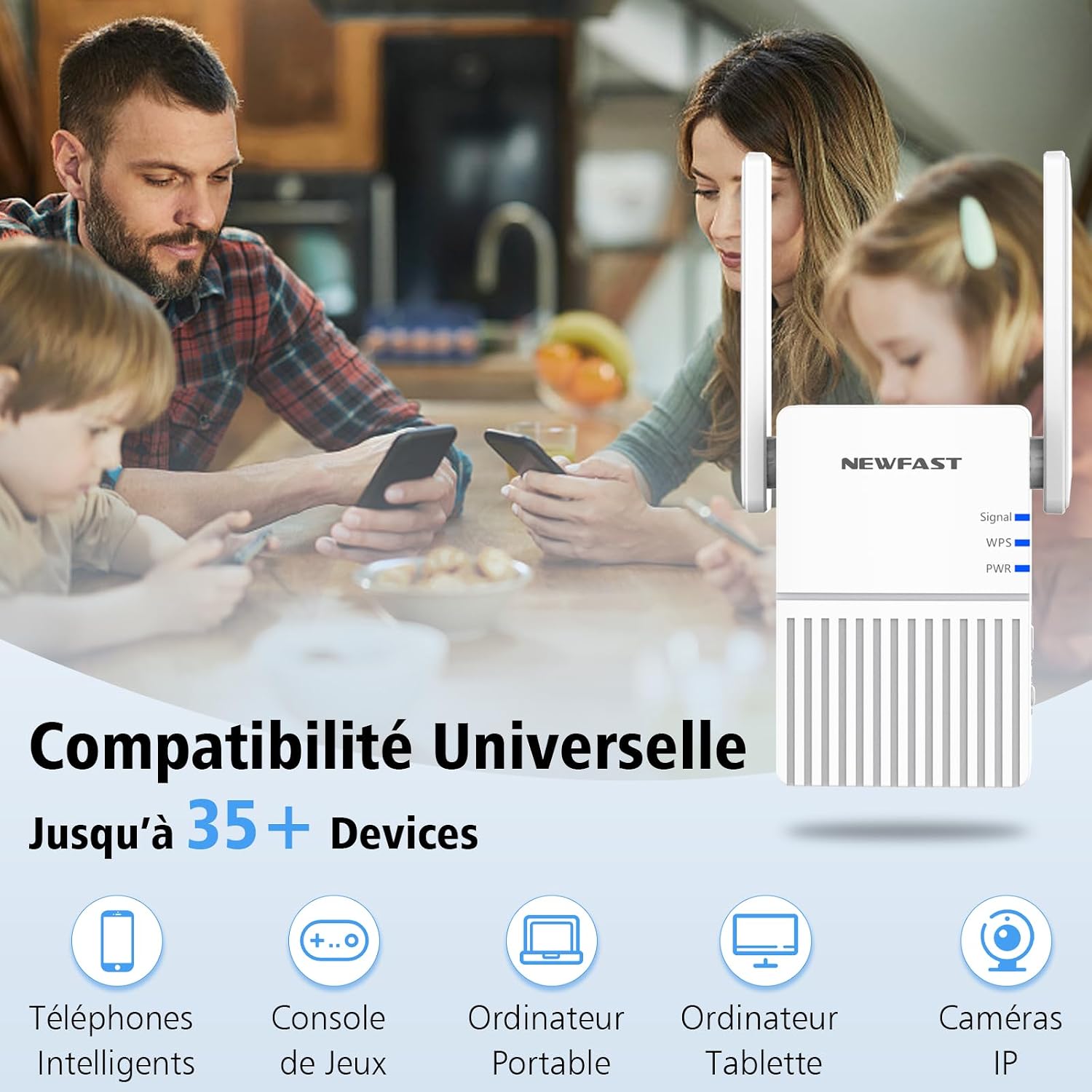
Image 8.2: The NF-RE515 demonstrating universal compatibility, capable of connecting to over 35 different types of devices including smartphones, game consoles, laptops, tablets, and IP cameras.
9. Bermea eta Laguntza
NEWFAST products are designed for reliability and performance. This product comes with a standard manufacturer's warranty. For specific warranty terms and conditions, please refer to the warranty card included in your package or visit the official NEWFAST webgunea.
For technical support, troubleshooting assistance, or any inquiries regarding your NF-RE515 WiFi Repeater, please contact NEWFAST customer service through the contact information provided on our webgunea edo zure erosketa plataforma.
Sareko baliabideak: For additional support, FAQs, and the latest firmware, please visit the official NEWFAST webgunea: NEWFAST Brand Store
10. Benefits and Usage Scenarios
The NEWFAST NF-RE515 WiFi Repeater is designed to enhance your wireless experience in various settings.
10.1 Eliminate WiFi Dead Zones
Extend your WiFi coverage up to 1500 sq.ft, ensuring a strong and stable signal in every corner of your home or office, eliminating frustrating dead zones.

Image 10.1: Visual representation of the NF-RE515 extending WiFi coverage to eliminate dead zones, covering up to 1500 sq.ft.
10.2 Keep Everyone Connected
Enjoy seamless connectivity for all your devices, whether you are streaming, gaming, working, or studying.
Image 10.2: Various usage scenarios demonstrating how the NF-RE515 keeps users connected for outdoor activities, school, streaming, and gaming.


