
1. Segurtasun informazioa
- Pisu-gaitasuna: Do not exceed the maximum weight recommendation of 55 lbs (25 kg) for the entire unit.
- Muntaia: Ensure the nightstand is assembled correctly and all fasteners are tightened securely before use. Always follow the assembly instructions provided.
- Egonkortasuna: The adjustable feet must be properly adjusted to ensure the nightstand is stable on uneven floors and to protect your surfaces from scratches.
- Segurtasun elektrikoa: Do not overload the power outlets. Ensure the power cord is not pinched or damaged. Keep liquids away from the charging station.
2. Paketearen edukia
Muntatu aurretik, egiaztatu behean zerrendatutako osagai guztiak daudela eta kalterik gabe daudela:
- Beharrezko muntaketa-tresna guztiak
- Muntatzeko argibideen eskuliburua
- 2 oihal-tiradera
- 1 Open Wooden Shelf
- All structural components (frame, panels, etc.)
3. Konfigurazioa eta Muntaketa
The WLIVE LED Nightstand is designed for easy assembly. Each part is labeled with a number to guide you through the installation process. A screwdriver is recommended for assembly.
For detailed visual guidance, please refer to the official assembly video:
Official assembly and feature overview video for the WLIVE LED Nightstand.
Follow the step-by-step instructions in the included manual to ensure correct and stable assembly.
4. Funtzionamendu-argibideak
4.1. RGB LED argiak
The nightstand features a multicolored LED light strip. You can control the lights using either a mobile application or a button controller.
- Mugikorreko aplikazioen kontrola: Deskargatu "iStrip+" app from your phone's App Store (iOS) or Google Play (Android). Once installed, open the app to adjust colors, brightness, and other functions of the LED lights.
- Botoi-kontrolagailua: Use the inline button controller on the LED light cable to cycle through colors and turn the lights on or off.

Image: The nightstand displaying various LED colors, with a smartphone showing the 'iStrip+' app interface for light control.
4.2. Kargatzeko estazioa
The integrated charging station provides convenient power access:
- Saltokiak: Includes 2 AC outlets (125V 12A) for standard electrical devices.
- USB atakak: Features 3 USB ports (5V 2.1A). One USB port on the back is dedicated for the LED lights, leaving two front USB ports fully available for charging your devices like phones and tablets.
- Elikatze kablea: The nightstand comes with a 4.9-foot power cord.

Irudia: Xehetasun zehatza view of the nightstand's charging station, highlighting the AC outlets and USB ports.
4.3. Biltegiratze Ezaugarriak
The nightstand offers versatile storage options:
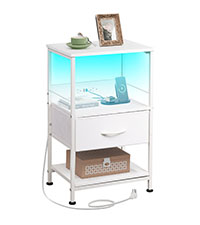
- Oihalezko tiraderak: Two fabric drawers provide private storage for personal items. These drawers feature easy-to-pull handles.
- Apal Irekia: An open wooden shelf allows for easy access to frequently used items or decorative displays.
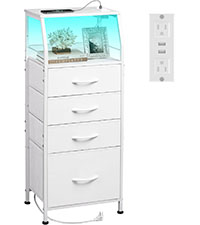
Image: The nightstand with its fabric drawers open, demonstrating the available storage capacity.
4.4. Adjustable Foot Pads
The nightstand is equipped with four adjustable foot pads. These can be rotated to stabilize the unit on uneven surfaces and prevent scratches on your floor.
Irudia: Gertutik view of an adjustable foot pad, illustrating its design for floor protection and stability.
5. Mantentzea eta Zainketa
- Garbiketa: Wipe the surfaces with a dry cloth. Avoid using harsh chemicals or abrasive cleaners.
- Uraren erresistentzia: The top board is designed to be waterproof, allowing you to place drinks without immediate worry. However, promptly wipe up any spills to prevent potential damage.
- Orbanen erresistentzia: Please note that the nightstand is not stain resistant. Clean spills immediately to avoid permanent marks.
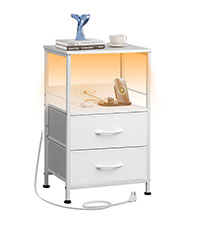
Image: Water droplets on the surface of the nightstand, demonstrating its waterproof feature.
6. Arazoak
- LED Lights Not Working/Connecting:
- Ensure the LED light's dedicated USB cable is securely plugged into its port on the charging station.
- Verify the nightstand's main power cord is plugged into a working wall outlet.
- If using the app, ensure Bluetooth is enabled on your phone and the "iStrip+" app has the necessary permissions. Try restarting the app or your phone.
- If the LED strip adhesive is not holding, ensure the surface is clean and dry before application. Reinforce with additional adhesive if necessary.
- Gailuak ez kargatzen:
- Check if the nightstand's main power cord is securely plugged into a working wall outlet.
- Ensure your device's charging cable is properly connected to both the device and the USB port/AC outlet.
- Test with a different device or cable to rule out issues with your device or cable.
- Note that large AC adapters may obstruct adjacent USB ports or outlets due to their size. Consider using smaller adapters or alternative ports.
- Nightstand Wobbles:
- Adjust the foot pads at the bottom of the nightstand by rotating them until the unit is stable on your floor.
- Ensure all assembly screws and bolts are tightened.
7. Zehaztapenak
| Ezaugarri | Xehetasuna |
|---|---|
| Marka | ZUZENEAN |
| Ereduaren izena | ACTG009WXF |
| Produktuaren neurriak (L x W x H) | 11.73" L x 15.67" W x 25.19" H |
| Elementuaren pisua | 23 kilo |
| Gehienezko pisuaren gomendioa | 55 kilo |
| Markoaren materiala | Altzairu aleazioa |
| Goiko material mota | Ingeniaritza Egurra |
| Kolorea | Zuria |
| Tiradera kopurua | 2 |
| Number of Items (in set) | 2 |
| Potentzia-saltokiak | 2 AC Outlets (125V 12A) |
| USB atakak | 3 USB Ports (5V 2.1A) |
| Elikatze-kablearen luzera | 4.9-Oin |
| Beharrezko muntaia | Bai |
| Muntatzeko gomendatutako tresnak | Torloju gidaria |

Image: Product dimensions and individual shelf weight capacities for the nightstand.
8. Bermea eta Laguntza
For warranty information, technical support, or any inquiries regarding your WLIVE LED Nightstand, please contact WLIVE customer service directly. Refer to the contact information provided in your product packaging or visit the official WLIVE weblaguntza eskatzeko gunea.