
LIECTROUX YW509
LIECTROUX YW509 Robot Window Cleaner User Manual
Brand: LIECTROUX | Model: YW509
Sarrera
This manual provides detailed instructions for the safe and efficient operation, maintenance, and troubleshooting of your LIECTROUX YW509 Robot Window Cleaner. Please read this manual thoroughly before using the device and keep it for future reference.
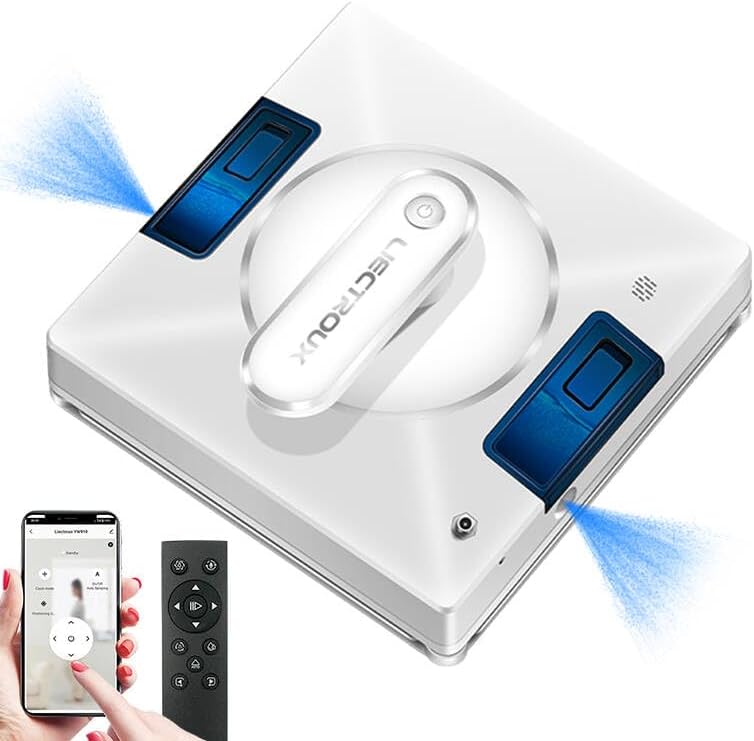
Figure 1: LIECTROUX YW509 Robot Window Cleaner overview.
Segurtasun-argibide garrantzitsuak
Always adhere to the following safety guidelines to prevent injury or damage to the device.
- Ensure the safety rope is securely fastened before each use, especially when cleaning high-rise windows. The device is equipped with a 4m professional safety rope.
- The robot must be connected to a power source during operation. The built-in UPS battery provides approximately 25 minutes of backup power in case of power failure, preventing the robot from falling.
- Do not use the robot on cracked or damaged glass surfaces.
- Mantendu eskuak, ilea eta arropa solteak zati mugikorretatik urrun.
- Ez sartu gailua uretan edo beste likido batzuetan.
- Supervise children and pets when the robot is in operation.

Figure 2: Safety features including strong suction and safety rope attachment.
Konfigurazioa eta Prestaketa
Paketearen edukia
Egiaztatu elementu guztiak paketean daudela:
- LIECTROUX YW509 Robot Window Cleaner
- Urruneko Kontrola
- Power Adapter and Cord (5.2m)
- Safety Rope (4m)
- Microfiber Cleaning Cloths (2 included)
- Water Bottle (for filling tank)
- Erabiltzailearen eskuliburua
Hasierako konfigurazioa
- Kargatu bateria: Although the robot operates while plugged in, ensure the internal UPS battery is charged for emergency power backup. Connect the power adapter to the robot and a power outlet.
- Attach Safety Rope: Securely attach the safety rope to the designated anchor point on the robot and to a sturdy object indoors.
- Install Cleaning Cloths: Attach the microfiber cleaning cloths to the cleaning pads on the bottom of the robot. Ensure they are properly aligned and secured.
- Ur depositua bete: Open the water tank cap and fill with clean water or a suitable window cleaning solution. The robot features built-in large capacity water tanks.
- Piztu: Connect the power cord to the robot and a power outlet. Press the power button on the robot or remote control to turn it on.
Funtzionamendu-argibideak
Placing the Robot
Place the robot on the glass surface, ensuring it is flat against the surface. The strong suction power (3000PA) will hold it in place.
Garbiketa moduak
The LIECTROUX YW509 offers three automatic cleaning modes and manual control via remote or app:
- N Path: Cleans in an N-shaped pattern, suitable for tall and narrow windows.
- Z Path: Cleans in a Z-shaped pattern, suitable for wide and short windows.
- N+Z Path: Combines both N and Z patterns for comprehensive cleaning, ideal for large windows.

Figure 3: Available cleaning modes for optimal coverage.
Ura ihinztatzeko funtzioa
The robot features dual nozzles that spray water in two directions, ensuring effective cleaning. This function can be activated automatically or manually via the remote control or app.
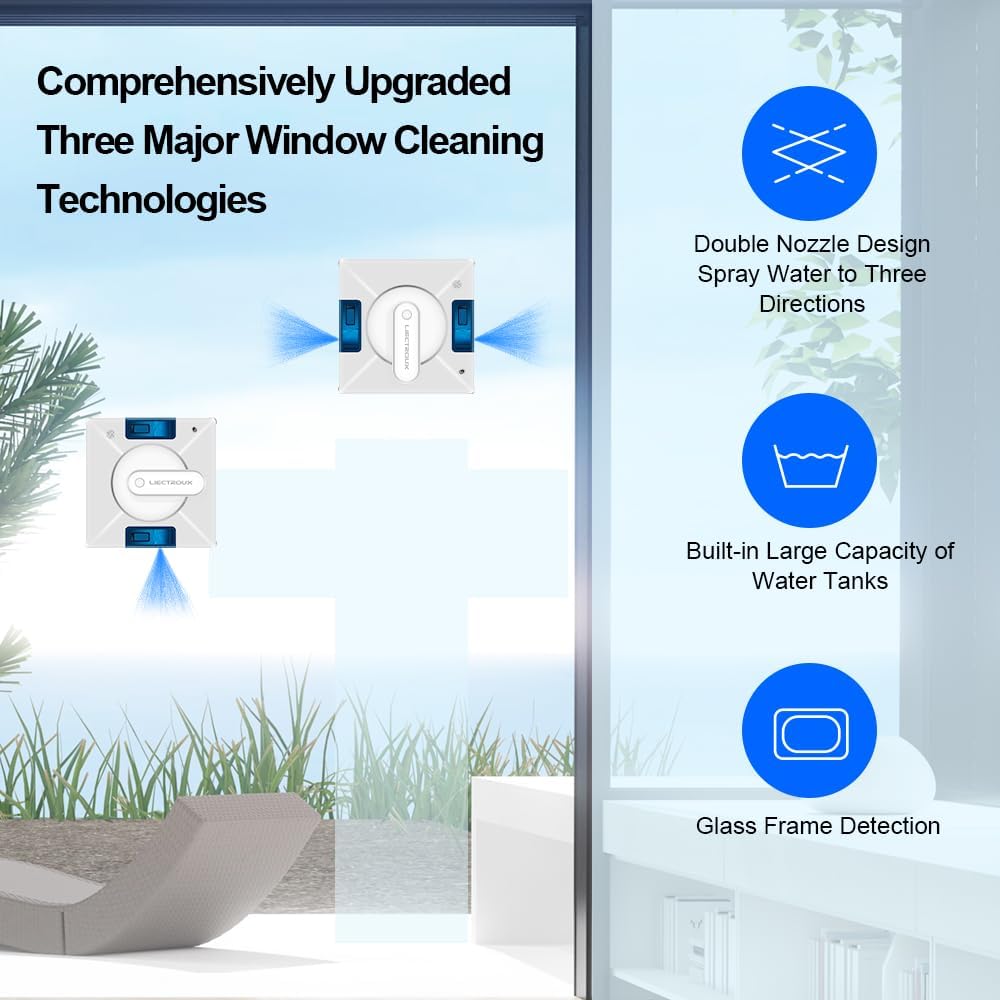
Figure 4: Advanced window cleaning technologies including dual nozzle spray.
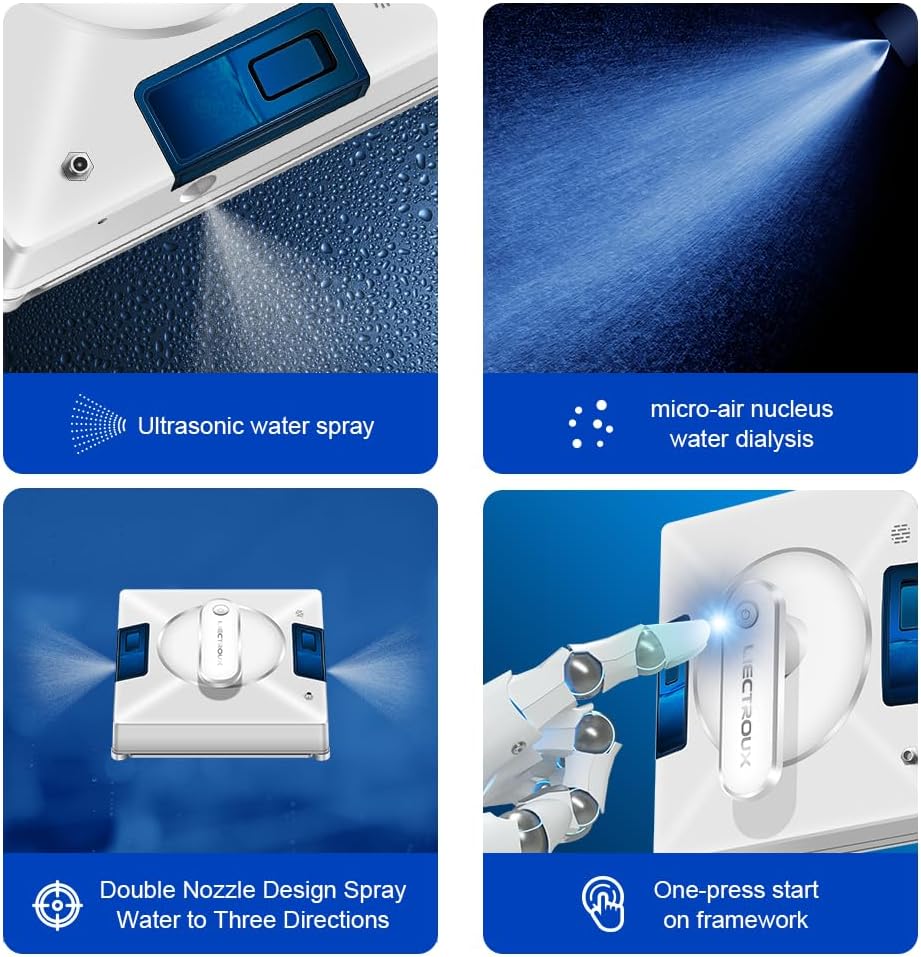
5. irudia: Xehetasuna view of the robot's spraying and operational features.
Eragiketa martxan jartzea eta gelditzea
- Hasi: Press the 'Start' button on the remote control or within the smartphone application. The robot will automatically detect window frames and obstacles, adjusting its path.
- Eten/Gelditu: Press the 'Pause' or 'Stop' button on the remote control or app to halt operation.
- Eskuzko kontrola: Use the directional arrows on the remote control or app for manual navigation.
Gainazalaren bateragarritasuna
The LIECTROUX YW509 is designed for various smooth surfaces, including:
- Glass (windows, glass doors, shower screens)
- Fitxak
- Marble walls
- Wooden/tile surfaces (smooth)
- Linoleum, Vinyl, Concrete (smooth)

Figure 6: Versatile application across different smooth surfaces.
Mantentzea
Robota garbitzea
- Mikrofibrazko oihalak: After each use, remove and wash the microfiber cleaning cloths. They are reusable.
- Robotaren gorputza: Wipe the robot's exterior with a soft, dry cloth. Do not use abrasive cleaners or immerse the robot in water.
- Sentsoreak: Periodically clean the sensors located on the edges of the robot to ensure accurate frame detection and obstacle avoidance.
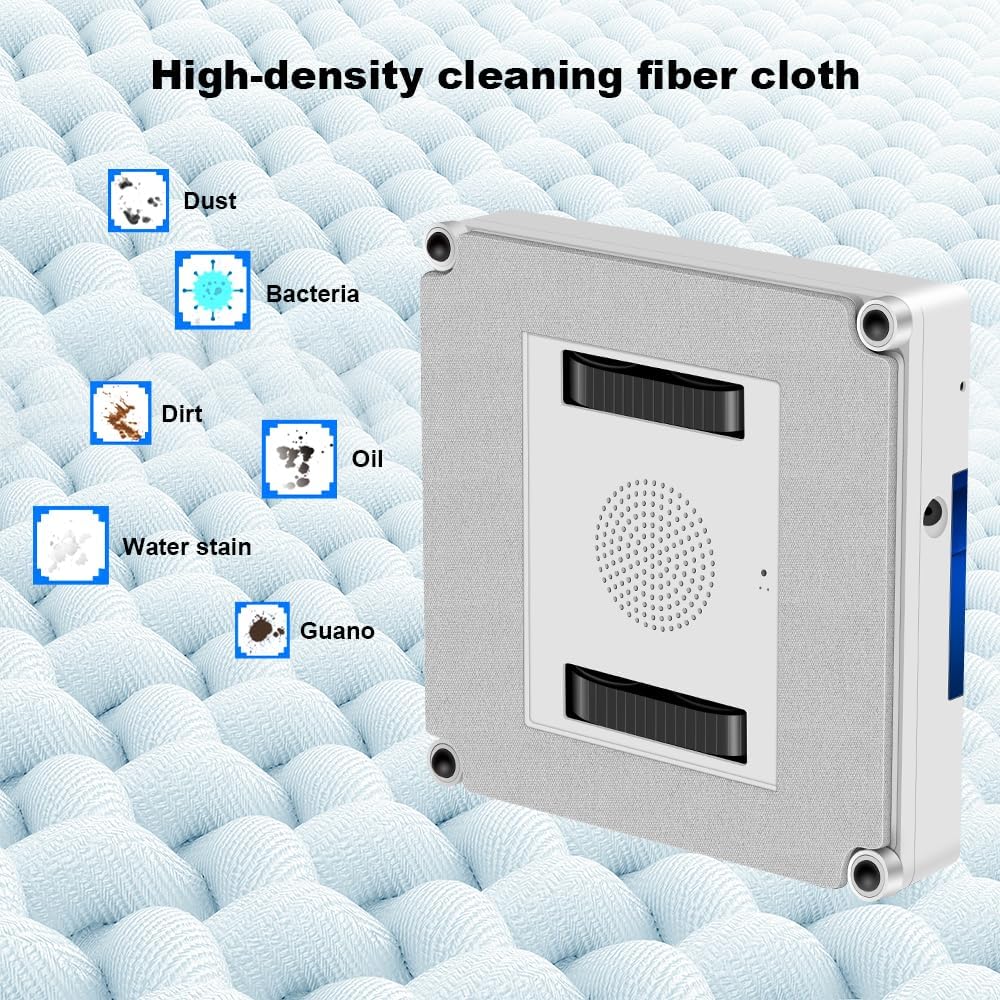
Figure 7: High-density microfiber cleaning cloth for effective dirt removal.
Ur depositua
Empty any remaining water from the tank after use. Refill with fresh water or cleaning solution before each new cleaning session.
Arazoak konpontzea
| Arazoa | Kausa posiblea | Irtenbidea |
|---|---|---|
| Robot not sticking to glass. | Insufficient suction; dirty cleaning pads; uneven surface. | Ensure power cord is securely connected. Clean or replace cleaning pads. Ensure surface is smooth and clean. |
| Robota ustekabean gelditu da. | Power disconnected; low UPS battery; obstacle detected. | Check power connection. Allow UPS battery to charge. Clear any obstacles. |
| Garbiketa-errendimendu eskasa. | Dirty cleaning cloths; empty water tank; incorrect cleaning mode. | Replace or wash cleaning cloths. Refill water tank. Select appropriate cleaning mode for the window size. |
| Robot is noisy. | Normal operation sound; loose parts. | Some noise is normal due to the suction motor. Check for any loose components. |
Zehaztapenak
| Ezaugarri | Xehetasuna |
|---|---|
| Marka | LIECTROUX |
| Ereduaren izena | YW509 |
| Kolorea | Zuria |
| Materiala | ABS |
| Produktuaren neurriak | 21.5L x 21.5W x 6.5H cm |
| Elementuaren pisua | 4 kilogramo |
| Xurgatze Potentzia | 3000PA |
| Energia iturria | Kable elektrikoa |
| Kontrolagailu mota | App Control, Button Control, Remote Control |
| Ezaugarri Berezia | Fall Protection (UPS battery, safety rope) |
| Gomendatutako azalera | Marble, Laminate, Linoleum, Glass, Tile, Wood, Vinyl, Concrete |
Bermea eta Laguntza
For warranty information and technical support, please refer to the documentation included with your product or contact the seller directly. The product is sold by LIECTROUX ROBOTICS SA.
Return Policy: The buybox winner indicates a return policy with a duration of 30 days for refund/replacement.
For further assistance, you may visit the official LIECTROUX webwebgunean edo jarri harremanetan bere bezeroarentzako zerbitzuarekin.
Produktuen bideoak
Ez da saltzailearen produktuaren bideo ofizialik eman eskuliburu honetan txertatzeko eskuragarri dauden datuetan.
Ask a question about this manual
Ask about setup, troubleshooting, compatibility, parts, safety, or missing instructions. Manuals+ will review the question and use this page’s manual context to help answer it.