
Karpurida YT09S
Carpuride YT09S IPS Double Din Car Stereo Radio Screen User Manual
Modeloa: YT09S | Marka: Carpuride
1. Sarrera
This manual provides detailed instructions for the installation, operation, maintenance, and troubleshooting of your Carpuride YT09S IPS Double Din Car Stereo Radio Screen. Please read this manual thoroughly before using the product to ensure proper functionality and safety.

Figure 1: Carpuride YT09S IPS Double Din Car Stereo
2. Zer dago kutxan
Egiaztatu behean zerrendatutako elementu guztiak zure paketean sartuta daudela:
- YT09S Car Stereo (Main Engine Display)
- 1080p babeskopia kamera
- Kamera-kablea
- Alanbre arnesa A
- Alanbre arnesa B
- 6 Pin Line
- Parentesiak
- Markoa
- USB egokigailua
- Erabiltzailearen eskuliburua

2. irudia: paketearen edukia
3. Ezaugarri nagusiak
3.1. Wired or Wireless Seamless Integration with Smartphone
Connect your smartphone effortlessly with Apple CarPlay and Android Auto. The 2.5HD touchscreen allows easy access to GPS navigation, music, calls, emails, and notifications. Compatible with iOS 6 and above, and Android 11 and above.
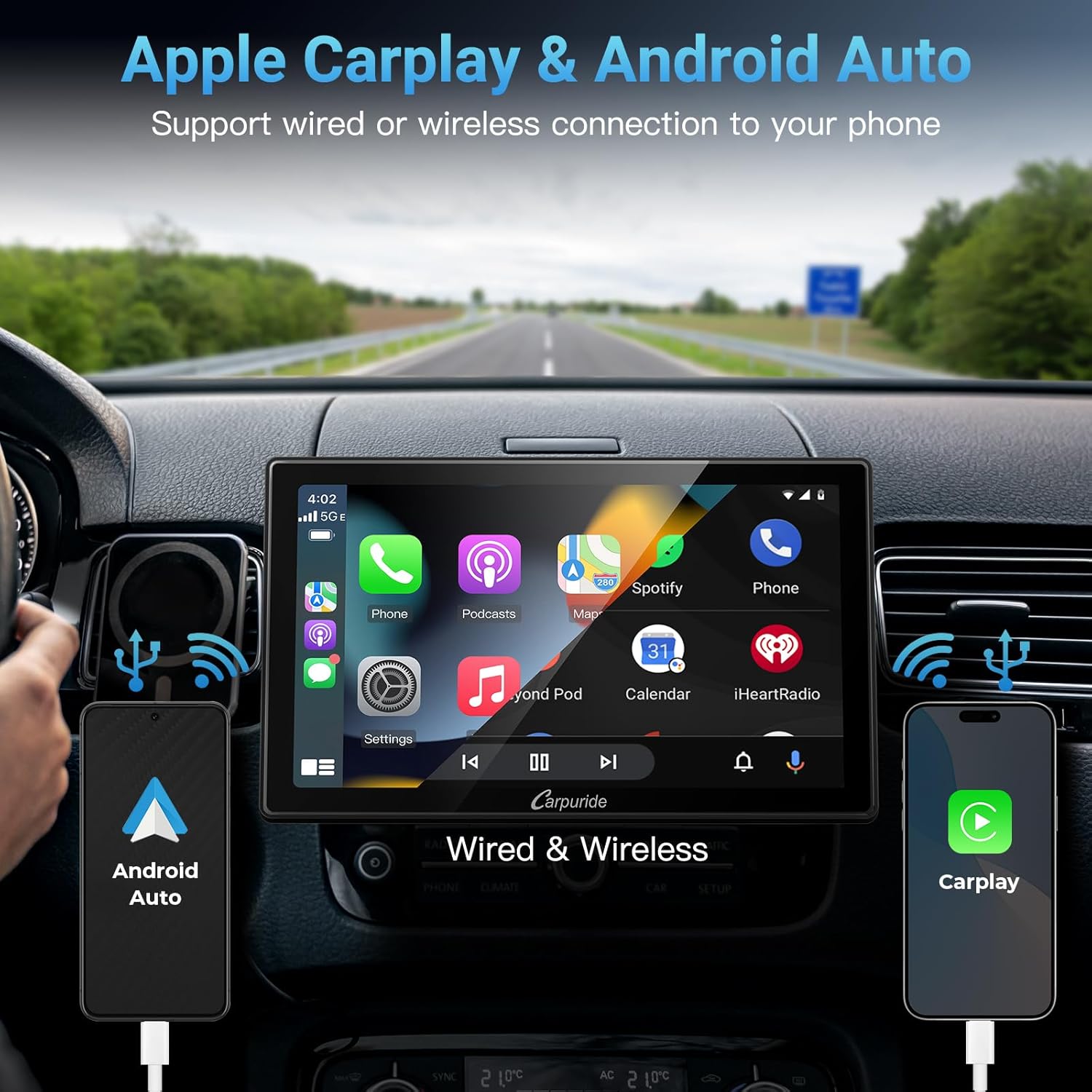
Figure 3: Apple CarPlay & Android Auto Connectivity
3.2. Supporting Front/Rear View Kamera
Designed with safety in mind, the unit supports both front and backup cameras, automatically displaying the image when reversing or parking. The package includes a 1080P Backup camera with night vision and a 170° ultra-wide viewing angle, featuring a full waterproof design.
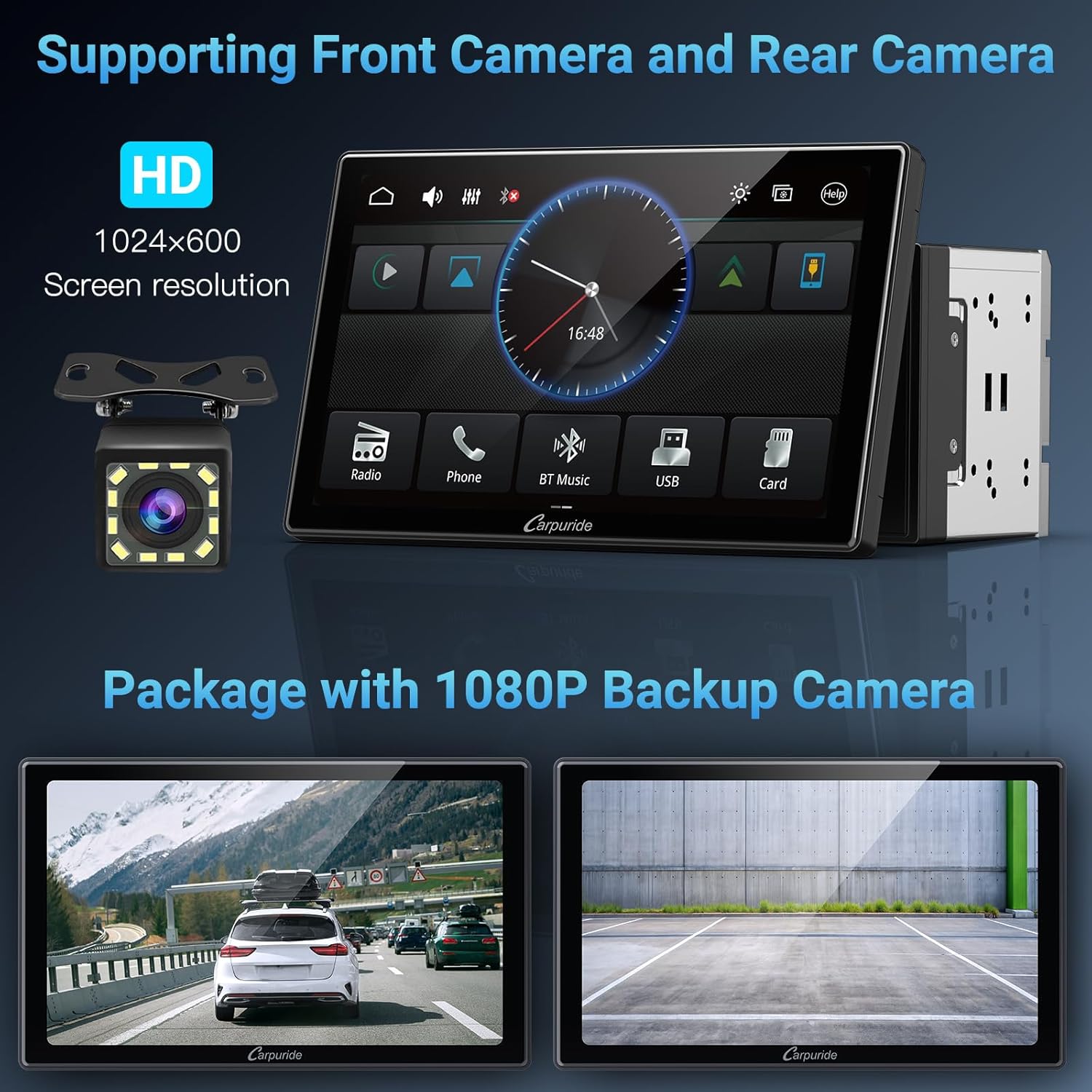
Figure 4: Front and Rear Camera Support
3.3. 2 Ways Mirror Link
The Carpuride CarPlay system offers iOS and Android mirror link via wired (iOS/Android) or wireless (iOS) connections. Effortlessly mirror audio, videos, games, and apps from your smartphone directly onto the carplay screen for shared viewing and entertainment.
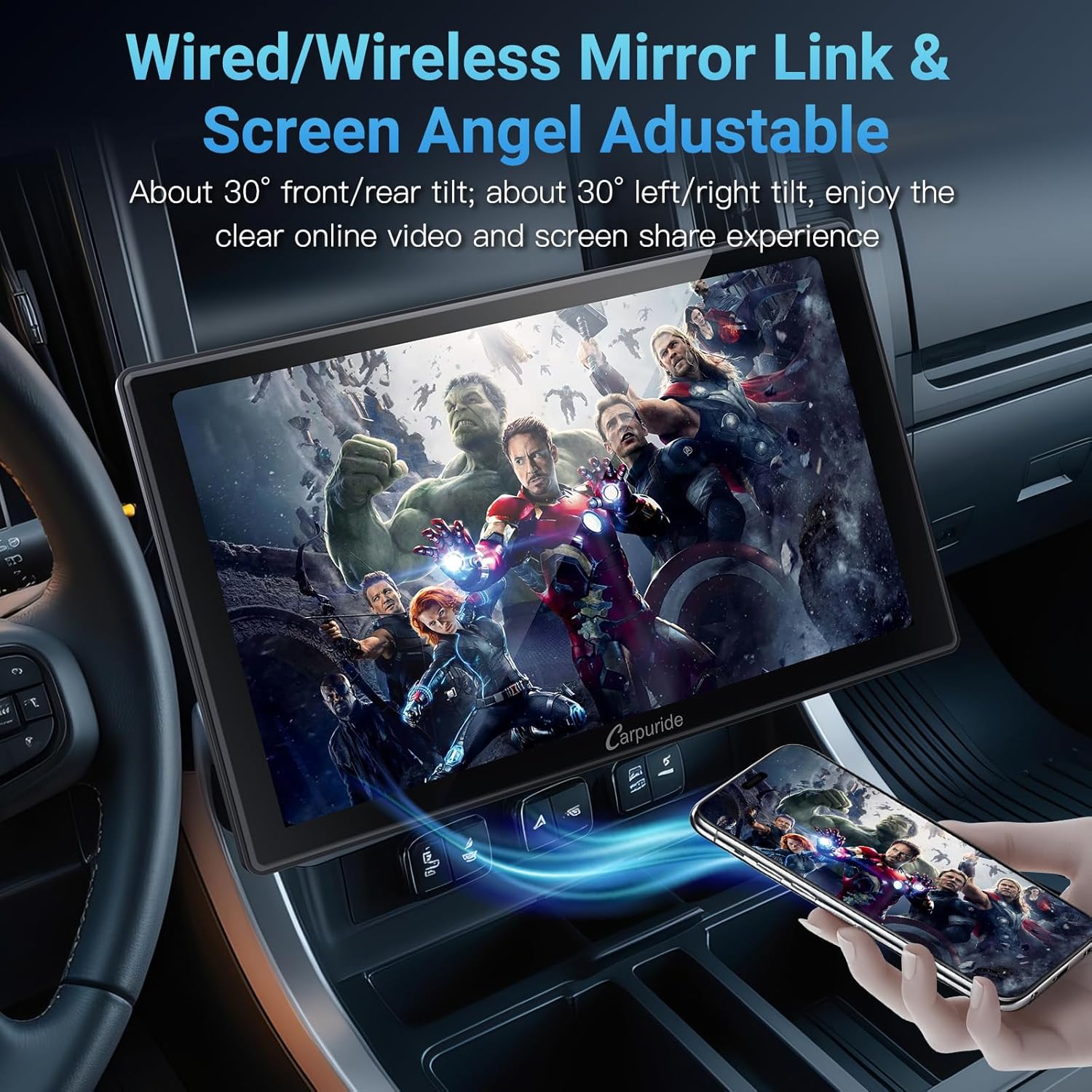
Figure 5: Mirror Link Functionality
3.4. IPS 2.5D Adjustable Touchscreen & Knob Design
The 9-inch 2.5HD screen can be adjusted in 4 directions (approx. 30° front/rear tilt; approx. 30° left/right tilt). This provides a faster response speed, reduces smearing and blur, and helps reduce visual fatigue, offering an excellent visual experience.
Figure 6: IPS Touch Screen Responsiveness
3.5. Support 4.2 Channel Output
This car stereo supports 4.2 RCA channel output, including Rear Right/Left Speaker output, Front Right/Left Speaker output, and 1 Subwoofer output. It features 8 EQ effects for adjusting music, delivering outstanding sound quality and powerful bass.

Figure 7: Audio Output Configuration
3.6. Steering Wheel & Carplay Voice Control
Seamless connection with the CarPlay system enables smooth steering wheel control (SWC). Built-in clear microphone technology and a 3.5mm External MIC port allow effortless voice commands to Siri or Google Assistant, reducing distractions and enhancing driving safety.

Figure 8: Voice Control and SWC
3.7. Stable USB and SD Card Playback Performance
The Carpuride Double Din Car Stereo supports SD and USB playback, allowing quick access to video, music, or photos stored on a U disk device or TF card without a network connection. Ideal for long-distance travel and areas without internet access.

9. irudia: USB eta SD txartelaren erreprodukzioa
4. Konfigurazioa eta instalazioa
Before beginning installation, ensure your vehicle's battery is disconnected to prevent electrical shorts. Refer to your vehicle's specific wiring diagrams in conjunction with this manual.
4.1. Kutxa ireki eta osagaien berrikuspenaview
Familiarize yourself with all components included in the package. The main unit, screen, wiring harnesses, and backup camera are essential for installation.
4.2. Kableatu konexioak
The YT09S comes with two main wiring harnesses (A and B) and a 6-pin line. Connect these to your vehicle's corresponding wiring. The manual provides detailed pinout diagrams for each harness.

Figure 10: Rear Interface and Installation Method
- 16PIN Power Socket (Part A): Connects to rear speakers (A7 Green-Left SP+, A8 Green-Left SP-), front speakers (A5 White-Left SP+, A6 White-Left SP-), and rear speakers (A1 Purple-Right SP+, A2 Purple-Right SP-).
- 5 PIN Power Socket (Part B): Connects to Ground (B8 Black-GND), ACC Accessory (+12V) (B7 Red-ACC), ILL Illuminated Trigger Input (B6 Orange-ILL), ANT +12V Antenna power out (+12V) (B5 Blue-ANT+12V), Battery (+12V) (B4 Yellow-B+), and Parking Trigger Input (B2 Brown-PARKING).
- Reverse Camera Input (B1 Pink-REVERES): Connects to the reverse camera trigger input.
4.3. Screen Attachment and Adjustment
The 9-inch IPS screen attaches to the main unit and can be adjusted for optimal viewing angles. The screen is designed to detach for security when the vehicle is unattended.
5. Funtzionamendu-argibideak
5.1. Main Interface Navigation
The main interface provides access to all primary functions. Use the responsive touchscreen to navigate between applications and settings.
Figure 11: Main Interface
5.2. Apple CarPlay / Android Auto Usage
Once your smartphone is connected (wired or wireless), the CarPlay or Android Auto interface will appear. You can then use compatible apps for navigation, music, communication, and more directly from the stereo screen.
5.3. Ahots kontrola
Activate Siri or Google Assistant by pressing the voice control button or using a voice command (if configured). Speak clearly to issue commands for navigation, calls, or music playback.
5.4. Bolumenaren kontrola
While the unit supports steering wheel controls for volume, direct volume adjustment within CarPlay/Android Auto apps may require navigating to the main Carpuride interface. From the Carpuride home screen, access the volume controls at the top of the display to adjust the audio level.
6. Mantentzea
To ensure the longevity and optimal performance of your Carpuride YT09S, follow these maintenance guidelines:
- Pantaila garbitzea: Erabili zapi leun eta lihorik gabeko bat ukipen-pantaila astiro-astiro garbitzeko. Orban egoskorrak izanez gero, garbitu apur batampGarbitu zapi bat urarekin edo pantaila-garbitzaile batekin. Saihestu material urratzaileak edo produktu kimiko gogorrak.
- Garbiketa orokorra: Mantendu unitatea hautsik eta hondakinik gabe. Erabili eskuila leun bat edo aire konprimatua aireztapen-hodiak eta atakak garbitzeko.
- Software eguneraketak: Aldian-aldian egiaztatu Carpuride ofizialaren informazioa. website or contact support for available software updates to ensure the best performance and compatibility.
- Tenperatura kontrola: Saihestu unitatea tenperatura altuetan jartzea. Eguzki-argiaren eraginpean denbora luzez egoteak edo oso hotz egoteak errendimenduan eta bizitzan eragina izan dezake.
7. Arazoak
If you encounter issues with your Carpuride YT09S, refer to the common problems and solutions below. If the problem persists, contact customer support.
| Arazoa | Kausa posiblea | Irtenbidea |
|---|---|---|
| Unitatea ez da pizten | Incorrect wiring; Blown fuse; Insufficient power supply. | Check all wiring connections; Inspect and replace fuse if necessary; Ensure stable 12V power supply. |
| Ez dago audio irteerarik | Bozgorailuen kableatu okerra; Bolumena baxuegia; Isilarazteko funtzioa aktibo. | Verify speaker connections; Increase volume; Deactivate mute. |
| CarPlay/Android Auto disconnects frequently | Unstable USB connection; Outdated phone OS; Interference. | Ensure secure USB cable connection; Update phone's operating system; Try a different USB cable. |
| Touchscreen unresponsive or slow | Temporary software glitch; Screen protector interference. | Restart the unit; Remove and reapply screen protector if applicable; Perform a factory reset (refer to manual for steps). |
| Atzeko kamera ez da bistaratzen | Incorrect camera wiring; Faulty camera. | Check camera power and video signal connections; Ensure reverse trigger wire is correctly connected. |
8. Zehaztapenak
| Ezaugarri | Xehetasuna |
|---|---|
| Modelo zenbakia | YT09S |
| Bistaratzea | 9-inch 2.5HD IPS Touch Screen |
| Konektibitatea | Bluetooth, Wi-Fi, USB |
| Kontrolagailu mota | App, Touch, Voice, SWC (Steering Wheel Control) |
| Ezaugarri bereziak | Built-In Bluetooth, Android Auto, Mirror Link, FM/AM, Supporting Front and Backup Camera, Siri /Google Voice Control, Max Output 180W, For Apple CarPlay, Built-In Wi-Fi |
| Gailu bateragarriak | Smartphone (IOS 6 and above, Android 11 and above) |
| Audio irteera modua | Bluetootha, FM |
| Inguruko soinu-kanalaren konfigurazioa | 2.0 (with 4.2 RCA channel output support) |
| Elementuaren pisua | 3.67 kilo |
| Paketearen neurriak | 9.69 x 7.87 x 5.98 hazbete |
| Fabrikatzailea | Karpuridoa |
| Jatorrizko Herrialdea | Txina |
9. Bermea eta Laguntza
Carpuride is committed to providing excellent customer service. Your YT09S car stereo comes with lifetime technical support. If you encounter any problems or have questions regarding compatibility, installation, or operation, please contact our professional technical team.
- Bizi osorako laguntza teknikoa: Our team is available to assist you with any technical issues.
- Software eguneratzeak: Free software upgrades are available to enhance functionality and performance.
- Botaren logotipoaren pertsonalizazioa: Options for customizing the boot logo are supported.
For support, please provide your car brand, model, and year to help our team assist you as quickly as possible, typically within 24 hours.

Figure 12: Professional Service and Support
Ask a question about this manual
Ask about setup, troubleshooting, compatibility, parts, safety, or missing instructions. Manuals+ will review the question and use this page’s manual context to help answer it.