
EZON S7
EZON S7 Smart Watch for Kids - User Manual
Model: S7 | Brand: EZON
1. Sarrera
This manual provides essential information for the setup, operation, and maintenance of your EZON S7 Smart Watch. Please read it thoroughly to ensure proper use and to maximize the watch's features.
2. Paketearen edukia
Egiaztatu elementu guztiak paketean daudela:
- EZON S7 Smart Watch (with pre-attached watch band)
- USB kargatzeko kablea
- Erabiltzailearen eskuliburua

Figure 2.1: EZON S7 Smart Watch (Black)
3. Hasierako konfigurazioa
3.1 Gailua kargatzea
Before first use, fully charge your EZON S7 Smart Watch. Connect the magnetic charging cable to the charging points on the back of the watch and plug the USB end into a compatible power source (e.g., computer USB port, USB wall adapter).
- Kargatzeko denbora: Gutxi gorabehera 2 ordu karga oso bat egiteko.
- Battery Life: 5-7 days of average usage, up to 30 days standby.

Figure 3.1: Charging the EZON S7 Smart Watch
3.2 Zure telefonoarekin parekatzea
To access all features and synchronize data, pair your watch with the companion app. The app is compatible with Android (5.0+) and iOS (9.0+) devices.
- Deskargatu aplikazioa: Scan the QR code in the manual or search for "Da Fit" in your smartphone's app store.
- Gaitu Bluetootha: Ziurtatu Bluetootha gaituta dagoela zure telefonoan.
- Ireki aplikazioa eta parekatu: Open the "Da Fit" app, create an account if prompted, and follow the on-screen instructions to search for and connect to your EZON S7 Smart Watch.
- Eman baimenak: Allow necessary permissions for the app to function correctly (e.g., notifications, location, health data).
4. Funtzionamendu-argibideak
4.1 Oinarrizko nabigazioa
- Piztu/Itzali: Eduki sakatuta alboko botoia.
- Esnatzeko pantaila: Press the side button or raise your wrist.
- Irristatu gora/behera: Joan menuetan eta jakinarazpenetan zehar.
- Irristatu ezkerrera/eskuinera: Sartu funtzio azkarretara edo erloju-esfera desberdinetara.
- Sakatu: Hautatu aukera bat edo ireki aplikazio bat.
4.2 Bluetooth Calling & Smart Alerts
Once paired with your smartphone, the watch supports Bluetooth calling and smart notifications.
- Make/Receive Calls: Use the watch interface to dial numbers or answer incoming calls directly from your wrist.
- Jakinarazpenak: Jaso deien, mezuen eta aplikazioen jakinarazpenen alertak zure parekatutako telefonotik.

4.1. irudia: Bluetooth bidezko deiak egiteko funtzioa
4.3 Jolasak
The watch includes several pre-installed puzzle games for entertainment.

Figure 4.2: Built-in Games
5. Osasunaren jarraipena
The EZON S7 Smart Watch provides 24/7 health monitoring features to help users track their well-being.
- Bihotz-taupadak: Tracks heart rate throughout the day.
- SpO2 monitore: Odoleko oxigeno saturazio mailak neurtzen ditu.
- Loaren monitorea: Analyzes sleep patterns, including deep sleep, light sleep, and REM.
- Estresaren monitore: Estres mailei buruzko informazioa ematen du.
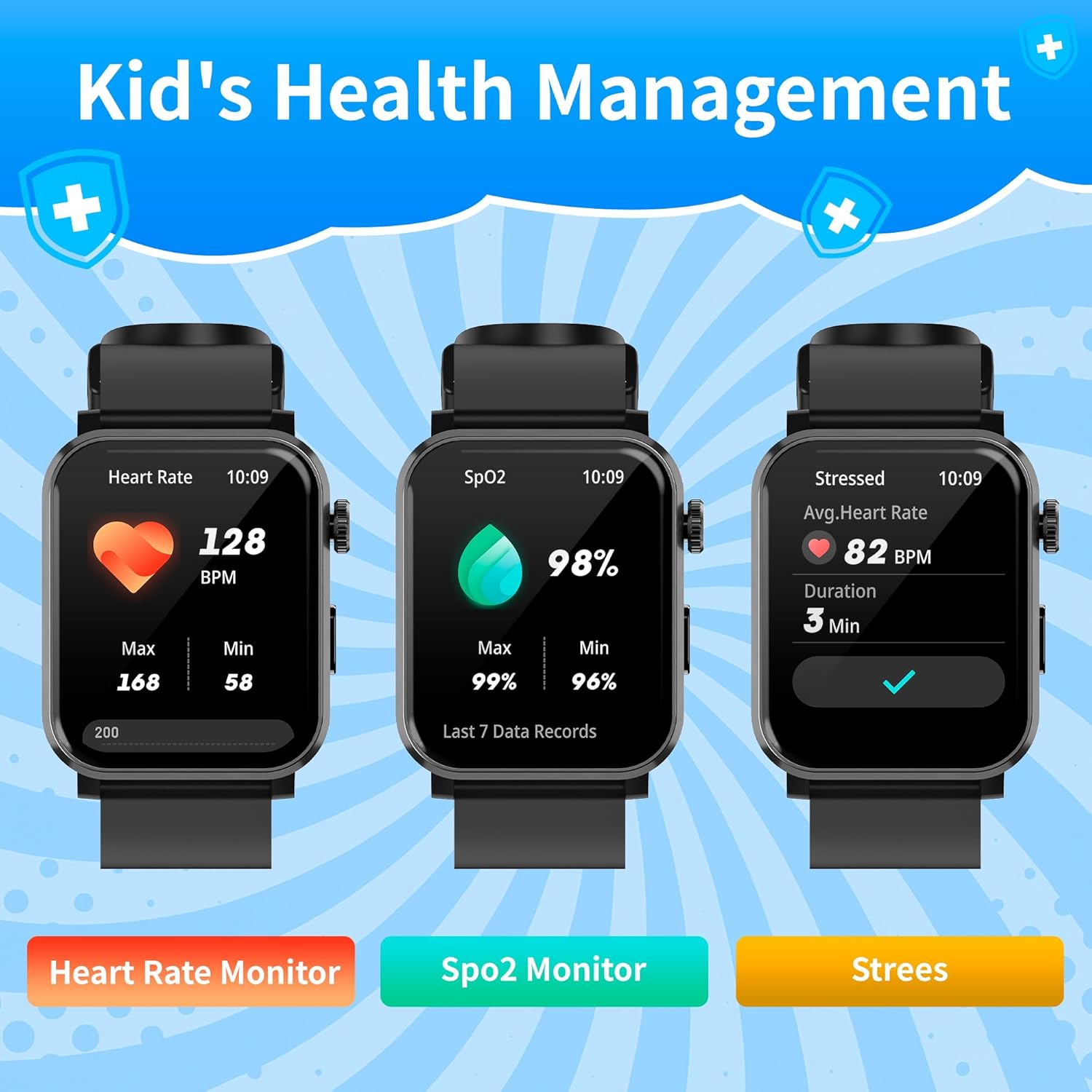
5.1. irudia: Osasunaren monitorizazio-ezaugarriak
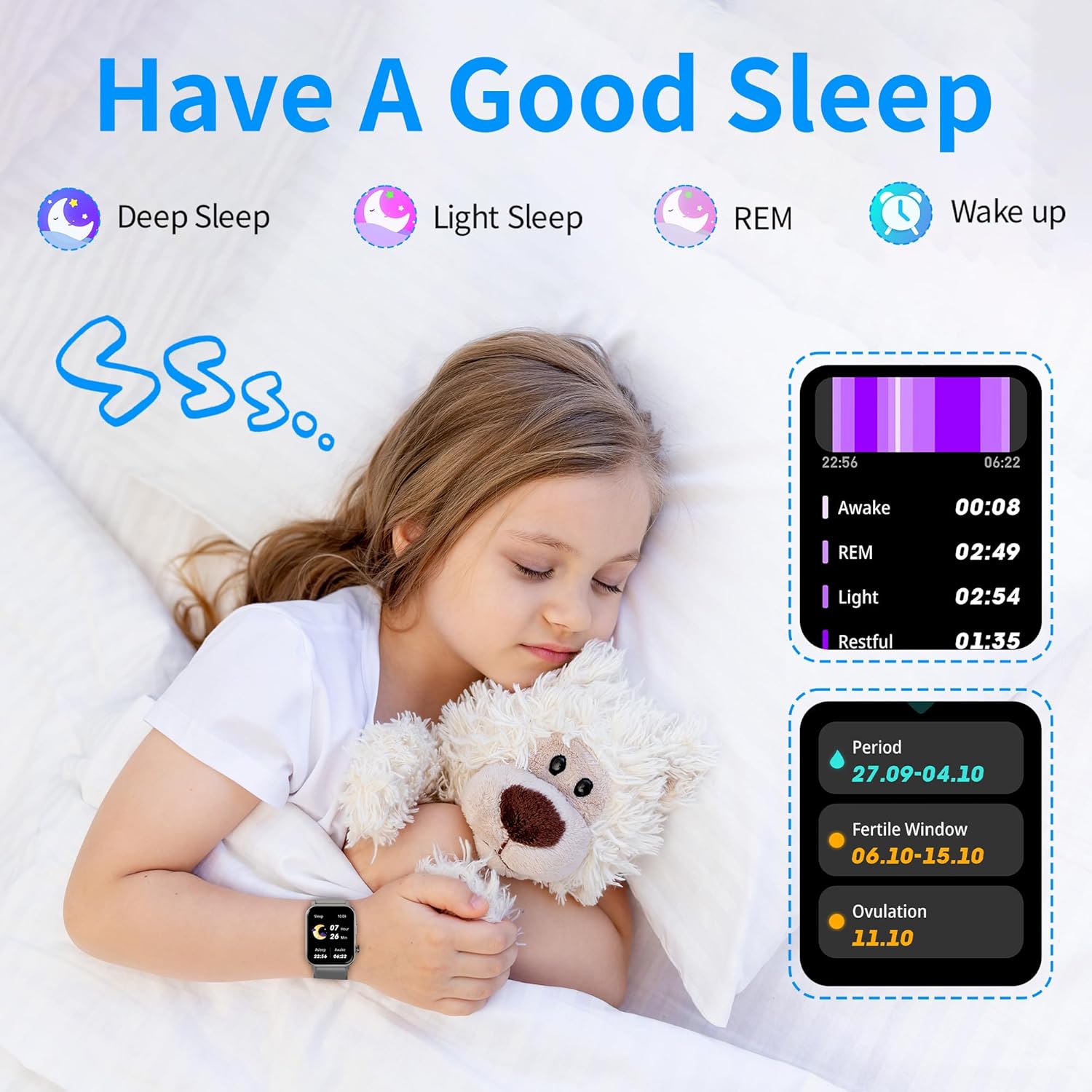
Figure 5.2: Sleep Tracking
6. Jardueren jarraipena
The watch tracks daily activity and supports over 120 sports modes.
- All-Day Tracking: Records steps, calories burned, distance traveled, and active time.
- Kirol moduak: Select from over 120 sports modes to track specific workouts (e.g., running, cycling, swimming).
- Oroigarriak: Set reminders for hydration or stretching to maintain healthy habits.
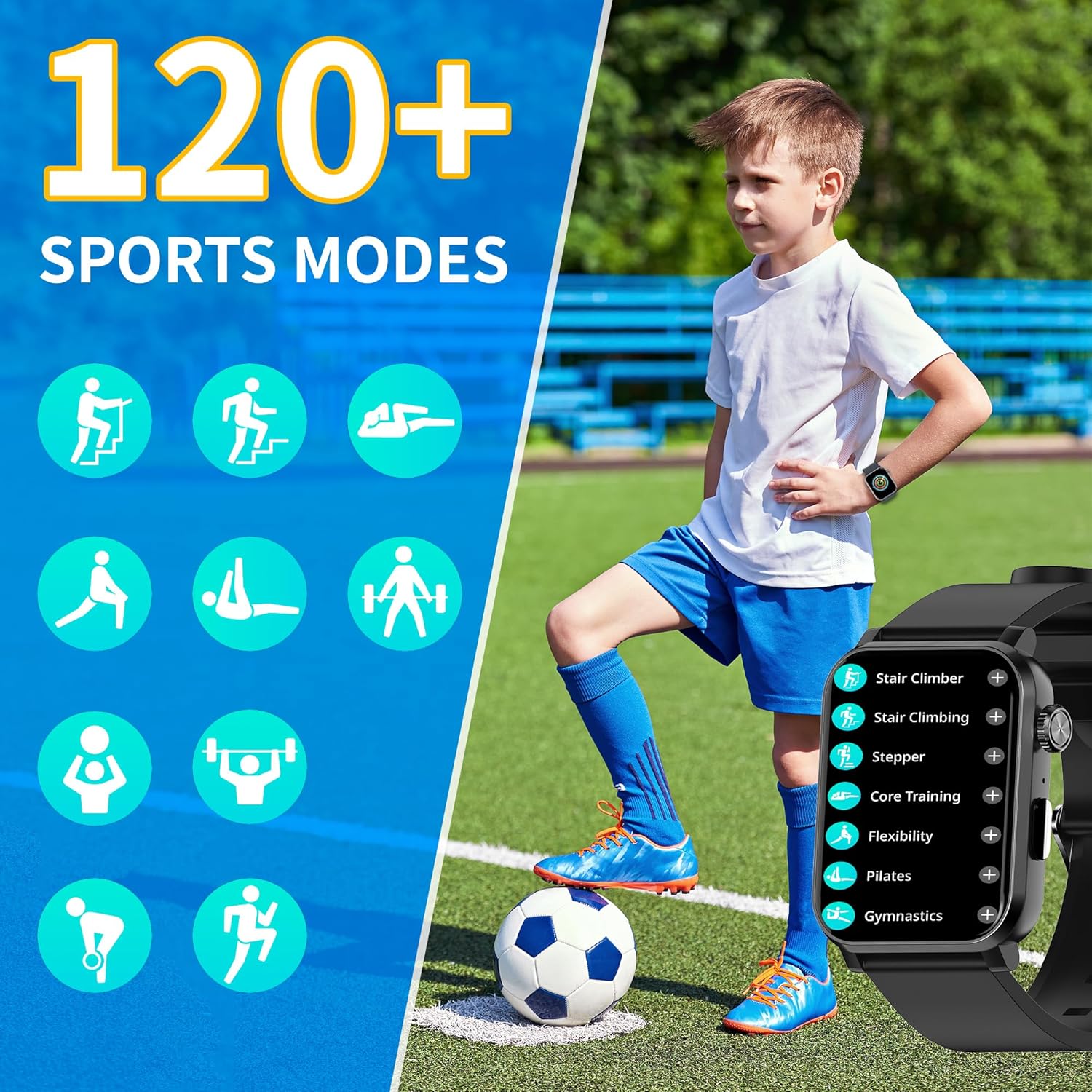
6.1 irudia: 120 kirol modu baino gehiago
7. Erlojuaren aurpegiaren pertsonalizazioa
Personalize your watch with customizable watch faces.
- Pre-set Faces: Choose from over 100 pre-designed watch faces.
- Zuk zeuk egindako erloju aurpegiak: Upload your favorite photos via the "Da Fit" app to create unique watch faces.
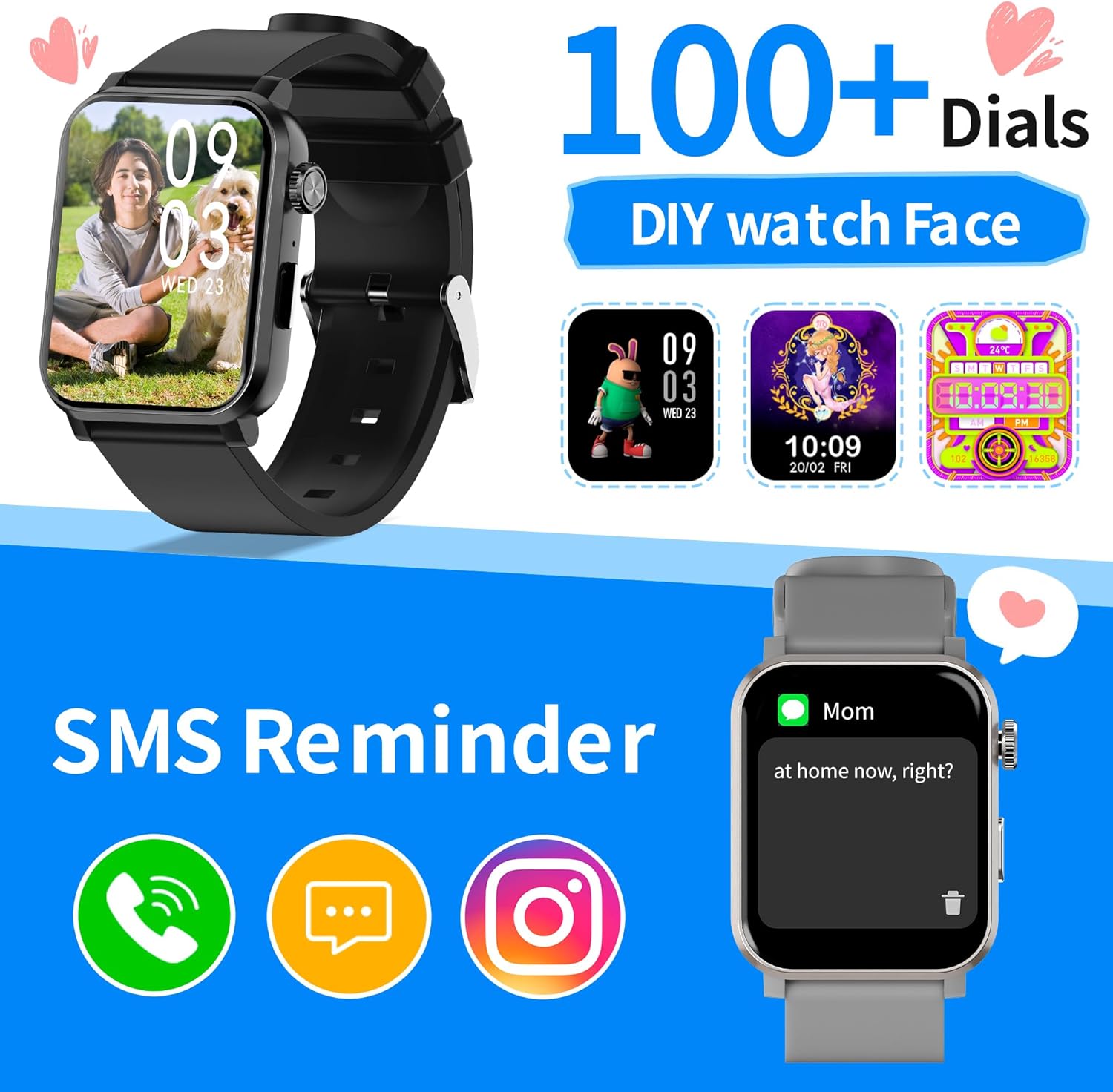
7.1 irudia: Erloju-aurpegi pertsonalizagarriak
8. Zehaztapenak
| Ezaugarri | Xehetasuna |
|---|---|
| Modelo zenbakia | S7 |
| Pantailaren tamaina | 1.83 Inches HD Color Screen |
| Produktuaren neurriak | 1.77 x 1.46 x 0.39 hazbete |
| Elementuaren pisua | 5.3 ontza |
| Uraren Erresistentzia | IP68 (rain, handwashing, splashes) |
| Bateriaren iraupena | 5-7 days (average usage), up to 30 days (standby) |
| Kargatzeko Denbora | 2 ordu gutxi gorabehera |
| Konektibitatea | Bluetootha |
| Sistema eragilea | RTOS |
| Bateragarritasuna | Android 5.0+ / iOS 9.0+ |
| Ezaugarri bereziak | Bluetooth Call, Health Monitoring (HR, SpO2, Sleep, Stress), Activity Tracking, Games, Customizable Watch Faces |
9. Zainketa eta Mantentzea
- Garbiketa: Garbitu erlojua eta uhala aldizka zapi leun eta lehor batekinamp oihal. Saihestu produktu kimiko gogorrak.
- Uraren erresistentzia: The watch is IP68 rated, meaning it is resistant to dust and can withstand immersion in water up to 1.5 meters for 30 minutes. It is suitable for handwashing, rain, and shallow swimming, but not for hot showers, diving, or high-pressure water activities.
- Biltegiratzea: Gorde erlojua leku fresko eta lehor batean erabiltzen ez duzunean.
10. Arazoak
- Erlojua ez da pizten: Ziurtatu erlojua guztiz kargatuta dagoela. Konektatu kargagailura eta itxaron minutu batzuk berriro pizten saiatu aurretik.
- Ezin da telefonoarekin parekatu: Make sure Bluetooth is enabled on your phone and the watch is within range. Restart both devices and try pairing again through the "Da Fit" app.
- Osasun-irakurketa okerrak: Ensure the watch is worn snugly on the wrist, not too tight or too loose. Avoid excessive movement during measurements. Note that smartwatches are not medical devices and readings are for reference only.
- Ez dira agertzen jakinarazpenak: Check app permissions on your phone to ensure the "Da Fit" app has access to notifications. Also, verify that notifications are enabled within the app settings.
11. Produktu Ofizialen Bideoak
11.1 The Watch that Moves with You : EZON S7
Bideo honek laburpen bat eskaintzen duview of the EZON S7 Smart Watch, highlighting its dynamic features and design. It showcases the watch in various active scenarios.
11.2 Smart Watch S7
This video offers a detailed look at the EZON S7 Smart Watch, demonstrating its various functions and user interface. It covers aspects like navigation, app integration, and key features.
12. Bermea eta Laguntza
EZON is committed to providing quality products and customer satisfaction.
- Bermea: Enjoy a 1-Year Free Replacement for manufacturing defects.
- Itzulketak: 30 eguneko itzulketa-politika dago eskuragarri erosketa egokietarako.
- Bezeroarentzako laguntza: Benefit from Lifetime Support and a 24-Hour Response time for inquiries.
- Harremanetarako: Laguntza gehiago behar baduzu, bisitatu EZON Official Store edo kontsultatu zure produktuaren ontzian emandako harremanetarako informazioa.
Ask a question about this manual
Ask about setup, troubleshooting, compatibility, parts, safety, or missing instructions. Manuals+ will review the question and use this page’s manual context to help answer it.