
Sarrera
Thank you for choosing the Cuifati Mini Body Camera. This manual provides detailed instructions for the proper use, setup, and maintenance of your device. Please read this manual thoroughly before operating the camera to ensure optimal performance and longevity.
Paketearen edukia
- 1 x Wearable Camera
- 1 x garraiatzeko poltsa
- 1 x Erabiltzailearen eskuliburua
- 1 x Korrila
- 1 x Back Shell Bracket
- 1 x Tripodea
- 1 x USB kablea
- 1 x Garbiketa zapi

Figure 1: Cuifati Mini Body Camera and included accessories.

Figure 2: Multi-scenario application examples for the body camera.
Produktua amaituview
Familiarize yourself with the components and controls of your Cuifati Mini Body Camera.
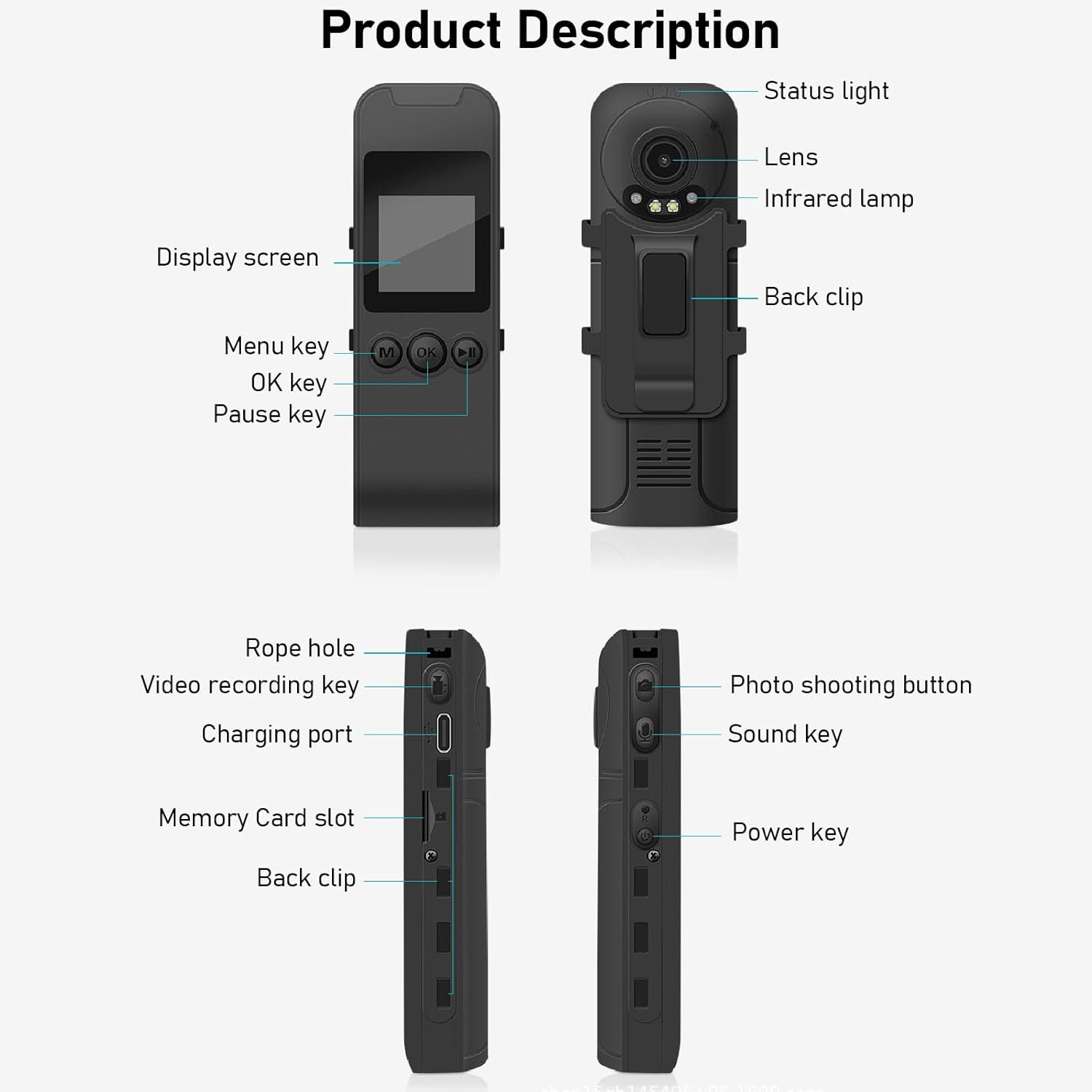
Figure 3: Labeled components of the Cuifati Mini Body Camera.
- Egoera argia: Indicates device status (e.g., recording, charging).
- Lentea: Main camera lens for video and photo capture.
- Infragorria Lamp: Gaueko ikusmenerako argiztapena ematen du.
- Atzeko klipa: For attaching the camera to clothing or other surfaces.
- Bistaratzeko pantaila: 1.3 hazbeteko LCD pantaila zuzenean erabiltzeko view, erreprodukzioa eta menuen nabigazioa.
- Menu tekla (M): Gailuaren ezarpenetara sartzen da.
- Ados tekla: Confirms selections or starts/stops functions.
- Pausatzeko tekla: Pauses playback or recording.
- Soka-zuloa: Uhalerako lotura-puntua.
- Video Recording Key: Bideo-grabaketa abiarazten eta gelditzen du.
- Kargatzeko ataka (C motakoa): Gailua kargatzeko eta ordenagailura konektatzeko.
- Memoria txartelaren zirrikitua: Sartu microSD txartela biltegiratzeko.
- Photo Shooting Button: Irudi finkoak hartzen ditu.
- Sound Key: Controls audio recording.
- Pizteko tekla: Gailua pizten edo itzaltzen du.
Konfigurazioa
1. Bateria kargatzea
Before first use, fully charge the camera's built-in lithium-ion battery. Connect the camera to a power source using the provided Type-C USB cable. The status light will indicate charging status. A full charge provides approximately 20 hours of work time and 10 hours of video recording.
Figure 4: Built-in 1200mAh battery for extended use.
2. Memoria Txartela sartzea
The camera supports up to a 256GB memory card (not included). Locate the memory card slot on the side of the camera. Gently insert the microSD card with the gold contacts facing down until it clicks into place. To remove, push the card in slightly until it springs out.

Figure 5: Memory card slot for storage expansion.
Funtzionamendu-argibideak
1. Piztu/Itzaltzea
- Pizteko: Press and hold the Power Key until the display screen illuminates.
- Itzaltzeko: Press and hold the Power Key until the device shuts down.
2. Bideo Grabaketa
The camera records in 1440P HD at 30 frames per second with a 120° wide-angle lens and infrared night vision.
- Grabatzen hasteko: Press the Video Recording Key. The status light will change, and a recording indicator will appear on the screen.
- Grabaketa gelditzeko: Press the Video Recording Key again.
- Loop grabaketa: The camera supports loop recording, automatically overwriting the oldest files memoria txartela beteta dagoenean.
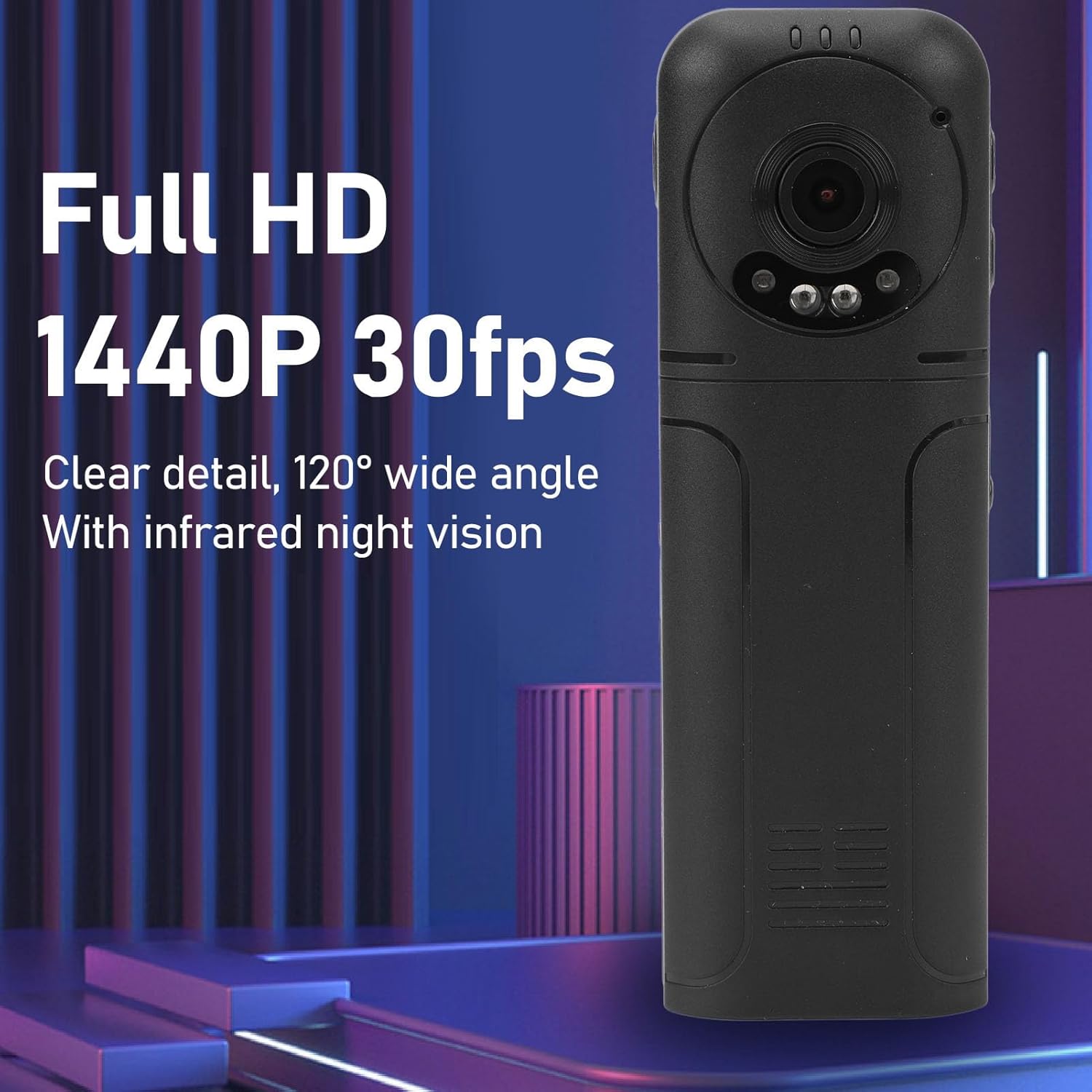
Figure 6: 1440P HD video recording with night vision.
3. Argazkiak ateratzea
- Argazki bat ateratzeko: In standby mode, press the Photo Shooting Button.
4. Audio Grabaketa
- To Start Audio Recording: Press the Sound Key.
- To Stop Audio Recording: Press the Sound Key again.

Figure 7: Audio recording functionality.
5. Erreprodukzioa eta File Kudeaketa
The 1.3-inch LCD screen supports live playback, browsing, and pausing of videos, photos, and recordings directly on the device.

Figure 8: 1.3-inch color screen for on-device playback.
- Gailuan bertan erreproduzitzea: Use the Menu, OK, and Pause keys to navigate and play files pantailan.
- Ordenagailura konektatzea: Connect the camera to a computer via the Type-C USB cable to transfer, view, or delete files.
- OTG funtzioa: If your mobile phone supports OTG, you can connect the camera directly to your phone for playback and file kudeaketa.
Mantentzea
1. Garbiketa
- Use the provided cleaning cloth or a soft, dry cloth to wipe the camera body and lens.
- Ez erabili garbitzaile likidorik edo disolbatzailerik, gailua kaltetu baitezakete.
2. Biltegiratzea
- Gorde kamera leku fresko eta lehor batean, eguzki-argitik eta muturreko tenperaturetatik babestuta.
- Remove the memory card if storing for extended periods.
Arazoak konpontzea
Kamerarekin arazoak badituzu, jo ezazu honako arazo eta irtenbide ohikoenei:
| Arazoa | Irtenbidea |
|---|---|
| Kamera ez da pizten. | Ziurtatu bateria kargatuta dagoela. Konektatu energia-iturri batera eta saiatu berriro. |
| Cannot record video/photo. | Check if a memory card is inserted correctly and has sufficient free space. Format the memory card if necessary (this will erase all data). |
| Memoria txartela ez da ezagutzen. | Ensure the memory card is inserted correctly. Try a different compatible memory card. Format the card using the camera's menu or a computer. |
| Poor video/audio quality. | Ensure the lens is clean. Check lighting conditions. For audio, ensure the microphone is not obstructed. |
| Gailua blokeatu egiten da edo ez du erantzuten. | Press and hold the Power Key for 10-15 seconds to force a restart. |
Zehaztapenak
Below are the technical specifications for the Cuifati Mini Body Camera (Model CUIFATI2vg0ri8moa):
- Elementu mota: Wearable Camera
- Materiala: ABS
- Gaueko ikuspegia: 2pcs Night Vision Light Beads
- Bideoaren bereizmena: 1440P (Maximum)
- Fotograma-tasa: 30 FPS
- Bateria mota: Litio ioizko bateria
- Bateriaren edukiera: 1200 mAh (Barnekoa)
- Biltegiratze euskarria: Maximum 256GB Memory Card (Not Included)
- Kargatzeko ataka: C motakoa
- APP izena: For RoadCam (if applicable for advanced features)
- Ereduaren izena: CUIFATI2vg0ri8moa
- Fabrikatzailea: CUIFATI
Bermea eta Laguntza
For warranty information or technical support, please refer to the documentation provided at the time of purchase or contact Cuifati customer service directly. Keep your purchase receipt as proof of purchase.