
eppfun Cutemeet 818 (LS003)
eppfun Cutemeet 818 Wireless Headphones User Manual
Eredua: LS003
Brand: eppfun
Sarrera
Eskerrik asko erosketagatik.asing the eppfun Cutemeet 818 Wireless Headphones. These headphones are designed to provide a superior audio experience with advanced features such as Bluetooth 5.4, LE Audio, and aptX Lossless support. They offer both wireless and wired connectivity, ensuring versatility for various listening scenarios. With a lightweight and comfortable design, the Cutemeet 818 is perfect for extended use.
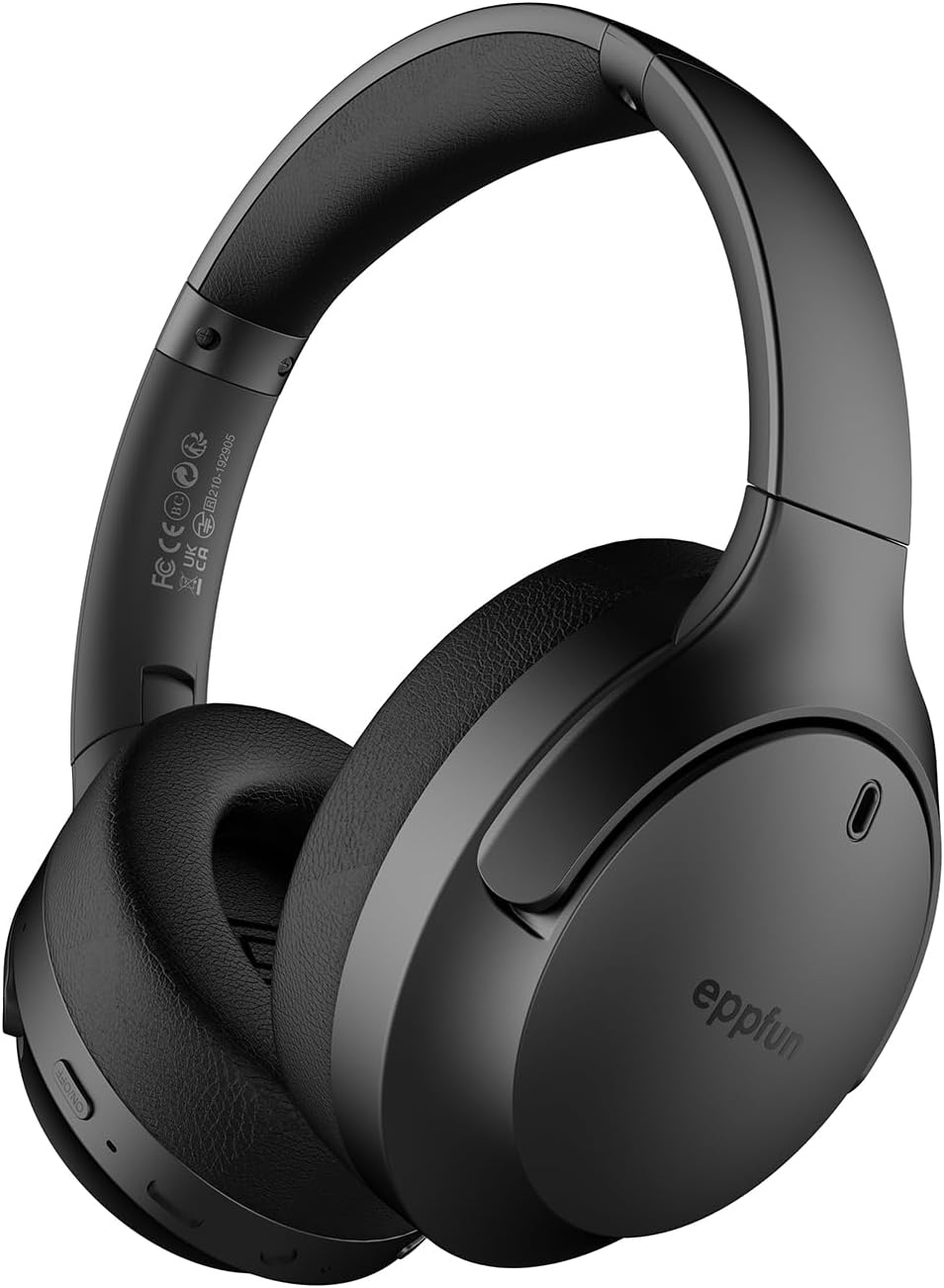
Figure 1: eppfun Cutemeet 818 Wireless Headphones
The image displays the eppfun Cutemeet 818 wireless headphones in black, showcasing their sleek design and over-ear form factor. The eppfun logo is visible on the earcups.
Segurtasun Informazioa
Please read this safety information carefully before using the headphones to ensure proper operation and prevent damage or injury.
- Ez jarri entzungailuak muturreko tenperaturen, hezetasunaren edo substantzia korrosiboen eraginpean.
- Saihestu entzungailuak erortzea edo kolpe gogorren eraginpean jartzea.
- Ez desmuntatu edo konpontzen saiatu entzungailuak zeuk. Horrek bermea baliogabetuko du.
- Garbitu entzungailuak oihal leun eta lehor batekin. Ez erabili produktu kimiko gogorrik edo material urratzailerik.
- Entzun bolumen moderatuan entzumen-kalteak saihesteko. Soinu ozenen eraginpean denbora luzez egoteak entzumen-galera itzulezina eragin dezake.
- Mantendu haurren eta maskoten eskura.
Paketearen edukia
Egiaztatu elementu guztiak zure paketean daudela:
- eppfun Cutemeet 818 Wireless Headphones
- USB-C kargatzeko kablea
- 3.5 mm-ko AUX audio kablea
- Erabiltzailearen eskuliburua (dokumentu hau)
Produktua amaituview
Ohitu zaitez zure entzungailuen atal eta kontrol desberdinak ezagutzen.
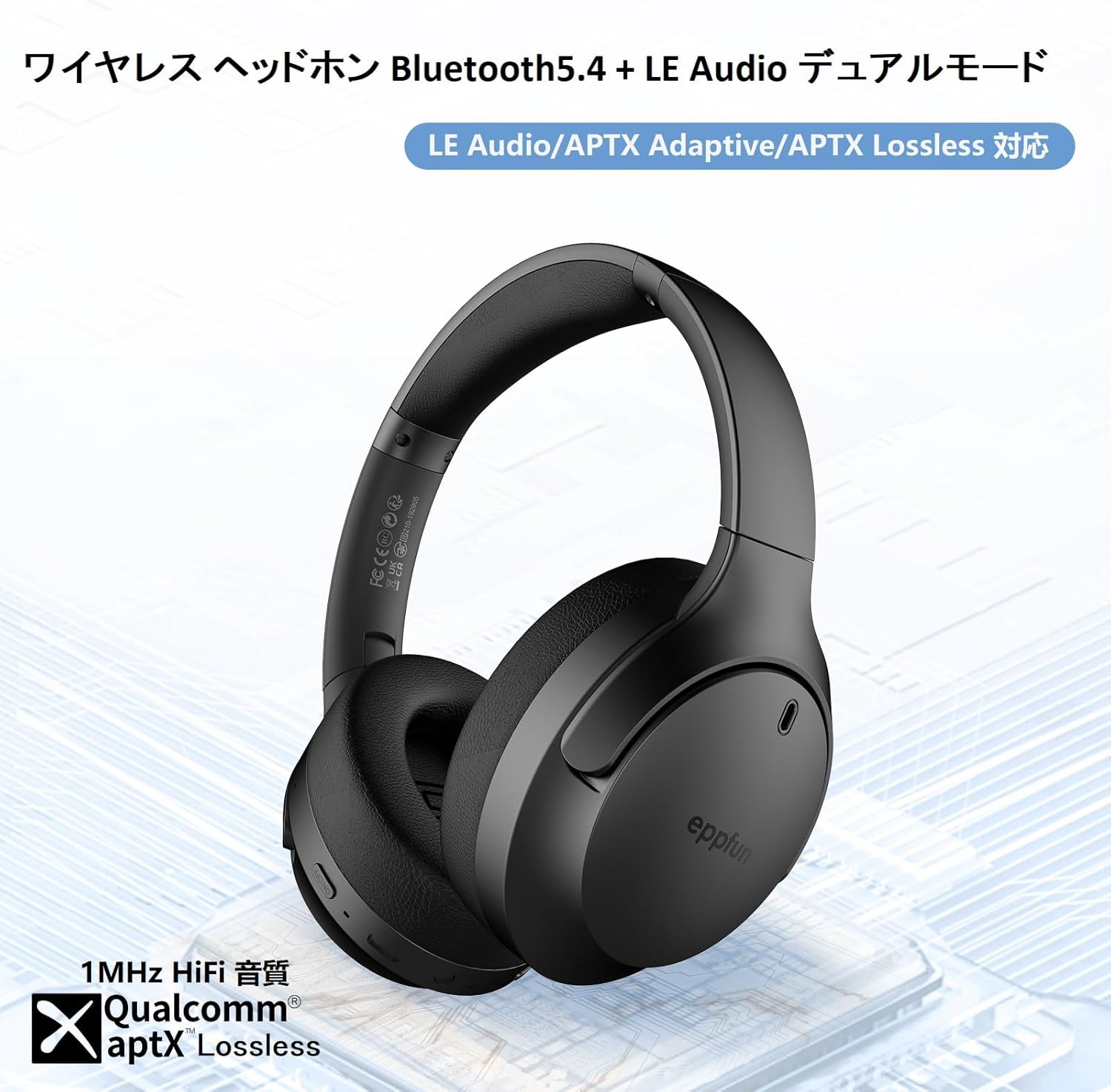
Figure 2: Headphone Features and Controls
This image highlights the eppfun Cutemeet 818 headphones, emphasizing their support for Bluetooth 5.4, LE Audio, APTX Adaptive, and APTX Lossless technologies, indicating high-fidelity audio capabilities.
Kontrolak eta Portuak:
- Pizteko botoia: Pizteko/itzaltzeko sakatu eta eutsi. Erreproduzitzeko/pausatzeko sakatu labur.
- Bolumena igotzeko/hurrengo abestiaren botoia: Sakatu labur bolumena igotzeko. Sakatu luze hurrengo abestia ikusteko.
- Bolumena jaisteko/aurreko abestiaren botoia: Sakatu labur bolumena jaisteko. Sakatu luze aurreko abestira joateko.
- Funtzio anitzeko botoia (MFB): Used for answering/ending calls, activating voice assistant.
- USB-C kargatzeko ataka: Entzungailuak kargatzeko.
- 3.5 mm-ko audio-konexioa: AUX kablea erabiliz kable bidezko konexiorako.
- LED adierazlea: Energiaren egoera, parekatze egoera eta kargatze egoera erakusten ditu.
- Mikrofonoa: Built-in CVC 8.0 noise-cancelling microphone for clear calls.
Konfigurazioa
1. Entzungailuak kargatzea
Before first use, fully charge the headphones. Connect the USB-C charging cable to the headphone's USB-C port and the other end to a USB power adapter (not included) or a computer's USB port. The LED indicator will show charging status and turn off or change color when fully charged.
2. Bluetooth parekatzea
- Ziurtatu entzungailuak itzalita daudela.
- Sakatu eta eutsi pizteko botoia 5 segundo inguruz, LED adierazlea txandaka urdin eta gorri keinuka hasi arte, parekatze modua adieraziz.
- Zure gailuan (telefono adimenduna, tableta, ordenagailua), gaitu Bluetooth-a eta bilatu gailu berriak.
- Select "eppfun Cutemeet 818" from the list of available devices.
- Behin konektatuta, LED adierazlea urdin finko bihurtuko da edo urdin keinuka poliki egingo du.

Figure 3: Bluetooth Connectivity Example
This image illustrates the eppfun Cutemeet 818 headphones wirelessly connected to both a smartphone and a tablet, demonstrating their versatile Bluetooth 5.4 capabilities for seamless audio and communication.
3. Kable bidezko konexioa (AUX modua)
To use the headphones in wired mode, connect one end of the included 3.5mm AUX audio cable to the headphone's 3.5mm audio jack and the other end to your audio source's 3.5mm output. The headphones will automatically switch to wired mode, and the Bluetooth function will be disabled.
Funtzionamendu-argibideak
Piztu/Itzali
- Piztu: Press and hold the Power button for 2-3 seconds until the LED indicator flashes blue.
- Itzali: Press and hold the Power button for 3-4 seconds until the LED indicator flashes red and then turns off.
Musika erreproduzitzea
- Erreproduzitu/Pausatu: Sakatu labur pizteko botoia.
- Bolumena igo: Sakatu labur bolumena igotzeko botoia.
- Bolumena jaitsi: Sakatu labur Bolumena Jaisteko botoia.
- Hurrengo ibilbidea: Sakatu luze bolumena igotzeko botoia.
- Aurreko pista: Sakatu luze Bolumena Jaisteko botoia.
Deien Kudeaketa
- Deia erantzun/amaitu: Sakatu labur MFB.
- Deia baztertu: Sakatu luze MFB tekla.
- Aktibatu Ahots Laguntzailea: Sakatu bi aldiz MFB.
LE Audio and Auracast Functionality
The eppfun Cutemeet 818 headphones support LE Audio for superior sound quality with low power consumption and Auracast for ultra-low latency audio transmission. To utilize the Auracast feature for ultra-low latency, an eppfun LE Audio transmitter (sold separately, e.g., ASIN B0CCRTMQ3W) is required. Connect the headphones to the transmitter for an optimized gaming or video experience.

Figure 4: LE Audio and Auracast Support
This image displays a comparison chart of Bluetooth codecs, highlighting the advantages of LC3 (LE Audio) over SBC in terms of audio quality at various bitrates. It also features the Auracast logo, indicating support for this advanced audio sharing technology.
Mantentzea
- Garbiketa: Use a soft, lint-free cloth to wipe the headphones. For earcups, gently wipe with a slightly damp cloth and then dry thoroughly. Do not use alcohol, solvents, or abrasive cleaners.
- Biltegiratzea: When not in use, store the headphones in a cool, dry place, away from direct sunlight and extreme temperatures. The foldable design (Figure 5) allows for compact storage and easy portability.
- Bateria zaintzea: To prolong battery life, avoid fully discharging the headphones frequently. Charge them regularly, especially if not used for extended periods.

5. irudia: Eramangarritasunerako tolesgarri den diseinua
This image demonstrates the foldable design of the eppfun Cutemeet 818 headphones, highlighting their compact nature for convenient storage and travel.
Arazoak konpontzea
| Arazoa | Kausa posiblea | Irtenbidea |
|---|---|---|
| Entzungailuak ez dira pizten. | Bateria baxua. | Kargatu entzungailuak guztiz. |
| Ezin da gailuarekin parekatu. | Entzungailuak ez daude parekatze moduan; gailua Bluetooth itzalita; gailutik urrunegi. | Ensure headphones are in pairing mode (flashing blue/red). Turn on device Bluetooth. Move headphones closer to device (within 10m). |
| Soinurik ez edo soinu kalitate eskasa. | Volume too low; incorrect audio source; interference; low battery. | Increase volume on headphones and device. Check if AUX cable is properly connected. Move away from sources of interference. Charge headphones. |
| Deiaren kalitatea eskasa da. | Ingurumen-zarata; mikrofonoaren oztopoa. | Move to a quieter environment. Ensure microphone is not covered. |
| Intermittent connection/audio drops. | Gailutik urrunegi; interferentziak; bateria gutxi. | Move closer to the device. Avoid obstacles between headphones and device. Charge headphones. |
Zehaztapenak
| Ezaugarri | Xehetasuna |
|---|---|
| Ereduaren izena | LS003 (Cutemeet 818) |
| Konektibitate Teknologia | Bluetooth 5.4, Wired (3.5mm AUX) |
| Haririk gabeko Komunikazio Teknologia | Bluetootha |
| Zarata Kontrola | Sound Isolation (CVC 8.0 for calls) |
| Aurikularretarako Jack | 3.5 mm-ko jaka |
| Dakarten osagaiak | Cable, Headphones |
| Helburuko Adina | Heldua |
| Materiala | Acrylonitrile Butadiene Styrene (ABS), Leather, Metal |
| Gailu bateragarriak | iPhone & Android Smartphones, Gaming Consoles, TVs, Laptops, Mobile Phones |
| Uraren Erresistentzia Maila | Urarekiko erresistentea |
| Bateria behar da | Bai |
| Fabrikatzailea | eppfun |
| Elementuaren pisua | 430 g |
| Inpedantzia | 32 ohmio |
| Aurikularren Estiloa | Belarri gainekoa |
| Audio-kodek onartzen dira | LE Audio (LC3), aptX Lossless, aptX Adaptive |
Bermea eta Laguntza
eppfun products come with a standard warranty. For detailed warranty information, product support, or technical assistance, please refer to the warranty card included in your package or visit the official eppfun website. You can also contact eppfun customer service through the retailer where you purchased the product.
Ohar garrantzitsua: The maximum communication distance for Bluetooth is 10 meters. This distance may vary depending on the usage environment and interference from other electronic devices. If the battery level is too low, latency may occur. Please charge the headphones regularly.
Ask a question about this manual
Ask about setup, troubleshooting, compatibility, parts, safety, or missing instructions. Manuals+ will review the question and use this page’s manual context to help answer it.