
Kidsneed 35A
Kidsneed 3.5 inch Video Baby Monitor User Manual
Eredua: 35A
1. Sarrera
This manual provides essential instructions for the safe and effective use of your Kidsneed 3.5 inch Video Baby Monitor. Please read this manual thoroughly before operating the device and retain it for future reference. This monitor system allows you to observe your baby remotely with video and audio, offering features like remote pan/tilt/zoom, night vision, two-way talk, temperature monitoring, and lullabies.

Image 1.1: Kidsneed 3.5 inch Video Baby Monitor, showing the parent unit and camera unit.
2. Segurtasun informazioa
- Itosteko arriskua: Keep cords out of reach of children. Never place the camera or cords within 3 feet (1 meter) of the crib or playpen. Secure cords to a wall or floor using clips or ties.
- Itosteko arriskua: Produktu honek pieza txikiak ditu. Mantendu osagai eta ontziratze-material guztiak haurren eskura ez dauden lekuetan.
- Gehiegizko berotzea: Do not cover the monitor or camera with a blanket or towel. Ensure proper ventilation.
- Ura eta hezetasuna: Do not expose the product to water or moisture. Use only in dry indoor environments.
- Energia iturria: Erabili emandako energia-egokigailuak soilik. Baimenik gabeko egokigailuak erabiltzeak produktua kaltetu eta bermea baliogabetu dezake.
- Interferentzia: Keep the monitor away from other electronic devices that may cause interference, such as microwaves or Wi-Fi routers.
- Helduen gainbegiratzea: This product is intended to assist in monitoring your baby, but it is not a substitute for responsible adult supervision.
3. Paketearen edukia
Egiaztatu elementu guztiak paketean daudela:
- Guraso Unitatea (monitorea)
- Haurra Unitatea (Kamera)
- Gurasoentzako unitaterako energia-egokigailua
- Haurtxoentzako unitaterako energia-egokigailua
- Erabiltzailearen eskuliburua
4. Produktua amaitu daview
4.1 Guraso-unitatea (monitorea)
The parent unit features a 3.5-inch display for clear video monitoring. It includes controls for various functions.
4.2 Haurrentzako unitatea (kamera)
The baby unit is equipped with a camera that offers remote pan, tilt, and zoom capabilities, as well as infrared night vision and a temperature sensor.

4.1. irudia: Amaituview of the Kidsneed Baby Monitor system highlighting key features such as remote pan/tilt/zoom, night vision, two-way talk, temperature display, lullabies, long range, and battery capacity.
5. Konfigurazioa
5.1 Guraso Unitatea kargatzea
- Connect the small end of the parent unit power adapter to the parent unit's charging port.
- Konektatu egokigailuaren beste muturra korronte-hartune batera.
- Charge the parent unit for at least 4 hours before initial use to ensure optimal battery performance. The battery indicator on the screen will show charging status.

Image 5.1: Connecting the parent unit to a power source for charging.
5.2 Haurtxoko unitatea (kamera) elikatzea
- Connect the small end of the baby unit power adapter to the camera's power port.
- Plug the other end of the adapter into a power outlet. The camera will power on automatically.
5.3 Positioning the Baby Unit (Camera)
- Place the camera on a flat surface, such as a dresser or shelf, at least 3 feet (1 meter) away from the crib.
- Ensure the camera has a clear, unobstructed view haurrarena.
- Adjust the camera angle manually or use the remote pan/tilt function from the parent unit once powered on.
5.4 Initial Pairing (If Needed)
The parent unit and baby unit are pre-paired at the factory. If the connection is lost or you are adding a new camera, follow these steps:
- Ziurtatu bi unitateak piztuta daudela.
- On the parent unit, navigate to the menu and select the 'Pairing' option.
- Jarraitu pantailan agertzen diren argibideei parekatzea hasteko.
- Press the pairing button on the back of the baby unit within 10 seconds.
- A successful connection will be indicated on the parent unit screen.
6. Funtzionamendu-argibideak
6.1 Piztu/Itzali
- To power on the parent unit, press and hold the Power button until the screen illuminates.
- Itzaltzeko, sakatu eta eutsi berriro pizteko botoia pantaila itzali arte.
6.2 Adjusting Volume and Brightness
- Use the volume buttons on the parent unit to increase or decrease the audio level.
- Access the menu to adjust screen brightness for optimal viewing.
6.3 Remote Pan, Tilt, and Zoom
From the parent unit, you can remotely adjust the camera's view.
- Use the directional buttons on the parent unit to pan (move horizontally) and tilt (move vertically) the camera.
- Press the zoom button to digitally zoom in (2X) on the image for a closer viewSakatu berriro txikitzeko.

Image 6.1: Demonstrating the remote pan (355°) and tilt (120°) capabilities of the camera unit.

Image 6.2: The monitor displaying both standard (1X) and zoomed (2X) viewhaurrarenak.
6.4 Bi norabideko elkarrizketa
Press and hold the Talk button on the parent unit to speak to your baby through the camera's speaker. Release the button to hear your baby.
6.5 Sehaska-kantak
Access the menu on the parent unit to select and play built-in lullabies. You can choose to play a single lullaby or loop through all available melodies.
6.6 Tenperaturaren monitorizazioa
The baby unit includes a temperature sensor that displays the room temperature on the parent unit screen. This helps ensure a comfortable environment for your baby.
6.7 Gaueko ikusmena
The camera automatically activates infrared night vision in low-light conditions, providing a clear black and white image of your baby without disturbing their sleep.

Image 6.3: The monitor screen showing a clear image of a sleeping baby in a dark room using night vision.
6.8 VOX modua (ahots bidezko trukea)
VOX mode conserves battery by turning off the screen when no sound is detected from the baby's room. The screen will automatically turn on when sound is detected. You can adjust the VOX sensitivity level in the menu.

Image 6.4: The monitor displaying a baby, indicating an alert or sound detection, useful for VOX mode.
6.9 Range and Connectivity
The monitor offers a long range of up to 960 feet in open areas. Performance may vary indoors due to walls and other obstructions. This system operates on a secure 2.4GHz FHSS wireless technology, ensuring a private connection without requiring Wi-Fi or a smartphone application.
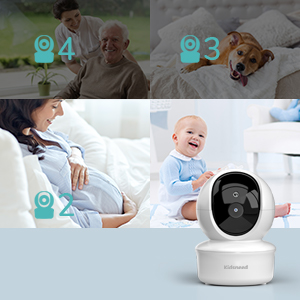
Image 6.5: Highlighting the monitor's independent operation without Wi-Fi or a dedicated application.
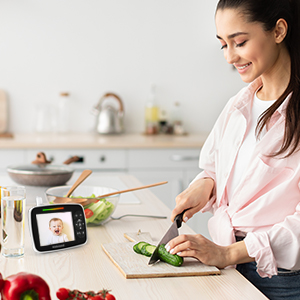
Image 6.6: Illustrating the extended range capability of the baby monitor system within a home environment.
7. Mantentzea
7.1 Garbiketa
- Wipe the surfaces of the parent unit and baby unit with a dry, soft, lint-free cloth.
- Ez erabili spray garbitzailerik edo garbitzaile likidorik.
7.2 Biltegiratzea
- If storing the product for an extended period, ensure both units are fully charged and then powered off.
- Gorde leku fresko eta lehor batean, eguzki-argitik eta muturreko tenperaturatik urrun.
8. Arazoak
| Arazoa | Kausa posiblea | Irtenbidea |
|---|---|---|
| No image/sound on parent unit | Units are not powered on or not paired. | Ensure both units are powered on and charged. Re-pair the units if necessary (refer to Section 5.4). |
| Irudi kalitate eskasa | Camera lens is dirty or insufficient lighting. | Clean the camera lens with a soft cloth. Ensure adequate lighting or verify night vision is active in dark conditions. |
| Interferentzia/estatikoa | Too far apart or near other electronic devices. | Move the parent unit closer to the baby unit. Move units away from other electronic devices (e.g., Wi-Fi routers, microwaves). |
| Gurasoen unitatearen bateria azkar agortzen da | Frequent screen activation or old battery. | Reduce screen brightness. Use VOX mode to conserve battery. Ensure full charge before use. |
| Tenperaturaren irakurketa okerra dirudi | Camera placed near heat source or draft. | Relocate the baby unit to an area that provides a more accurate ambient room temperature reading. |
9. Zehaztapenak
- Eredua: 35A
- Bistaratzeko tamaina: 3.5 hazbetekoa
- Battery Capacity (Parent Unit): 1200 mAh
- Haririk gabeko teknologia: 2.4 GHz FHSS
- Tartea: Gehienez 960 oin (espazio irekia)
- Ezaugarriak: Remote Pan/Tilt/Zoom, Night Vision, Two-Way Talk, Temperature Sensor, Lullabies, VOX Mode
- Produktuaren neurriak: 5.2 x 4.1 x 6.4 hazbete
- Elementuaren pisua: 1.23 kilo
10. Bermea eta Laguntza
Kidsneed products are designed and manufactured to the highest quality standards. For warranty information or technical support, please refer to the warranty card included with your product or visit the official Kidsneed website. You may also contact customer service via the contact information provided on the product packaging or purchase platform.
Erlazionatutako dokumentuak - 35A
 |
Kidsneed SM935A bideo-haurtxoentzako monitore: Ezaugarriak, konfigurazioa eta maiz egiten diren galderak Kidsneed SM935A bideo-haurtxoentzako monitorearen gida osoa, zehaztapenak, konfigurazio-argibideak eta urruneko pantaila-inklinazio-zoom kamera eta audio-monitorizazioari buruzko maiz egiten diren galderak biltzen dituena. |
 |
Kidsneed SM935C Haur Monitorearen Erabiltzaile Eskuliburua Kidsneed SM935C haririk gabeko bideo-haurtxoentzako monitore digitalaren erabiltzailearen eskuliburua, 3.5 hazbeteko koloretako pantailarekin. Konfigurazioa, funtzionamendua, segurtasun-jarraibideak, zehaztapen teknikoak eta arazoak konpontzea biltzen ditu, erabilera optimoa lortzeko. |
 |
Kidsneed SM530 bideo-haurtxoentzako monitorearen erabiltzailearen eskuliburua 5 hazbeteko LCD 720P pantaila duen Kidsneed SM530 bideo-haurtxoentzako monitorearen erabiltzailearen eskuliburua. Konfigurazioa, funtzionamendua, funtzioak, zehaztapenak eta arazoak konpontzea barne hartzen ditu. |
 |
Kidsneed SM530 bideo-haurtxoentzako monitorearen erabiltzailearen eskuliburua Kidsneed SM530 bideo-haurtxoentzako monitorearen erabiltzailearen eskuliburua, 5 hazbeteko LCD 720P pantailarekin. Haurtxoentzako monitorearen eta kameraren konfigurazioa, funtzionamendua, arazoak konpontzea eta zehaztapenak barne hartzen ditu. |
 |
Kidsneed SM530 5" HD Screen Video Baby Monitor User Manual Comprehensive user manual for the Kidsneed SM530 5" HD Screen Video Baby Monitor, covering setup, features, troubleshooting, and safety instructions. |
 |
Kidsneed Haur Monitorearen Bizitza Osoko Bermea eta Laguntza Kidsneed haurtxoentzako monitoreen bizitza osorako bermeari eta bezeroarentzako arreta-zerbitzuari buruzko informazioa. Jarri harremanetan support@kidsneed.top helbidearekin laguntza jasotzeko edo bermea aktibatzeko. |
Ask a question about this manual
Ask about setup, troubleshooting, compatibility, parts, safety, or missing instructions. Manuals+ will review the question and use this page’s manual context to help answer it.