
1. Sarrera
This manual provides detailed instructions for the setup, operation, and maintenance of your FULLJA 32-Inch WiFi Digital Picture Frame. Please read this guide thoroughly to ensure proper use and to maximize your product experience.
The FULLJA Digital Picture Frame allows you to display photos and videos from anywhere, anytime, using its WiFi connectivity and the VPhoto app. It features a 32-inch FHD IPS display, remote control, auto-rotation, and 64GB of built-in storage.
2. Paketearen edukia
Egiaztatu elementu guztiak zure paketean daudela:
- 1x FULLJA 32-Inch Digital Picture Frame
- 1x Erabiltzailearen eskuliburua
- 1x korronte egokitzailea
- 1x Bracket (for stand or wall mounting)
- 1x Urruneko Kontrola

Image: Contents of the FULLJA Digital Picture Frame retail box.
3. Produktuaren ezaugarriak
- 32-Inch FHD IPS Display: High-resolution screen for clear photo and video display.
- Dual WiFi 2.4G/5G: Stable and fast wireless connectivity for content transfer.
- VPhoto App Integration: Easily send photos and videos from your smartphone.
- 64 GB barneko memoria: Ample storage for a large collection of media.
- Biraketa automatikoaren funtzioa: Automatically adjusts display orientation (portrait or landscape).
- Urruneko kontrola: Urrutiko funtzionamendu erosoa.
- Horman muntatzeko diseinua: Includes a wall-mounted hole for flexible placement.
- Funtzio gehigarriak: Slideshow mode, weather station, time alarm, adjustable brightness, auto on/off.

Irudia: Gainetikview of the FULLJA Digital Picture Frame's key features.
4. Konfigurazio gida
4.1 Hasierako piztea
- Deskonprimitu argazki-marko digitala eta osagarri guztiak.
- Attach the included bracket for desktop placement or prepare for wall mounting.
- Connect the power adapter to the frame and then plug it into a power outlet.
- The frame will automatically power on and display the initial setup screen.
4.2 Sare konexioa (WiFi)
- On the frame's screen, navigate to "Settings" and select "WiFi".
- Aukeratu nahi duzun 2.4G edo 5G WiFi sarea zerrendatik.
- Enter your WiFi password using the on-screen keyboard or remote control.
- Confirm the connection. Once connected, a WiFi icon will appear on the screen.
4.3 VPhoto App Installation and Pairing
The VPhoto app is essential for sending photos and videos to your frame from a smartphone.
- Deskargatu VPhoto aplikazioa:
- Bilatu "VPhoto" in the Apple App Store (for iOS devices) or Google Play Store (for Android devices).
- Alternatively, scan the QR codes displayed on the frame's initial setup screen or in the manual.
- Download VPhoto for iOS
- Download VPhoto for Android
- Open and Sign Up: Open the VPhoto app. If you are a new user, select "Sign Up" and fill in the required information. If you already have an account, log in directly.
- Pair with Frame:
- On your FULLJA frame, go to "Settings" > "My Frame" to find the 9-digit connection code or QR code.
- In the VPhoto app, select "Add New Frame" and enter the 9-digit connection code or scan the QR code displayed on your frame.
- Once paired, you can begin sending media to your frame.

Image: Steps for connecting your smartphone to the digital frame via the VPhoto app.
5. Funtzionamendua
5.1 Argazkiak eta bideoak bidaltzea
- VPhoto aplikazioaren bidez: After pairing, open the VPhoto app, select the photos or videos you wish to send, choose your frame, and tap "Send". You can send instant or timed wishes along with your media.
- Posta elektroniko bidez: The frame supports receiving media via email. Refer to the frame's settings for its unique email address.
- Via Cloud Storage: The frame offers free cloud storage. Details on accessing and managing this can be found within the frame's settings or the VPhoto app.

Image: Sharing photos and videos to the frame using the VPhoto app.

Image: The frame's capacity to store a large number of photos (64GB built-in storage).
5.2 Urruneko agintea erabiltzea
The included remote control allows for convenient navigation and setting adjustments:
- Nabigazioa: Use arrow keys to move through menus and select options.
- Erreprodukzioa: Control slideshows, pause, play, and skip media.
- Ezarpenetarako sarbidea: Quickly access various settings like brightness, volume, and display modes.
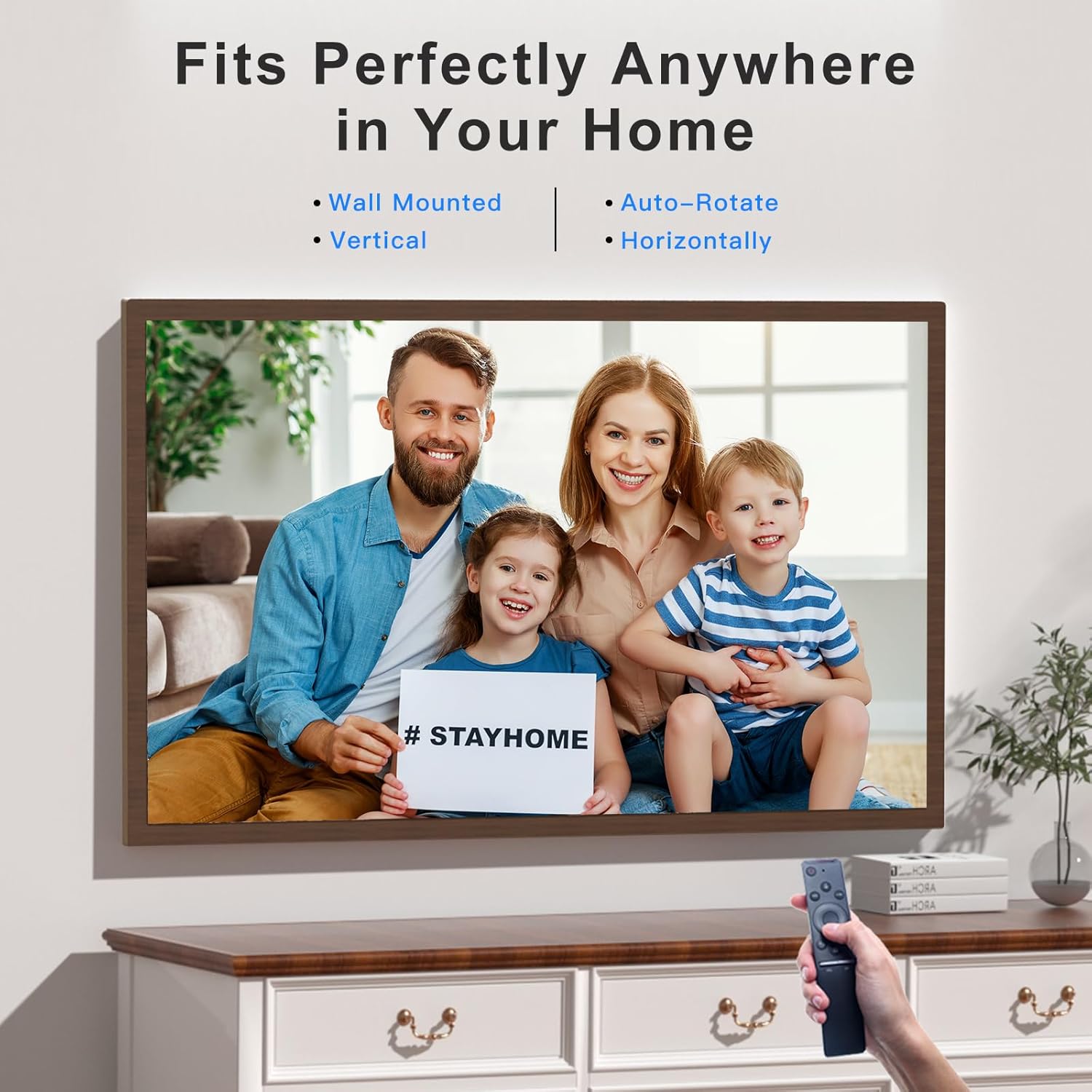
Image: Operating the digital frame with the remote control, showcasing its versatile placement options.
5.3 Display Modes and Settings
- Aurkezpen modua: Configure the interval and transition effects for your photo slideshows.
- Biratu automatikoa: The frame automatically detects its orientation (horizontal or vertical) and adjusts the display accordingly.
- Distira doitzea: Customize screen brightness to suit your environment.
- Weather Station & Time Alarm: Access these features through the frame's main menu.
- Split-Screen/Screen Mirror: This feature allows mirroring content from your phone to the frame.

Image: Screen Mirroring functionality, allowing content from a smartphone to be displayed on the frame in various orientations.
6. Mantentzea
- Pantaila garbitzea: Erabili zapi leun eta pelurik gabeko bat pantaila astiro-astiro garbitzeko. Orba egoskorrak badira, garbitu pixka bat.ampGarbitu zapi bat urarekin edo pantaila garbitzeko soluzio batekin. Saihestu produktu kimiko gogorrak.
- Markoa garbitzea: Garbitu markoaren kanpoaldea zapi lehor eta leun batekin.
- Biltegiratzea: Denbora luzez erabiltzen ez baduzu, gorde markoa leku fresko eta lehor batean, eguzki-argitik eta muturreko tenperaturetatik babestuta.
- Software eguneraketak: Periodically check for software updates through the frame's settings to ensure optimal performance and access to new features.
7. Arazoak
| Arazoa | Irtenbide posiblea |
|---|---|
| Markoa ez da pizten. | Ziurtatu korronte-egokitzailea ondo konektatuta dagoela markora eta funtzionatzen duen korronte-entxufe batera. Saiatu beste entxufe batekin. |
| Ezin da WiFira konektatu. |
|
| VPhoto app cannot find the frame. |
|
| Photos/videos are not displaying correctly. |
|
| Urruneko kontrolak ez du erantzuten. |
|
8. Zehaztapenak
| Ezaugarri | Xehetasuna |
|---|---|
| Marka | FULLJA |
| Modelo zenbakia | 06942231800827 |
| Pantailaren tamaina | 32 hazbete |
| Ebazpena | 1920 x 1080 IPS Display (FHD) |
| Produktuaren neurriak | 17 x 29 x 0.99 hazbete |
| Elementuaren pisua | 12.43 kilo |
| Barne Biltegiratzea | 64 GB |
| Konektibitatea | Dual WiFi 2.4G/5G |
| Gailu bateragarriak | Ordenagailu pertsonala, Smartphone |
| Kolorea | Dark Wood Grain (Brown) |
| Ezaugarri bereziak | Remote Control, Auto-Rotate, VPhoto App, Free Cloud Storage, Weather Station, Time Alarm, Slideshow Mode |
9. Bermea eta Laguntza
FULLJA is committed to providing high-quality products and customer satisfaction.
- Bezeroarentzako laguntza: For any questions, technical assistance, or issues, please contact FULLJA customer support. Our team is available to provide 24-hour support. Refer to the product packaging or the official FULLJA webharremanetarako datuak lortzeko gunea.
- Bermearen informazioa: Specific warranty terms and conditions may vary. Please retain your proof of purchase for warranty claims. For detailed warranty information, visit the official FULLJA webwebgunean edo jarri harremanetan bezeroarentzako laguntzarekin.