
1. Sarrera
Welcome to the AcclaFit D2 Smartwatch user manual. This guide provides essential information to help you set up, operate, and maintain your new smartwatch. Please read this manual thoroughly to ensure proper use and to fully utilize all the features of your device.
The AcclaFit D2 Smartwatch is designed to enhance your daily life with comprehensive health monitoring, extensive fitness tracking, and smart connectivity, all within a durable and stylish design.
2. Produktua amaitu daview
The AcclaFit D2 Smartwatch combines advanced technology with a comfortable design, offering a range of features to support your well-being and connectivity.
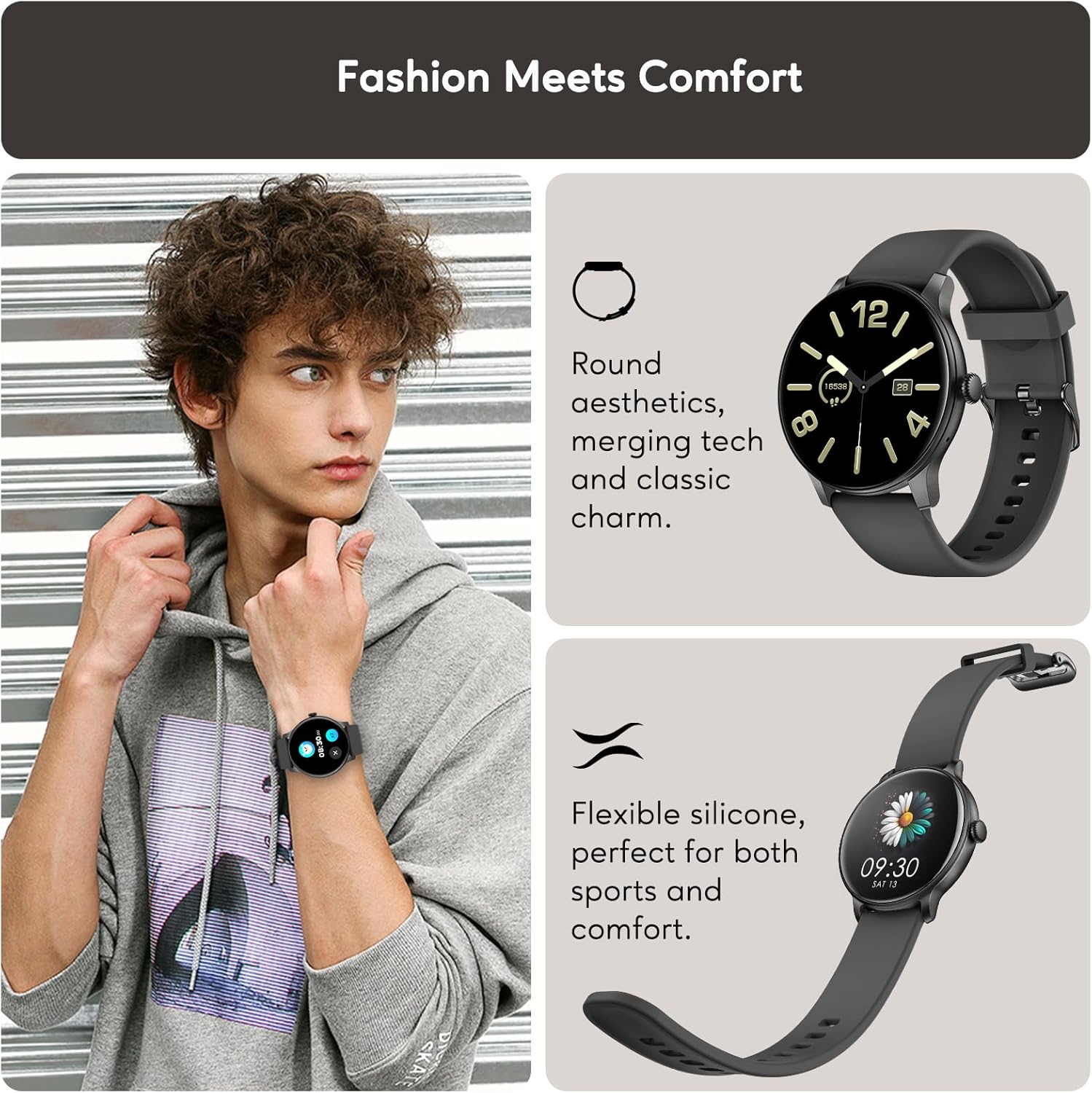
Fashion Meets Comfort: The AcclaFit D2 Smartwatch features a round aesthetic, merging technology with classic charm. Its flexible silicone band ensures comfort for both sports and daily wear.
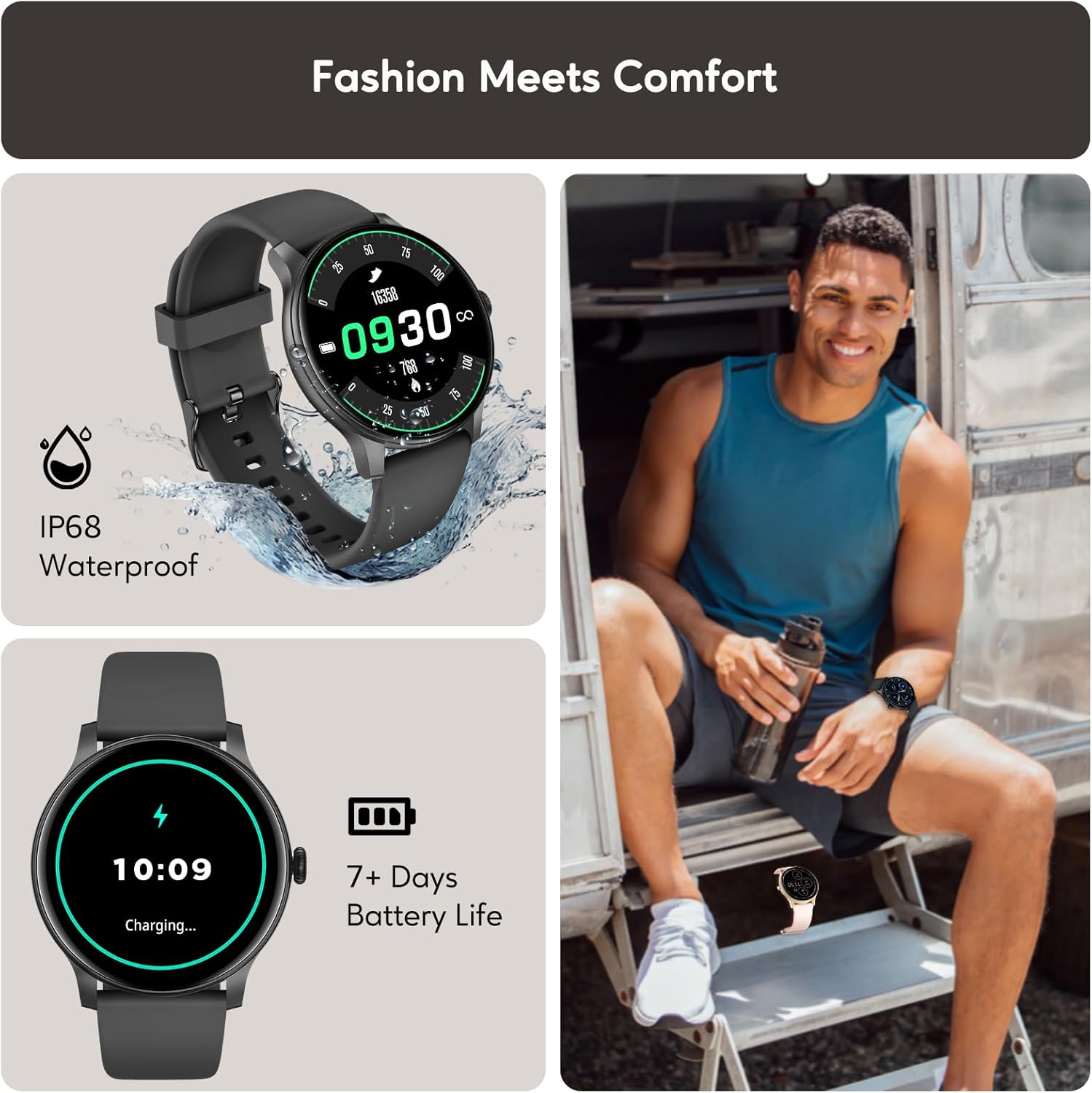
Durable Design and Long Battery Life: The watch boasts an IP68 waterproof rating, making it suitable for various environments. Enjoy up to 15 days of battery life on a single charge, with quick charging capabilities.
3. Konfigurazioa
3.1 Erloju adimenduna kargatzea
Before first use, fully charge your AcclaFit D2 Smartwatch. Connect the magnetic charging cable to the charging points on the back of the watch and plug the USB end into a standard USB power adapter (not included).
- Karga oso batek normalean 2 ordu inguru behar ditu.
- The watch will display a charging indicator on its screen.
3.2 Downloading the Da Fit App
The AcclaFit D2 Smartwatch requires the 'Da Fit' application for full functionality and data synchronization. Download the app from your smartphone's app store:
- For Android devices, search for 'Da Fit' on the Google Play Store.
- For iOS devices, search for 'Da Fit' on the Apple App Store.
3.3 Zure telefonoarekin parekatzea
- Ziurtatu zure erloju adimenduna kargatuta eta piztuta dagoela.
- Gaitu Bluetootha zure telefonoan.
- Open the 'Da Fit' app on your smartphone.
- Follow the in-app instructions to add a new device. Select 'D2' from the list of available devices.
- Berretsi parekatze eskaera zure telefonoan eta erloju adimendunean.
- Once paired, the watch will synchronize data and settings with the app.
4. Funtzionamendu-argibideak
4.1 Oinarrizko nabigazioa
- Ukipen-pantaila: Swipe left/right to navigate between main functions, swipe up/down for quick settings or notifications. Tap to select.
- Alboko botoia: Press to wake the screen, return to the home screen, or access the app menu. Long press for power options.
4.2 Erlojuaren aurpegiak pertsonalizatzea
You can change the watch face directly on the device or through the 'Da Fit' app:
- Erlojuan: From the home screen, long-press the display. Swipe left/right to browse available watch faces and tap to select.
- Aplikazioaren bidez: Open the 'Da Fit' app, navigate to the 'Watch Faces' section, and choose from a wider selection or customize your own.
4.3 Ezarpenak doitzea
Access various settings directly on the watch by swiping down from the home screen to open the quick settings panel, or by navigating to the 'Settings' menu. For more detailed configurations, use the 'Da Fit' app.
5. Osasunaren Jarraipen Ezaugarriak
The AcclaFit D2 Smartwatch provides comprehensive 24/7 health monitoring to help you stay informed about your physical condition.

Real-time Health Metrics: Monitor your heart rate, blood oxygen (SpO2), and blood pressure throughout the day. Note: Blood pressure readings from smartwatches are for reference only and should not be used for medical diagnosis.

Advanced Sleep Tracking: Gain insights into your sleep patterns, including deep sleep, light sleep, and awake times. The watch provides a sleep score and smart alarms to help improve your sleep quality.
5.1 Stress Monitoring
Track your stress levels throughout the day to understand your body's responses and manage stress effectively. The 'Da Fit' app provides detailed graphs and insights.
5.2 Menstrual Cycle Tracking
For female users, the smartwatch offers a menstrual cycle tracker with reminders, helping you monitor and predict your cycle phases.
6. Fitnessaren jarraipena
The AcclaFit D2 Smartwatch is equipped with over 120 sport modes to accurately track your workouts and daily activity.
120+ kirol modu: Choose from a wide range of activities, including running, cycling, walking, yoga, and more. Each mode tracks key data points such as distance, pace, calories burned, steps, and heart rate.
6.1 Jardueren jarraipena
Beyond specific sport modes, the watch continuously tracks your daily steps, distance covered, and calories burned, providing a comprehensive overview zure jarduera-mailaren arabera.
6.2 IP68 Urarekiko erresistentzia
The AcclaFit D2 Smartwatch has an IP68 waterproof rating, meaning it is resistant to dust and can withstand immersion in water up to 1.5 meters for 30 minutes. It is suitable for showering, swimming in shallow water, and daily use. It is not suitable for diving, hot baths, or high-pressure water activities.
7. Konexio Adimenduna
Stay connected and informed with the AcclaFit D2 Smartwatch's intelligent features.

Bluetooth bidezko deiak: Make and receive calls directly from your wrist when connected to your smartphone via Bluetooth. Enjoy clear communication without needing to take out your phone.

Notifications and Additional Features: Receive instant notifications for messages, emails, and app alerts. Control music playback on your phone, check weather forecasts, set sedentary reminders, and manage alarms. The watch is compatible with both iOS and Android devices.
8. Mantentzea
8.1 Zure erloju adimenduna garbitzea
Zure erlojuaren itxura eta funtzionaltasuna mantentzeko:
- Garbitu pantaila eta uhala aldizka zapi leun etaamp oihal.
- Saihestu produktu kimiko gogorrak edo material urratzaileak erabiltzea.
- Kargatu aurretik, ziurtatu kargatzeko kontaktuak garbi eta lehor daudela.
8.2 Bateria zaintzea
- Charge the watch regularly, even if not in constant use, to prolong battery life.
- Saihestu tenperatura altuegiak, bateriaren errendimenduan eragina izan baitezakete.
8.3 Urarekiko erresistentzia jarraibideak
While IP68 rated, proper care is essential:
- Do not expose the watch to hot water, steam, or high-pressure water jets.
- Dry the watch thoroughly after exposure to water to prevent corrosion of charging contacts.
9. Arazoak
If you encounter issues with your AcclaFit D2 Smartwatch, try the following solutions:
| Arazoa | Irtenbide posiblea |
|---|---|
| Erlojua ez pizten | Ziurtatu erlojua guztiz kargatuta dagoela. Konektatu kargagailura gutxienez 30 minutuz. |
| Ezin da telefonoarekin parekatu | Check if Bluetooth is enabled on your phone. Restart both the watch and your phone. Ensure the 'Da Fit' app is updated. |
| Osasun irakurketa okerrak | Ensure the watch is worn snugly on your wrist, not too tight or too loose. Clean the sensor on the back of the watch. Avoid excessive movement during readings. Remember, readings are for reference. |
| Jakinarazpenak ez dira jaso | Check app notification settings on your phone and within the 'Da Fit' app. Ensure the watch is connected via Bluetooth. |
| Bateriaren iraupen laburra | Reduce screen brightness, disable unnecessary features (e.g., continuous heart rate monitoring if not needed), and ensure the app is not running excessively in the background. |
10. Zehaztapenak
| Ezaugarri | Xehetasuna |
|---|---|
| Marka | AcclaFit |
| Modelo zenbakia | D2 |
| Pantailaren tamaina | 1.38 hazbete |
| Memoria Biltegiratzeko Ahalmena | 128 MB |
| Haririk gabeko komunikazio estandarra | Bluetootha |
| Uhalaren zabalera | 22 milimetro |
| Uraren Erresistentzia | IP68 |
| Bateriaren iraupena | Gehienez 15 egun (ohiko erabilera) |
| Bateragarritasuna | Android, iOS |
11. Bermea eta Laguntza
For warranty information and customer support, please refer to the documentation provided with your purchase or contact the seller/manufacturer directly. Keep your proof of purchase for warranty claims.
For further assistance, you can also visit the official AcclaFit webwebgunean edo jarri harremanetan bere bezeroarentzako zerbitzuarekin.