
Sarrera
This manual provides essential information for the safe and effective use of your DOSS Extreme Boom Pro D100 Bluetooth Speaker. Please read it thoroughly before operating the device and retain it for future reference.
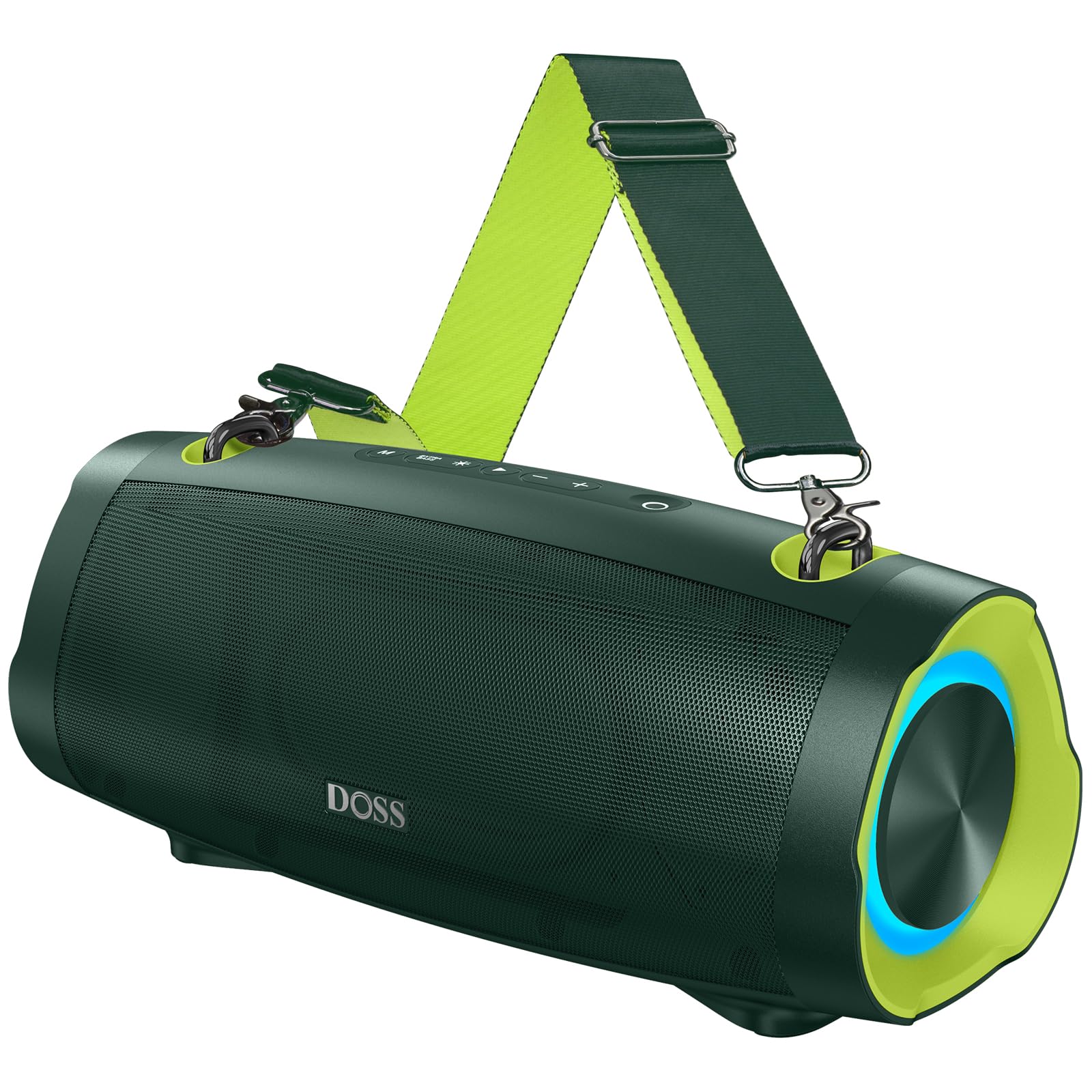
Irudia: DOSS Extreme Boom Pro D100 Bluetooth bozgorailua, erakustaldiaasinbere diseinu sendoa dela eta.
Produktuaren Ezaugarriak
- Audio indartsua: Experience 70W of bold sound (140W Peak) with a 40W full-range driver and two 15W tweeters, enhanced by three advanced DSP technologies.
- Baxu hobetua: Dual passive radiators provide deeper bass with a dedicated Extra Bass button.
- Diseinu eramangarria: Features a durable, adjustable, and detachable shoulder strap for easy transport.
- Wireless Wireless Stereo (TWS): Connect two speakers wirelessly for an immersive stereo sound experience.
- Jolasaldi luzatua: Gehienez 24 orduko bateriaren iraupena.
- Barneko potentzia-bankua: Charge your devices directly from the speaker.
- IPX6 iragazgaitza: Designed to withstand water splashes and jets.
- Argi ikuskizun dinamikoa: Integrated lights synchronize with music rhythm.
Kutxan dagoena
Mesedez, egiaztatu zure paketearen edukia:
- DOSS Extreme Boom Pro D100 Bluetooth bozgorailua
- USB-C kargatzeko kablea
- Audio-kable osagarria
- Sorbalda desmuntagarria
- Erabiltzailearen eskuliburua
Produktua amaituview
Familiarize yourself with the speaker's controls and ports.

Image: Top panel controls including Power, Volume, Play/Pause, Mode, Extra Bass, and Light buttons.

Irudia: Leherketa bat view illustrating the internal speaker components, including the full-range driver and tweeters.
Konfigurazioa eta funtzionamendua
1. Piztu/Itzali
Eduki sakatuta pizteko botoia (O) 2 segundoz bozgorailua piztu edo itzaltzeko.
2. Bluetooth parekatzea
To connect your DOSS Extreme Boom Pro D100 to a Bluetooth device:
- Piztu bozgorailua. Automatikoki Bluetooth parekatze moduan sartuko da, LED urdin keinukari batek adierazita.
- Zure gailuan (smartphone-an, tabletan, etab.), gaitu Bluetooth-a eta bilatu eskuragarri dauden gailuak.
- Select "Extreme Boom Pro D100" from the list. A confirmation sound indicates successful pairing.
Video: Demonstrates how to power on the speaker and connect it via Bluetooth to a mobile device.
3. Benetako haririk gabeko estereoa (TWS) parekatzea
For an enhanced stereo experience, you can pair two DOSS Extreme Boom Pro D100 speakers:
- Ziurtatu bi bozgorailuak piztuta daudela eta ez daudela Bluetooth gailu batera konektatuta.
- On one speaker (this will be your main speaker), press and hold the 'Extra Bass' button until you hear a prompt. The LED on the main speaker will flash slowly.
- On the second speaker, press and hold the 'Extra Bass' button. The LED on the second speaker will flash quickly.
- The speakers will automatically connect to each other. A confirmation sound will indicate successful TWS pairing. The main speaker's LED will flash slowly, and the second speaker's LED will be solid.
- Connect your device to the main speaker via Bluetooth as described in the Bluetooth Pairing section.
Video: Illustrates the steps for pairing two DOSS Extreme Boom Pro D100 speakers for True Wireless Stereo sound.

Image: Two DOSS Extreme Boom Pro D100 speakers positioned for a True Wireless Stereo setup.
4. Bolumenaren kontrola
Press the '+' button to increase volume and the '-' button to decrease volume.
5. Extra Bass Function
Press the 'Extra Bass' button to activate or deactivate the enhanced bass mode.
Video: Shows how to activate the Extra Bass feature on the speaker.
6. Dynamic Light Show
Sakatu Argi botoia (※) to cycle through different light modes or turn the lights off.
Video: Demonstrates how to change the dynamic light modes on the speaker.

Image: The speaker displaying its dynamic light show in an outdoor setting.
7. Auto-Power Off Function
The speaker has an auto-power off feature to conserve battery. You can activate or deactivate this function:
- Press and hold the 'M' (Mode) button and the 'Power' button simultaneously.
- If the LED flashes red, auto-power off is removed (deactivated).
- If the LED flashes green, auto-power off is activated.
Video: Explains how to remove or activate the auto-power off feature on the speaker.
8. Berrezarri funtzioa
If you encounter issues, you can reset the speaker:
- Press and hold the 'Power' button and the 'Volume Down (-)' button simultaneously.
- A confirmation sound will indicate a successful reset.
Video: Demonstrates the process of resetting the speaker.
Kargatzeko eta Power Bank funtzioa
The DOSS Extreme Boom Pro D100 features a built-in power bank to charge your external devices.
- Hizlariari kargatzea: Connect the provided USB-C cable to the speaker's charging port and a suitable USB power adapter (not included). The charging indicator will show the charging status.
- Power Bank gisa erabiltzea: Connect your device's charging cable to the speaker's USB-A output port. The speaker will begin charging your device.

Image: The speaker being used to charge a smartphone in an outdoor setting, highlighting its power bank capability.
Zehaztapenak
| Marka | DOSS |
| Modelo zenbakia | Muturreko Boom Pro D100 |
| Bozgorailuaren irteera-potentzia maximoa | 140 watt (punta) / 70 watt (RMS) |
| Konektibitate Teknologia | Bluetootha |
| Audio irteera modua | Estereoa |
| Hizlari mota | Kanpoan |
| Ezaugarri gehigarriak | Bass Boost, Dynamic Light Show, Power Bank |
| Kolorea | Green (variant shown in product images) |
| Bateriaren batez besteko bizitza | 24 ordu |
| Iragazgaitzaren balorazioa | IPX6 |
| Kontrol-metodoa | Ukitu |
| Elementuaren neurriak (L x W x H) | 12.17" L x 5.39" W x 5.43" H |
| Elementuaren pisua | 2 kilogramo |
| Gailu bateragarriak | Laptop, MP3 Player, Projector, Smartphone, Tablet, Television |
| Bateria Edukiera | 10400 milioiamp Orduak |
| Bateria kargatzeko denbora | 5 ordu |
Arazoak konpontzea
Bozgorailuarekin arazoak badituzu, jo ezazu honako ohiko irtenbide hauetara:
- Potentziarik gabe: Ziurtatu bozgorailua guztiz kargatuta dagoela. Konektatu energia-iturri batera eta utzi gutxienez 30 minutuz kargatzen pizten saiatu aurretik.
- Bluetooth konexio-arazoak:
- Ziurtatu bozgorailua parekatze moduan dagoela (LED urdin keinukaria).
- Ensure your device's Bluetooth is enabled and within range (up to 33 feet/10 meters).
- Forget the speaker from your device's Bluetooth list and attempt to re-pair.
- Try resetting the speaker as described in the Setup and Operation section.
- Soinurik ez:
- Egiaztatu bozgorailuaren eta konektatutako gailuaren bolumen-mailak.
- Ensure the speaker is correctly paired via Bluetooth or connected via the auxiliary cable.
- TWS parekatze-hutsegitea: Ensure both speakers are not connected to any other Bluetooth device before attempting TWS pairing. Follow the TWS pairing steps carefully.
- Uraren esposizioa: While the speaker is IPX6 waterproof, prolonged submersion is not recommended. If exposed to water, ensure all ports are dry before charging.
Arazo iraunkorretarako, jarri harremanetan bezeroarentzako arreta-zerbitzuarekin.
Mantentzea
To ensure the longevity and optimal performance of your DOSS Extreme Boom Pro D100 speaker:
- Garbiketa: Erabili zapi leun eta lehor bat bozgorailuen kanpoaldea garbitzeko. Ez erabili garbitzaile edo disolbatzaile urratzailerik.
- Biltegiratzea: Gorde bozgorailua leku fresko eta lehor batean, eguzki-argitik eta muturreko tenperaturetatik babestuta.
- Bateria zaintzea: To maintain battery health, charge the speaker fully at least once every three months if not in regular use.
- Uraren babesa: Always ensure the charging port cover is securely closed when near water to maintain IPX6 water resistance.
Bermea eta Laguntza
Your DOSS Extreme Boom Pro D100 Bluetooth Speaker comes with a 1 urteko fabrikatzailearen bermea, covering quality-related concerns from the date of purchase.
For any product issues or support inquiries, please contact us:

Image: A customer support representative with contact details.
Telefonoa: 1-833-275-3677
Posta elektronikoa: support@dossav.com
We are committed to providing 24-hour prompt assistance and support.