
1. Sarrera
This manual provides comprehensive instructions for the installation, operation, and maintenance of your EZVIZ CP5 Connected Video Intercom System. Please read this manual thoroughly before using the product to ensure correct usage and optimal performance. Keep this manual for future reference.
2. Segurtasun informazioa
- Ziurtatu konexio elektriko guztiak profesional kualifikatu batek egiten dituela eta tokiko araudi elektrikoak betetzen dituela.
- Ez jarri gailua muturreko tenperatura, hezetasun edo eguzki-argitara.
- Sistemarekin batera emandako korronte-egokitzailea bakarrik erabili.
- Avoid placing the indoor monitor near sources of strong electromagnetic interference.
- Keep the camera lens clean for clear image quality.
3. Paketearen edukia
Egiaztatu behean zerrendatutako elementu guztiak zure paketean sartuta daudela:
- Monitorea
- Monitorearen hormako muntaia
- Monitor Power Adapter
- Interfono panela
- Drilling Template (for Monitor)
- Drilling Template (for Intercom Panel)
- Name Card (x2)
- Bihurkin
- RFID Badges (x2)
- Torloju kit (x2)
- Hariak eta Hari-konektoreak
- DC 24V Power Plug Connector Cable
- Regulatory Information Documents (x2)
- Hasierako gida azkarra
4. Konfigurazioa
4.1 Instalazio fisikoa
The EZVIZ CP5 supports both 2-wire and 4-wire installation systems. Use the provided drilling templates to accurately position and mount the intercom panel and indoor monitor. Ensure all wiring connections are secure before powering on the system.

1 Irudia: Gainetikview of the EZVIZ CP5 system components and their placement.

Figure 2: Wiring connections for the EZVIZ CP5 intercom system.
4.2 Sareko konexioa
The indoor monitor can connect to your home network via dual-band Wi-Fi (2.4 GHz or 5 GHz) for stable and fast communication. Follow the on-screen prompts on the monitor to connect to your preferred Wi-Fi network.

Figure 3: Dual-band Wi-Fi connectivity for the indoor monitor.
4.3 Aplikazioaren konfigurazioa
Download the EZVIZ app from your mobile device's app store. Create an account or log in, then follow the in-app instructions to add your CP5 system. This enables remote access and control features.
5. Funtzionamendu-argibideak
5.1 Monitorearen funtzioak
The 7-inch touch monitor serves as the central control unit. It allows you to view visitors, communicate with them, and manage system settings. When a visitor presses the doorbell, the monitor automatically activates and rings.
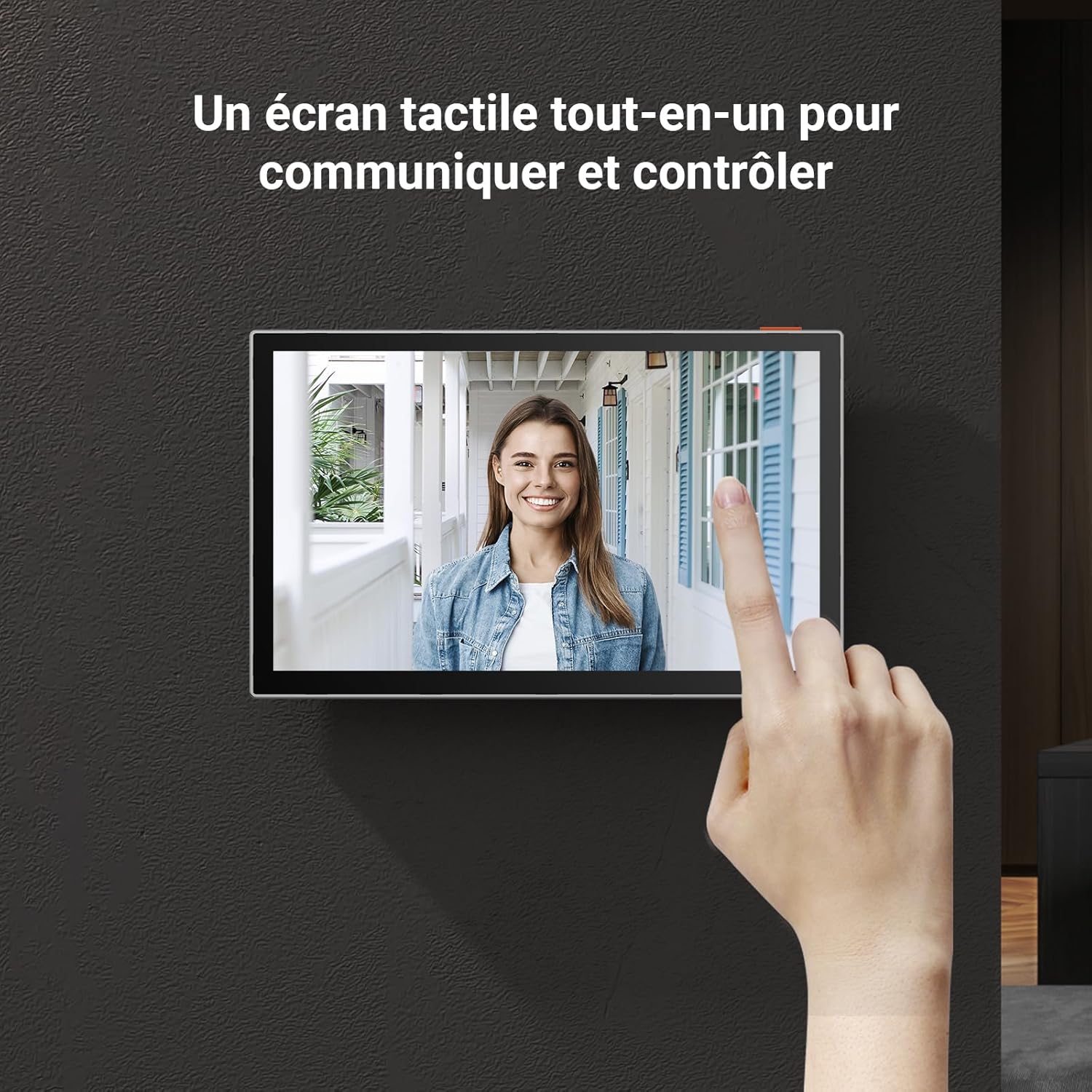
Figure 4: Interacting with the touch screen monitor.
5.2 Atea/Atea desblokeatzea
The CP5 system offers multiple methods for unlocking your door or gate:
- RFID Txapa: Use the included RFID badges by tapping them on the intercom panel.
- Barruko monitore: Unlock directly from the 7-inch touch monitor.
- EZVIZ aplikazioa: Remotely unlock your door or gate using the EZVIZ mobile application.

Figure 5: Various methods for unlocking doors and gates.

Figure 6: Remote gate and door unlocking capabilities.
5.3 Two-Way Audio & Voice Changer
Engage in clear two-way communication with visitors through the intercom panel and indoor monitor or via the EZVIZ app. For added privacy, activate the voice changer feature when speaking to unfamiliar individuals.

Figure 7: Two-way audio communication with voice changer feature.
5.4 Bideo-jarraipena
The intercom panel features a 1080P camera with a 134° viewing angle, providing a wide and clear view of your doorstep. It also includes infrared night vision for visibility up to 5 meters in low-light conditions.
Figure 8: 1080P video resolution and night vision capabilities.

Figure 9: 134-degree wide viewangelua.
5.5 Human Detection
The system incorporates smart human detection to minimize false alarms, notifying you only when a person is detected at your door.
6. Mantentzea
To ensure the longevity and optimal performance of your EZVIZ CP5 system, regular maintenance is recommended:
- Garbiketa: Gently wipe the indoor monitor screen and the outdoor intercom panel's camera lens with a soft, damp oihal. Saihestu garbitzaile urratzaileak.
- Eguraldiarekiko erresistentzia: The outdoor intercom panel is designed to be weather-resistant, but extreme conditions may affect performance. Ensure it is securely mounted to withstand environmental elements.

Figure 10: Weather-resistant design of the outdoor intercom panel.
7. Arazoak
If you encounter issues with your EZVIZ CP5 system, refer to the following common problems and solutions:
- Ez dago irudirik monitorearen gainean: Check power connections to both the intercom panel and the indoor monitor. Verify that the wiring between the two units is correctly installed and secure.
- No Sound During Communication: Ensure microphone and speaker settings are enabled on the monitor and within the EZVIZ app. Check for any physical obstructions on the intercom panel's microphone or speaker.
- Urruneko desblokeatzeak ez du funtzionatzen: Confirm that the system is connected to Wi-Fi and the EZVIZ app is properly configured. Check the wiring to your door/gate lock mechanism.
- Poor Wi-Fi Connectivity: Ensure the indoor monitor is within range of your Wi-Fi router. Consider repositioning the router or using a Wi-Fi extender if necessary.
- RFID Badges Not Working: Ensure the badges are correctly registered with the system. Try tapping the badge firmly against the RFID reader area on the intercom panel.
For more detailed troubleshooting or persistent issues, consult the EZVIZ app's help section or visit the official EZVIZ support webgunea.
8. Zehaztapenak
| Ezaugarri | Zehaztapena |
|---|---|
| Marka | EZVIZ |
| Ereduaren izena | CP5 |
| Elementuaren eredu-zenbakia | CP5 |
| Produktuaren neurriak (L x W x H) | 10 x 5 x 5 cm; 1.47 kilogramo |
| Elementuen kopurua | 1 |
| Konektibitate Teknologia | Haririk gabekoa |
| Ezaugarri bereziak | Bi norabideko audioa |
| Bateria mota | Litio-ioizko 1 - barne |
| Bateriak barne | Bai |
| Beharrezko bateria(k) | Ez |
| Produktuaren erabilera gomendatuak | Kanpoko segurtasuna |
| Dakarten osagaiak | Monitor, Monitor Wall Mount, Monitor Power Adapter, Intercom Panel, Drilling Template (Monitor), Drilling Template (Intercom Panel), Name Card (x2), Screwdriver, RFID Badges (x2), Screw Kit (x2), Wires and Wire Connectors, DC 24V Power Plug Connector Cable, Regulatory Information Documents (x2), Quick Start Guide |
9. Bermearen informazioa
For detailed warranty information regarding your EZVIZ CP5 Connected Video Intercom System, please refer to the warranty card included in your product packaging or visit the official EZVIZ webgunea. Bermearen baldintzak eta zehaztapenak eskualdearen arabera alda daitezke.
10. Laguntza
If you require further assistance or have questions not covered in this manual, please contact EZVIZ customer support. You can find contact information and additional resources on the official EZVIZ webgunea: www.ezviz.com.


