
1. Sarrera
Welcome to the ARZOPA D15 15.6-inch Digital Photo Frame. This manual provides detailed instructions to help you set up, operate, and maintain your new digital photo frame. Please read this manual thoroughly before use to ensure optimal performance and longevity of your device.
2. Produktua amaitu daview
Ezaugarri nagusiak
- 100% Free and Unlimited Cloud Storage: Transfer photos and videos to your digital photo frame without a subscription. Enjoy cloud convenience without an SD card – add memories anytime, anywhere, even when the digital photo frame is offline (automatic synchronization upon reconnection).
- Gift Function, Pre-loaded Joy: Pre-load photos, videos, and greeting cards via the FREE Arzopa app for a personalized and surprising gift even before the Arzopa D15 frame arrives, without having to unbox it.
- Easy Setup & Intuitive App: Pre-set Wi-Fi for non-tech-savvy recipients (plug and enjoy). Manage your connected photo frame with over 30 folders and share an unlimited number of photos and videos (up to 2 minutes per video, ≤125MB, 1080p).
- High-Quality Screen & Smart Design: 15.6" FHD 1920*1080 IPS touchscreen with anti-glare technology for true colors and adjustable brightness (day/night mode). Practical functions (weather, alarm clock, calendar, etc.) and a smart sleep mode (30% energy saving) offer an intelligent user experience.
- Instant Multi-user Sharing: Invite your loved ones via the free Arzopa app to share their daily lives. 'Like' and 'Comment' on shared moments, enjoy a secure private space. Stay connected with over 30 languages remotely and strengthen family ties, wherever you are.
Paketearen edukia
- ARZOPA D15 Argazki Marko Digitala
- Elikatze-moldagailua
- Erabiltzailearen eskuliburua
- Markoaren euskarria
Markoaren osagaiak

Itzuli view of the ARZOPA D15 digital photo frame, highlighting the speaker, wall mount hole, stand hole, and power button for easy identification of components.
3. Konfigurazioa
Hasierako Konfigurazio Gida
- Piztu: Konektatu korronte-egokitzailea markora eta entxufe batera. Markoa automatikoki piztuko da.
- Aukeratu hizkuntza: Jarraitu pantailan agertzen diren argibideei nahiago duzun hizkuntza hautatzeko.
- Konektatu wifira: Hautatu zure Wi-Fi sarea zerrendatik eta idatzi pasahitza. Ziurtatu Interneteko konexio egonkorra duzula errendimendu optimoa lortzeko.
- Ezarri data eta ordua: Configure the correct date, time, and time zone.
- Name Your Frame & Set Location: Personalize your frame by giving it a name and specifying its location.
Video demonstrating the setup process for a digital photo frame, including language selection, Wi-Fi connection, and initial configuration steps.
Video tutorial on how to configure your digital photo frame, guiding users through essential settings and initial setup.
4. Funtzionamendu-argibideak
Ukipen-pantaila erabiliz
The ARZOPA D15 features an intuitive touchscreen interface. Swipe left or right to navigate through photos and videos. Tap the screen to access settings and options.
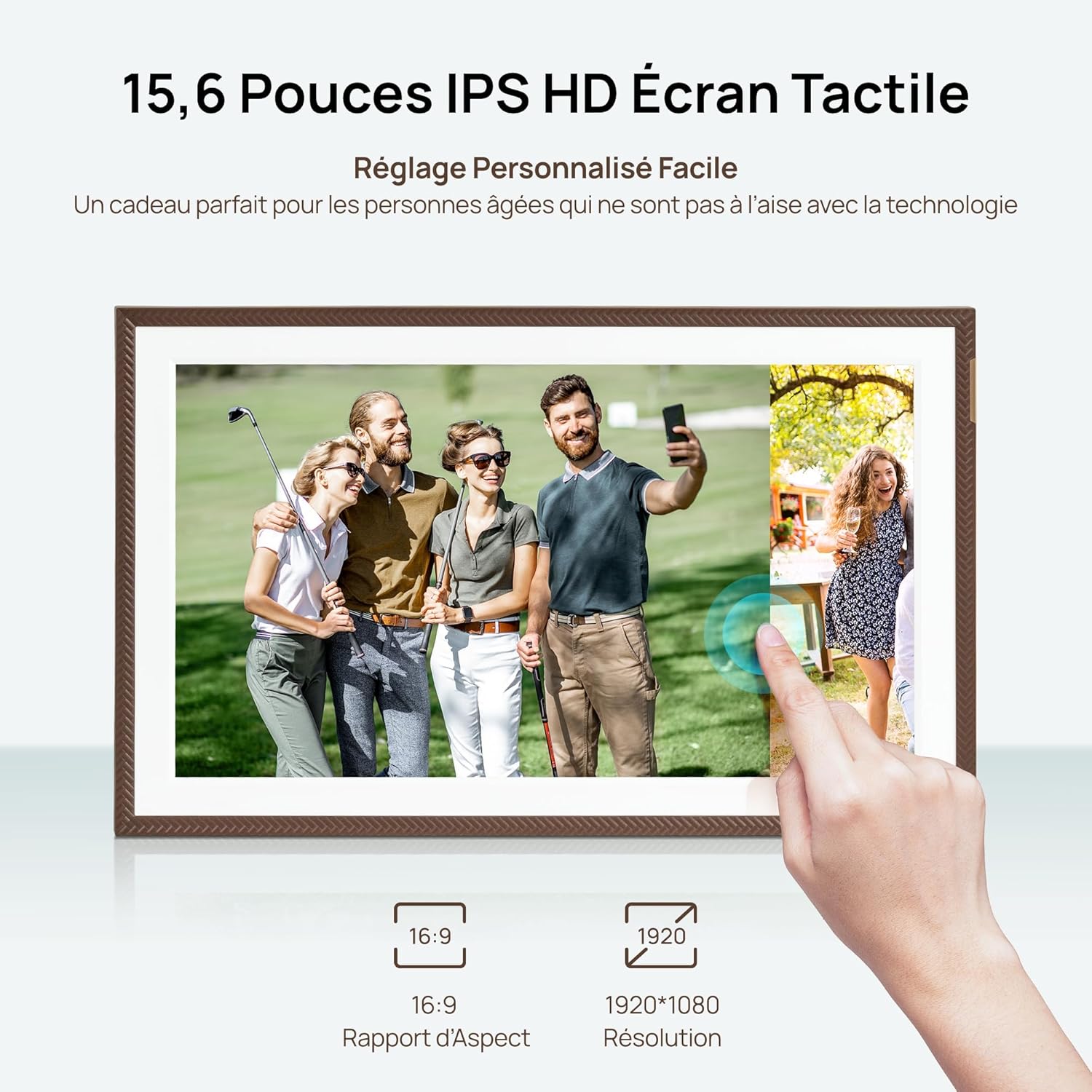
A hand interacting with the responsive touchscreen of the ARZOPA D15 digital photo frame, showcasing its ease of use for browsing memories.
Argazkiak eta bideoak kargatzen
You can upload content to your ARZOPA D15 frame using the dedicated ARZOPA app or via USB/Wi-Fi connectivity.
- Via ARZOPA App: Download the ARZOPA app on your smartphone. Connect the app to your frame using the provided pairing code. You can then select and send photos and videos directly from your phone.
- Hodeiko biltegiratzea: The frame offers unlimited cloud storage for your memories. Once connected to Wi-Fi, content sent via the app is automatically stored and synchronized.
- USB/Wi-Fi: For direct transfers, connect a USB drive or use Wi-Fi direct transfer options if available in the settings.

A smartphone screen displaying the ARZOPA app, illustrating the simple process of selecting and sharing photos and videos to the connected digital frame.
Managing Content and Slideshows
Organize your memories into folders, adjust slideshow intervals, and enable various display effects.
- Karpetak: Create and manage up to 30 folders to categorize your photos and videos.
- Diapositiba-aurkezpenaren ezarpenak: Customize the duration each photo is displayed, transition effects, and playback order.
- Portrait/Landscape Mode: The frame automatically adjusts content orientation based on its physical placement.

The ARZOPA D15 digital photo frame showcasing its flexible placement, automatically rotating images between portrait and landscape modes.
Video demonstrating the Frameo Collage Mode feature, allowing multiple photos to be displayed simultaneously on the digital frame.
Funtzio adimendunak
The frame includes additional smart features for enhanced convenience.
- Lo egiteko modua: Configure a smart sleep mode to save energy, automatically turning off the screen during specified hours.
- Weather, Alarm, Calendar: Access useful information directly on your frame.

The ARZOPA D15 digital photo frame demonstrating its personalized sleep mode, which saves energy and adjusts screen brightness to avoid disturbing sleep.
5. App Usage and Remote Sharing
Downloading the ARZOPA App
The ARZOPA app is available for free on both the App Store and Google Play. Bilatu 'ARZOPA' and download the application to your smartphone.

A smartphone screen showing the ARZOPA app download options from the App Store and Google Play, positioned next to the digital photo frame.
Konektatu eta partekatu
Once the app is installed, follow the in-app instructions to connect it to your ARZOPA D15 frame. You can then invite family and friends to share photos and videos remotely.
- Multi-user Connection: Share a unique code with loved ones, allowing them to send photos and videos directly to your frame from anywhere in the world.
- Ezaugarri interaktiboak: Users can 'like' and 'comment' on shared moments, fostering a sense of connection.

Illustrating the global sharing capability of the ARZOPA D15, where users can send photos from a smartphone in America to a frame in France.
Bideo emanaldiaasing the various features of the Frameo app, including multi-user connection, photo sharing, and interactive elements.
Gift Function
The ARZOPA D15 can be pre-loaded with personalized photos, videos, and greeting cards before gifting, offering a unique and thoughtful present.
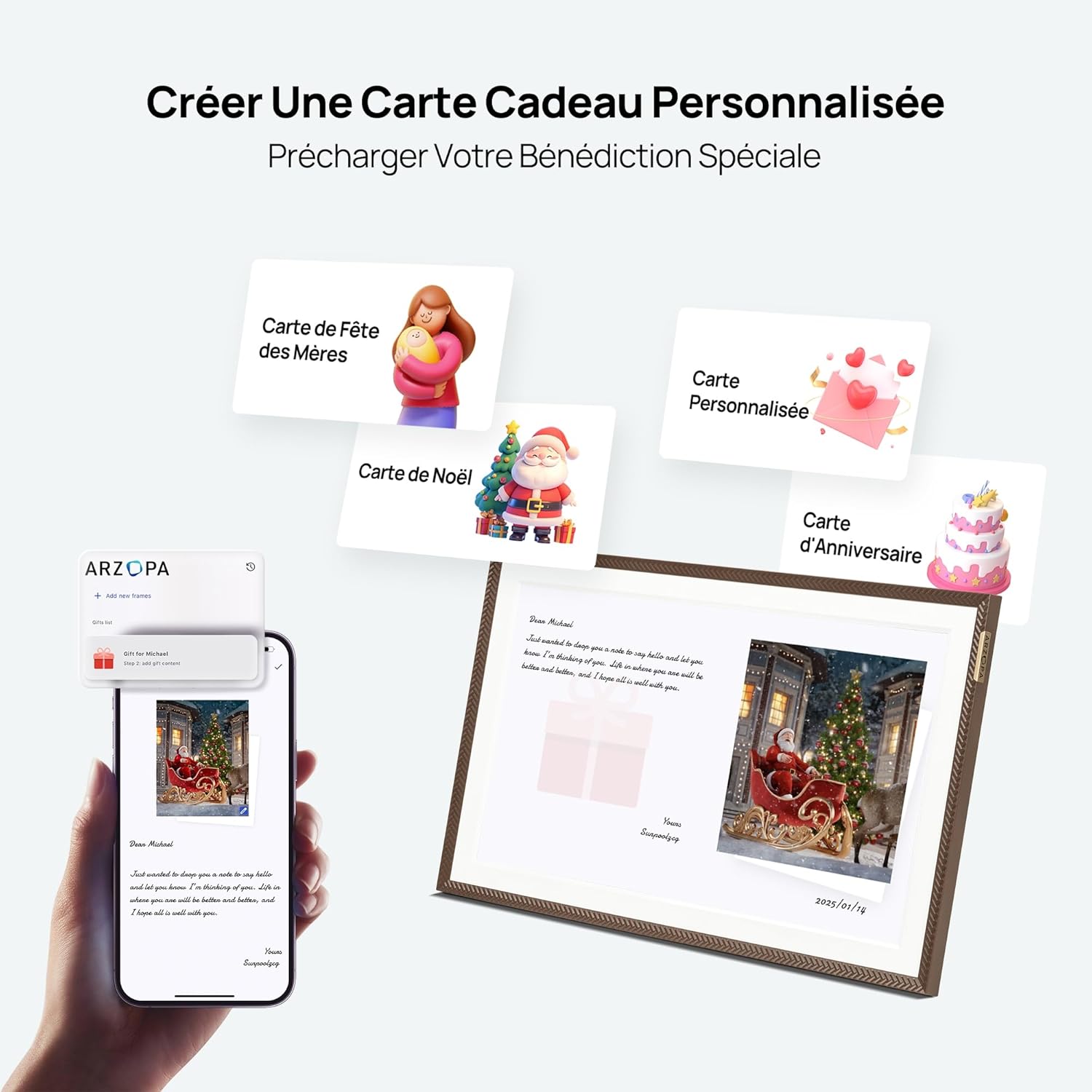
A smartphone screen preparing a personalized gift message and photos via the ARZOPA app, with various digital greeting card options displayed alongside a digital frame showing a festive image.
Video celebrating Mother's Day with the Frameo digital photo frame, highlighting its use for sharing heartfelt messages and memories.
6. Mantentzea
- Garbiketa: Erabili zapi leun eta lehor bat pantaila eta markoa garbitzeko. Saihestu garbitzaile edo disolbatzaile urratzaileak.
- Biltegiratzea: Denbora luzez erabiltzen ez baduzu, gorde markoa leku fresko eta lehor batean, eguzki-argitik babestuta.
- Software eguneraketak: Ensure your frame's software is up-to-date for the best performance and security. Updates are typically managed through the app or frame settings.
7. Arazoak
- Markoa ez da pizten: Ziurtatu korronte-egokitzailea ondo konektatuta dagoela bai markoari bai funtzionatzen duen korronte-entxufe bati.
- Ezin da wifira konektatu: Double-check your Wi-Fi password. Ensure the frame is within range of your router. Try restarting both the frame and your router.
- Photos/Videos not displaying: Verify that the content has been successfully uploaded via the app. Check the frame's storage and ensure it's not full. Confirm file formats are supported (JPEG, PNG, WEBP for images; MP4, M4V, 3GP, MOV for videos).
- Pantailak ez du erantzuten: Try restarting the frame. If the issue persists, contact customer support.
8. Zehaztapenak
| Ezaugarri | Xehetasuna |
|---|---|
| Marka | ARZOPA |
| Kolorea | Marroia |
| Pantailaren tamaina | 15.6 hazbetekoa |
| Ebazpena | 1920x1080 (FHD) |
| Edukiera | 32 GB |
| Konektibitate Teknologia | USB, Wi-Fi |
| Gailu bateragarriak | Ordenagailu pertsonala, Smartphone |
| Energia iturria | Kable elektrikoa |
| Giza Interfazearen Sarrera | Ukipen-pantaila |
| Irudiaren aspektu-erlazioa | 16:9 |
| Markoaren materiala | Akrilonitrila Butadiene estirioa |
| Produktuaren neurriak (L x W x H) | 40 x 25 x 2.51 cm |
| Elementuaren pisua | 2.43 kilogramo |
Energia Informazioa
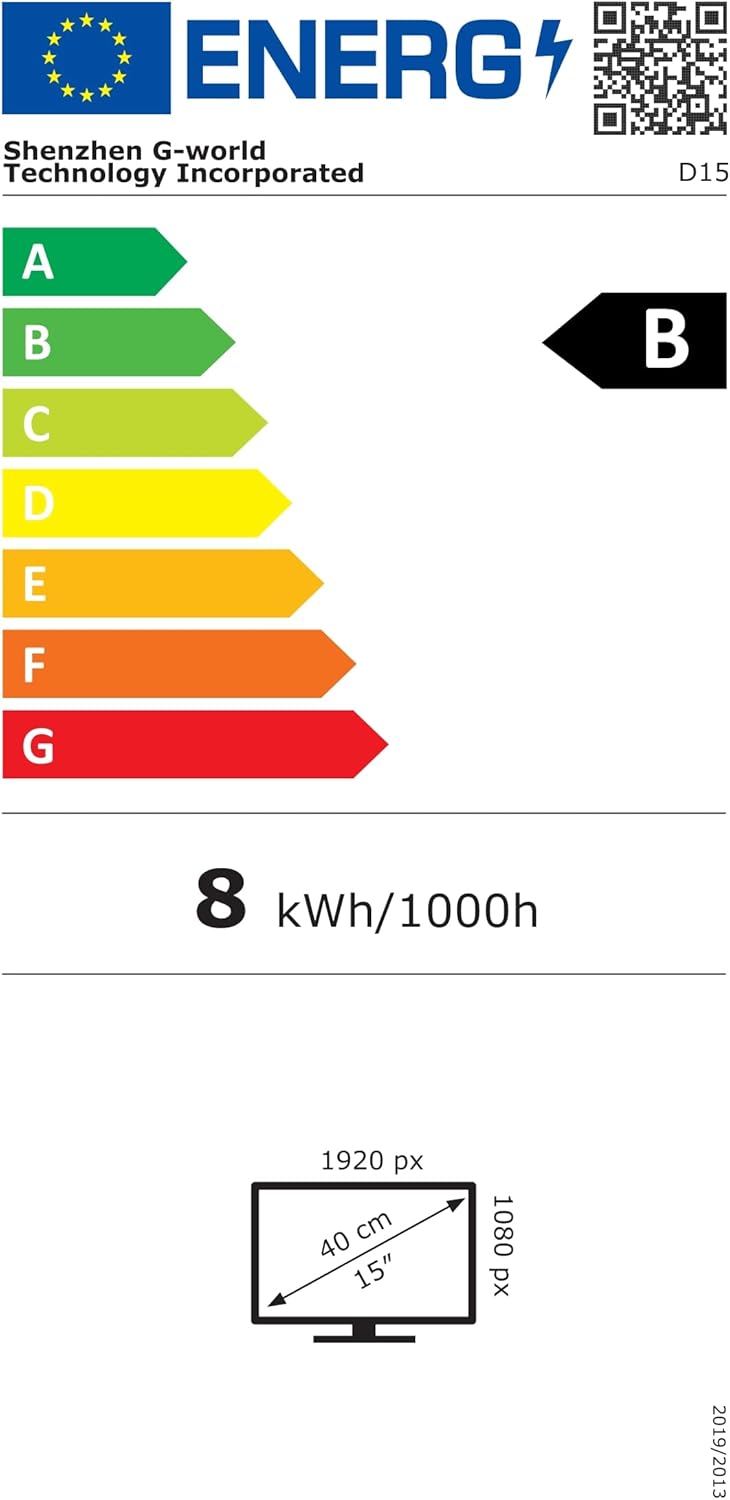
Energy label for the D15 model, indicating energy class B and consumption of 8 kWh/1000h. For more details, visit eprel.ec.europa.eu/qr/2089090.
9. Bermea eta Laguntza
The ARZOPA D15 Digital Photo Frame comes with a 1 urteko fabrikatzailearen bermea. For any technical support, warranty claims, or further inquiries, please contact ARZOPA customer service through the official webgunea edo zure erosketa plataforma.