
Sarrera
Thank you for choosing the T'nB Tonality Bluetooth Supra-aural Headphones. These headphones are designed to provide a versatile audio experience, offering both wireless Bluetooth connectivity and a traditional wired option. With comfortable ear pads, an adjustable headband, and integrated controls, they are suitable for various audio needs.
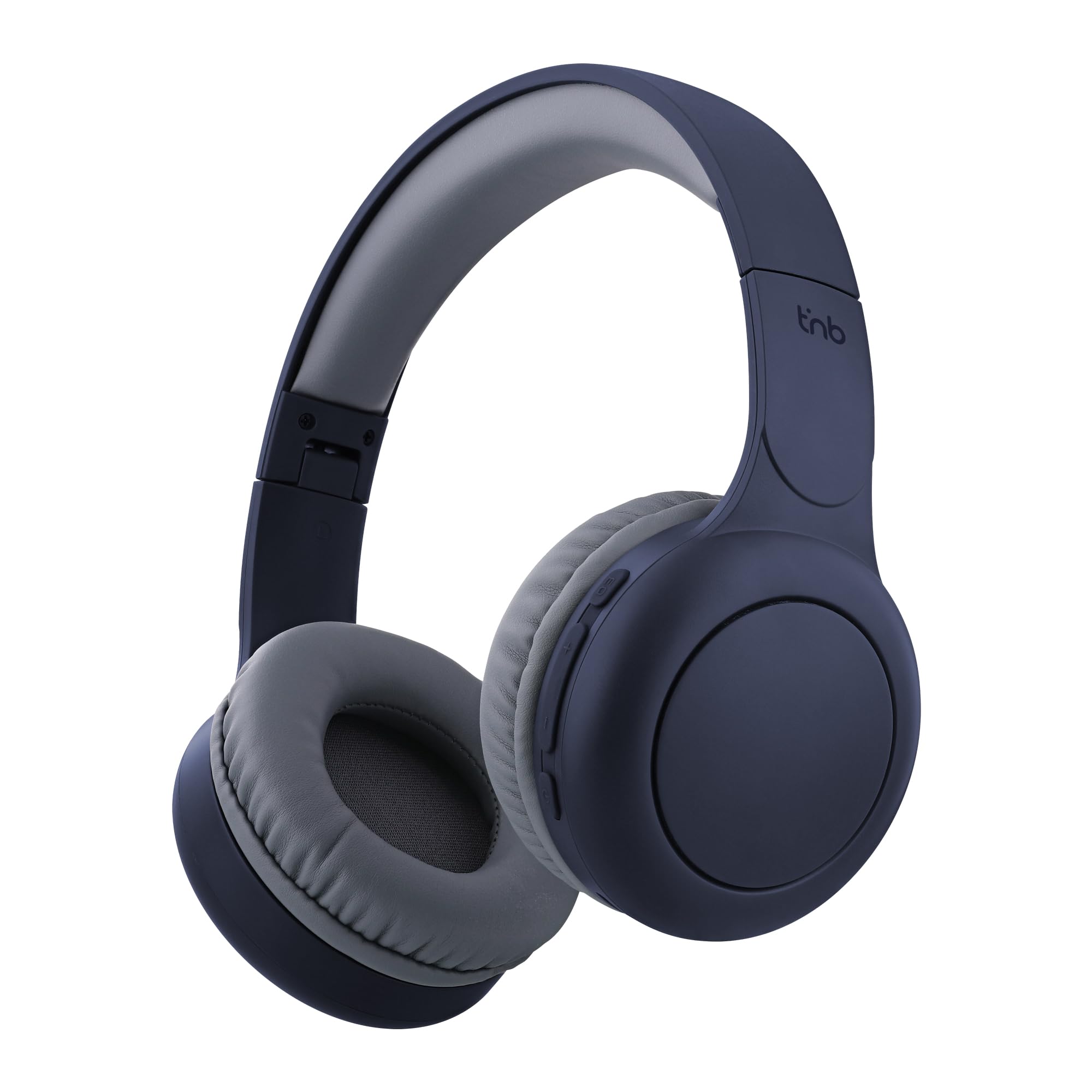
Image: T'nB Tonality Bluetooth Supra-aural Headphones, showcasindiseinu orokorra g.
Paketearen edukia
Ziurtatu elementu guztiak paketean daudela:
- 1 x T'nB Tonality Headphones
- 1 x USB-C kargatzeko kablea
- 1 x 3.5mm Jack Audio Cable
- 1 x Erabiltzailearen eskuliburua
Produktua amaituview
The T'nB Tonality headphones are equipped with several features for an enhanced listening experience:
- Diseinu erosoa: Foam ear pads and a padded headband provide optimal comfort for extended wear.
- Bateriaren iraupen luzea: Gehienez 24 orduko erreprodukzioa karga bakar batekin.
- Ekualizazio moduak: Switch between BASS BOOST, POP MODE, and VOICE FOCUS for tailored audio.
- Kontrol integratuak: Manage music playback, volume, and calls directly from the headphones.
- Mikrofono integratua: Esku libreko deiak ahalbidetzen ditu.
- Foldable and Adjustable: The headphones feature a foldable design and an adjustable headband for portability and a secure fit.
- Kable bidezko aukera: Use the included 3.5mm jack cable for a wired connection when wireless is not preferred or battery is low.
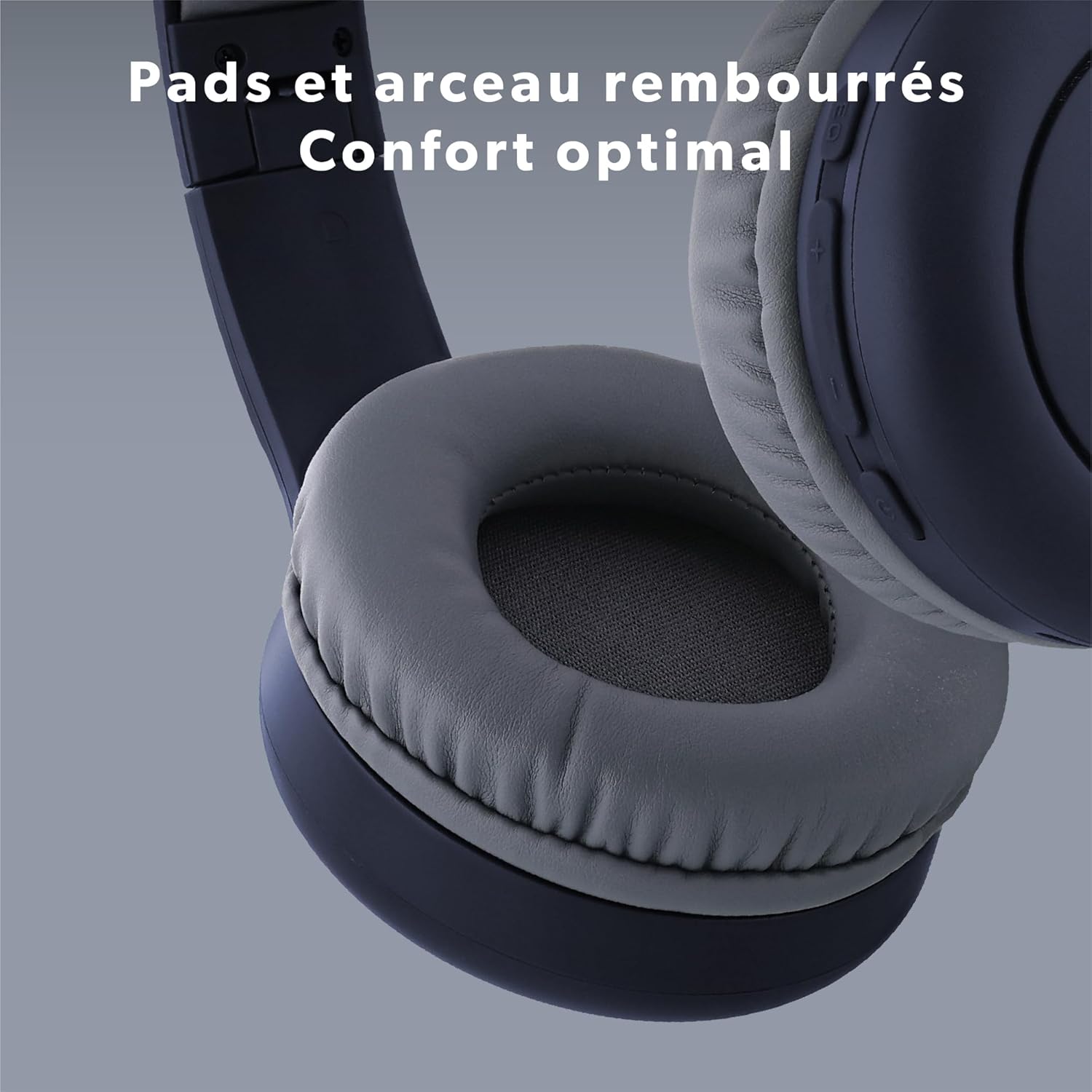
Irudia: Gertuko planoa view of the headphone's ear pads and headband, highlighting the comfortable padding.
Konfigurazioa
1. Entzungailuak kargatzea
Before first use, fully charge the headphones.
- Connect the supplied USB-C cable to the charging port on the headphones.
- Connect the other end of the USB-C cable to a USB power source (e.g., computer USB port, USB wall adapter).
- The LED indicator will show the charging status. It typically turns off or changes color when fully charged.
2. Bluetooth parekatzea
Aurikularrak haririk gabe konektatzeko:
- Ziurtatu entzungailuak kargatuta eta itzalita daudela.
- Press and hold the Power button (On/Off) for approximately 3-5 seconds until the LED indicator flashes blue and red, indicating pairing mode.
- Zure gailuan (telefono adimenduna, tableta, ordenagailua), gaitu Bluetooth eta bilatu eskuragarri dauden gailuak.
- Select "T'nB TONALITY" from the list of found devices.
- Once paired, the LED indicator will typically flash blue slowly or remain solid blue.
3. Kable bidezko konexioa
To use the headphones with the 3.5mm jack cable:
- Plug one end of the included 3.5mm audio cable into the audio input port on the headphones.
- Plug the other end into the 3.5mm audio output jack of your device.
- The headphones will operate in passive mode, consuming no battery power.

Image: The included 3.5mm jack cable, used for wired audio connection.
Funtzionamendu-argibideak
1. Piztu/Itzali
- Piztu: Sakatu eta eutsi pizteko botoia 3 segundo inguru, LED adierazlea piztu arte.
- Itzali: Sakatu eta eutsi pizteko botoia 3 segundo inguru LED adierazlea itzali arte.
2. Musika erreproduzitzea
- Erreproduzitu/Pausatu: Sakatu pizteko botoia behin.
- Hurrengo ibilbidea: Sakatu eta eutsi "+" botoiari.
- Aurreko pista: Sakatu eta eutsi "-" botoiari.
3. Bolumenaren doikuntza
- Bolumena igo: Sakatu behin "+" botoia.
- Bolumena jaitsi: Sakatu behin "-" botoia.
4. Deien kudeaketa
- Deia erantzun/amaitu: Press the Power button once during an incoming call or during an active call.
- Deia baztertu: Press and hold the Power button for approximately 2 seconds during an incoming call.
5. Equalizer Modes
The headphones feature three equalizer modes to optimize your listening experience:
- BASS BOST: Baxu-soinu aberatsagoa lortzeko, maiztasun baxuak hobetzen ditu.
- POP MODE: Optimized for pop music, providing balanced sound.
- VOICE FOCUS: Emphasizes vocal clarity, ideal for podcasts or audiobooks.
To switch between modes, press the EQ Mode button (usually located near the volume controls). Each press will cycle through the available modes.

Irudia: Xehetasun handikoa view of the integrated controls on the headphone, showing buttons for EQ Modes, Volume, and On/Off.

Image: A person listening to music with the headphones, demonstrating the application of EQ modes for different audio experiences.
Mantentzea
Zure entzungailuen iraupena eta errendimendu optimoa bermatzeko:
- Garbitu entzungailuak aldizka zapi leun eta lehor batekin.
- Saihestu garbitzaile edo disolbatzaile urratzaileak erabiltzea.
- Ez jarri entzungailuak tenperatura altuen, hezetasunaren edo eguzki-argiaren eraginpean.
- Gorde entzungailuak leku fresko eta lehor batean erabiltzen ez dituzunean. Tolestu daitekeen diseinuari esker, biltegiratze trinkoa egin daiteke.
- Saihestu entzungailuak erortzea edo kolpe gogorren eraginpean jartzea.
Arazoak konpontzea
Entzungailuekin arazoak badituzu, jo ezazu honako ohiko irtenbide hauetara:
| Arazoa | Irtenbidea |
|---|---|
| Entzungailuak ez dira pizten. | Ziurtatu entzungailuak guztiz kargatuta daudela. Konektatu itzazu energia-iturri batera USB-C kablea erabiliz. |
| Ezin da Bluetooth bidez parekatu. | Make sure the headphones are in pairing mode (LED flashing blue and red). Turn off and on your device's Bluetooth. Ensure the headphones are not already connected to another device. Move closer to your device. |
| Ez dago soinurik Bluetooth bidez konektatuta dagoenean. | Check the volume level on both the headphones and your connected device. Ensure the headphones are selected as the audio output device on your phone/computer. |
| No sound when connected via 3.5mm jack. | Ensure the 3.5mm cable is fully inserted into both the headphones and the audio source. Test with a different audio cable if available. Check the volume on your audio source. |
| Mikrofonoa ez dabil. | Ensure the headphones are properly connected via Bluetooth. Check microphone settings on your device to ensure the headphone microphone is selected. |
Zehaztapenak
| Ezaugarri | Xehetasuna |
|---|---|
| Ereduaren izena | CBTONESUPBL |
| Marka | T'nB |
| Konektibitate Teknologia | Haririk gabekoa (Bluetooth), Kable bidezkoa (3.5 mm-ko jacka) |
| Haririk gabeko Komunikazio Teknologia | Bluetootha |
| Forma-faktorea | Supra-aural |
| Belarrien Kokatzea | Belarrian |
| Inpedantzia | 32 ohmio |
| Kontrol-metodoa | Tactile Buttons |
| Materiala | Plastikoa |
| Uraren Erresistentzia Maila | Waterproof (Note: This typically means splash-proof, not submersible) |
| Gailu bateragarriak | Game Console, Smart Speaker, Laptop, Car Audio System, Tablet, Phone, Mobile Phone, Television, Music Production Equipment |
| Ezaugarri bereziak | Wired Headphone Functionality |

Image: A person enjoying music with the headphones, symbolizing the 24-hour battery life for extended use.
Bermearen informazioa
T'nB products are covered by a manufacturer's warranty against defects in materials and workmanship. The specific warranty period may vary by region and product. Please retain your proof of purchase for any warranty claims. For detailed warranty terms and conditions, refer to the documentation provided with your purchase or contact T'nB customer support.
Bezeroarentzako Arreta
For further assistance, technical support, or inquiries regarding your T'nB Tonality headphones, please visit the official T'nB webwebgunean edo jarri harremanetan bezeroarentzako arreta-zerbitzuarekin. Harremanetarako informazioa normalean produktuaren ontzian edo marka ofizialean aurki daiteke. webgunea.


