
Sarrera
Thank you for choosing the SUNITEC BH880 Wireless Headset. This manual provides detailed instructions for setting up, operating, and maintaining your headset to ensure optimal performance and longevity. The BH880 headset is designed for clear communication and comfortable use in various environments, featuring advanced noise-cancelling technology and multiple connectivity options.

Image: SUNITEC BH880 Wireless Headset, showcasing its design with an adjustable microphone boom.
Kutxan dagoena
Egiaztatu elementu guztiak paketean daudela:
- 1 x SUNITEC BH880 Bluetooth Computer Headset with Microphone
- 1 x C motako kargatzeko kablea
- 1 x Bluetooth Audio USB-A Dongle Adapter
- 1 x 3.5 mm-ko audio-kablea
- 1 x Erabiltzailearen eskuliburua (dokumentu hau)

Image: The SUNITEC BH880 headset, USB-C charging cable, USB-A dongle, and 3.5mm audio cable, illustrating the package contents.
Produktua amaituview
Familiarize yourself with the components and controls of your SUNITEC BH880 headset.
Ezaugarri nagusiak:
- AI Noise Cancelling Microphone: Blocks 99% of ambient noise for clear voice transmission.
- Qualcomm QCC3034 txipa: Provides stable and fast Bluetooth transmission with aptX HD and aptX LL support.
- Diseinu erosoa: Soft dual ear pads and an adjustable headband for extended wear.
- 270° Rotatable Boom Microphone: Can be positioned on either the left or right side.
- Bateriaren iraupen luzea: Gehienez 45 orduko hizketaldi-denbora karga bakar batekin.
- Konektibitate anitza: Bluetooth, USB Dongle, and 3.5mm wired connection.

Image: Close-up of the memory foam earpads, highlighting the comfort feature of the headset.

Image: Detail of the individual mute button located on the microphone boom.

Irudia: Barneko bat view highlighting the Qualcomm QCC3034 chipset, responsible for stable and fast connections.
Konfigurazioa
1. Entzungailua kargatzea
Before first use, fully charge the headset. Connect the Type-C charging cable to the headset's charging port and the other end to a USB power source (e.g., computer USB port, wall adapter). The LED indicator will show charging status. A full charge takes approximately 2 hours and provides up to 45 hours of talk time or 400 hours of standby time.
2. Piztu/Itzali
- Piztu: Press and hold the Power button for a few seconds until the LED indicator lights up.
- Itzali: Press and hold the Power button for a few seconds until the LED indicator turns off.
3. Konektibitate-aukerak
The SUNITEC BH880 offers three ways to connect to your devices:
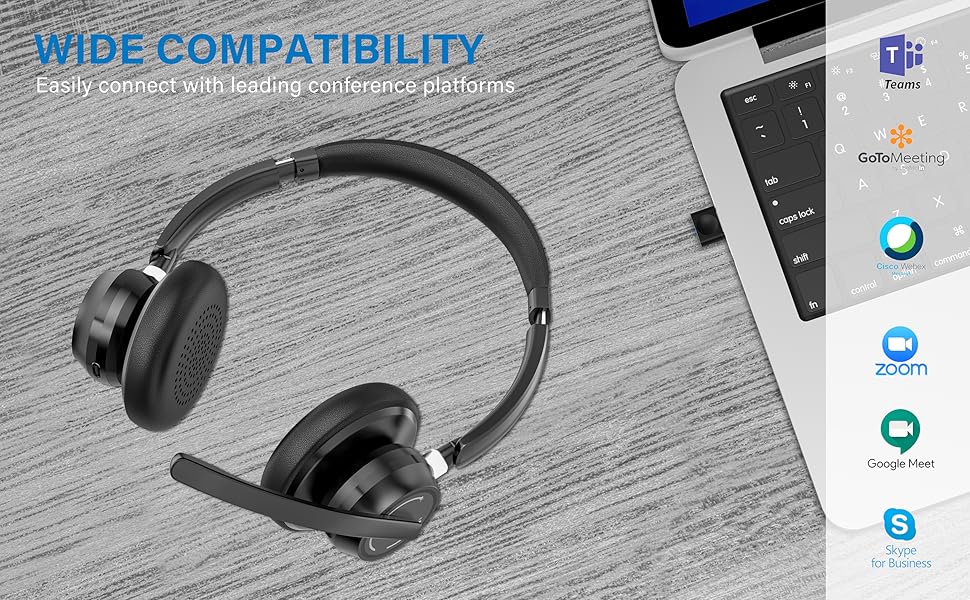
Image: Visual representation of Bluetooth, USB Dongle, and Wired connection methods for the headset.
Bluetooth konexioa:
- Ziurtatu entzungailua itzalita dagoela.
- Sakatu eta eutsi pizteko botoia LED adierazlea txandaka urdin eta gorri keinuka hasi arte, parekatze modua adieraziz.
- Zure gailuan (telefono adimenduna, tableta, ordenagailua), gaitu Bluetooth-a eta bilatu gailu berriak.
- Select "SUNITEC BH880" from the list of available devices.
- Konektatu ondoren, LED adierazlea urdin argituko da poliki-poliki.
USB Dongle konexioa:
This method is ideal for computers without built-in Bluetooth or for a more stable connection.
- Plug the USB-A Dongle Adapter into an available USB port on your computer.
- Power on the SUNITEC BH880 headset. It will automatically attempt to connect to the dongle.
- The LED indicator on the dongle and headset will show a solid blue light once connected.
- You may need to select the "SUNITEC BH880" as the audio input/output device in your computer's sound settings.

Image: A USB dongle being inserted into a laptop's USB port, demonstrating the dongle connection method.
Kable bidezko konexioa:
Use the included 3.5mm audio cable to connect the headset directly to devices with a 3.5mm audio jack. Note that the microphone function is not available when using the 3.5mm wired connection; the headset will function as headphones only.

Image: The headset shown with logos of popular communication platforms like Teams, Zoom, Google Meet, and Skype, indicating wide compatibility.
Funtzionamendu-argibideak
Oinarrizko funtzioak:
- Bolumena igo/behera: Use the dedicated volume buttons on the earcup.
- Erreproduzitu/Pausatu: Sakatu funtzio anitzeko botoia behin.
- Hurrengo ibilbidea: Sakatu eta eutsi bolumena igotzeko botoiari.
- Aurreko pista: Eduki sakatuta bolumena jaisteko botoia.
Deiaren funtzioak:
- Deia erantzun/amaitu: Sakatu funtzio anitzeko botoia behin.
- Deia baztertu: Eduki sakatuta funtzio anitzeko botoia 2 segundoz.
- Berriz markatu azken zenbakia: Sakatu birritan funtzio anitzeko botoia.
Mikrofonoa isiltzeko funtzioa:
The headset features an individual mute button on the microphone boom for quick privacy control.
- Ezkutatu/Aktibatu: Press the mute button on the microphone boom. The LED indicator on the microphone will show red when muted.
- Oharra: For PC platforms, microphone mute functionality may also be controlled via the software application (e.g., Zoom, Teams).
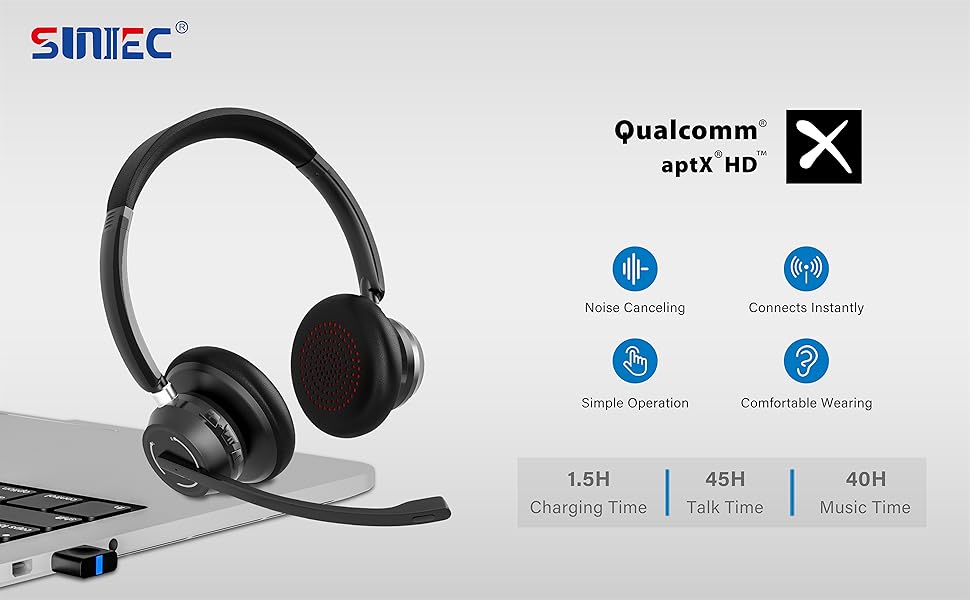
Image: A graphic demonstrating how the noise-cancelling microphone filters out background noise for clearer audio output.
Mantentzea
Proper care ensures the longevity of your SUNITEC BH880 headset.
- Garbiketa: Erabili zapi leun eta lehor bat entzungailuak garbitzeko. Ez erabili garbitzaile edo disolbatzaile urratzailerik.
- Biltegiratzea: Gorde entzungailuak leku fresko eta lehor batean, eguzki-argitik eta muturreko tenperaturetatik babestuta.
- Bateria zaintzea: Bateriaren iraupena luzatzeko, saihestu entzungailuak maiz erabat deskargatzea. Kargatu aldizka, denbora luzez erabiltzen ez badituzu ere.
- Saihestu hezetasuna: The headset is not water-resistant. Keep it away from liquids and high humidity.
Arazoak konpontzea
If you encounter issues with your SUNITEC BH880 headset, refer to the following common solutions:
| Arazoa | Irtenbidea |
|---|---|
| Aurikularrak ez dira pizten. | Ziurtatu entzungailuak kargatuta daudela. Konektatu C motako kablea erabiliz energia-iturri batera. |
| Ezin da Bluetooth bidez parekatu. |
|
| Soinurik ez edo soinu kalitate eskasa. |
|
| Mikrofonoa ez dabil. |
|
| USB Dongle not connecting. |
|
Zehaztapenak
| Ezaugarri | Xehetasuna |
|---|---|
| Ereduaren izena | BH880 |
| Konektibitate Teknologia | Wireless (Bluetooth), Wired (3.5mm), USB Dongle |
| Haririk gabeko Komunikazio Teknologia | Bluetooth 5.1 |
| Bluetooth barrutia | Gehienez 15 metro (49 oin) |
| Zarata Kontrola | Adaptive Noise Cancellation (Microphone) |
| Audio kontrolatzailearen tamaina | 40 milimetro |
| Audio kontrolatzaile mota | Gidari dinamikoa |
| Inpedantzia | 32 ohmio |
| Entzungailuaren forma | Belarri gainekoa |
| Bateriaren iraupena (elkarrizketa denbora) | Gehienez 45 ordu |
| Kargatzeko Denbora | Approximately 2 Hours (Type-C) |
| Elementuaren pisua | 280 gramo (9.9 ontza) |
| Produktuaren neurriak | 5.91 x 3.94 x 1.96 hazbete |
| Materiala | Plastikoa |
| Gailu bateragarriak | Computers, Communication Software (Skype, Zoom, MS Teams, Google Meet) |
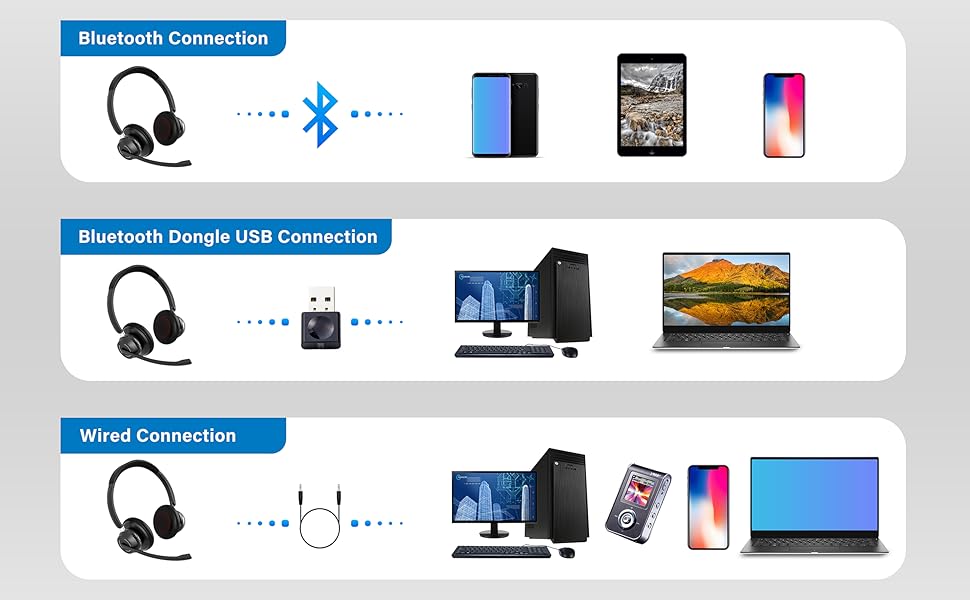
Image: An illustration highlighting the headset's battery performance, indicating up to 45 hours of wireless talk time.
Bermea eta Laguntza
SUNITEC products are designed for reliability and performance. For warranty information or technical support, please refer to the contact details provided with your purchase or visit the official SUNITEC webgunea. Gorde erosketa-agiria erosketaren frogagiri gisa berme-erreklamazioetarako.
For further assistance, you may contact SUNITEC customer service through their official channels.