
1. Sarrera
Welcome to the user manual for your new SVITOO P10 Android 16 Tablet. This guide provides detailed instructions on how to set up, operate, and maintain your device, ensuring you get the most out of its advanced features. Please read this manual carefully before using your tablet.
2. Produktua amaitu daview
The SVITOO P10 is a high-performance Android 16 tablet designed for both entertainment and productivity. It features a vibrant 10.1-inch IPS display, a powerful 8-core processor, and extensive storage options.
Ezaugarri nagusiak:
- Sistema eragilea: Latest Android 16 with enhanced customization, privacy protection, and user assistance.
- Prozesadorea: UNISOC T615 8-core CPU (1.8GHz) for fast and smooth multitasking.
- Memoria eta biltegiratzea: Up to 20GB RAM (4GB + 16GB expansion) and 128GB internal storage, expandable up to 1TB via microSD card.
- Pantaila: 10.1-inch IPS in-cell display with 1280x800 resolution, 6mm narrow bezels, and a 16:10 aspect ratio for vivid visuals and wide viewangeluak.
- Erreprodukzioa: Widevine L1 support for 1080P HD streaming on platforms like YouTube, Netflix, Amazon Prime Video, Disney+, and Hulu.
- Nabigazioa: Built-in GPS positioning system, ideal for maps and in-car navigation.
- Kamerak: 8MP main camera with autofocus and AI sub-camera, 2MP front camera for video calls and online classes.
- Konektibitatea: 2.4G/5G Wi-Fi (IEEE 802.11b/g/n/ac) and Bluetooth 5.0 for stable and high-speed connections.
- Bateria: Large-capacity 6600mAh battery for extended usage.
- Ezaugarri gehigarriak: Multi-screen connection, split-screen, floating window, wireless projection, face recognition unlock, and parental control functions.
Produktuen irudiak:
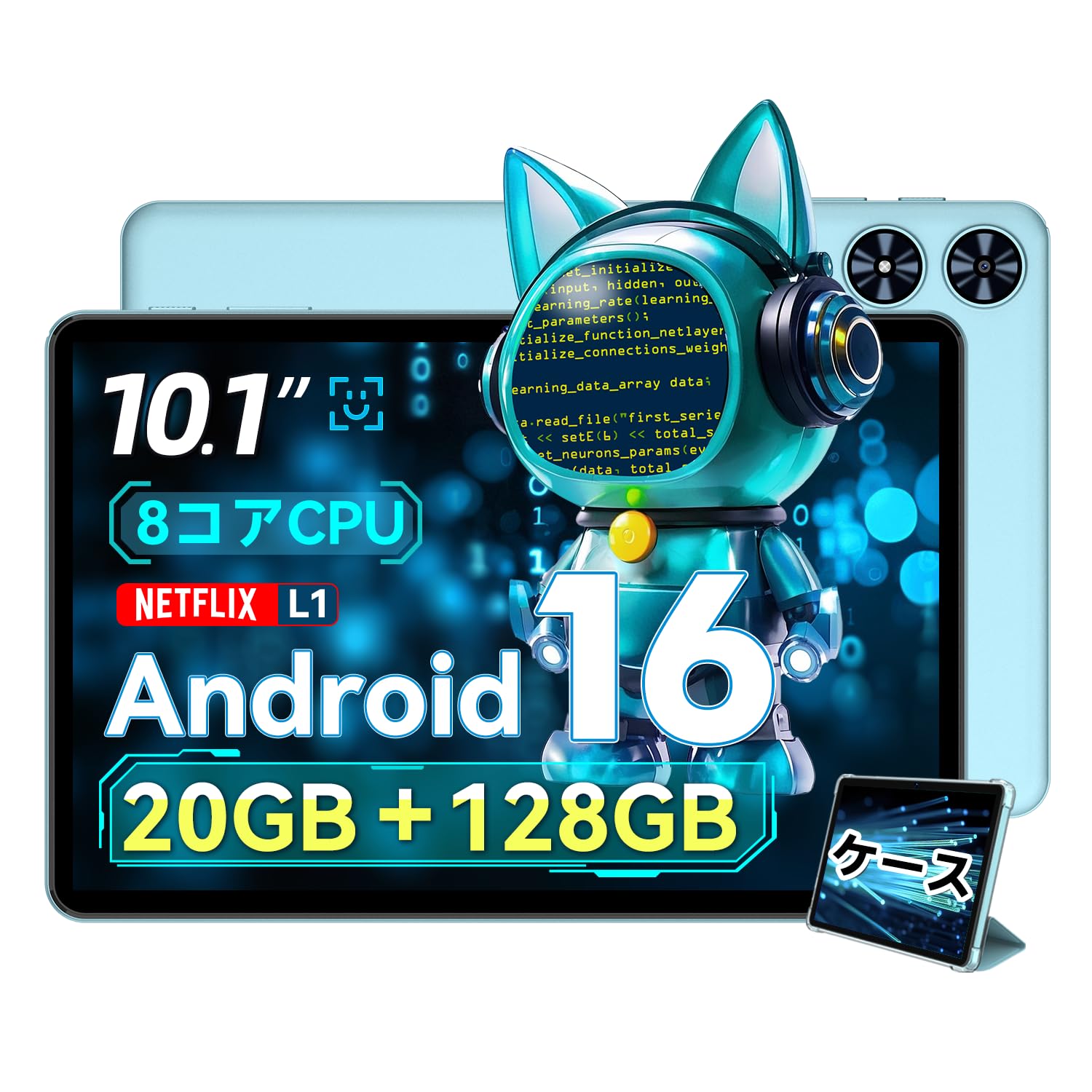
2.1. irudia: Aurrealdea view of the SVITOO P10 tablet, showcasinbere 10.1 hazbeteko pantailarekin.

Figure 2.2: The SVITOO P10 tablet with on-screen graphics highlighting its 10.1-inch display, Android 16 OS, Bluetooth 5.0, 128GB storage, 20GB RAM expansion, 2.4G/5G Wi-Fi, 6600mAh battery, and Widevine L1 support.
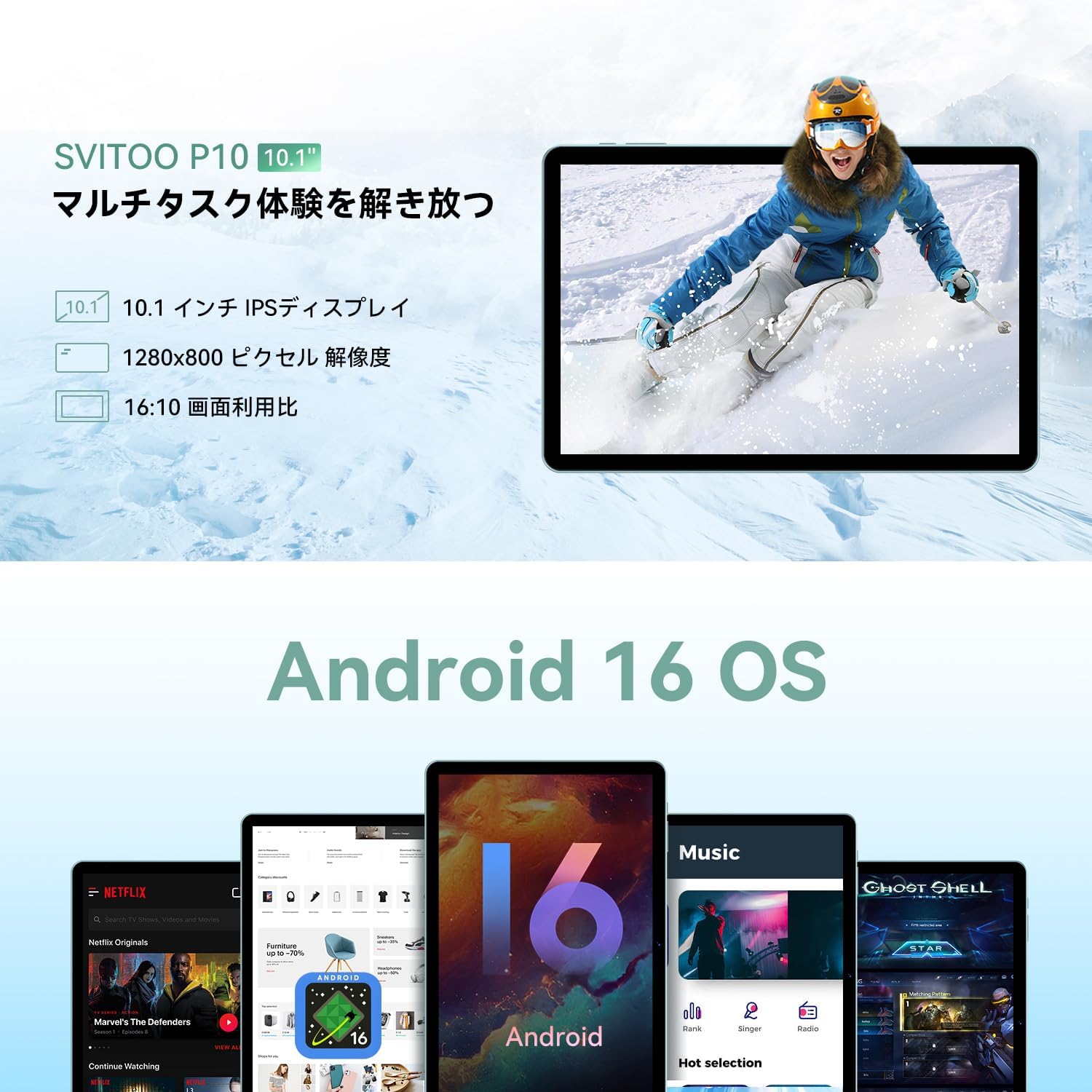
Figure 2.3: The SVITOO P10 tablet displaying a vibrant image, emphasizing its 10.1-inch IPS display, 1280x800 pixel resolution, and 16:10 aspect ratio.

Figure 2.4: Internal components of the SVITOO P10, illustrating the 20GB RAM (4GB + 16GB expandable), 128GB ROM, 1TB microSD card support, and the efficient 8-core CPU (UNISOC T7250 shown in diagram, actual is T615).
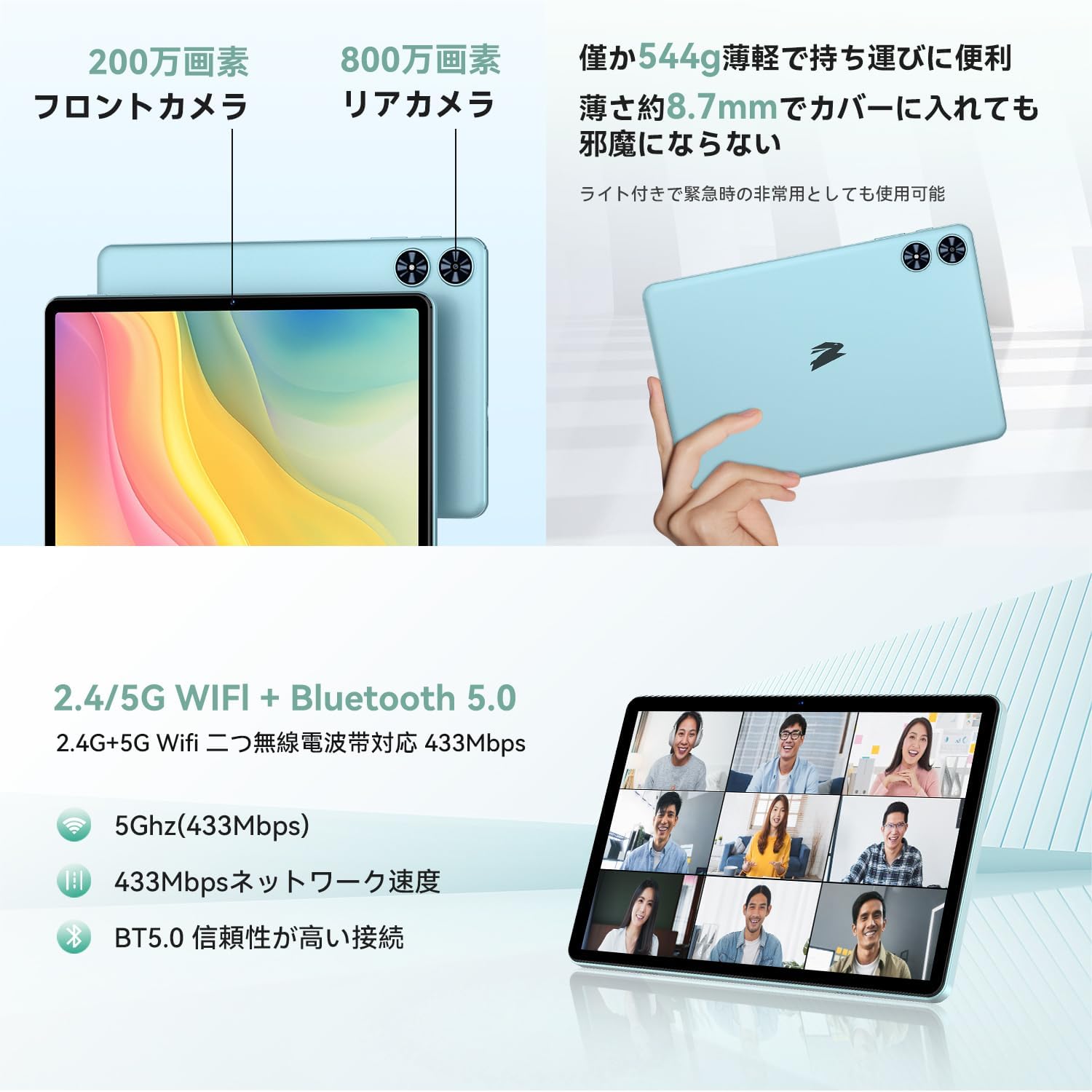
2.5 Irudia: Atzekoa eta aurrealdea views of the SVITOO P10 tablet, highlighting the 2MP front camera, 8MP rear camera, 2.4G/5G WiFi, and Bluetooth 5.0. An example of a video conference is shown on the screen.

Figure 2.6: Demonstrates the SVITOO P10's software capabilities, including convenient multi-window, wireless projection, face recognition unlock, and eye protection screen modes (reading mode, blue light reduction).
Produktuen bideoak:
Video 2.1: This video demonstrates how the Android 16 OS on the SVITOO P10 tablet enhances both entertainment and work tasks, showcasing its smooth performance and user-friendly interface.
3. Konfigurazioa
3.1. Unboxing eta Hasierako Ikuskapena
Upon receiving your SVITOO P10 tablet, carefully open the package and ensure all components are present:
- SVITOO P10 Tablet
- USB-C kargatzeko kablea
- Elikatze-moldagailua
- USB-C 3.5 mm-ra audio egokitzailea
- Erabiltzailearen eskuliburua
- SIM Ejector Pin (for microSD card slot)
Inspect the tablet for any physical damage. The screen comes with a pre-applied protective film.
3.2. Piztu/Itzaltzea
- Pizteko: Press and hold the Power button (located on the side) until the SVITOO logo appears on the screen.
- Itzaltzeko: Press and hold the Power button, then select 'Power off' from the options that appear.
- Berrabiarazteko: Sakatu eta eutsi pizteko botoiari, eta ondoren hautatu 'Berrabiarazi' aukeren artean.
3.3. Hasierako konfigurazio morroia
The first time you power on your tablet, you will be guided through an initial setup process:
- Aukeratu nahi duzun hizkuntza.
- Konektatu Wi-Fi sare batera.
- Hasi saioa zure Google kontuarekin edo sortu berri bat.
- Jarraitu pantailako argibideei konfigurazioa osatzeko.
3.4. MicroSD txartel bat sartzea
To expand your tablet's storage:
- Bilatu SIM/microSD txartelaren erretilua tabletaren alboan.
- Insert the provided SIM ejector pin into the small hole next to the tray to open it.
- Place your microSD card (up to 1TB, sold separately) into the designated slot on the tray.
- Sartu erretilua tabletaren barrura astiro-astiro, klik egin arte.
4. Funtzionamendu-argibideak
4.1. Oinarrizko nabigazioa
The SVITOO P10 uses standard Android touch gestures:
- Sakatu: Hautatu elementu bat edo ireki aplikazio bat.
- Pasatu hatza: Pantailetan edo zerrendetan zehar joan.
- Pixka bat: Argazkiak handitu edo txikitu eta web orrialdeak.
- Prentsa luzea: Sartu testuinguru-menuetara edo mugitu ikonoak.
4.2. Pantailaren ezarpenak
Egokitu zure viewesperientzia:
- Distira: Swipe down from the top of the screen to access Quick Settings, then adjust the brightness slider.
- Modu iluna: Joan zaitez Settings > Display > Dark theme to enable or disable dark mode for a more comfortable viewing experience in low light.
- Irakurketa modua: Activate reading mode (often found in Quick Settings or Display settings) to reduce eye strain during prolonged reading.
4.3. Konektibitatea
- Wi-Fi: Joan zaitez Ezarpenak > Sarea eta internet > Wi-Fi to connect to available networks. The tablet supports 2.4G and 5G bands.
- Bluetootha: Joan zaitez Ezarpenak > Konektatutako gailuak > Bluetooth to pair with Bluetooth 5.0 devices like headphones, speakers, or keyboards.
- GPSa: The built-in GPS allows for accurate location tracking and navigation using map applications.
4.4. Multimedia
- Bideo-erreprodukzioa: With Widevine L1 support, enjoy high-definition content from popular streaming services.
- Audioa: The tablet features quad speakers for immersive sound. A 3.5mm headphone jack is also available via the included adapter.
4.5. Kameraren erabilera
The SVITOO P10 is equipped with an 8MP rear camera and a 2MP front camera.
- Ireki Kamera aplikazioa hasierako pantailatik edo aplikazioen tiraderatik.
- Aldatu aurreko eta atzeko kameren artean kameraren ikonoa erabiliz.
- Sakatu obturadorearen botoia argazki bat ateratzeko edo bideo bat grabatzeko.
4.6. Productivity Features
- Pantaila zatitua: Use the split-screen function to run two apps side-by-side for enhanced multitasking.
- Haririk gabeko proiekzioa: Easily connect your tablet to a larger TV or display wirelessly for a broader visual experience.
4.7. Security and Parental Controls
- Aurpegi-aitorpena: Aurpegi-ezagutza konfiguratu hemen: Ezarpenak > Segurtasuna eta pribatutasuna > Aurpegi bidezko desblokeoa to quickly and conveniently unlock your device.
- Gurasoen kontrolak: Utilize the parental control features to manage screen time, app access, and prevent unauthorized purchases when children use the tablet.
5. Mantentzea
5.1. Bateria kargatzea
Charge your SVITOO P10 tablet using the provided USB-C cable and power adapter. The durable Type-C port ensures reliable charging. Avoid using damaged cables or chargers.
5.2. Biltegiratze kudeaketa
Kudeatu aldizka tabletaren biltegiratzea errendimendu optimoa mantentzeko. Ezabatu beharrezkoak ez diren gauzak files and apps, or offload large media files to your microSD card (up to 1TB) or cloud storage.
5.3. Gailua garbitzea
Use a soft, lint-free cloth to clean the screen and body of your tablet. Avoid using harsh chemicals or abrasive materials that could damage the device.
6. Arazoak
If you encounter issues with your SVITOO P10 tablet, refer to the following common solutions:
6.1. Gailua ez da pizten
- Ziurtatu bateria kargatuta dagoela. Konektatu tableta kargagailura gutxienez 30 minutuz.
- Berrabiarazteko, sakatu eta eutsi pizteko botoia 10-15 segundoz.
6.2. Wi-Fi konexio arazoak
- Egiaztatu Wi-Fia gaituta dagoen Ezarpenak > Sarea eta internet > Wi-Fi.
- Berrabiarazi zure Wi-Fi bideratzailea.
- Ahaztu sarea eta konektatu berriro pasahitza berriro sartuz.
6.3. Aplikazioak kraskatzea edo errendimendu motela izatea
- Itxi atzeko planoan dauden aplikazioak.
- Clear the cache of problematic apps (Ezarpenak > Aplikazioak > [Aplikazioaren izena] > Biltegiratzea eta cachea > Garbitu cachea).
- Ensure your tablet's software is up to date (Ezarpenak > Sistema > Sistemaren eguneraketa).
- Arazoak jarraitzen badute, kontuan hartu fabrika berrezartzea (Ezarpenak > Sistema > Berrezarri aukerak > Ezabatu datu guztiak (fabrika berrezarri)). Warning: This will delete all data on your tablet. Back up important information first.
7. Zehaztapenak
| Ezaugarri | Zehaztapena |
|---|---|
| Marka | SVITOO |
| Ereduaren izena | P10 |
| Sistema eragilea | Android 16 (GMS ziurtagiria) |
| PUZaren marka | Unisoc |
| CPU Abiadura | 1.8 GHz |
| Grafikoen bizkortzailea | Mali-G57 |
| Bistaratzeko tamaina | 10.1 hazbete |
| Bistaratzeko ebazpena | 1280x800 pixel |
| Memoria Biltegiratzeko Ahalmena | 128 GB |
| Biltegiratze zabalgarria | Gehienez 1 TB microSD txartelaren bidez |
| Aurrealdeko kamera | 2MP |
| Atzeko kamera | 8MP |
| Haririk gabeko mota | 802.11a/g/n/ac (2.4G/5G Wi-Fi) |
| Konektagarritasun mota | Bluetooth 5.0, GPSa |
| Bateria Edukiera | 6600mAh |
| Kargatzeko ataka | USB-C |
| Audio-portua | 3.5mm Headphone Jack (via adapter) |
| Elementuaren pisua | 1.05 kilogramo |
| Paketearen neurriak | 32.4 x 20.3 x 2.9 cm |
8. Bermea eta Laguntza
8.1. Fabrikatzailearen bermea
The SVITOO P10 tablet comes with a 1 urteko fabrikatzailearen bermea. Berme honek ohiko erabileran materialen eta eskulanen akatsak estaltzen ditu.
Returns or exchanges are accepted for defects found before use (after unboxing) or for initial defects discovered after use.
8.2. Bezeroarentzako arreta
For any inquiries, technical support, or warranty claims, please contact SVITOO customer service through your Amazon account:
- Hasi saioa Amazon kontuan.
- Go to 'Order History'.
- Locate your SVITOO P10 tablet order.
- Click 'Contact Seller' to reach our support team.