
1. Sarrera
The T26 Pro Language Translator Earbuds are designed to facilitate seamless real-time communication across language barriers. Utilizing advanced technology, these earbuds support over 144 languages with high accuracy, making them suitable for various scenarios from daily use to international travel. This manual provides detailed instructions for setting up, operating, maintaining, and troubleshooting your T26 Pro earbuds to ensure optimal performance.

Figure 1.1: T26 Pro Language Translator Earbuds and charging case.
2. Paketearen edukia eta konfigurazioa
2.1 Zer dago kutxan
- 1 x T26 Pro Bluetooth Headset
- 1 x USB kargatzeko kablea
- 1 x Korrila
- 1 x Argibide eskuliburua (dokumentu hau)

2.1. irudia: Produktuaren paketean sartutako osagaiak.
2.2 Hasierako konfigurazioa
- Entzungailuak kargatu: Before first use, fully charge the earbuds using the provided USB Type-C charging cable. Connect the cable to the earbuds' charging port and a compatible USB power source. The charging indicator light will provide status.
- Deskargatu Laguntzaile aplikazioa: The T26 Pro earbuds require a dedicated mobile application for translation functionality. Scan the QR code provided in the physical instruction manual or search for the official app on your device's app store. Install the app on your smartphone.
- Parekatu zure gailuarekin:
- Ziurtatu Bluetootha gaituta dagoela zure telefonoan.
- Open the T26 Pro companion app.
- Follow the on-screen instructions within the app to pair your earbuds. This typically involves putting the earbuds into pairing mode (refer to the physical manual for specific button presses if needed) and selecting them from the Bluetooth device list in the app.
- App Membership Activation: The product includes one year of translation function use and six months of APP membership. Follow the app's instructions to activate these features upon initial setup.
3. Funtzionamendu-argibideak
The T26 Pro earbuds offer versatile translation modes and functions through their dedicated mobile application.
3.1 Itzulpen Moduak
The earbuds support multiple translation modes to suit different communication needs. Access and select these modes within the companion app.

Figure 3.1: Real-time translation interface within the app.
- Denbora errealeko itzulpena: Speak into the earbuds, and the app will translate and output the speech in the selected target language. This is ideal for direct conversations.
- Recording Translation: Use the app to record audio, and it will provide a translated transcript. Useful for lectures, meetings, or capturing spoken information for later review.
- Chat/AI Function: Engage with an AI assistant or use chat features for text-based translation and interaction.

Figure 3.2: Recording translation feature in the app.

Figure 3.3: AI chat feature for interactive translation.
3.2 Audio Ezaugarriak
Beyond translation, the T26 Pro earbuds deliver high-quality audio for music and calls.
- Crystal-Clear Vocals & Deep Bass: Enjoy an immersive audio experience with enhanced sound quality.
- Zarata murrizketa aurreratua: Minimizes background noise for clearer communication and listening.
- 360° Audio Quality: Built-in 16mm speakers provide rich, enveloping sound.
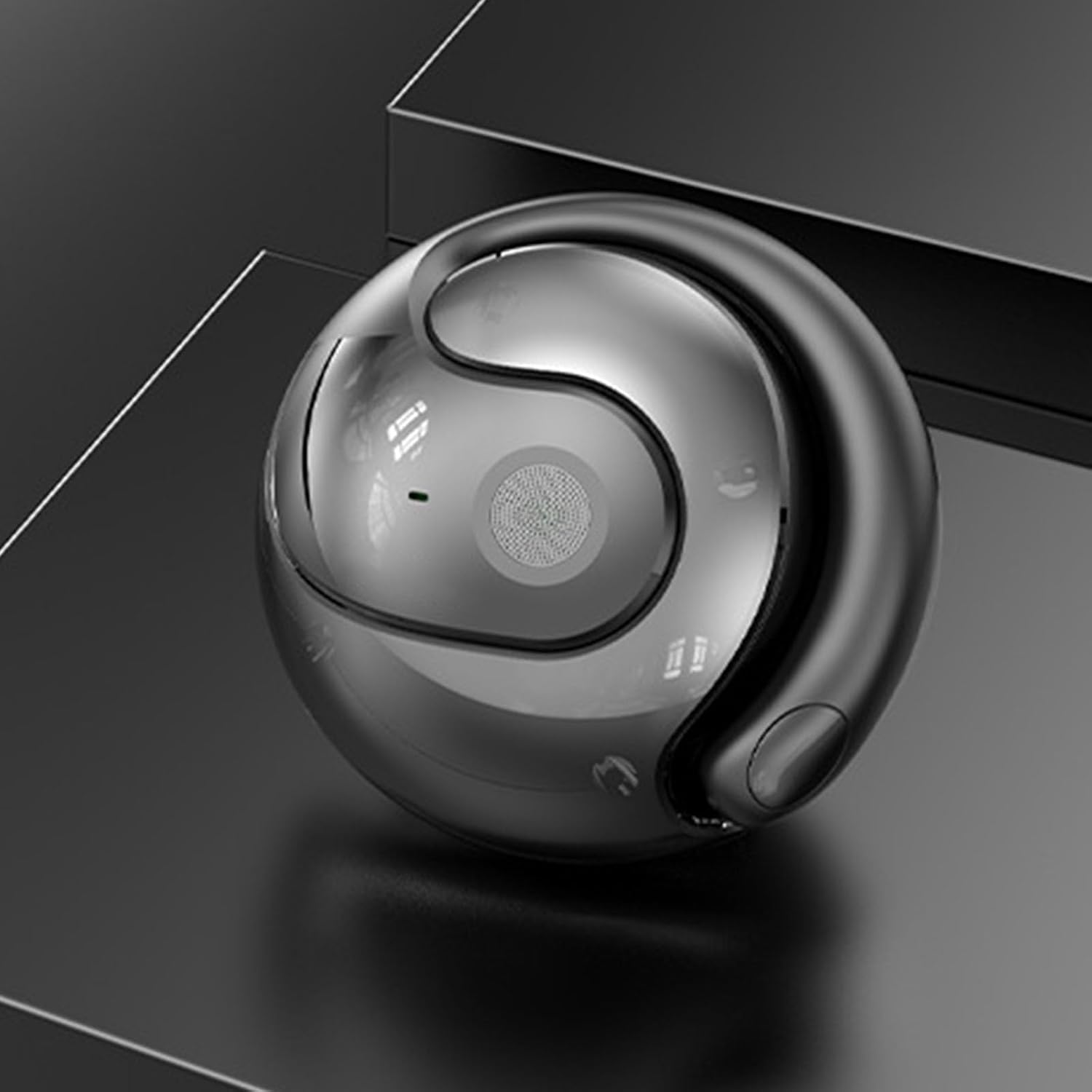
Figure 3.4: Earbud highlighting audio capabilities.
4. Mantentzea eta Zainketa
Proper maintenance ensures the longevity and optimal performance of your T26 Pro earbuds.
- Garbiketa: Regularly wipe the earbuds with a soft, dry, lint-free cloth. Do not use abrasive cleaners or solvents.
- Biltegiratzea: Gorde entzungailuak kargatzeko zorroan erabiltzen ez dituzunean, hautsetik eta kalteetatik babesteko.
- Bateria zaintzea: To preserve battery life, avoid fully discharging the earbuds frequently. Charge them regularly, even if not in constant use.
- Uraren erresistentzia: The earbuds have an IPX5 rating, meaning they are resistant to low-pressure water jets. Do not submerge them in water.
5. Arazoak
If you encounter issues with your T26 Pro earbuds, refer to the following common solutions:
| Arazoa | Kausa posiblea | Irtenbidea |
|---|---|---|
| Entzungailuak ez dira parekatzen | Bluetooth off, earbuds not in pairing mode, low battery. | Ensure Bluetooth is on. Put earbuds in pairing mode. Charge earbuds. Restart phone and app. |
| Itzulpena ez dabil | No internet connection, app not running, incorrect language selection, microphone blocked. | Check internet connection. Ensure app is open and active. Verify language settings. Ensure microphone is clear. |
| Audio kalitate eskasa | Earbuds not seated correctly, low battery, interference. | Adjust earbud position. Charge earbuds. Move away from sources of interference. |
| Aplikazioak ez du erantzuten | App crash, outdated app version. | Close and reopen the app. Check for app updates in your app store. Restart your phone. |
6. Zehaztapenak
| Ezaugarri | Xehetasuna |
|---|---|
| Eredua | Translator Earbuds (T26 Pro) |
| Bluetooth bertsioa | Bluetooth 5.4 |
| Hizlarien zehaztapena | 16 mm |
| Mikrofonoaren seinale-zarata erlazioa | 58 dB |
| Interfaze mota | C motakoa |
| Uraren Erresistentzia Balorazioa | IPX5 |
| Product Size (headphones) | 51*41*18mm |
| Entzuteko Denbora | Gehienez 3 ordu |
| Egonean Denbora | Gehienez 480 ordu |
| Komunikazio-eremua | 10 m |
| Elementuaren pisua | 5.4 ontza |
7. Bermea eta Laguntza
The T26 Pro Language Translator Earbuds come with a limited warranty and support for its features.
- Translation Function: One year of use for the translation function is included with your purchase.
- APP Membership: Six months of APP membership is included, providing access to additional features.
- Laguntza teknikoa: For further assistance or issues not covered in this manual, please refer to the contact information provided in the physical instruction manual or within the companion app.